Suggested study time: 45 minutes • Beginner level • Original rewrite based on Microsoft Learn objectives
By João Ricardo Dutra••Complete original content
1. AI applications and inference
Artificial intelligence describes systems designed for tasks usually associated with human intelligence, including reasoning, problem solving, perception, and language understanding. An AI application embeds computer vision, speech, information extraction, or other techniques to understand inputs and respond more adaptively than traditional software.
Its engine is a machine-learning model: a mathematical system trained to recognize patterns and predict or generate outputs. Applying what a trained model learned to new input is called inference.
Model-powered applications turn inputs into text, images, decisions, or other outputs.
They are dynamic and can improve through retraining or fine-tuning.
Healthcare systems analyze X-rays and MRIs; finance systems monitor transactions for fraud; retail engines personalize recommendations.
Manufacturing systems predict equipment failure, while intelligent tutors adapt content, pace, and feedback.
A model is not the whole solution. Enterprise applications also need security, networking, hosting, storage, application logic, and a user interface. Azure supplies the infrastructure, and organizes AI development and operations.
2. Azure and four core service categories
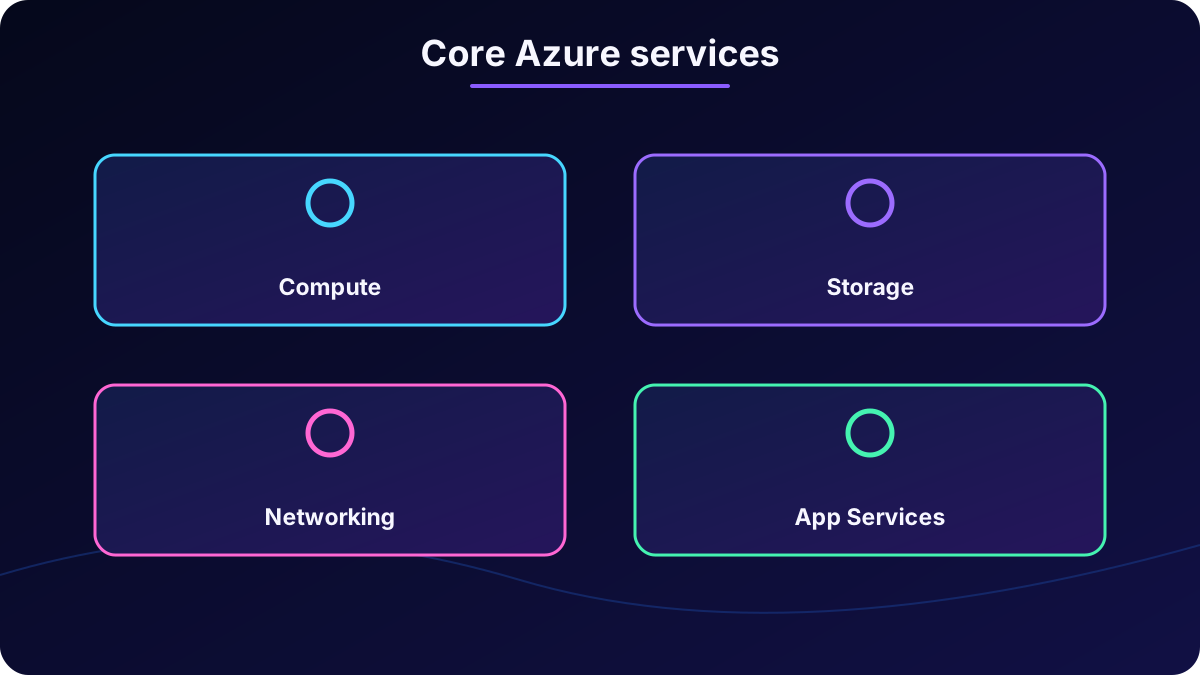
Microsoft Azure is a cloud platform: services consumed over the internet instead of infrastructure that every organization must purchase and maintain. Modern applications can run code, store data, and scale in global datacenters with enterprise security and reliability.
The categories work together to support AI applications and agents.
Core Azure service categories.
Category
Purpose
Compute
Runs applications and workloads with capacity that can grow or shrink.
Keeps files, databases, images, backups, and other accessible data.
Networking
Securely connects cloud resources, the internet, and organizational environments.
App Services
Provides ready-made platforms for building, hosting, and running applications without managing underlying servers.
3. Tenant, subscription, resource group, and resource
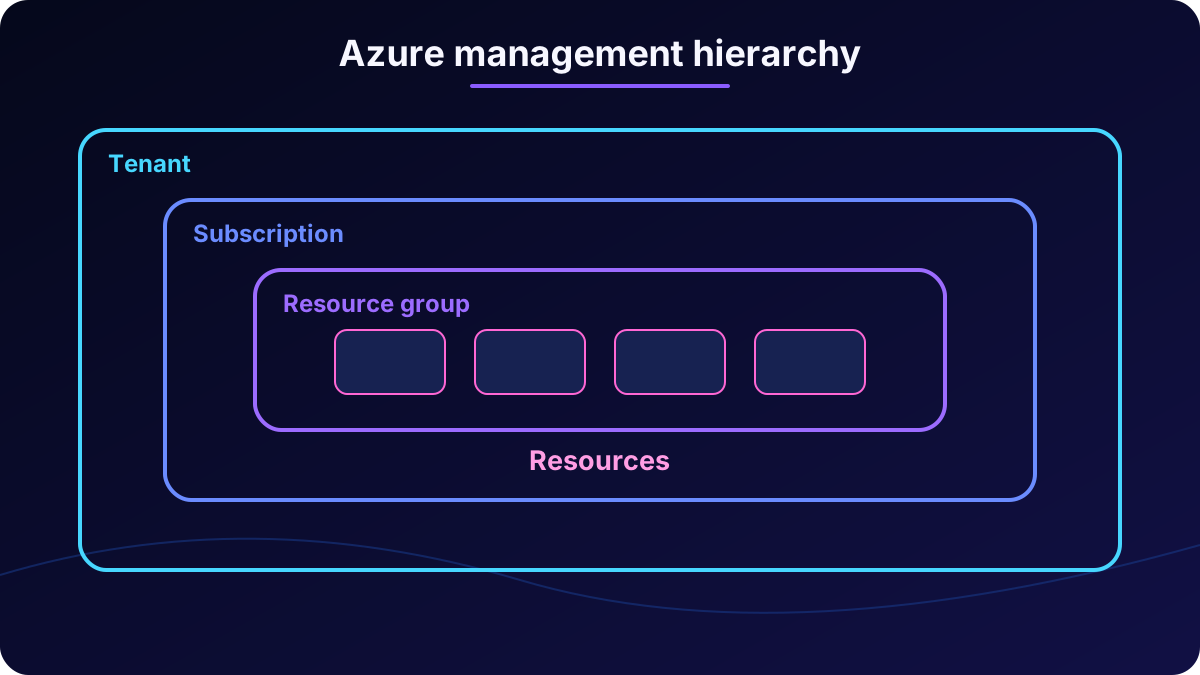
Azure management follows a hierarchy. A tenant is an organization’s isolated home in Microsoft cloud and contains identities, users, groups, and policies. Organizations receive one when they adopt Azure or Microsoft 365.
A subscription inside the tenant is a billing container and a boundary for cost, quota, and access. A tenant can have several subscriptions. Each contains resource groups, which organize related assets and make shared permissions and policies easier to apply.
A resource is an individual object such as a storage account, database, or Foundry resource. It has a type, unique name and ID, settings, and optional access controls. A type such as Microsoft./storageAccounts defines behavior, while region, performance tier, permissions, and security are configuration choices.
The structure separates responsibility, organizes cost, and simplifies governance, policy, monitoring, and automation.
4. Azure portal and programmatic deployment
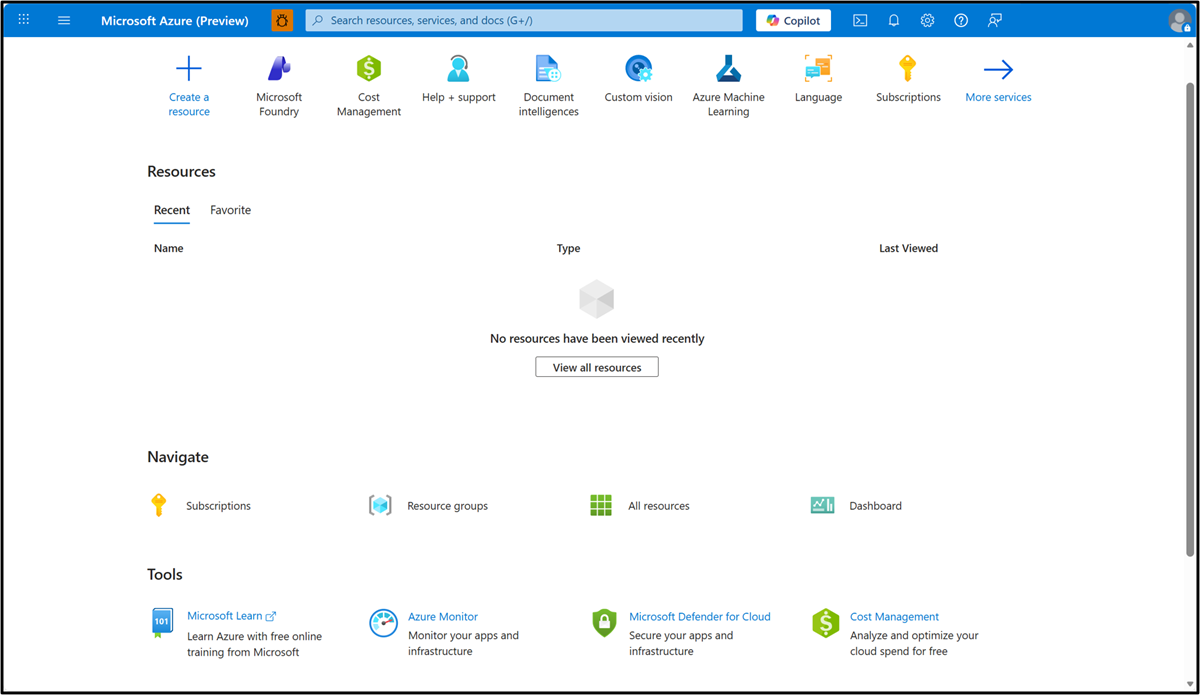
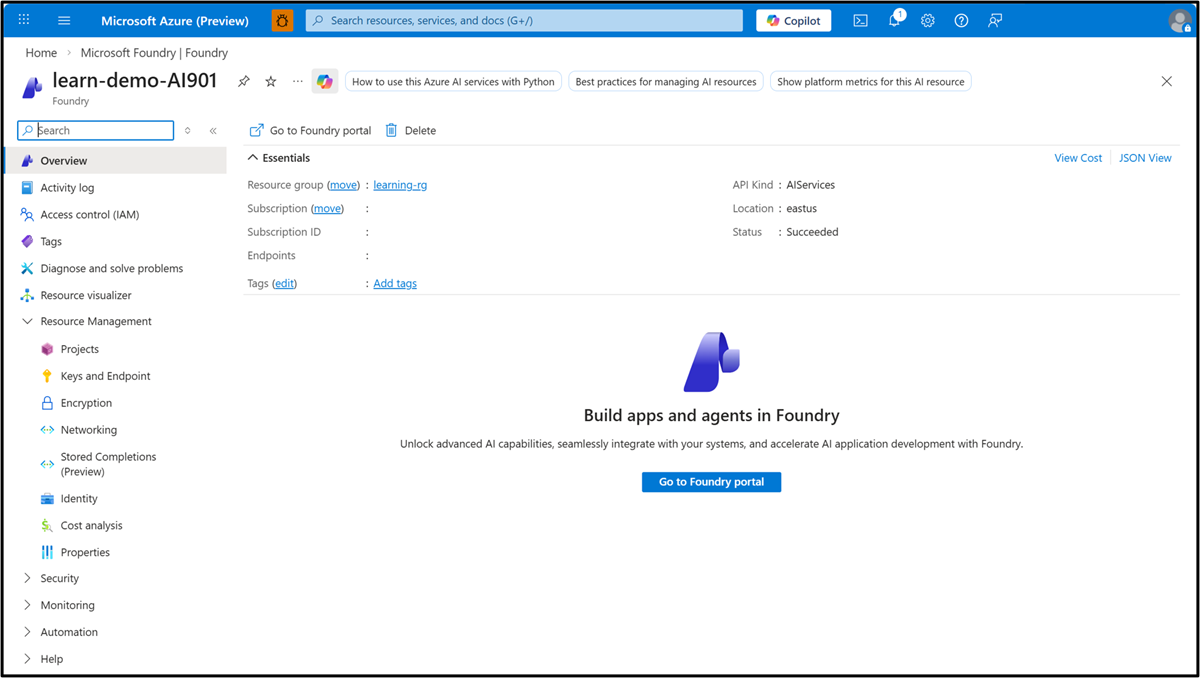
The at portal.azure.com is the centralized web interface for Azure services. It creates and configures resources, monitors usage, performance, and health, manages identities, roles, and access policy, reviews billing, and opens specialized experiences such as .
The real portal capture remains unchanged as PNG.The All resources pane exposes each resource and its properties.
Code, Azure CLI, scripts, and templates can create the same infrastructure. Programmatic deployment repeats environments, reduces manual errors, and makes large configurations faster, more reliable, and maintainable.
5. Security, identity, networking, and secrets
Security and connectivity form the foundation of an AI application. Azure includes identity, access control, and network isolation. authenticates people and services, while RBAC limits access to model deployments, resources, and data.
A secret is a sensitive value that grants access, including an API key, connection string, OAuth token, or password. A key is commonly a random string that authenticates a call to an endpoint. Secrets belong in , not source code or GitHub.
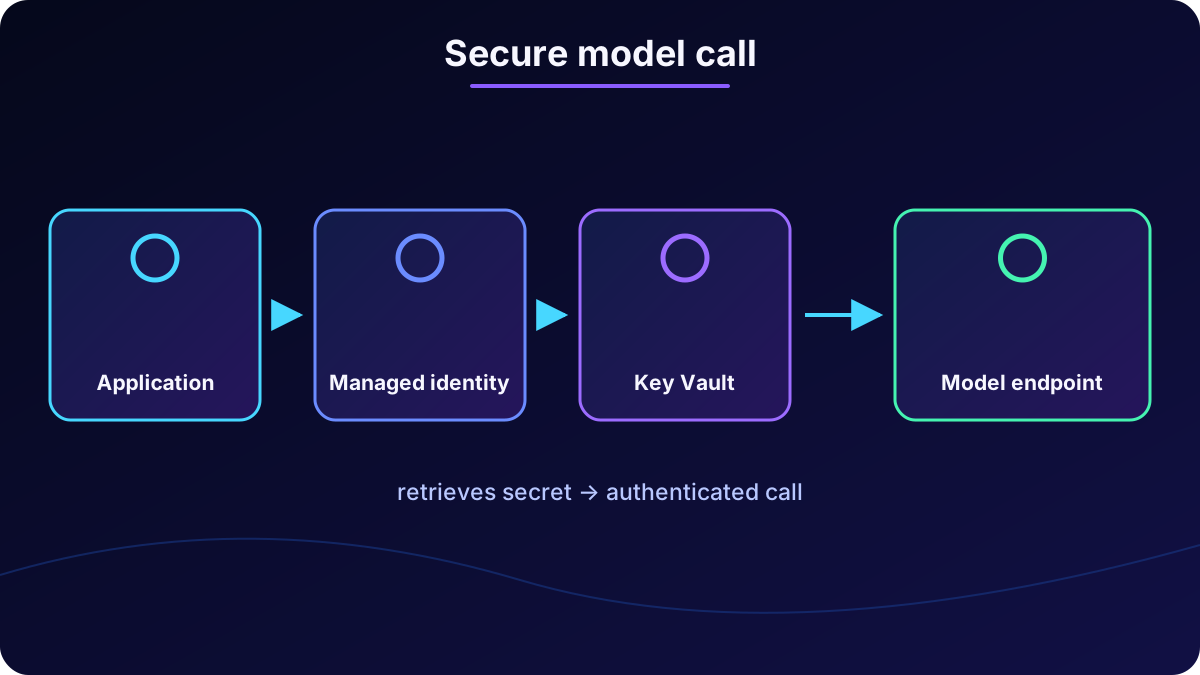
The app retrieves the secret at runtime and uses it to authenticate the request.
The application calls the model endpoint.
Its request presents a key or token.
The key is stored as a secret in .
Managed identity lets the application retrieve it securely at runtime.
Protection also covers data, compliance, threat detection, monitoring, and firewalls. Azure networking keeps communication private, reliable, and efficient across cloud and hybrid environments.
6. Hosting and scaling
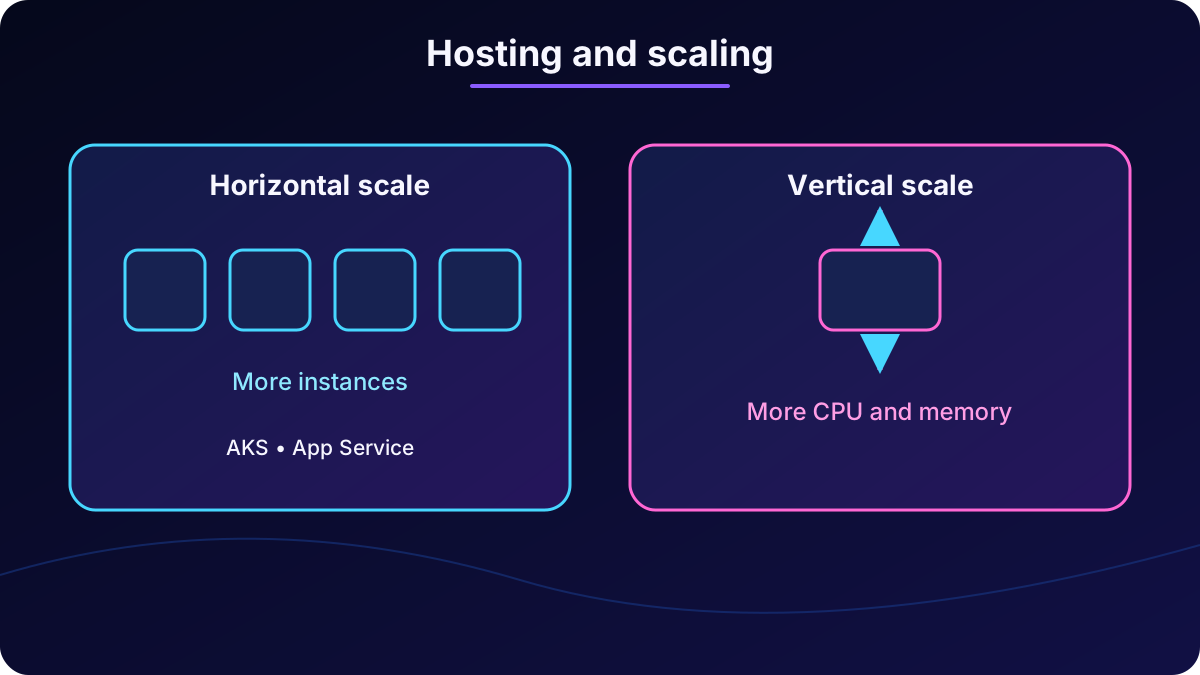
An application runs on a host. In the cloud, a host can be a Virtual Machine providing CPU, memory, and networking. orchestrates containerized workloads, while hosts web applications, APIs, and background jobs without requiring direct management of all infrastructure.
Scaling adjusts capacity manually or automatically. Horizontal scale adds or removes application instances; vertical scale changes CPU and memory on an instance. Azure can respond to CPU use, request volume, or custom metrics.
and provide different paths for hosting and scaling workloads.
7. Data storage for AI applications
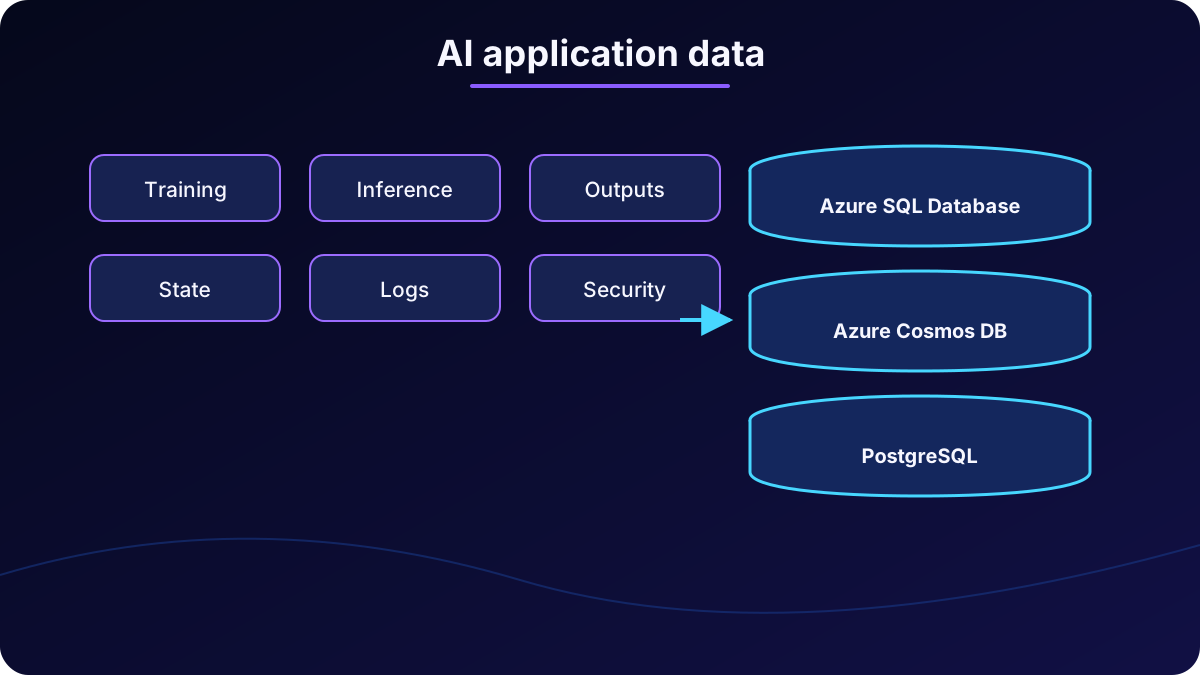
AI solutions keep training data, real-time inference inputs, predictions and generated output, application state, system configuration, logs and telemetry, and security and access data.
Persistent storage supports learning, operation, personalization, analytics, quality improvement, and debugging. serves mission-critical workloads, supports globally distributed real-time data, and provides an intelligent, scalable relational platform.
choice depends on format, scale, distribution, and consistency requirements.
8. as a unified platform
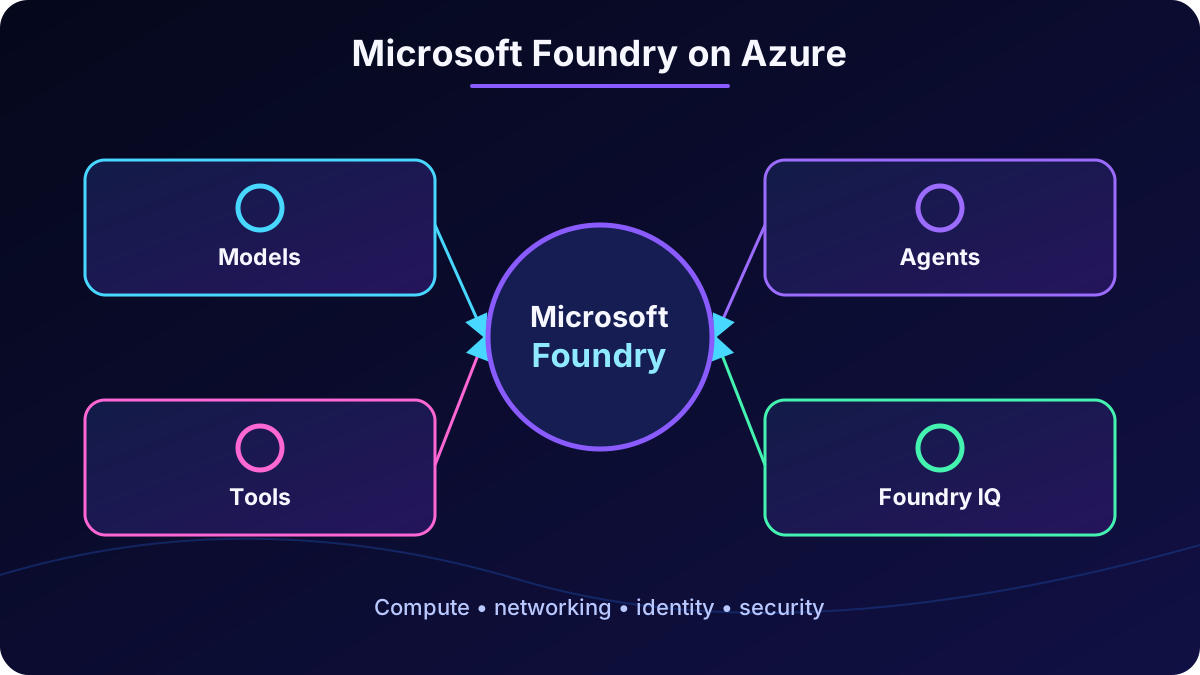
is an enterprise platform as a service for building, deploying, and managing AI applications and agents. It brings together models, agent orchestration, monitoring, governance, production infrastructure, and security.
Developers can choose models, build agents, connect tools, and ground systems in enterprise knowledge through Foundry IQ. The platform uses Azure compute, networking, identity, and security.
The platform organizes AI assets and capabilities without replacing Azure infrastructure.
9. Model catalog, deployment, and governance
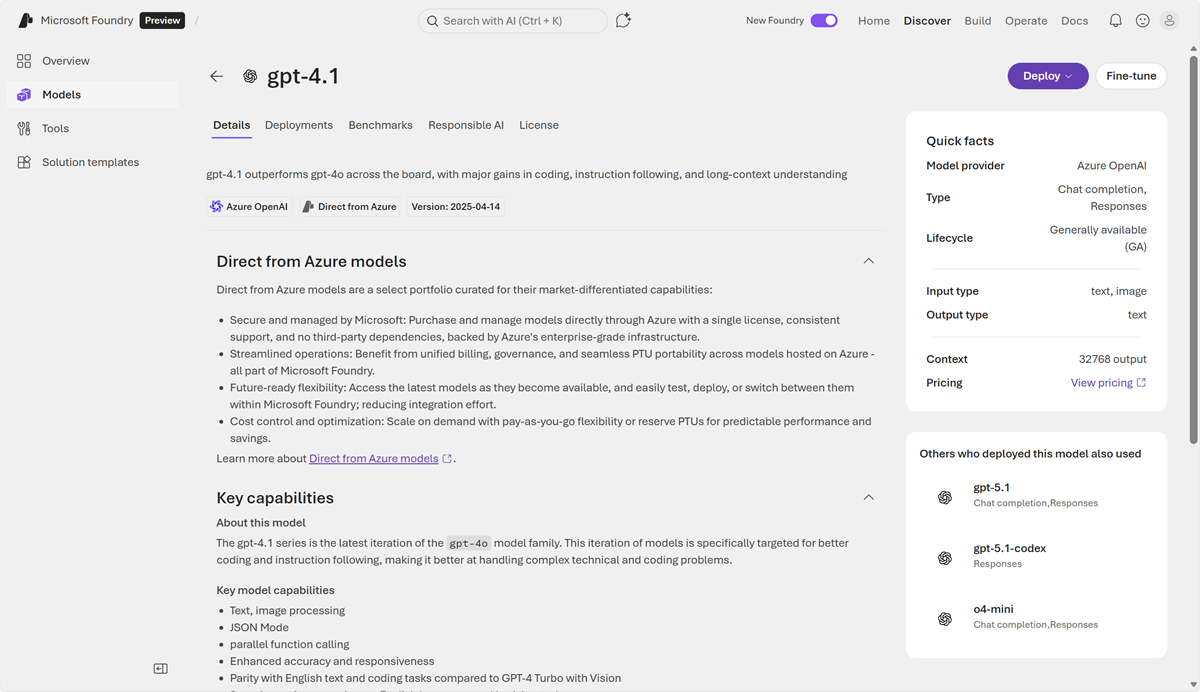
The unified catalog contains thousands of first-party, partner, and open-source models. Examples include Azure-hosted GPT-5, GPT-5-mini, GPT-5-nano, GPT-5-chat, and GPT-5.2-chat; Anthropic Claude Opus 4.6/4.5 and Sonnet; plus Mistral, Cohere, Meta LLaMA, DeepSeek, xAI Grok, Black Forest Labs, and enterprise-governed Hugging Face models.
Built-in leaderboards and playgrounds help compare choices. Lifecycle support covers region selection, standard, provisioned, and batch deployments, version management, Responsible AI governance, and .
The catalog supports discovery, comparison, and deployment.
10. Agents, Foundry Tools, and Foundry IQ
The agent-first approach supports systems that reason, call tools, use data, and automate workflows. Foundry Agent Service coordinates messages, tool execution, safety, and observability. Low-code or code-first workflows can create multi-agent systems connected to documents, datasets, indexes, , and .
Foundry Tools offers more than a dozen capabilities. analyzes images; summarizes or classifies text and extracts phrases; handles speech-to-text and text-to-speech; processes documents. Tools can work separately or together in web and mobile applications.
Foundry IQ creates a permission-aware knowledge layer over , SharePoint, OneLake, and public web data. It handles indexing, chunking, embeddings, and metadata. Agentic retrieval decomposes questions, searches sources in parallel, and returns citation-backed evidence while enforcing permissions and sensitivity labels.
11. Foundry resources, projects, and portal
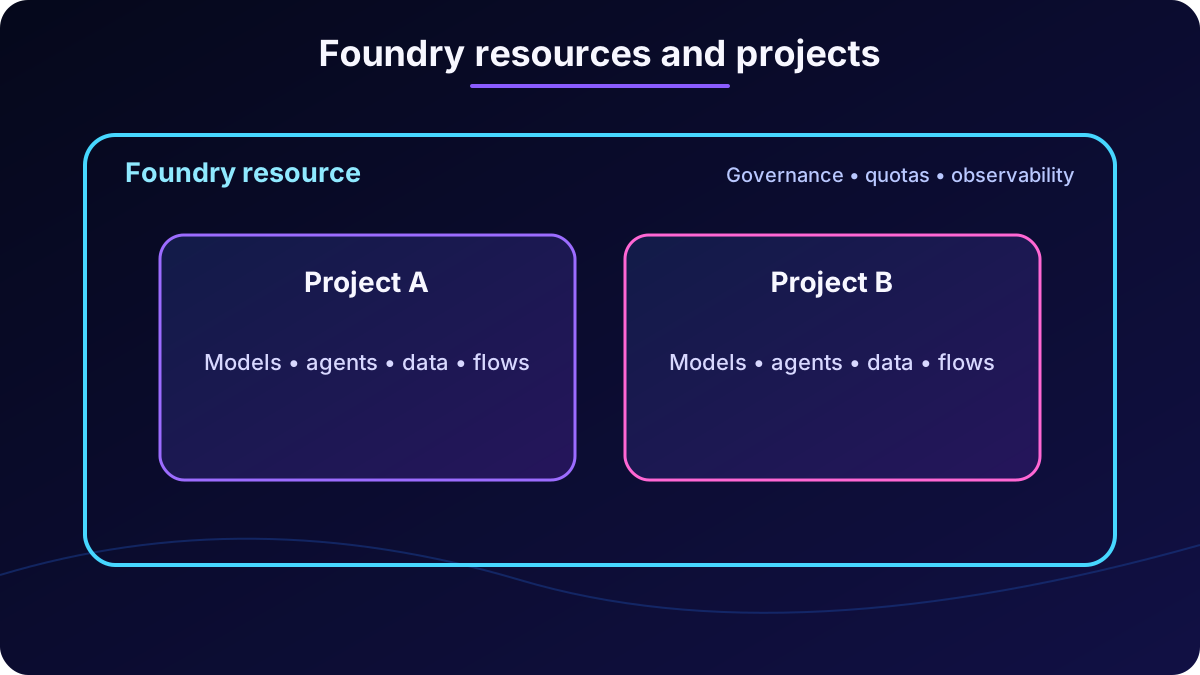
A Foundry resource supplies model hosting, Foundry Agent Service, deployment governance, observability, security boundaries, quotas, and operational controls. Projects inside the resource are workspaces for agents, evaluations, files, datasets, vector indexes, flows, connections, and project-specific settings.
A team may share one resource and separate use cases into many projects. Resources can be created in the , portal, or programmatically.
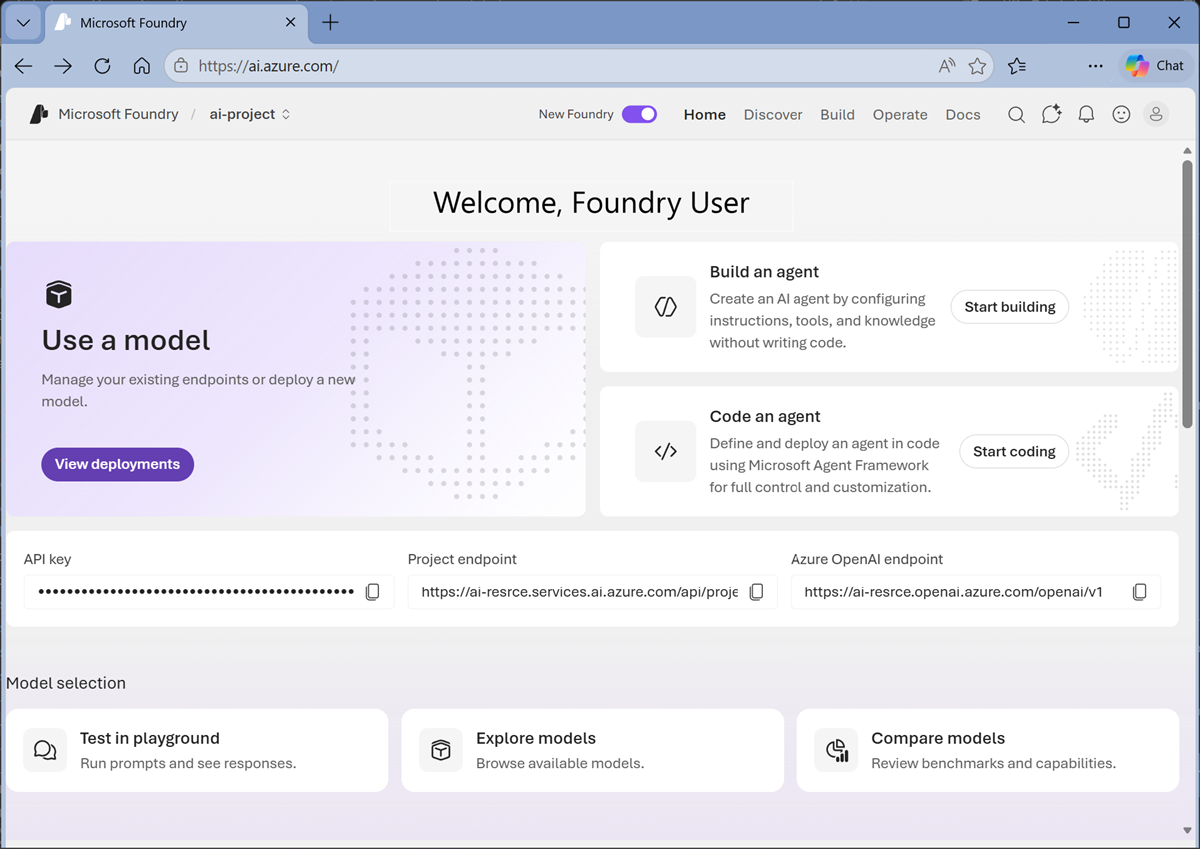
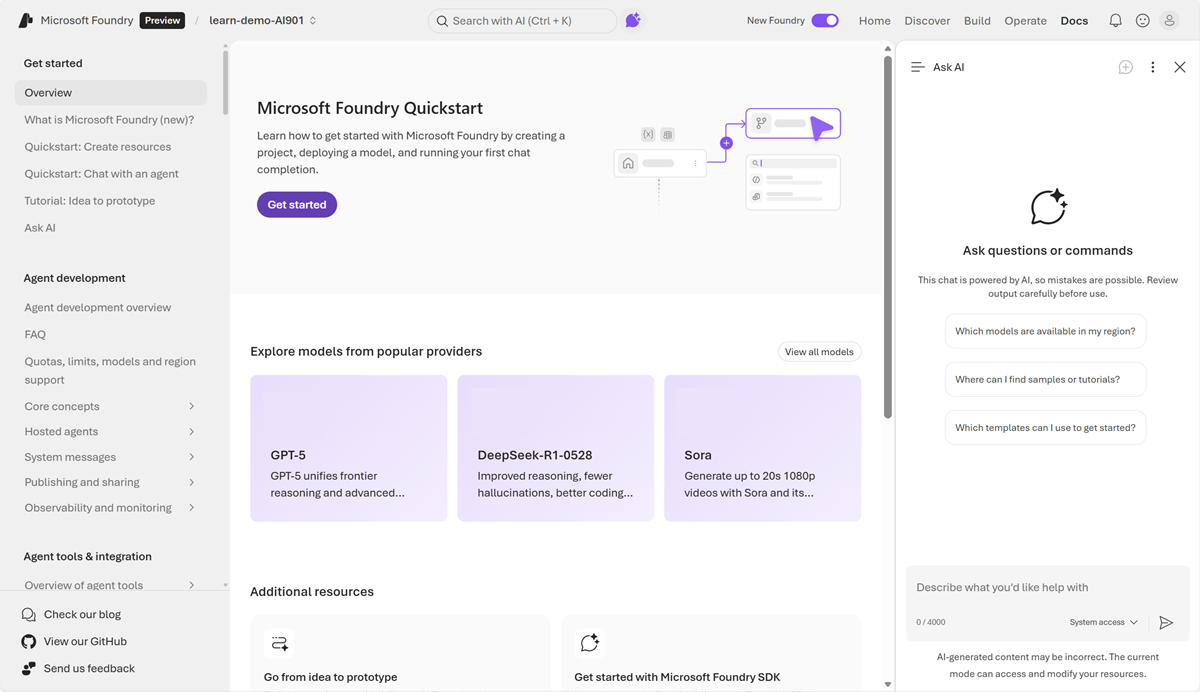
The resource defines platform boundaries; each project organizes one solution.The new portal focuses on models, agents, and operations; classic remains available for other resource types.Ask AI assists with documentation, models, deployment, quotas, monitoring, and evaluations and proposes resource actions for review.
The new portal streamlines multi-agent applications and currently shows Foundry projects; users can switch to classic. Ask AI uses specialized subagents to answer, troubleshoot, compare models, and assist with tasks.
12. From Playground to a client application
Sign in to with an Azure subscription and create a project.
Select and deploy a model from the Model Catalog.
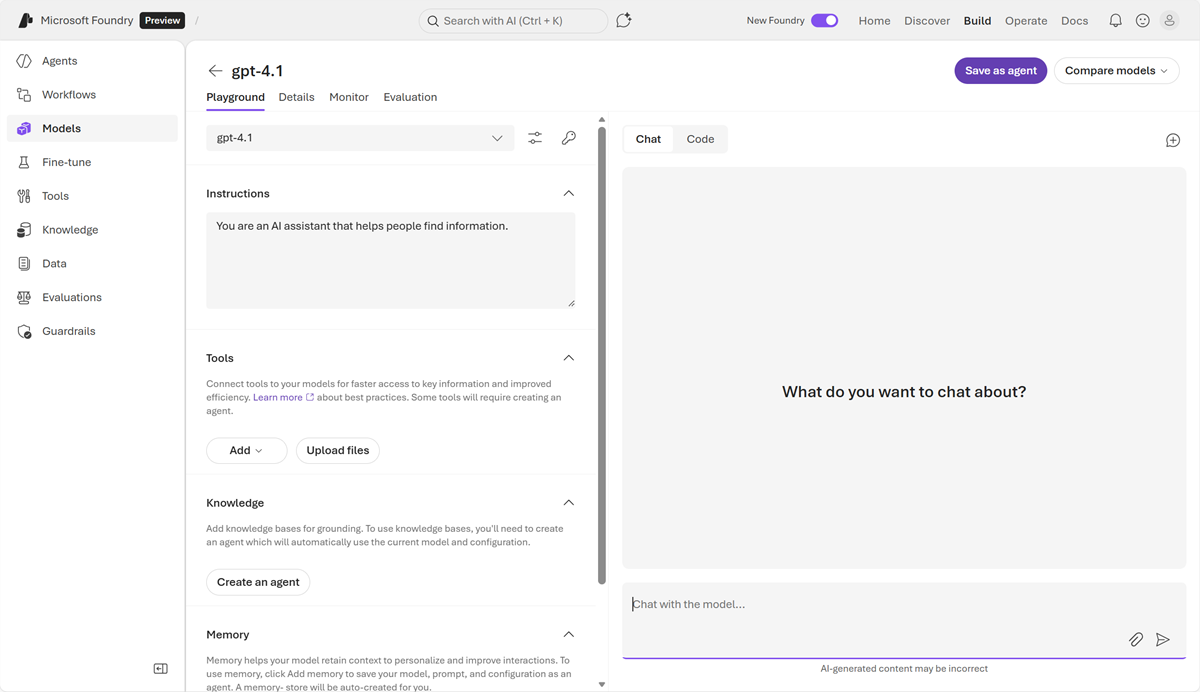
Test prompts, responses, and parameters in the Playground.
Use the configured deployment in a custom client application.
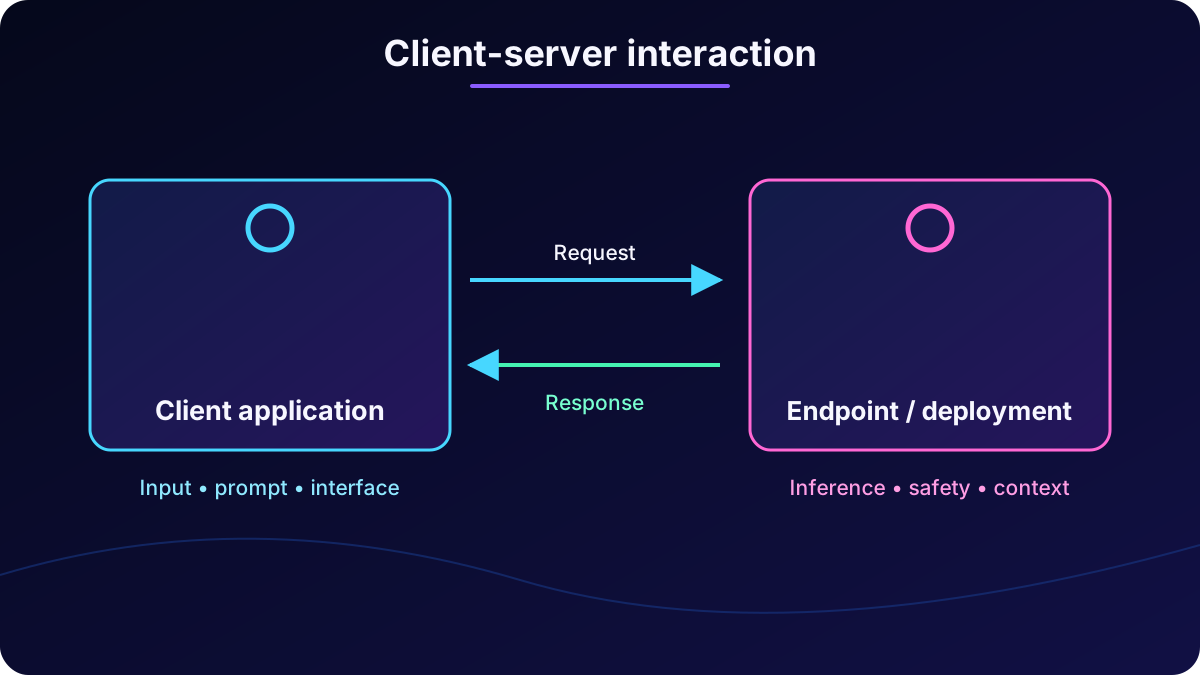
A client application is the program a user interacts with in a browser, phone, computer, or CLI. It presents an interface, collects text, voice, or images, formats a prompt or API request, sends it to the endpoint, and displays the result.
The server is the model deployment. It receives the prompt, runs inference, applies system instructions, safety, and context, and returns text, image, audio, or structured JSON. Client logic processes and transforms that result.
Client-server interaction separates the user experience from model execution.
13. Endpoints, REST, and SDKs
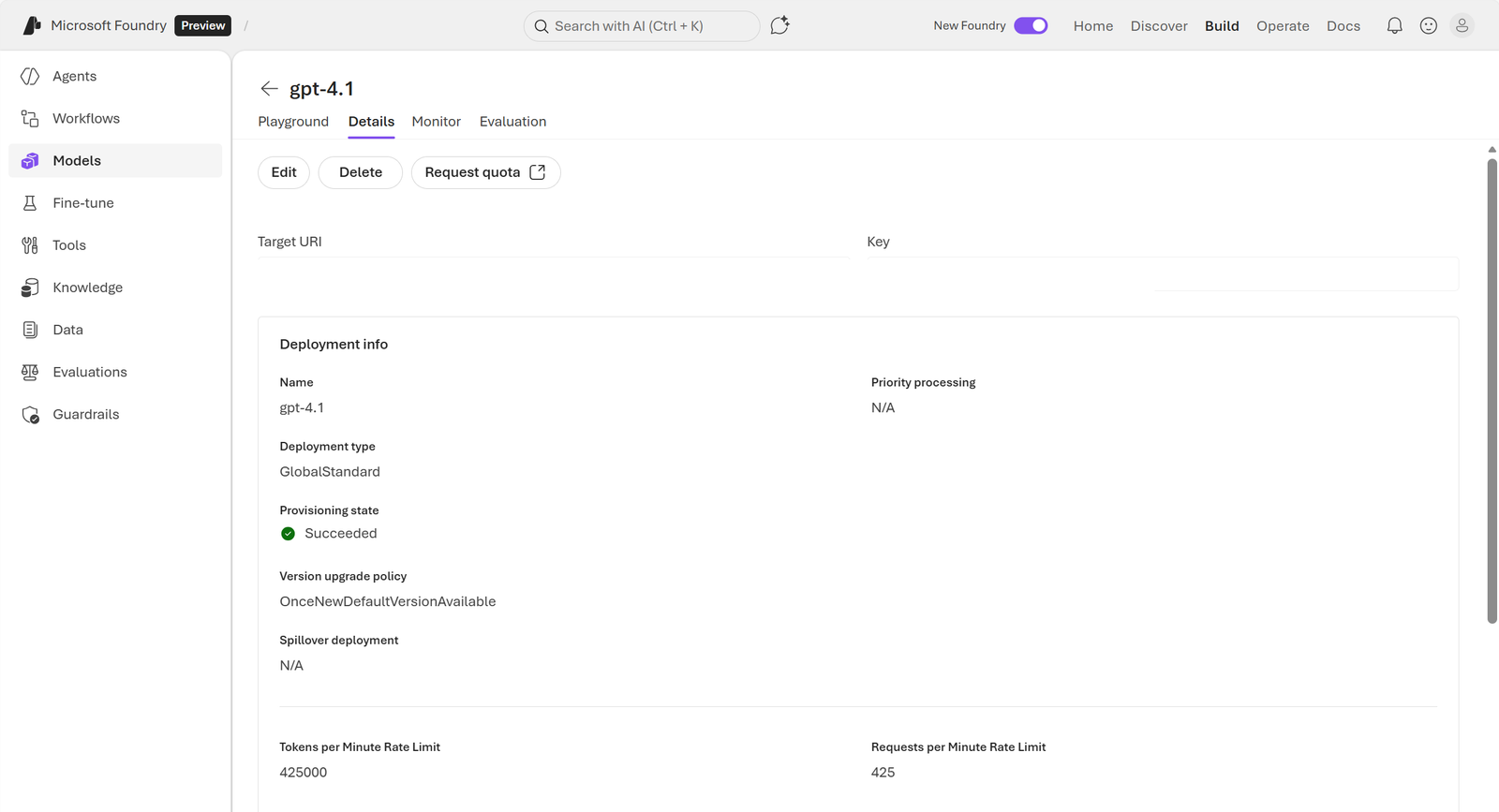
Foundry-hosted models and agents are consumed as APIs over the internet. An endpoint is the unique HTTP entry address. REST interfaces define request and response formats. Access requires an API key or a token proving valid credentials.
Project endpoints operate on the project and its resources; model endpoints accept prompts for deployed models. The Playground details page provides endpoint and credential information.
Project and model endpoints connect client applications to hosted resources.
curl -X POST https://YOUR-RESOURCE.services.ai.azure.com/api/projects/YOUR-PROJECT/openai/responses?api-version=2025-11-15-preview \
  -H "Content-Type: application/json" \
  -H "Authorization: Bearer $AUTH_TOKEN" \
  -d '{"model":"gpt-4.1-mini","input":"What is an AI application?"}'
A REST request has metadata headers for authentication and format and a JSON body for input. Its response also includes headers and JSON with status, model, assistant role, and output content. Developers can call REST directly or use Python, JavaScript, and C# SDKs that build those requests.
14. Exercise and assessment
The exercise creates and explores a project, examines generative models and tools such as , and connects a client application to common AI workloads. It requires an Azure subscription; a new account may include initial 30-day credits.