Multimodal vision and image and video generation in Microsoft Foundry
Vision-enabled models, Responses API, GPT-Image, Sora, Playgrounds, and asynchronous video integration
Suggested study time: 52 minutes • Beginner level • Original rewrite based on Microsoft Learn objectives
By João Ricardo Dutra••Complete original content
1. Computer vision: interpreting and creating visual content
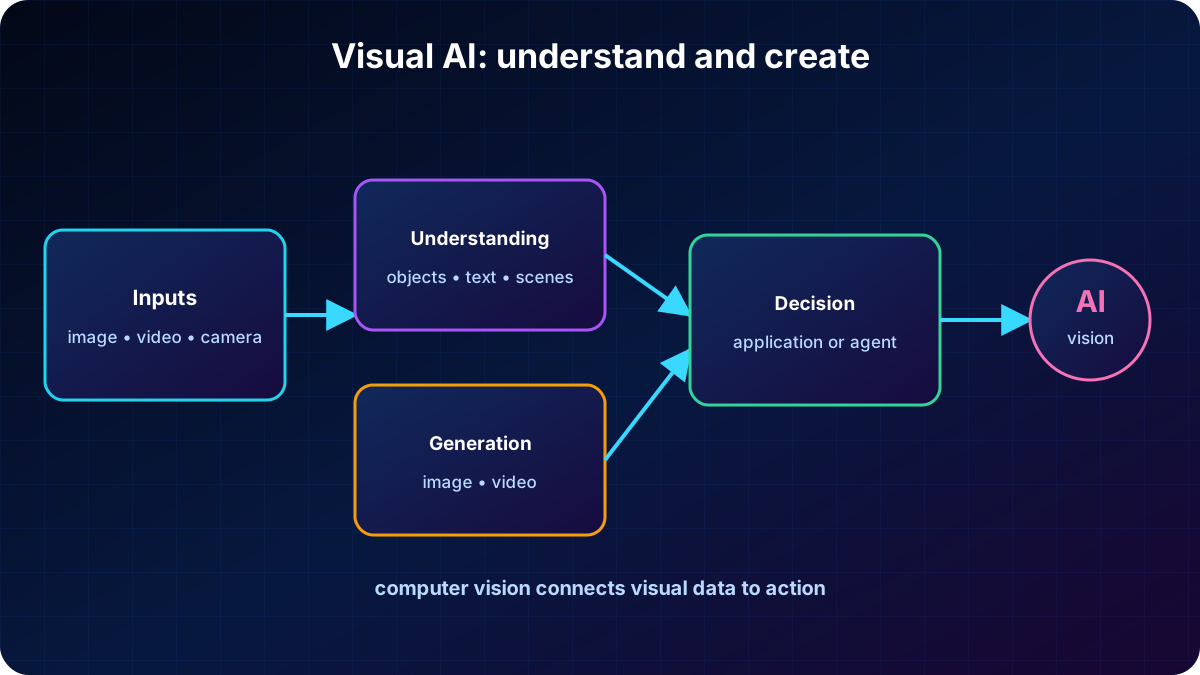
Computer vision enables AI systems to interpret images, videos, and live camera feeds. Models automate time-consuming work by locating objects, recognizing patterns, reading text, and understanding scenes. Generative models extend that ability so an application can create original images and videos as well as analyze them.
Representative computer vision applications.
Scenario
How vision helps
Manufacturing
Object detection and segmentation identify defects, missing parts, and misalignment in real time, reducing waste.
Healthcare
X-ray, MRI, and CT analysis highlights anomalies such as fractures or tumors and supports diagnosis.
Retail
Cameras detect empty shelves or misplaced products and update inventory.
Autonomous vehicles
Road signs, lane markings, pedestrians, and vehicles inform navigation and decisions in changing environments.
Visual AI connects images, video, and cameras to analysis, decisions, and new content.
2. Multimodal models and visual reasoning
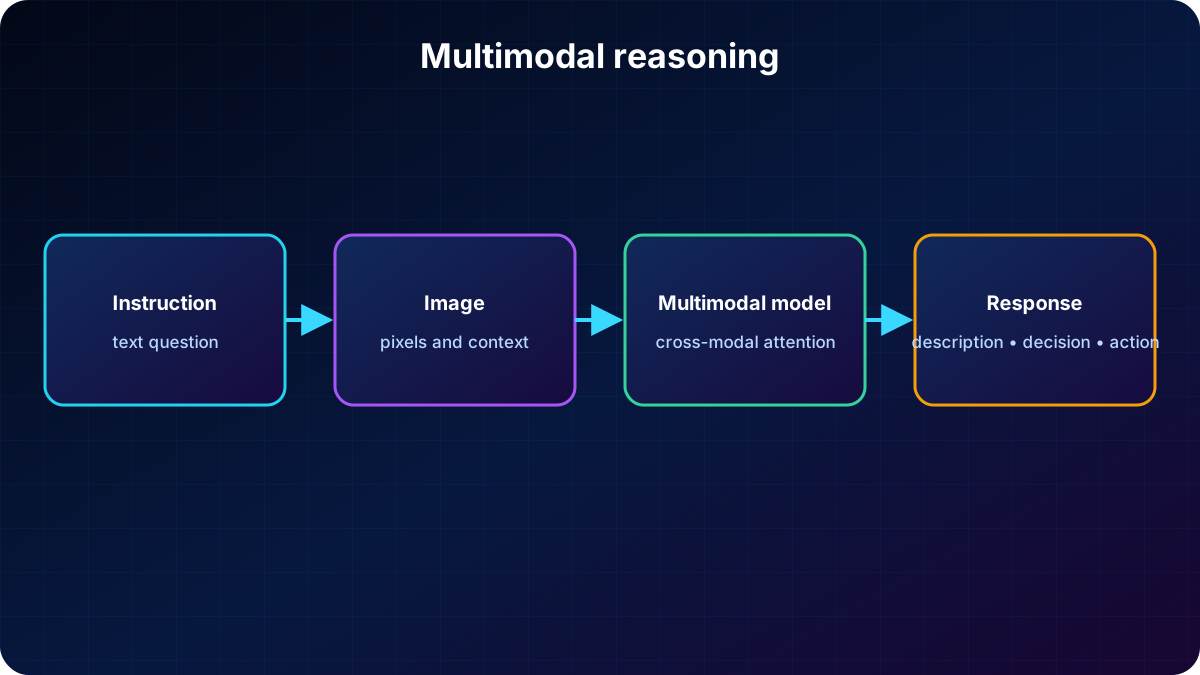
A multimodal model works with more than one data type, such as text, images, audio, or video. With an image and a text instruction in the same context, it can describe a scene, answer questions, interpret charts, read documents, and explain screenshots. This combination is often called vision-enabled GPT or GPT with vision.
Applications use visual understanding to improve user workflows, while agents use images as evidence for better decisions. Examples include reviewing uploaded documents, examining customer support photos, and explaining diagrams in plain language. One multimodal experience reduces the need for separate vision and language pipelines.
Text and image enter together; the model relates both modalities and produces a contextual answer.
3. Multimodal models in
The catalog offers first-party and partner models that accept images. GPT-4.1, GPT-4.1-mini, and GPT-4.1-nano cover descriptions, visual questions, documents, screenshots, charts, and diagrams. The GPT-5 family adds long-context reasoning, structured outputs, and tool use for more demanding enterprise agents and applications.
Partner offerings can include multimodal models from providers such as Anthropic. Because catalogs, versions, and regional availability change, verify that the selected deployment accepts visual input and pass the deployment name assigned in your resource rather than assuming the base model name.
Describe objects, text, and relationships in an image.
Answer questions about photos, documents, interfaces, and scenes.
Extract meaning from charts and combine visual evidence with text instructions.
Return natural or structured responses and, where supported, invoke tools.
4. Image analysis in the Playground
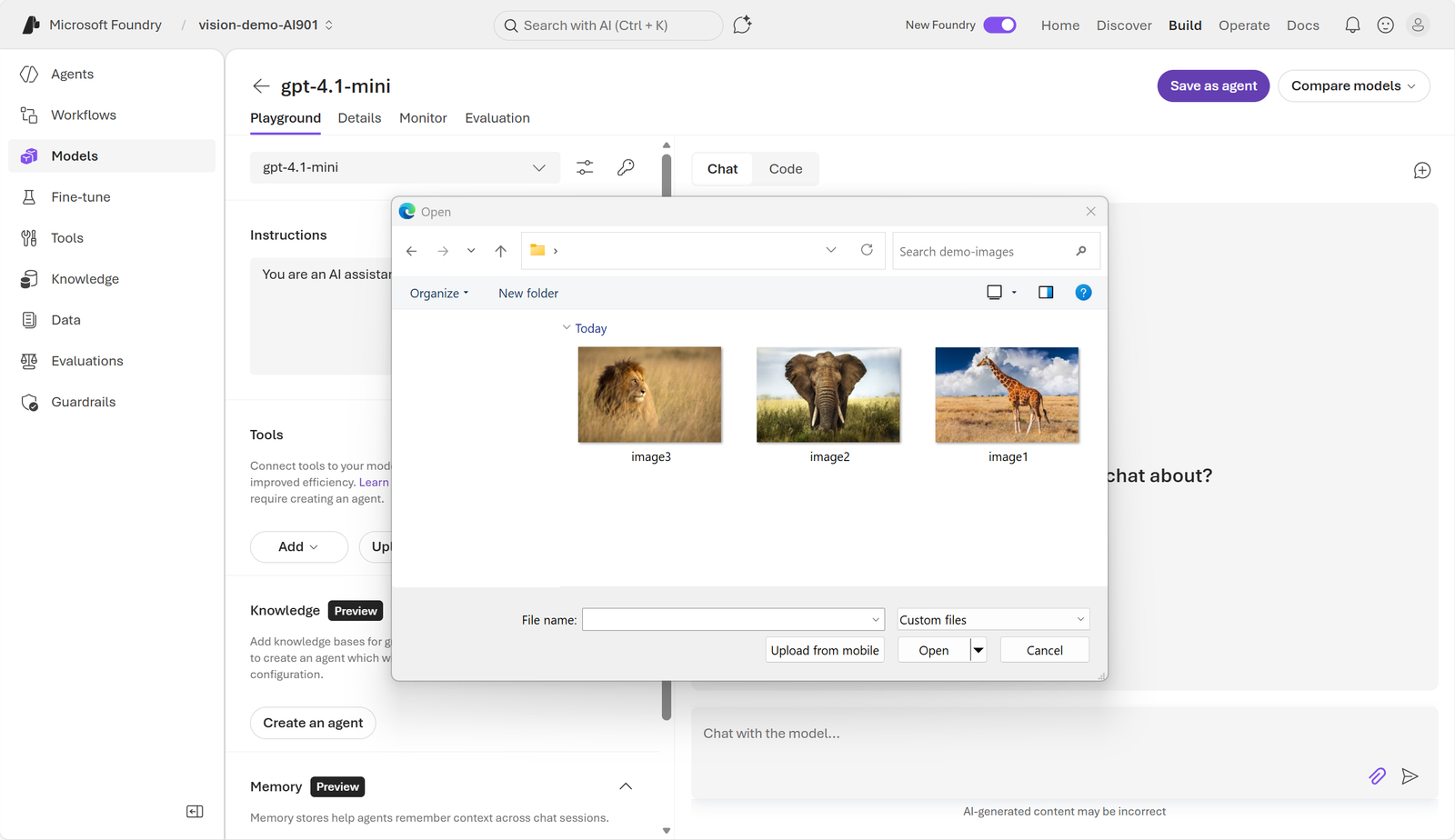
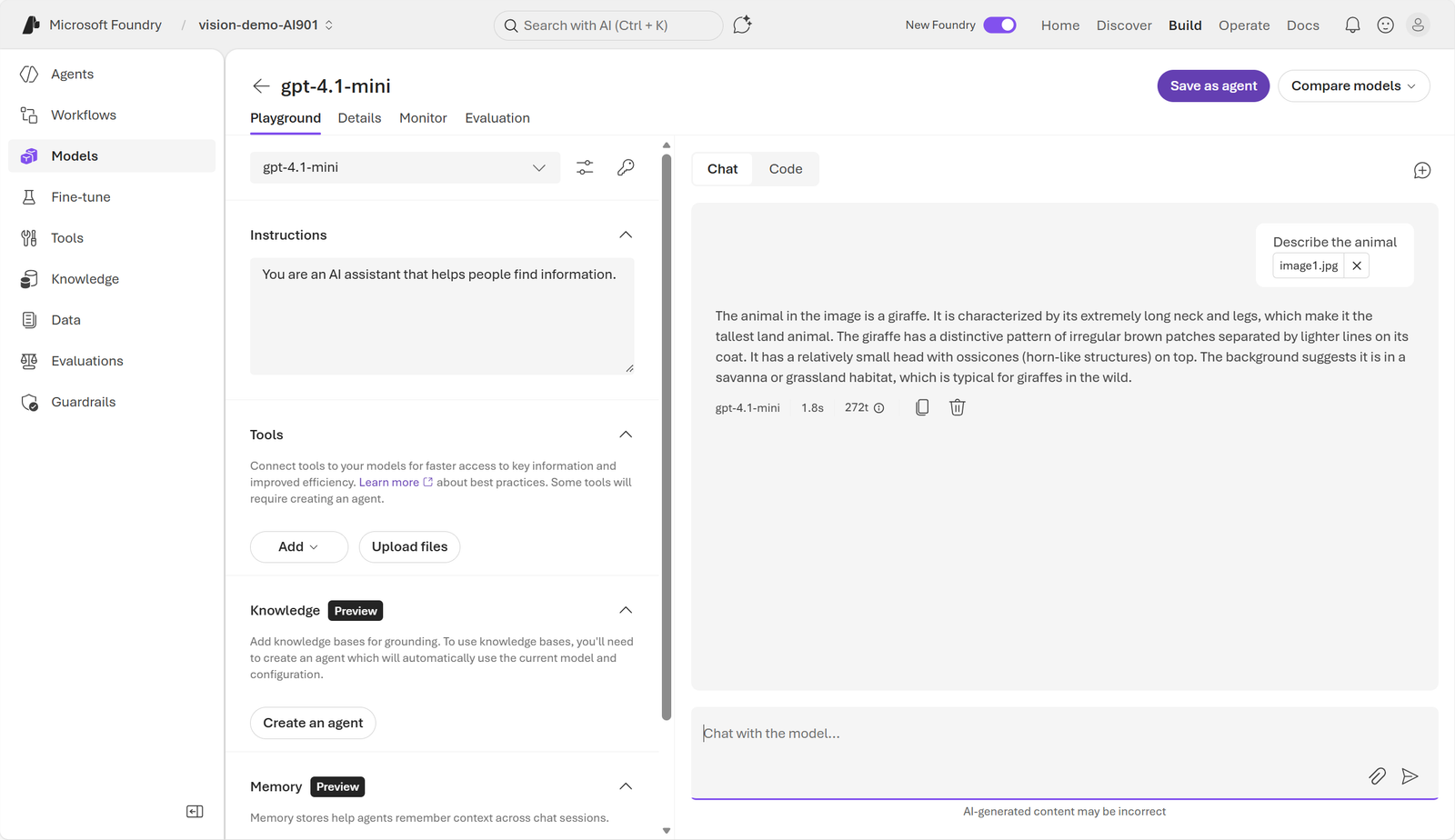
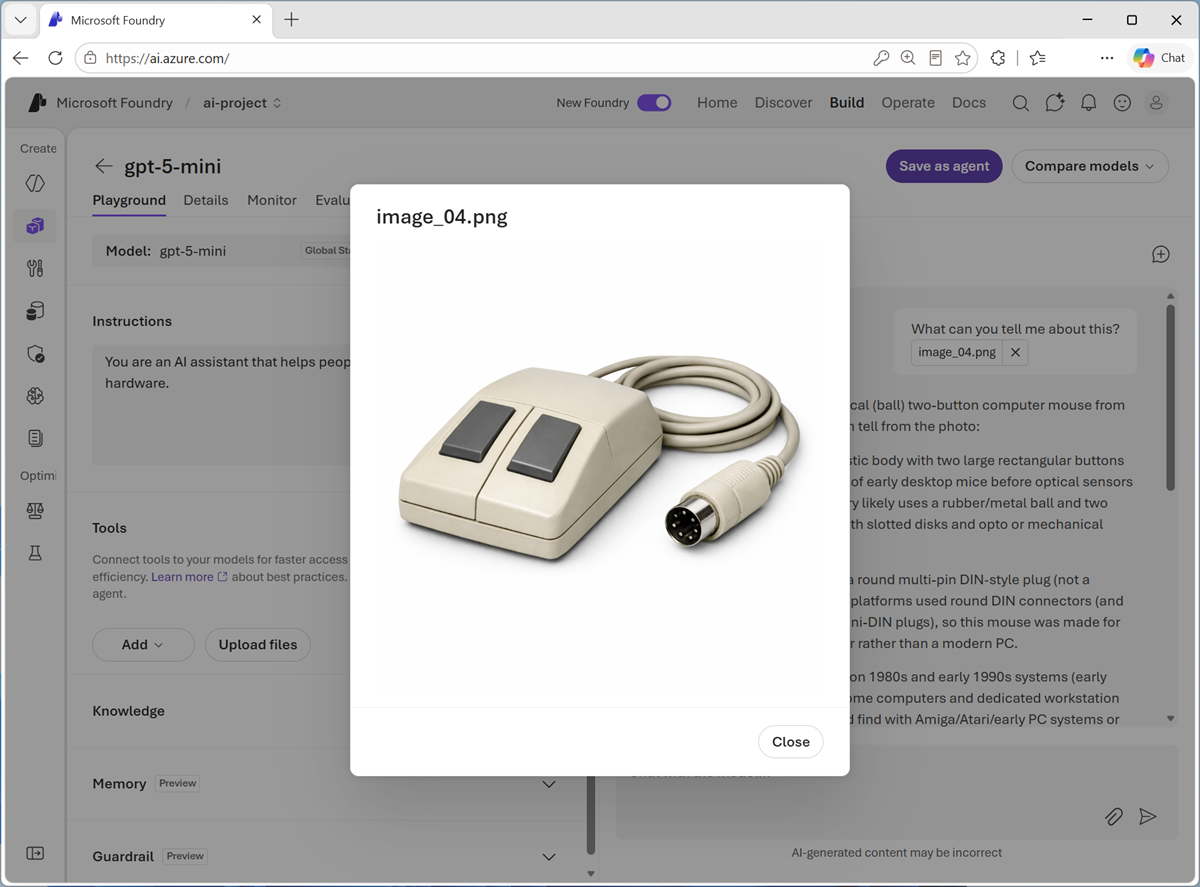
The new Model Playground lets you chat with a vision-enabled deployment. Attach one or more images, enter a question, and examine the interpretation before building the application. The classic portal uses a different interface, but serves the same validation purpose.
The user attaches visual files and adds the text instruction in the same chat.The deployment describes the image and answers within the conversation context.
5. Responses API with text and images
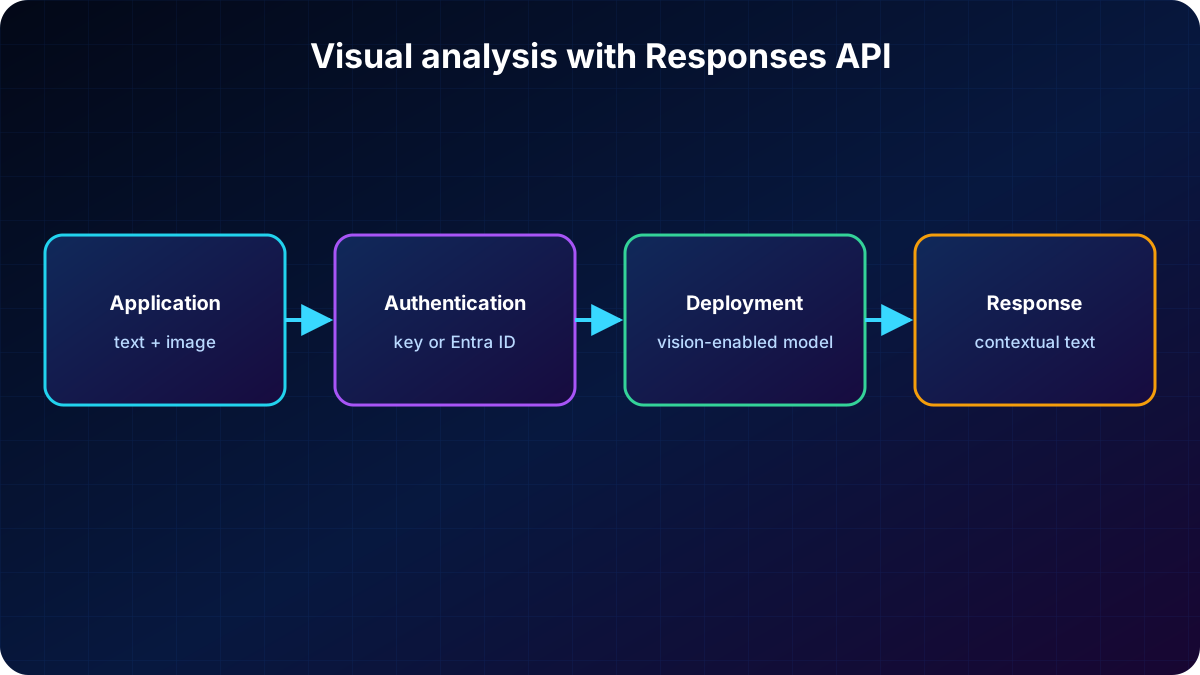
To move from testing to code, the OpenAI Responses API in Foundry accepts native multimodal input. One request contains an instruction and one or more images supplied as URLs or Base64-encoded data. The model processes them together and returns text, supporting applications where users upload images and ask questions in real time.
Base64 converts binary bytes into ASCII text that can travel in JSON or a data URL. For large images, account for transport, cost, and context limits. Store keys in environment variables or use where supported.
The application combines text and image, authenticates to the deployment endpoint, and receives a contextual response.
6. Python client for visual analysis
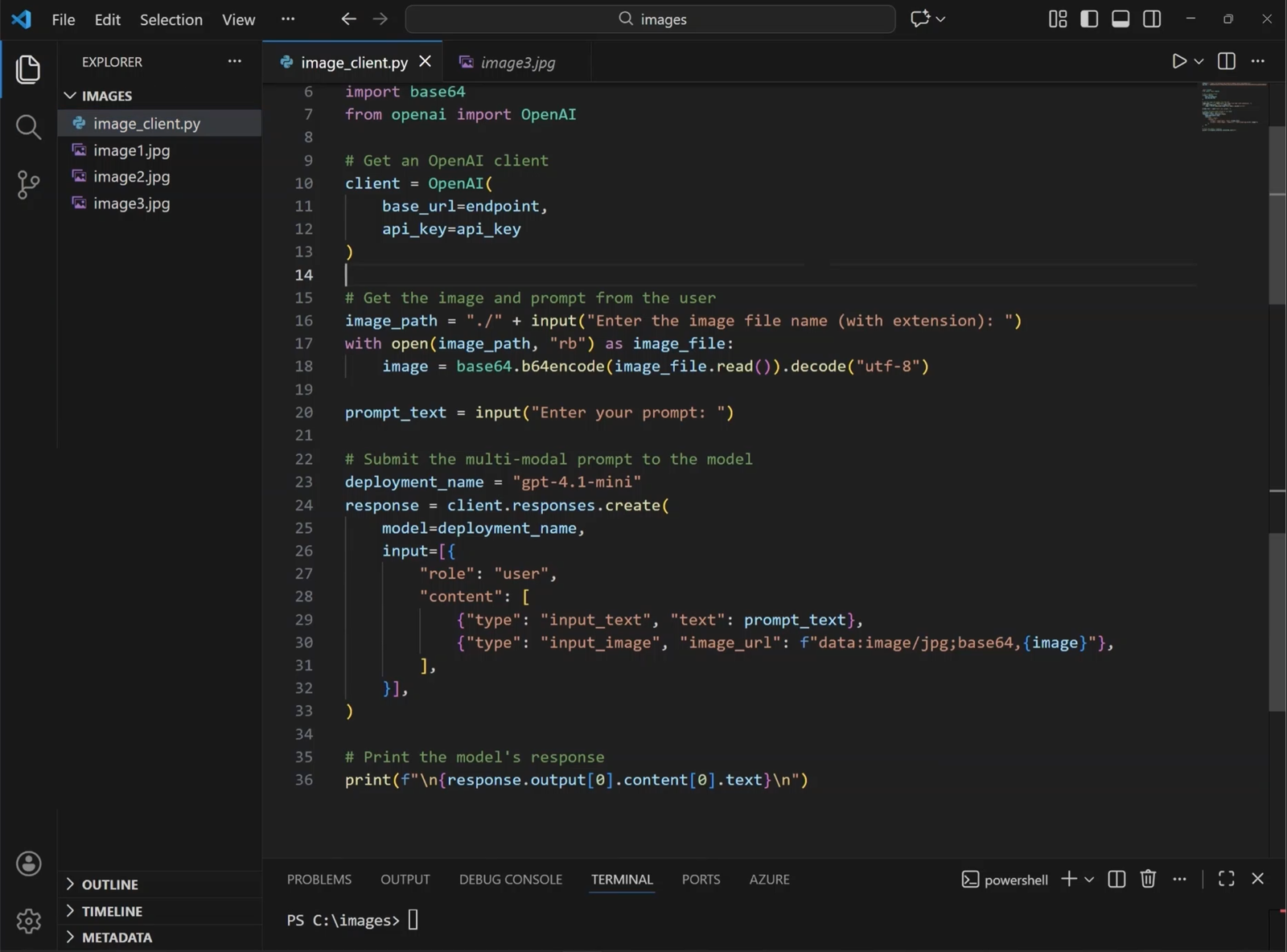
Install openai, obtain the resource endpoint and credential, and supply the deployment name. The client points to the OpenAI-compatible endpoint; responses.create receives a multipart message containing input_text and input_image.
pip install openai

import os
from openai import OpenAI

client = OpenAI(api_key=os.environ['FOUNDRY_KEY'], base_url=os.environ['FOUNDRY_ENDPOINT'])
response = client.responses.create(
    model=os.environ['MODEL_NAME'],
    input=[{'role': 'user', 'content': [
        {'type': 'input_text', 'text': 'Describe the image in three bullet points.'},
        {'type': 'input_image', 'image_url': os.environ['IMAGE_URL']}
    ]}]
)
print(response.output_text)
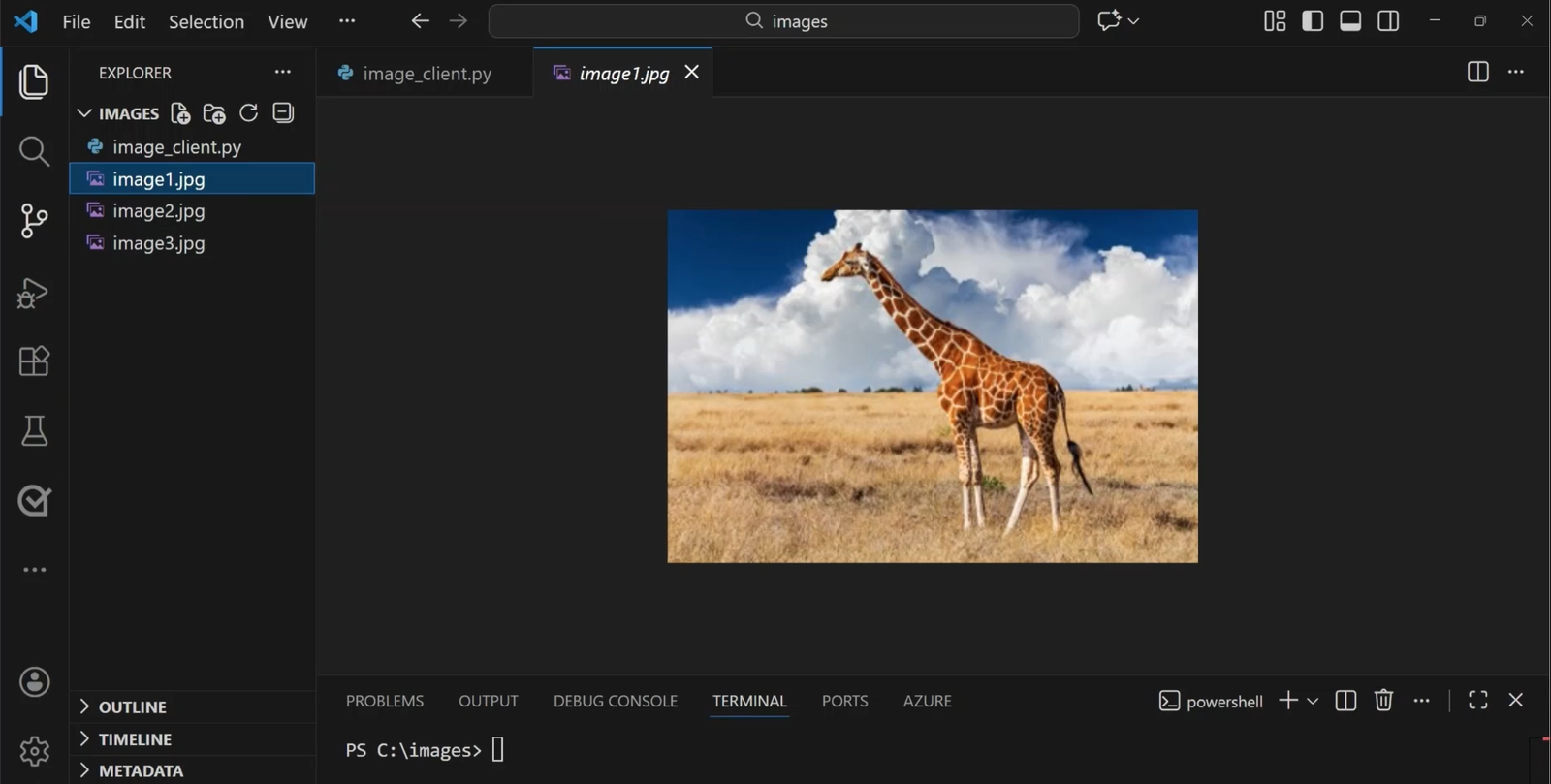
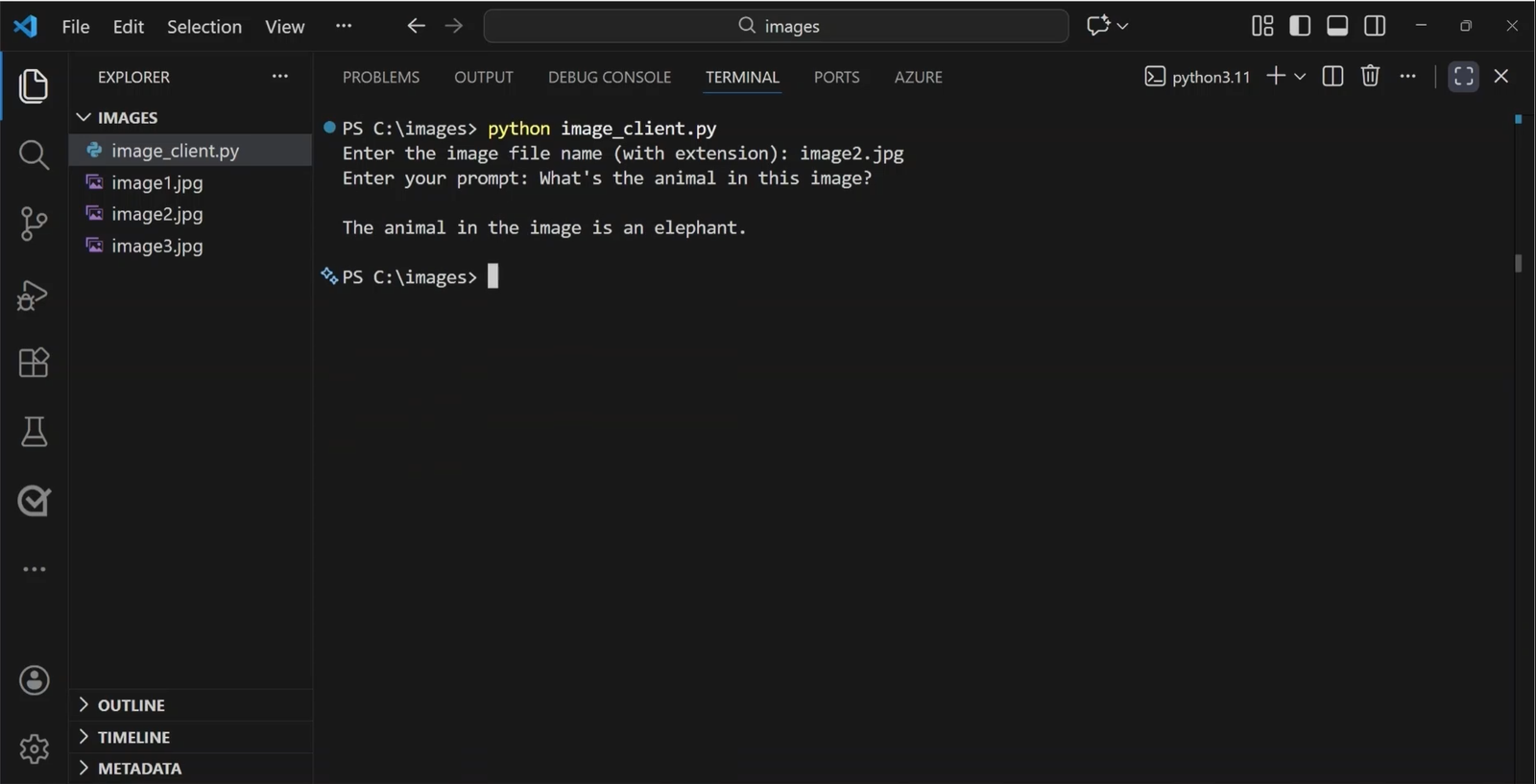
The example uses a giraffe photograph as the visual input.The code loads the image, collects a question, and submits text and image together.The answer is grounded in the prompt and image sent in the request.
7. Image generation models
Analysis models associate visual information with text; generation models reverse the direction and create pixels from a description. In Foundry, the GPT-Image family supports text-to-image, variations, and editing. GPT-Image-1.5 emphasizes fidelity, prompt alignment, consistency, and enterprise workflows; GPT-Image-1 is a broadly integrated general model; GPT-Image-1-mini lowers cost and latency for experiments and volume.
The catalog may also include third-party options such as the FLUX family from Black Forest Labs for photorealistic and stylistically flexible output. Select by quality, editing support, latency, cost, availability, and responsible-use requirements.
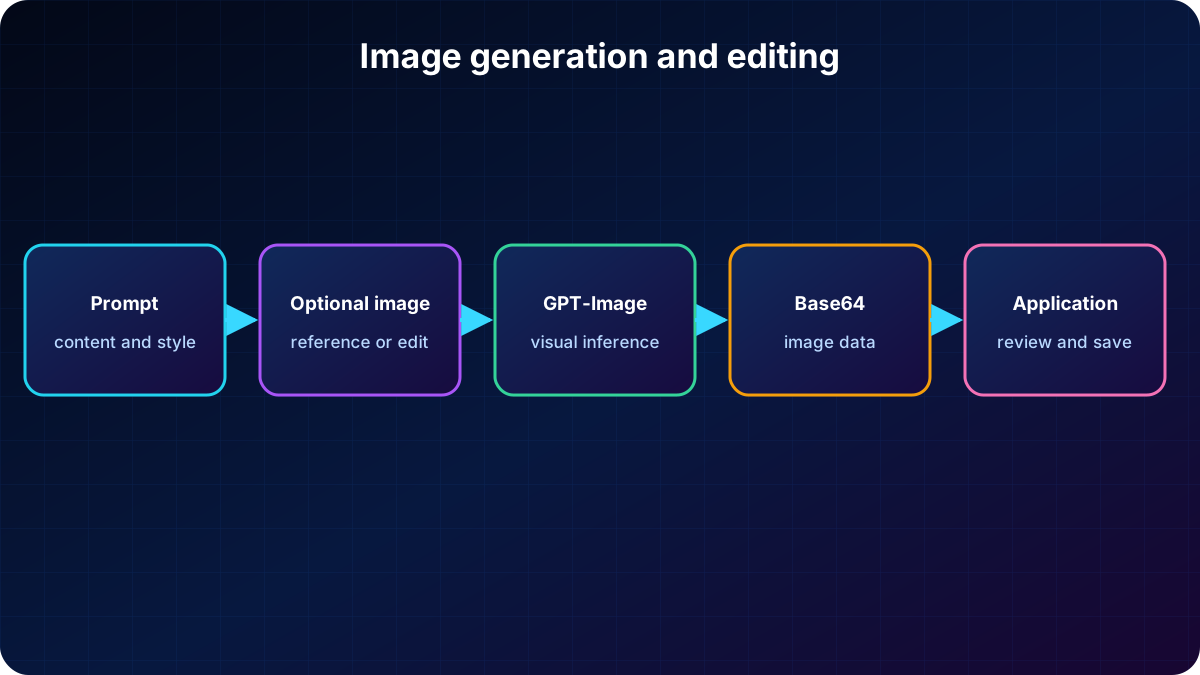
A prompt, optional source image, and parameters guide the model, which returns encoded image data for review and storage.
8. Playground and API for image generation
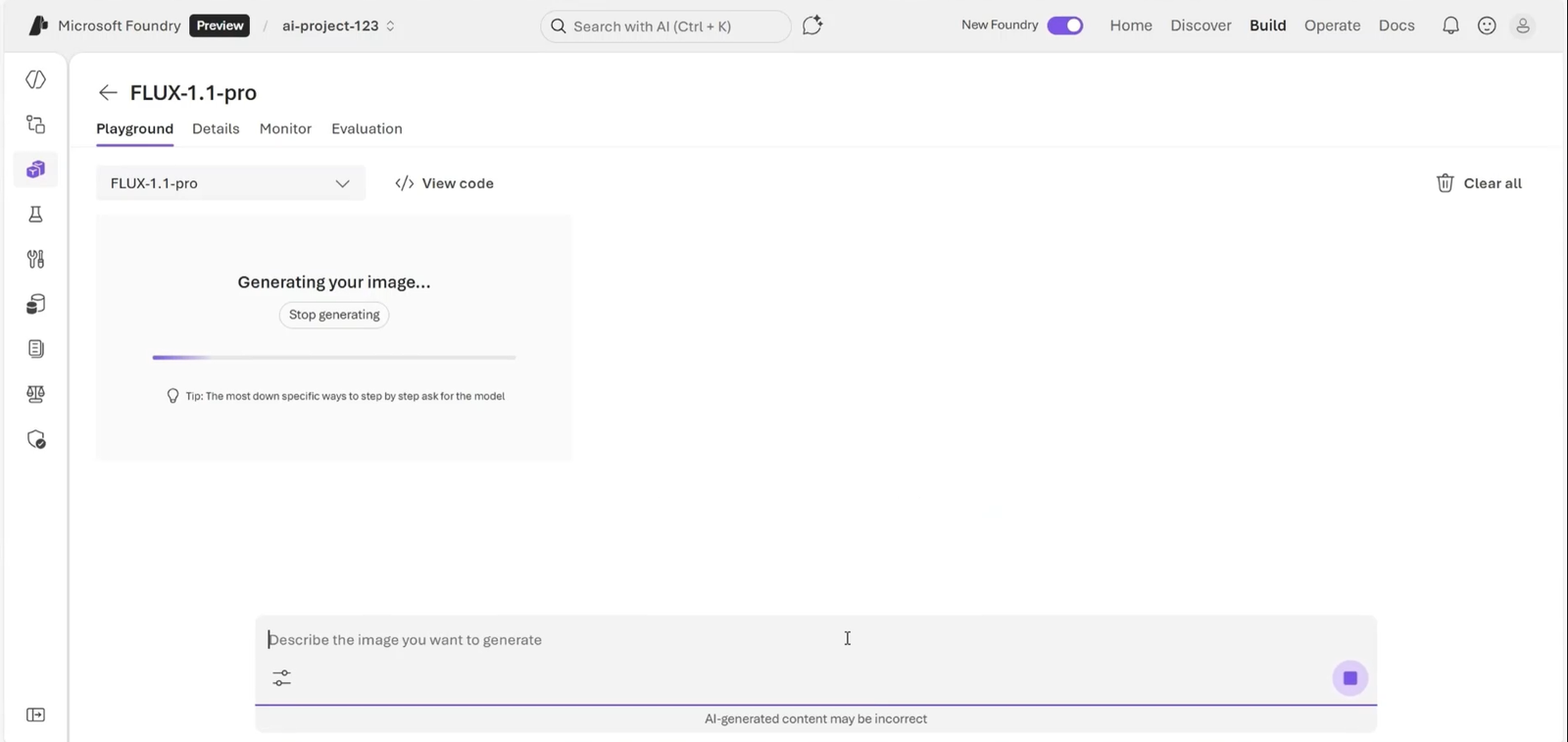
After deploying a model, describe the desired image in the Playground and wait for the result. Through APIs, an application can create new images or edit existing ones. The model parameter receives the deployment name configured in the resource; authentication can use an API key or .
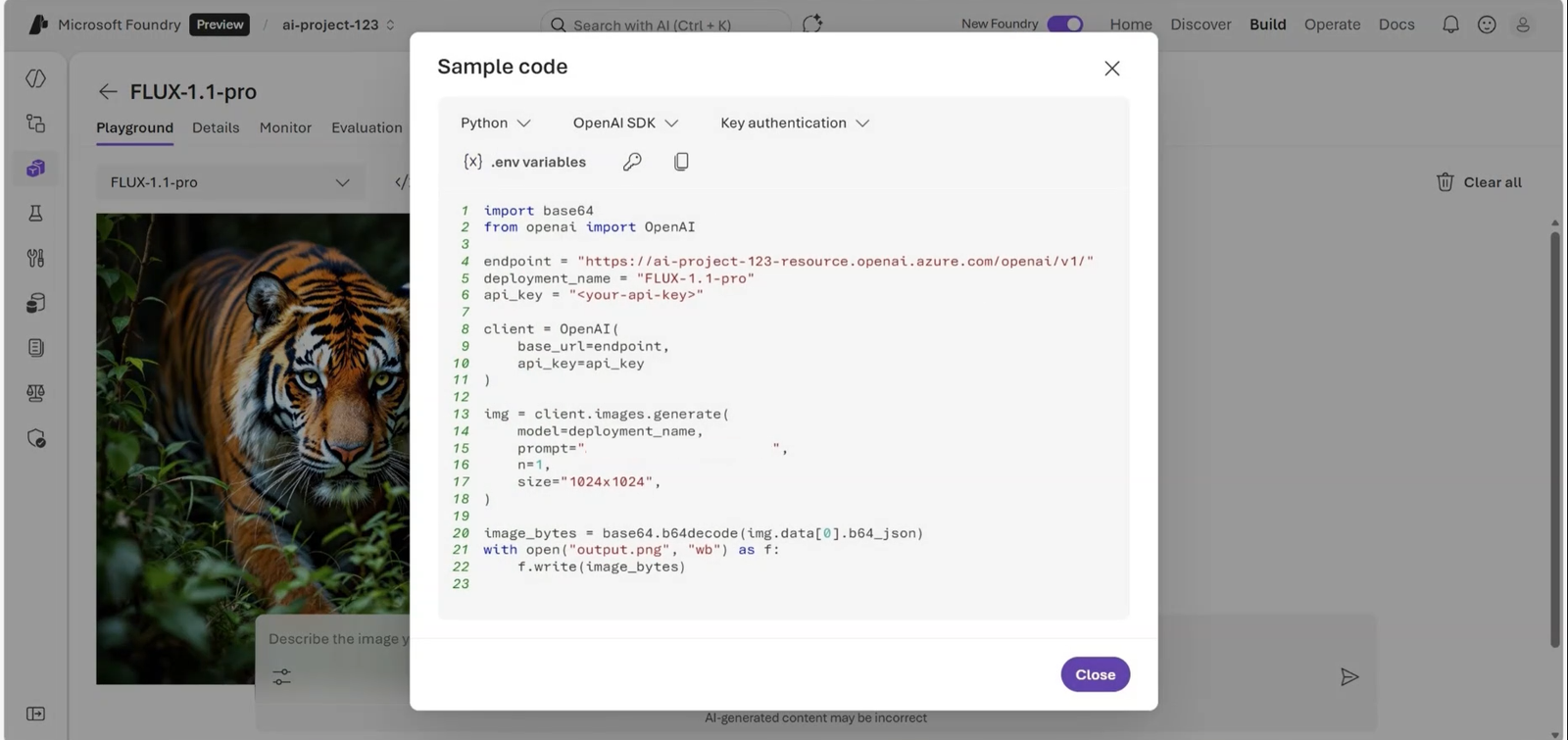
The Playground helps refine the prompt before automation.The sample connects to the endpoint and demonstrates programmatic generation.
import base64
import os
from openai import OpenAI

client = OpenAI(api_key=os.environ['FOUNDRY_KEY'], base_url=os.environ['FOUNDRY_ENDPOINT'])
response = client.responses.create(
    model=os.environ['IMAGE_DEPLOYMENT'],
    input='A clean vector illustration of a robot holding a potted plant, pastel colors.',
    tools=[{'type': 'image_generation'}]
)
encoded = next(item.result for item in response.output if item.type == 'image_generation_call')
with open('generated-image.png', 'wb') as output:
    output.write(base64.b64decode(encoded))
9. Video generation with Sora
Video models turn instructions and visual references into original clips. Sora 1 was OpenAI’s first text-to-video model offered in Foundry; it creates short videos, accepts a guiding image, and supports multiple resolutions and durations. It suits storyboards, short animations, and creative prototypes.
Sora 2, presented as preview content, extends the workflow to text-to-video, image-to-video, and video remix. It adds audio, improved realism, and targeted edits. Uses include marketing, concept trailers, and educational media. Sora models include Responsible AI protections and restrictions covering real people, protected characters, and sensitive content.
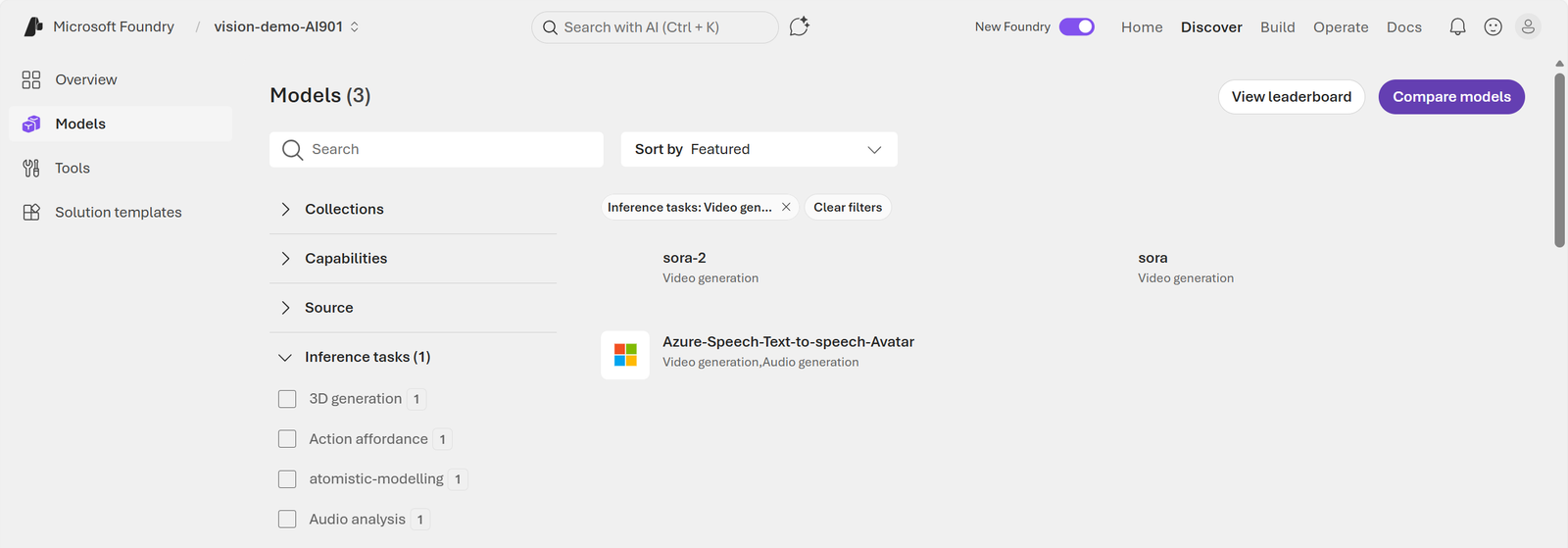
The catalog lists video deployments available for the resource and region.
10. Video Playground and REST interface
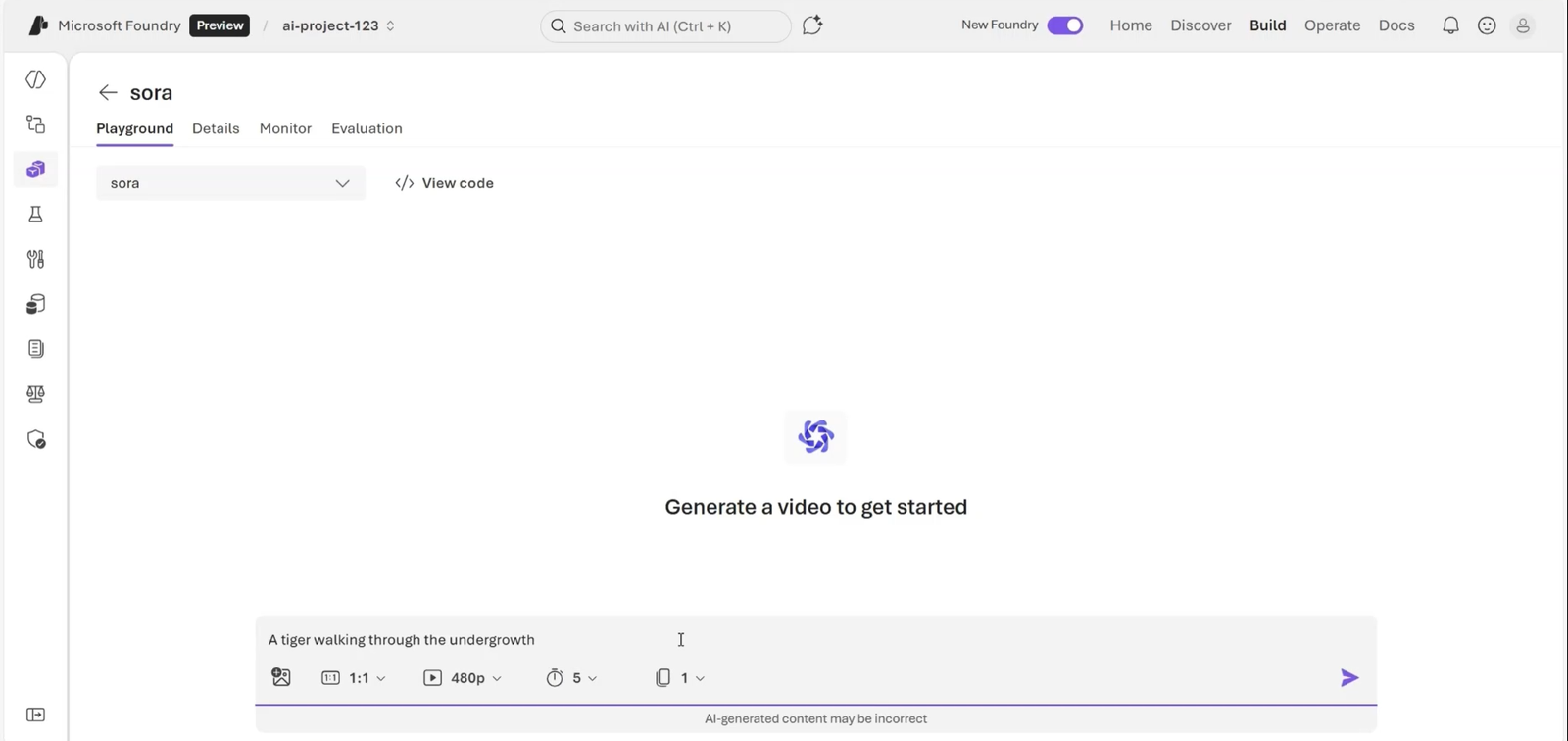
In the Video Playground, choose a deployment, describe the scene, and set dimensions and duration. Generation takes several minutes and the interface provides code samples. Sora is the native video-output family covered in this module; other multimodal models may understand text, image, or audio without generating video.
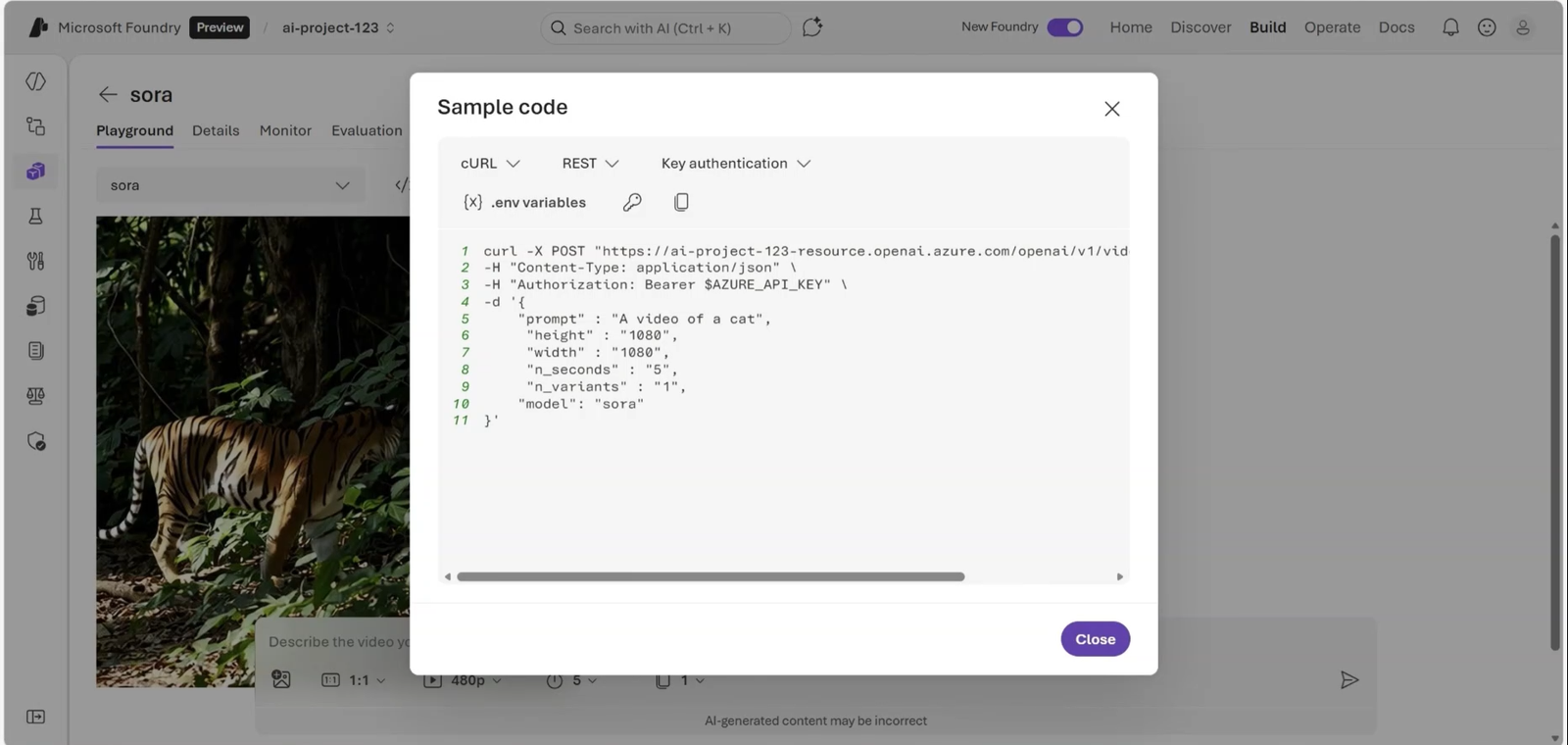
The prompt describes the scene while controls configure the clip.Playground code provides a starting point for automation.
REST is an HTTP interface between programs; an SDK is a developer-friendly layer over those operations. When a language lacks an SDK, curl can send requests, data, and headers directly to the API.
11. Asynchronous job: create, poll, and download
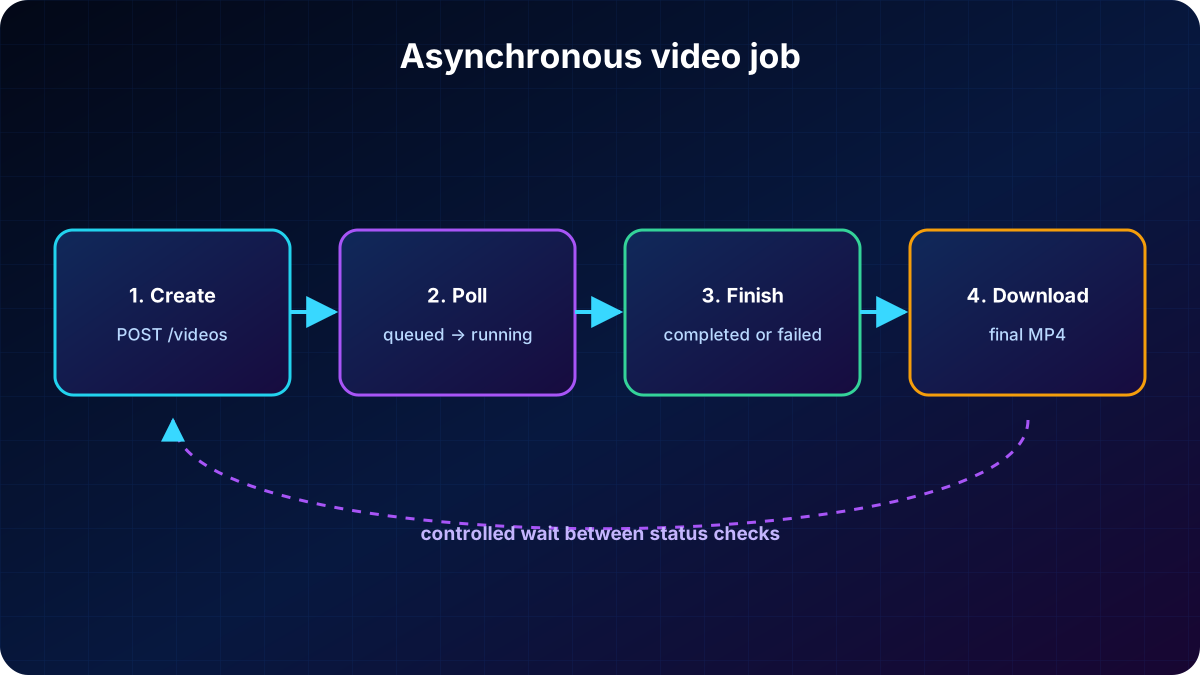
Rendering video is resource intensive and should not block a synchronous request. The client creates a job, keeps the returned identifier, polls until completed or failed, and downloads the MP4 only after completion. The source material estimates one to five minutes in typical cases, depending on duration, resolution, and capacity.
Prerequisites: a Foundry/Azure OpenAI resource in a supported region and a Sora deployment.
Authentication: API key or .
Separate endpoints start the job, report its status, and return the completed content.
The client creates a job, polls with controlled waits, and downloads the MP4 when rendering succeeds.
curl -X POST "$FOUNDRY_ENDPOINT/videos"   -H "Content-Type: application/json" -H "api-key: $AZURE_OPENAI_API_KEY"   -d '{"model":"sora-2","prompt":"Rain on a neon-lit window","size":"1280x720","seconds":"8"}'

curl -X GET "$FOUNDRY_ENDPOINT/videos/{video_id}" -H "api-key: $AZURE_OPENAI_API_KEY"
curl -L "$FOUNDRY_ENDPOINT/videos/{video_id}/content?variant=video"   -H "api-key: $AZURE_OPENAI_API_KEY" --output result.mp4
12. Exercise and knowledge check
The approximately 30-minute exercise uses generative models in with visual data. It requires an Azure subscription; new accounts may include free credits for 30 days. The lab covers image analysis and visual-generation experiences.
The lab combines an agent, an uploaded image, and questions about visual content.
It understands and combines more than one data type, such as text and images.
How are images generated in code?
Send a prompt through the OpenAI Responses API with an image-generation deployment.
What value is passed as model?
The deployment name assigned in the Foundry resource.
Why is video asynchronous?
Rendering is resource intensive and takes time to complete.
13. Chapter summary and official references
Multimodal models connect vision and language to analyze documents, photos, interfaces, and charts. GPT-Image creates and edits images, while Sora creates and transforms video through an asynchronous workflow. Playgrounds, the Responses API, image APIs, and REST expose these abilities to visual assistants, accessibility tools, agents, and creative applications.
Use text and image together when an answer depends on visual context.
Pass the deployment name and keep credentials out of source code.
Choose the model by the required output modality: understanding, image, or video.