Suggested study time: 50 minutes • Beginner level • Original rewrite based on Microsoft Learn objectives
By João Ricardo Dutra••Complete original content
1. interfaces for applications and agents
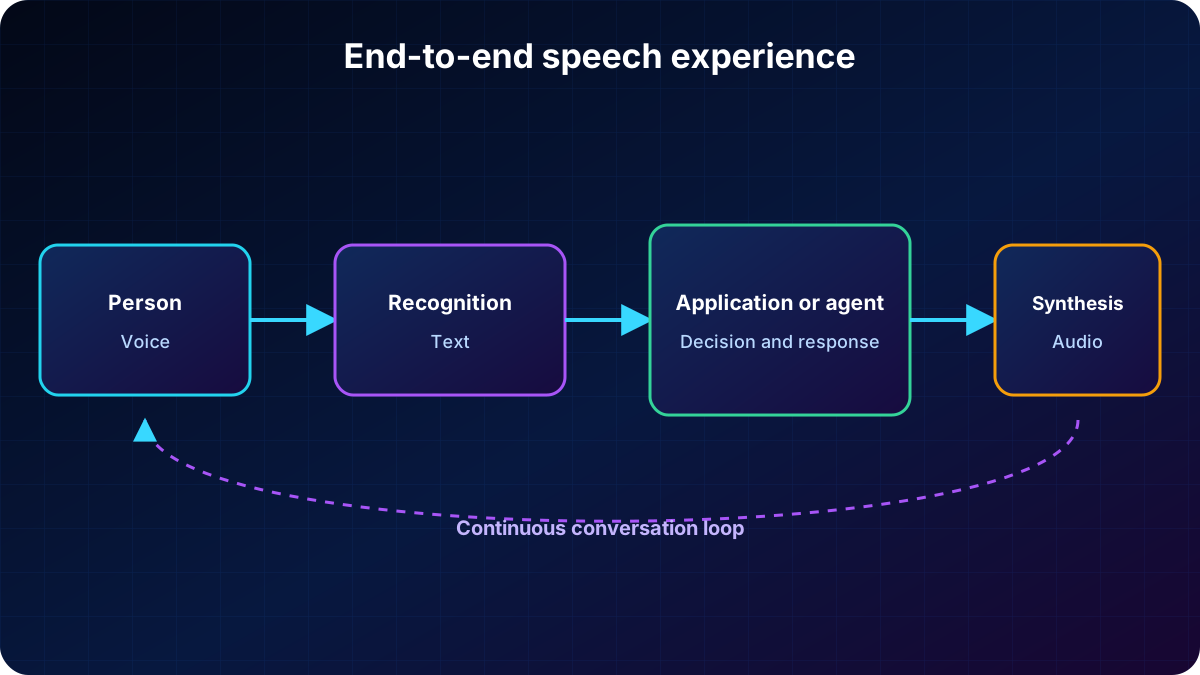
capabilities let people control systems by voice, receive answers to spoken questions, create captions from audio, and talk with agents without relying on a keyboard or screen. This natural interaction also improves accessibility and inclusion. A complete experience must recognize what a person says and synthesize an audible response.
Examples of AI speech workloads.
Area
Application
Healthcare
Clinical dictation turns spoken notes into text and reduces manual typing.
Customer service
Live call transcription supports review, issue detection, and sentiment analysis.
Media
Live or recorded captions improve accessibility and support multilingual audiences.
Education
Learning applications listen and provide pronunciation feedback.
Retail
Assistants understand spoken requests and answer with product or order information.
Recognition converts voice into data; synthesis turns the response into audio.
2. Azure in Foundry Tools
Azure in Foundry Tools provides speech to text, text to speech, and speech translation. Prebuilt and custom models support transcription, speaker identification, custom voices, and other scenarios. A resource supplies endpoint and credentials, while the project organizes experiences, agents, and integrations.
In the new portal, open Build, Models, and AI services. The playground lets you record or upload audio, try voices, tune parameters, and inspect results before writing code. Video can provide an introduction, while the written material includes more implementation detail.
to Text converts microphone, file, or stream audio into text.
Text to produces natural audio from text and a selected voice.
translation recognizes speech and delivers content in another language.
Voice Live combines audio input, reasoning, and spoken output in real time.
3. How speech recognition works
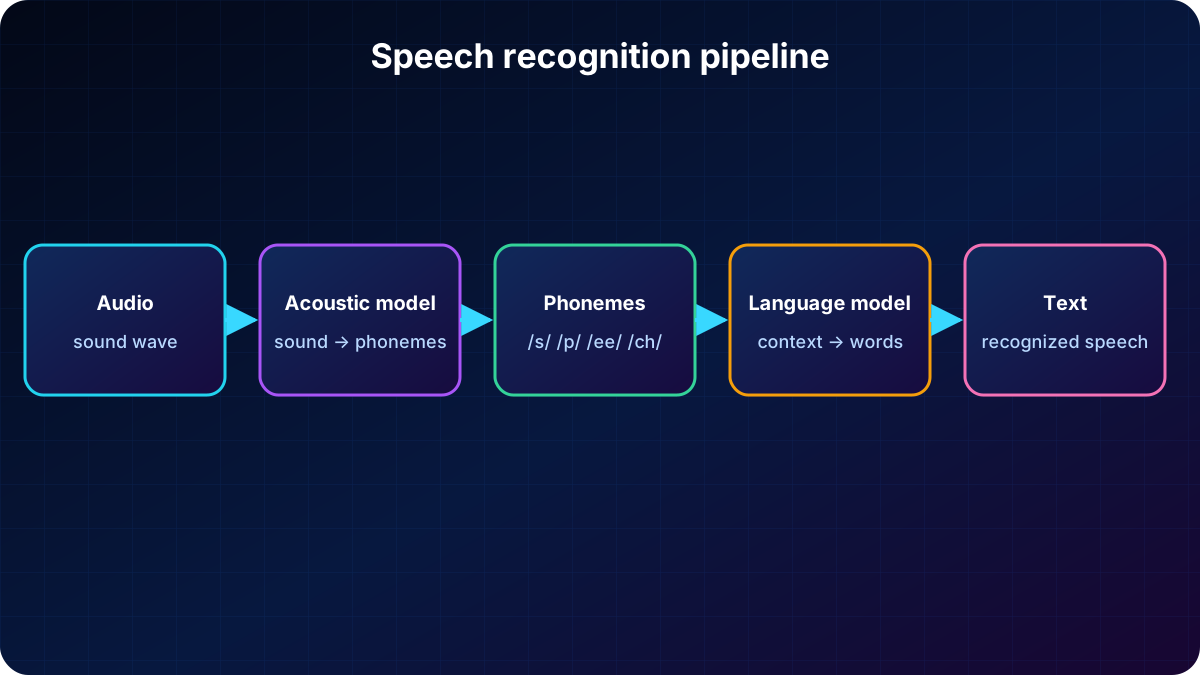
recognition, or speech to text (STT), converts spoken words into data, usually text. An acoustic model examines the signal and represents it as phonemes, which are units of sound. A language model then maps those phonemes to plausible words and sequences.
Recognized text can drive captions, call transcripts, note dictation, voicemail, and agents. The Azure to Text API accepts microphone audio or an audio file. An API defines the rules and endpoints that let one software application use another application’s functionality or data.
The acoustic model interprets sounds; the language model turns the sequence into contextual words.
4. -to-text playground and SDK
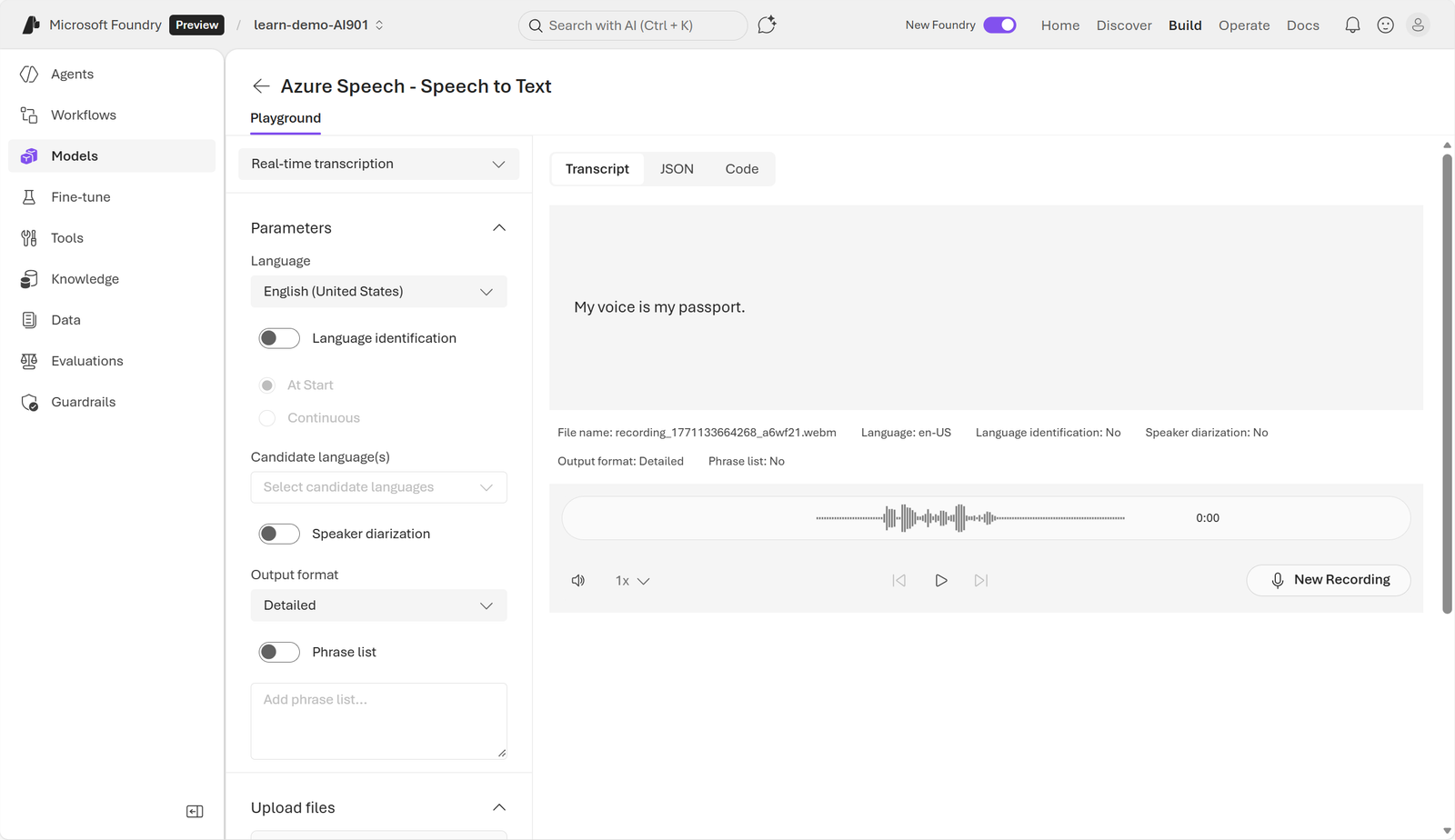
In the to Text playground, upload a file or record your voice. The transcription demonstrates how an application would respond. To integrate the capability into a product, use the SDK, a client library that abstracts networking, authentication, audio streaming, and response parsing.
The preserved interface supports recording, uploading audio, and reviewing the transcript.
Capture or supply audio from a microphone, file, or stream.
Send audio securely to Azure .
Receive text near real time or after processing.
Use the SDK in a client or service layer as the bridge to the endpoint.
For Python, install azure-cognitiveservices-speech in the terminal. The Foundry resource supplies an endpoint and key; can also authenticate. Keep secrets out of source code in production.
The application initializes and authenticates the SDK, captures or loads audio, sends it securely, runs recognition in the cloud, and receives text plus optional metadata. SpeechConfig contains connection details, AudioConfig selects the source, and SpeechRecognizer performs recognition.
import os
import azure.cognitiveservices.speech as speechsdk
from dotenv import load_dotenv

load_dotenv()
speech_config = speechsdk.SpeechConfig(
    subscription=os.environ['FOUNDRY_KEY'],
    endpoint=os.environ['AZURE_SPEECH_ENDPOINT']
)
microphone = speechsdk.audio.AudioConfig(use_default_microphone=True)
recognizer = speechsdk.SpeechRecognizer(
    speech_config=speech_config,
    audio_config=microphone
)

recognizer.recognizing.connect(
    lambda event: print('Partial:', event.result.text)
)
recognizer.recognized.connect(
    lambda event: print('Recognized:', event.result.text)
)

recognizer.start_continuous_recognition()
input('Speak; press Enter to stop...')
recognizer.stop_continuous_recognition()
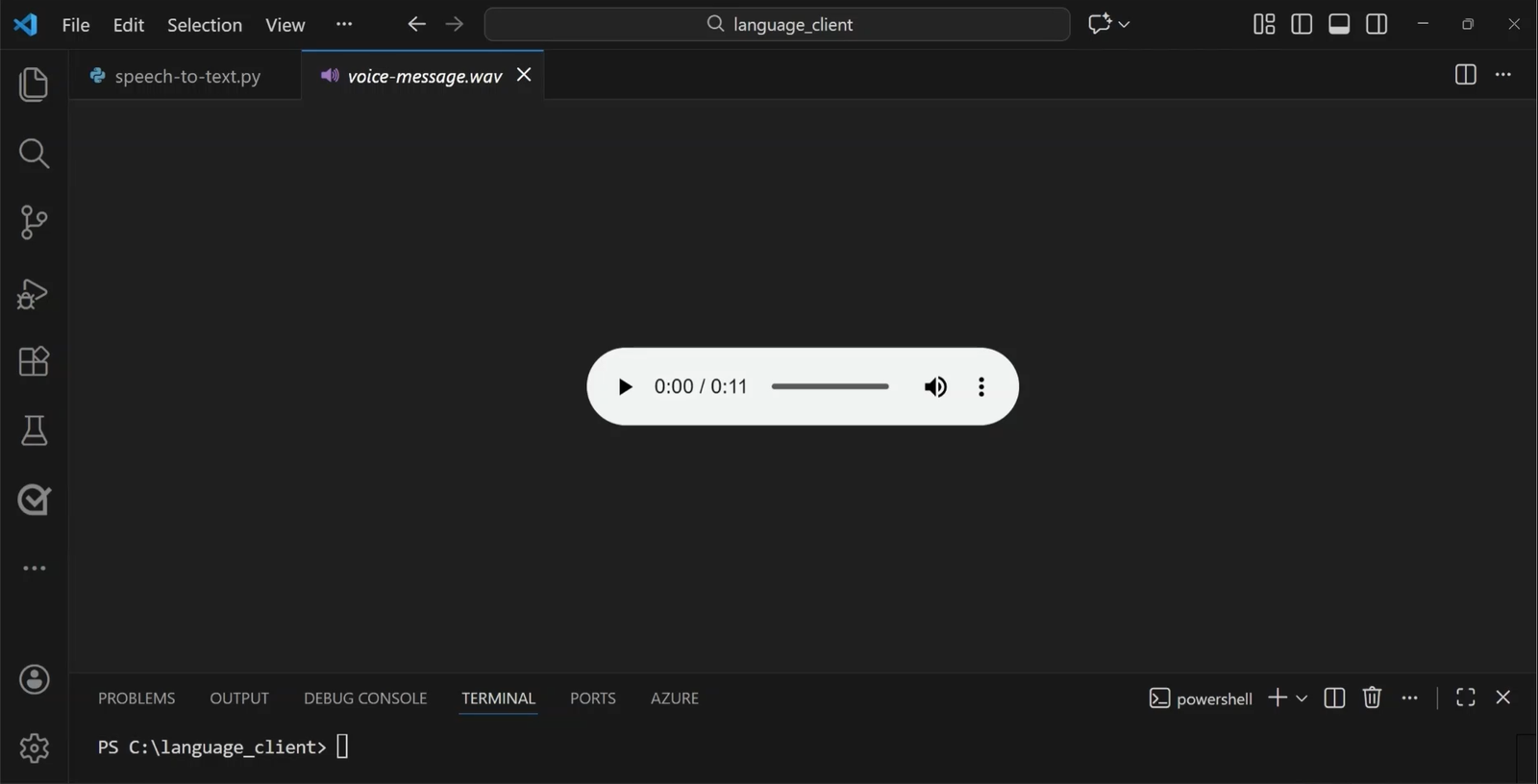
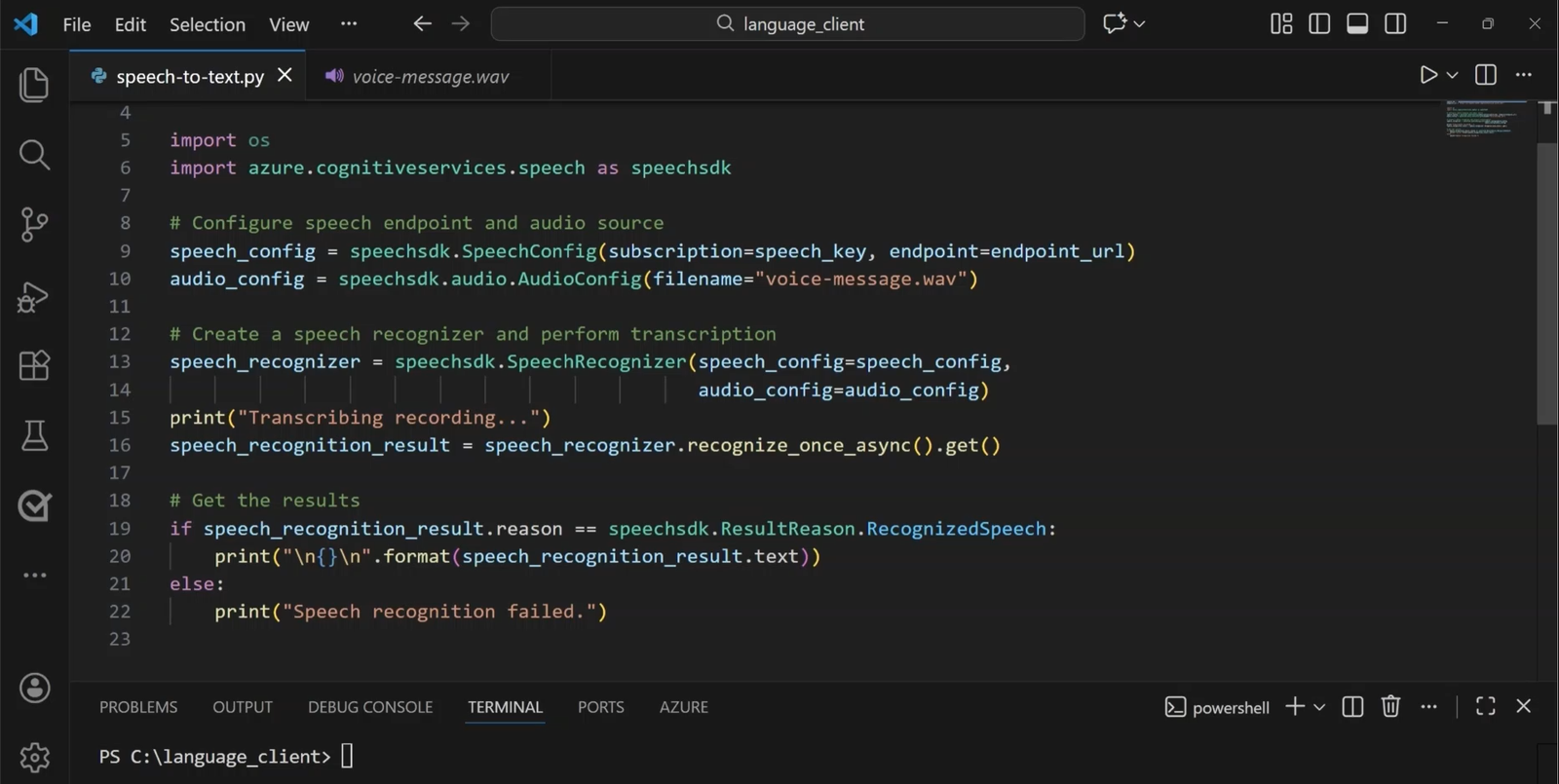
The recognizing event reports interim hypotheses; recognized provides the confirmed result. For voicemail, AudioConfig can select a file instead of the microphone. SpeechRecognizer transcribes the audio and the application displays or stores the text.
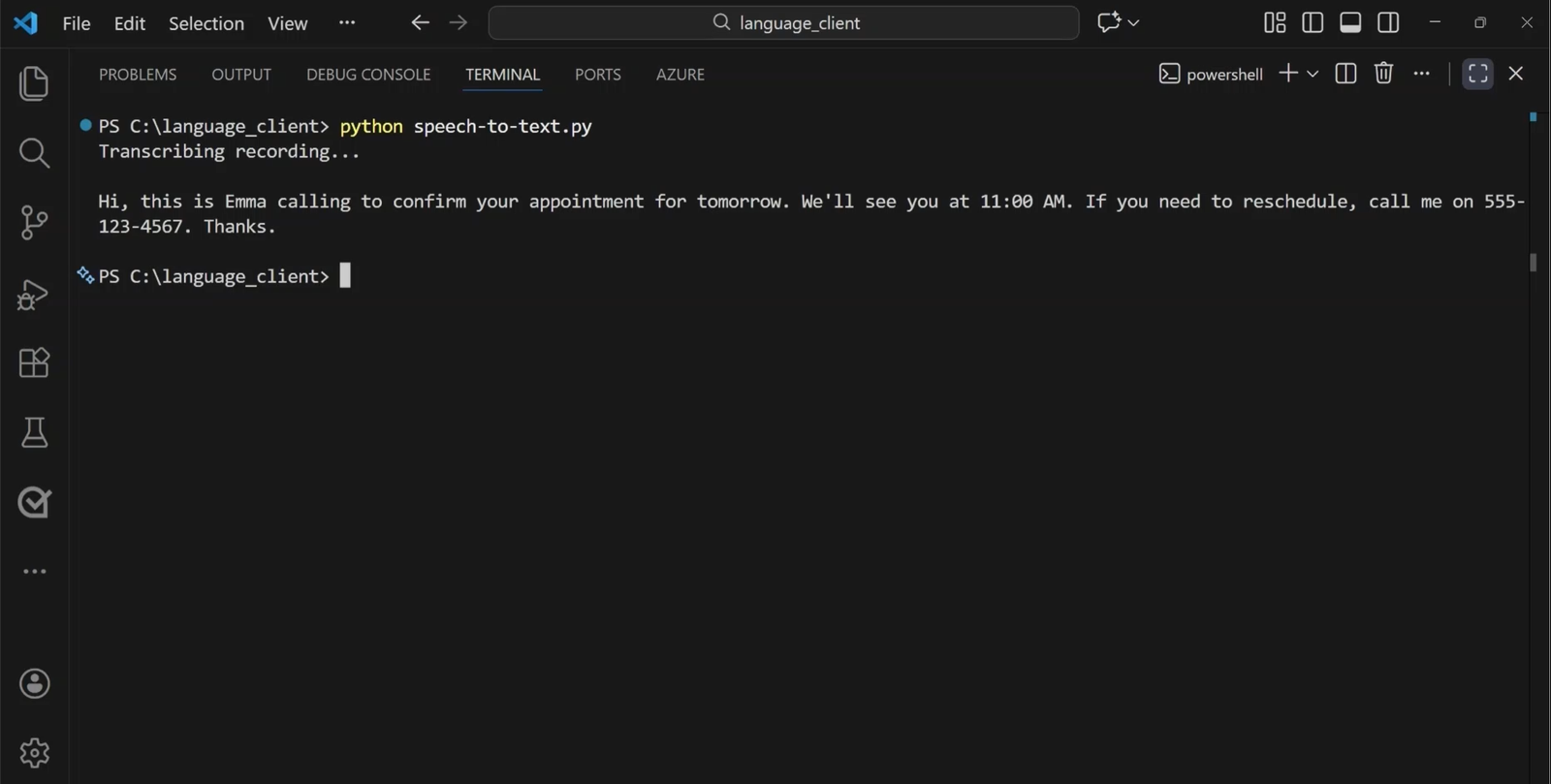
The example uses a recorded message as the transcription source.The code connects to the endpoint, selects the file, and creates SpeechRecognizer.The recognized result returns to the client as text.
6. Real-time and batch transcription
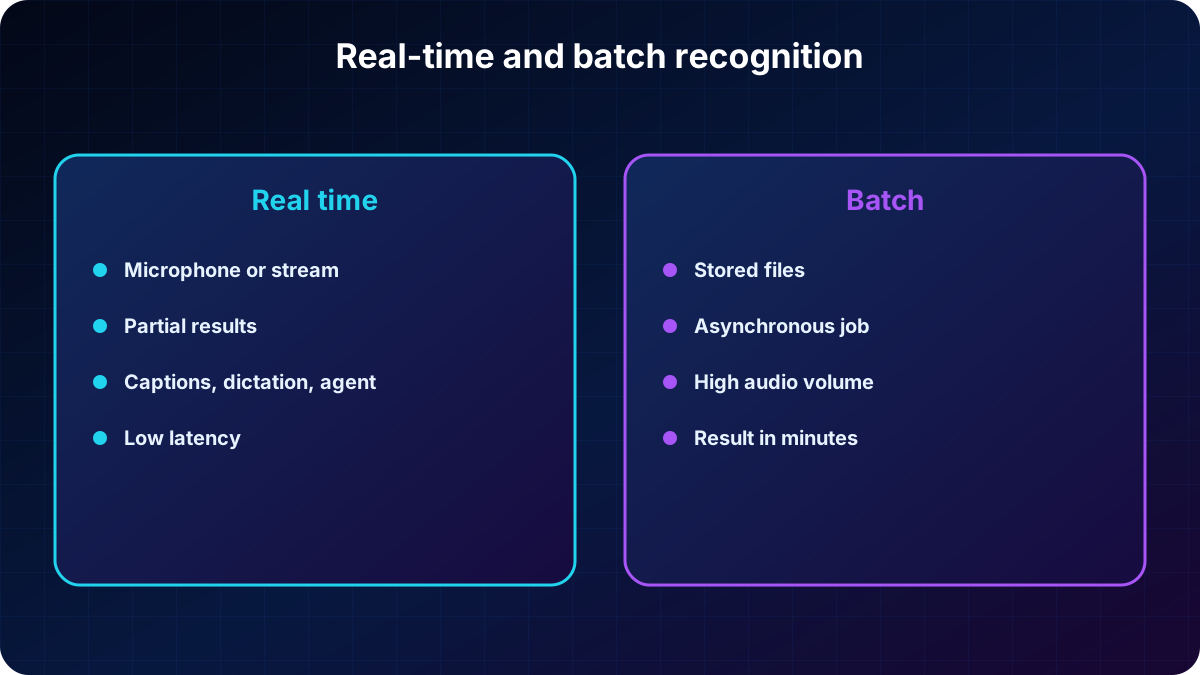
The to Text API supports real-time and batch processing. In real time, an application listens to a microphone or another source, streams audio, and receives text while speech is underway. This fits presentations, demos, captions, and conversations.
transcription processes existing recordings from a file share, remote server, or Azure asynchronously. An application can provide a shared access signature (SAS) URI. Jobs are scheduled on a best-effort basis: they normally begin within minutes, but there is no exact guarantee for when a job enters the running state.
Choosing a transcription mode.
Mode
Input
Behavior
Scenario
Real time
Microphone, file, or live stream
Text returns as audio arrives
Captions, meetings, voice commands.
Stored files reachable by URI
Asynchronously scheduled job
Call archives, interviews, and large collections.
The source and urgency determine immediate streaming or an asynchronous job.
7. How speech synthesis works
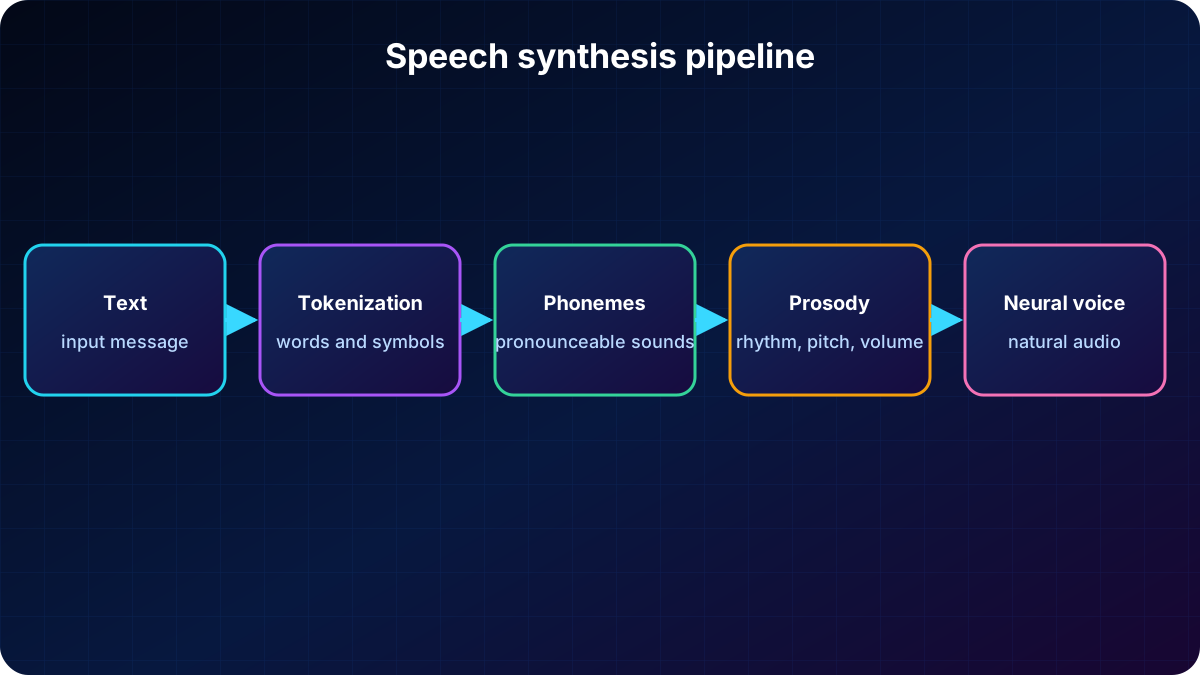
synthesis, or text to speech (TTS), vocalizes data by converting text into audio. The solution needs the text and a selected voice. Processing tokenizes the content, assigns phonetic sounds, organizes the transcription into prosodic units such as phrases and sentences, produces phonemes, and synthesizes the signal.
Output can answer a user, read messages, or broadcast announcements. Voice, language, and regional pronunciation shape the experience; rate, pitch, and volume control delivery. Neural voices use neural networks to reduce common intonation limitations and sound more natural. The platform offers predefined voices and supports custom voices.
Tokenization, phonetics, prosody, and phonemes prepare text before audio generation.
8. Text-to-speech playground and SDK
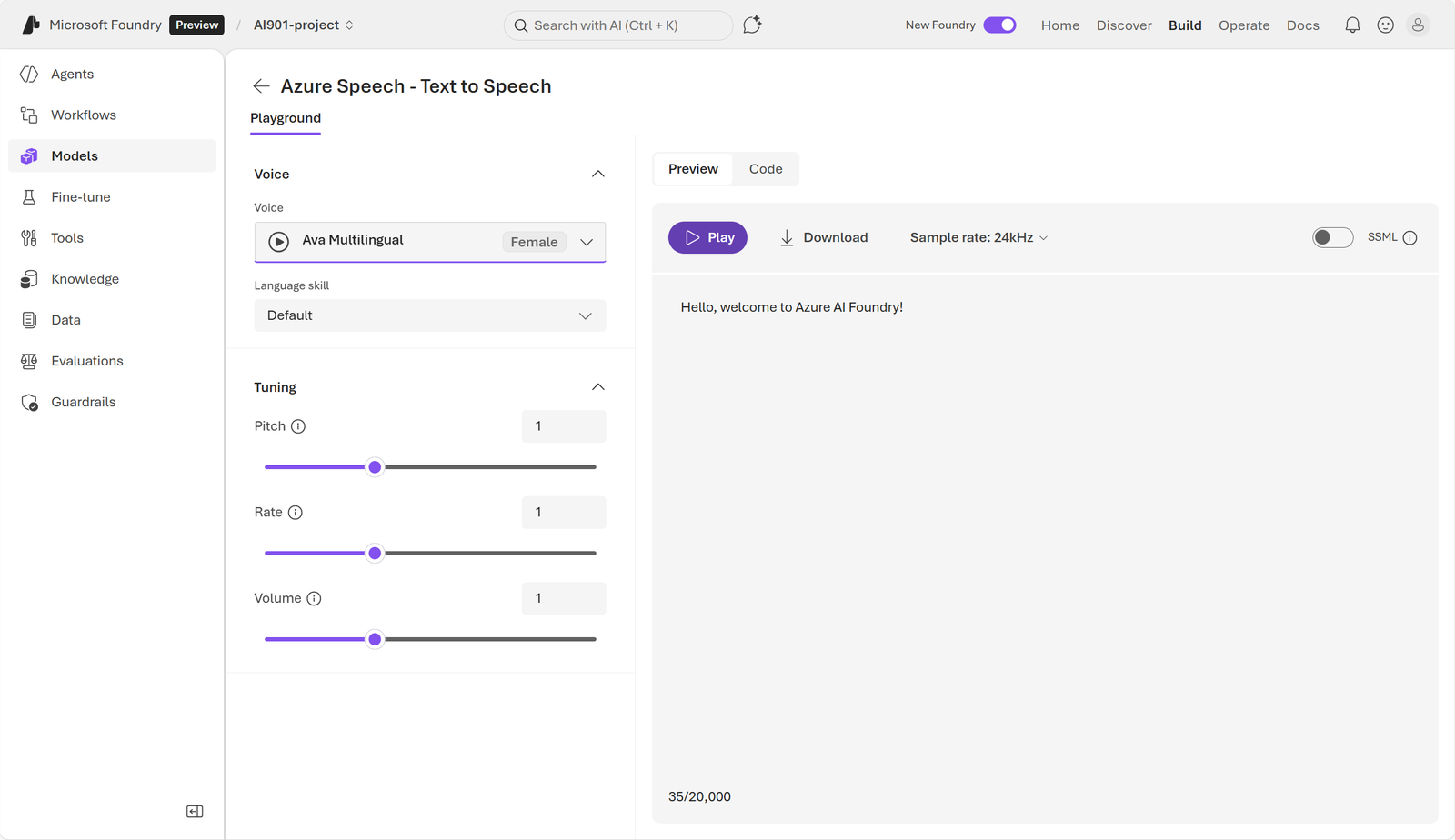
In the Text to playground, enter text, select a synthetic voice, and adjust settings such as rate and pitch. Audio can play through speakers or be written to a file. The SDK sends text to Azure , uses neural voices, and returns audio while handling authentication, networking, formatting, and playback.
The interface selects voice, language, rate, pitch, and volume before generating audio.
Client applications can speak immediately on desktop and mobile devices; backend services can generate audio files for later playback. Python uses the same azure-cognitiveservices-speech package as recognition.
9. Python client for synthesis
SpeechSynthesizer receives SpeechConfig and AudioOutputConfig. The example uses the default speaker, reads console input, and waits for the asynchronous result. The application checks success or cancellation and can display error details.
import os
import azure.cognitiveservices.speech as speechsdk
from dotenv import load_dotenv

load_dotenv()
config = speechsdk.SpeechConfig(
    subscription=os.environ['FOUNDRY_KEY'],
    endpoint=os.environ['AZURE_SPEECH_ENDPOINT']
)
config.speech_synthesis_voice_name = 'en-US-Ava:DragonHDLatestNeural'
speaker = speechsdk.audio.AudioOutputConfig(use_default_speaker=True)
synthesizer = speechsdk.SpeechSynthesizer(
    speech_config=config,
    audio_config=speaker
)

message = input('Text to speak: ')
result = synthesizer.speak_text_async(message).get()
if result.reason == speechsdk.ResultReason.SynthesizingAudioCompleted:
    print('Speech synthesized.')
elif result.reason == speechsdk.ResultReason.Canceled:
    details = result.cancellation_details
    print('Synthesis canceled:', details.reason)
    if details.error_details:
        print(details.error_details)
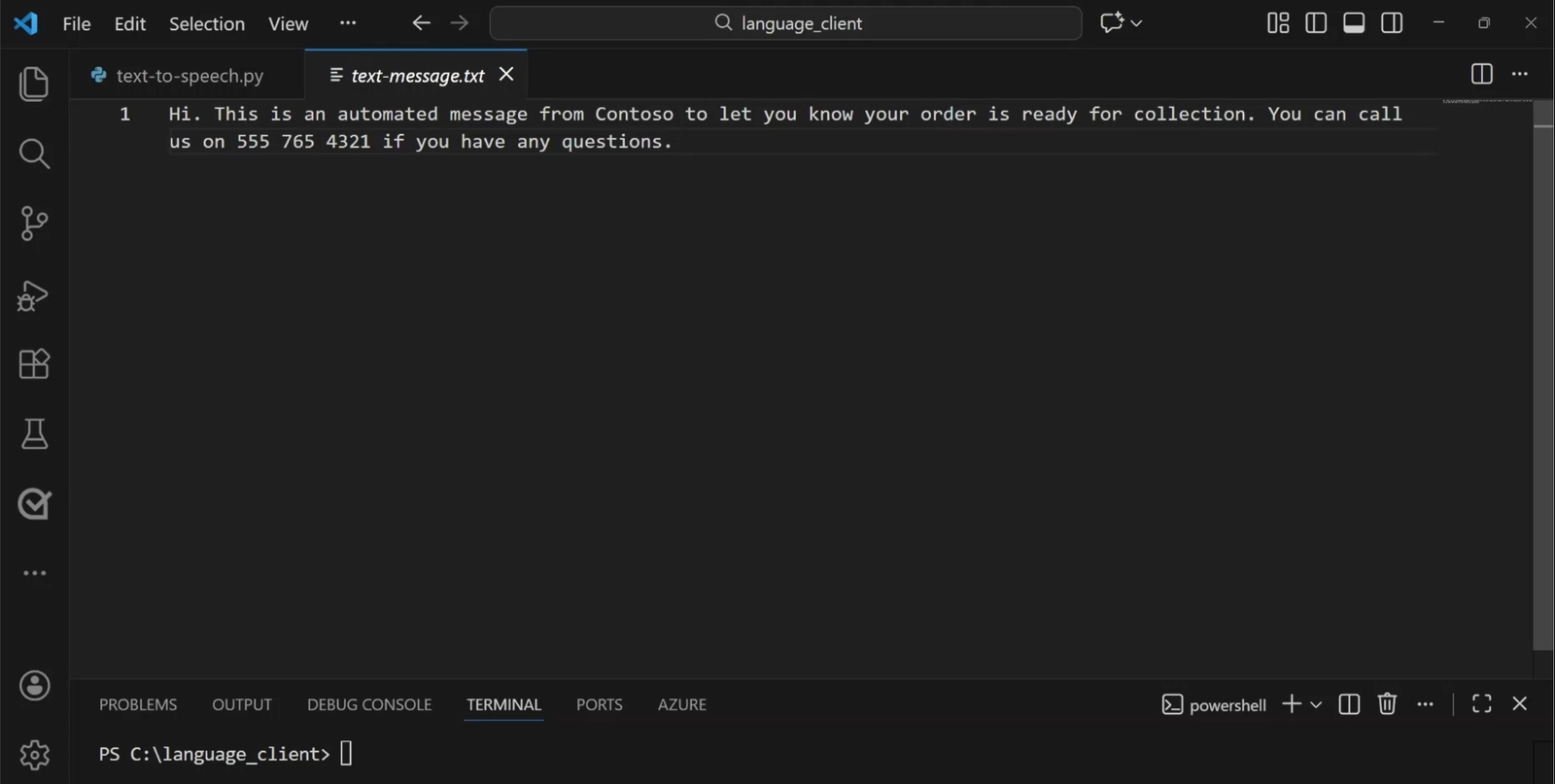
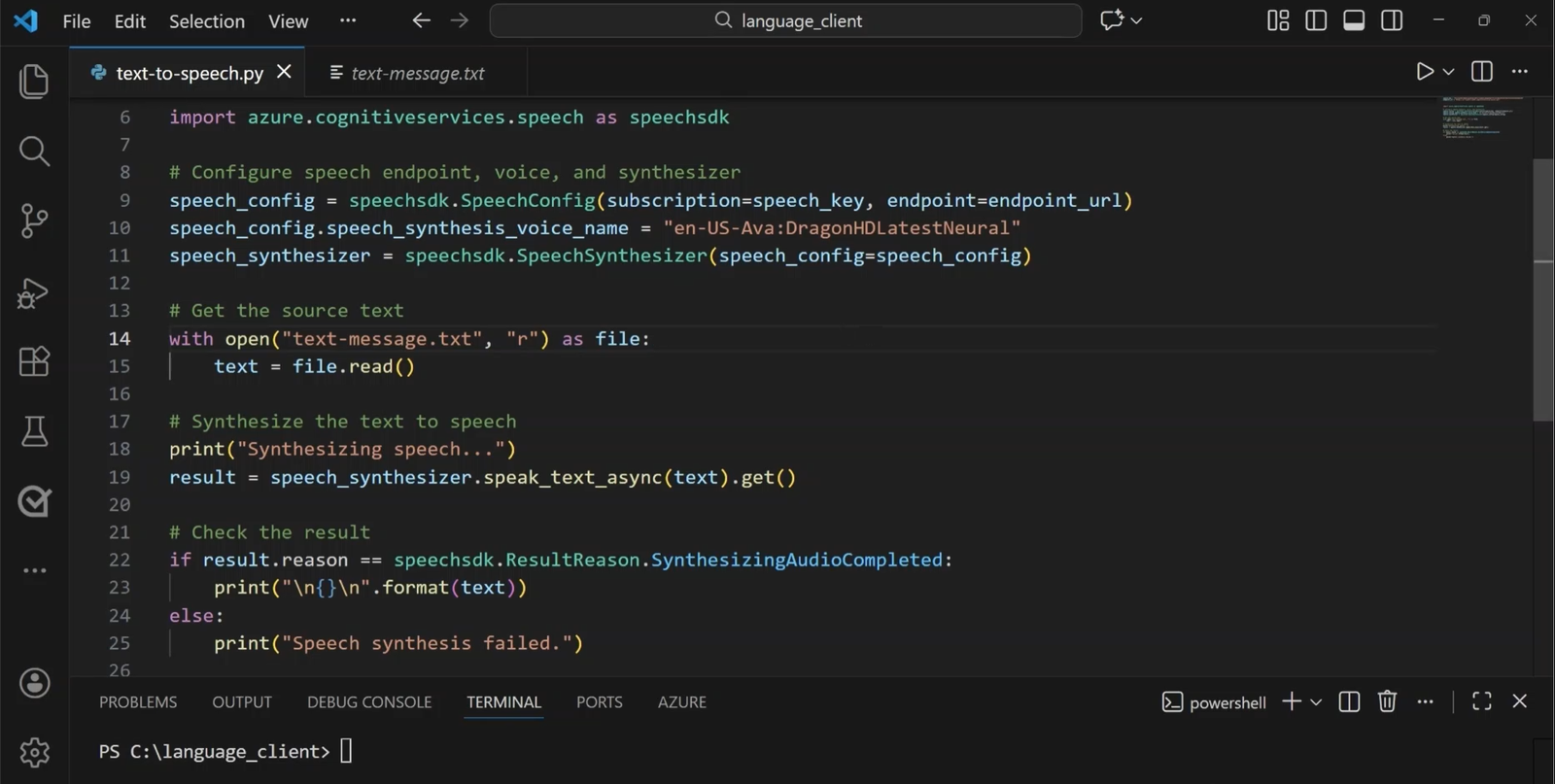
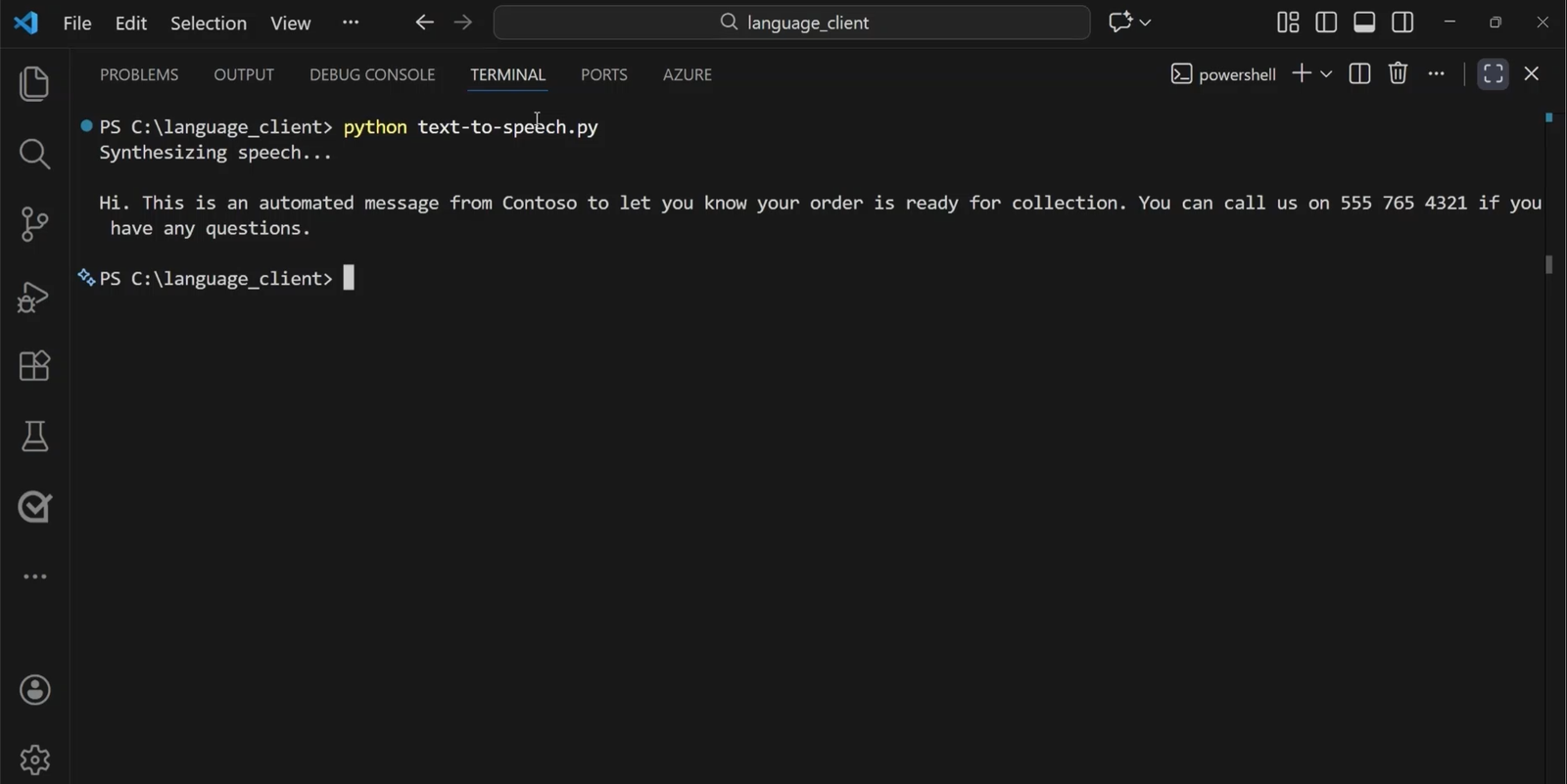
A message-reading application can load a text file, create SpeechSynthesizer, and generate speech. A multilingual neural voice can adapt to the input language. Configure file output when audio should be saved instead of played.
Stored text becomes the input to speech generation.The code creates SpeechSynthesizer, reads text, and handles completion or cancellation.The execution converts the text into audio output.
10. -to-speech conversations with Voice Live
to speech accepts spoken audio and produces spoken audio, enabling conversation without reading or typing. A traditional pipeline recognizes speech, passes text through translation, summarization, application logic, or agent reasoning, and synthesizes the response. Assistants, spoken translation, kiosks, navigation, industrial tools, accessibility, and support bots are common scenarios.
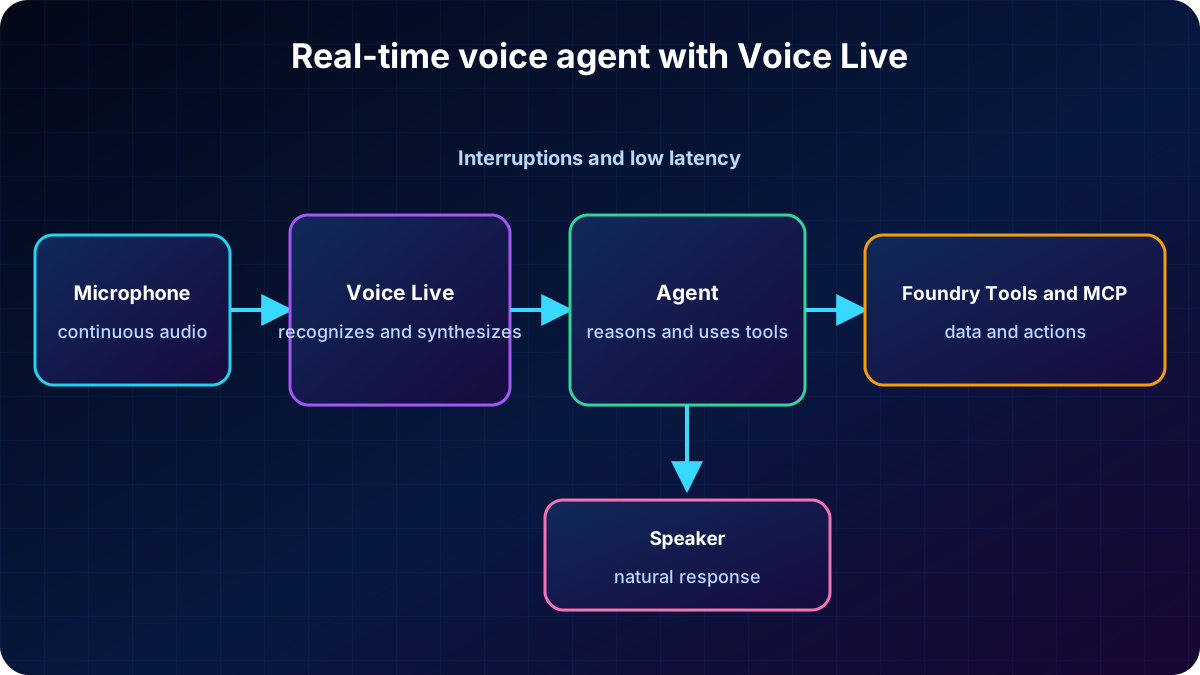
Azure Voice Live combines recognition, generative AI, and text to speech in a managed low-latency service. Instead of connecting several components manually, the application sends audio and receives speech. The service can also return visuals such as avatars and trigger actions.
Azure provides recognition and synthesis.
An agent or application logic decides what the response should contain.
Foundry Tools or MCP servers can expose speech as callable tools.
A selected generative model works with acoustic models to support the conversation.
Voice Live coordinates audio input, recognition, reasoning, tools, and spoken output.
11. Build and integrate a speech-capable agent
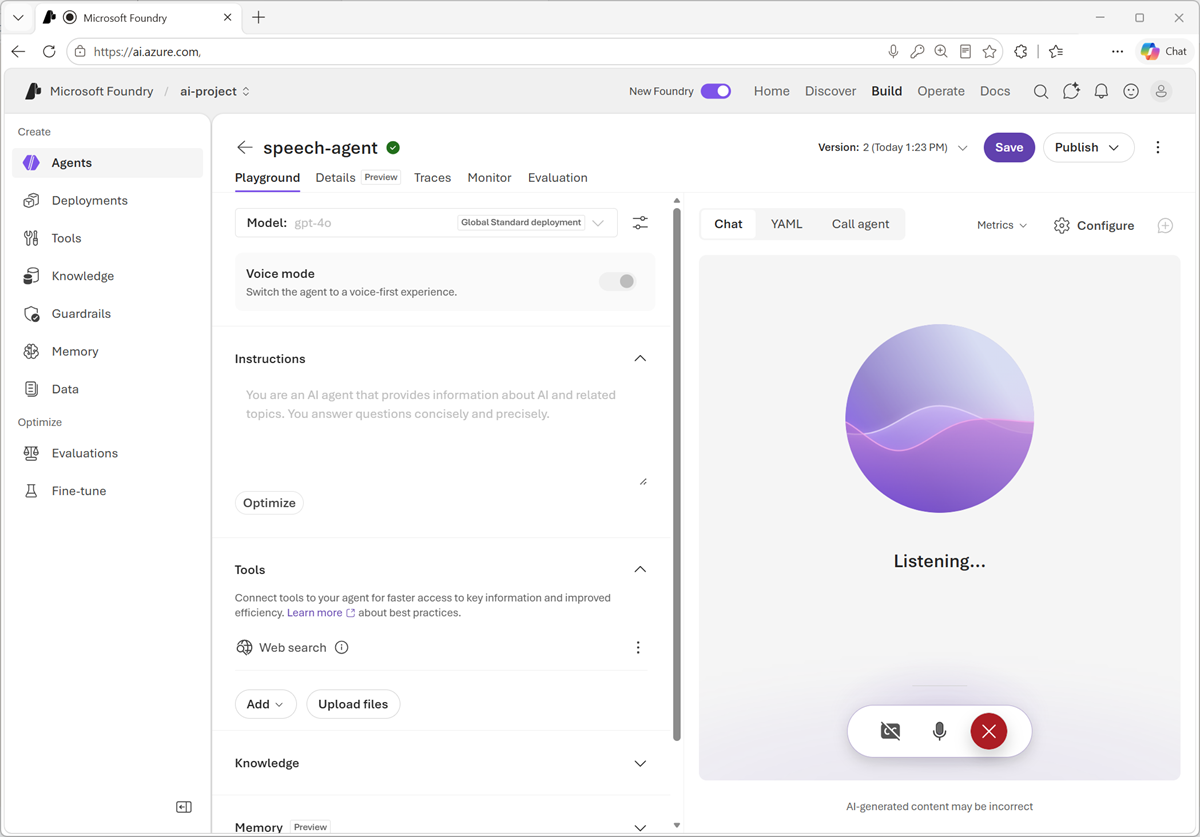
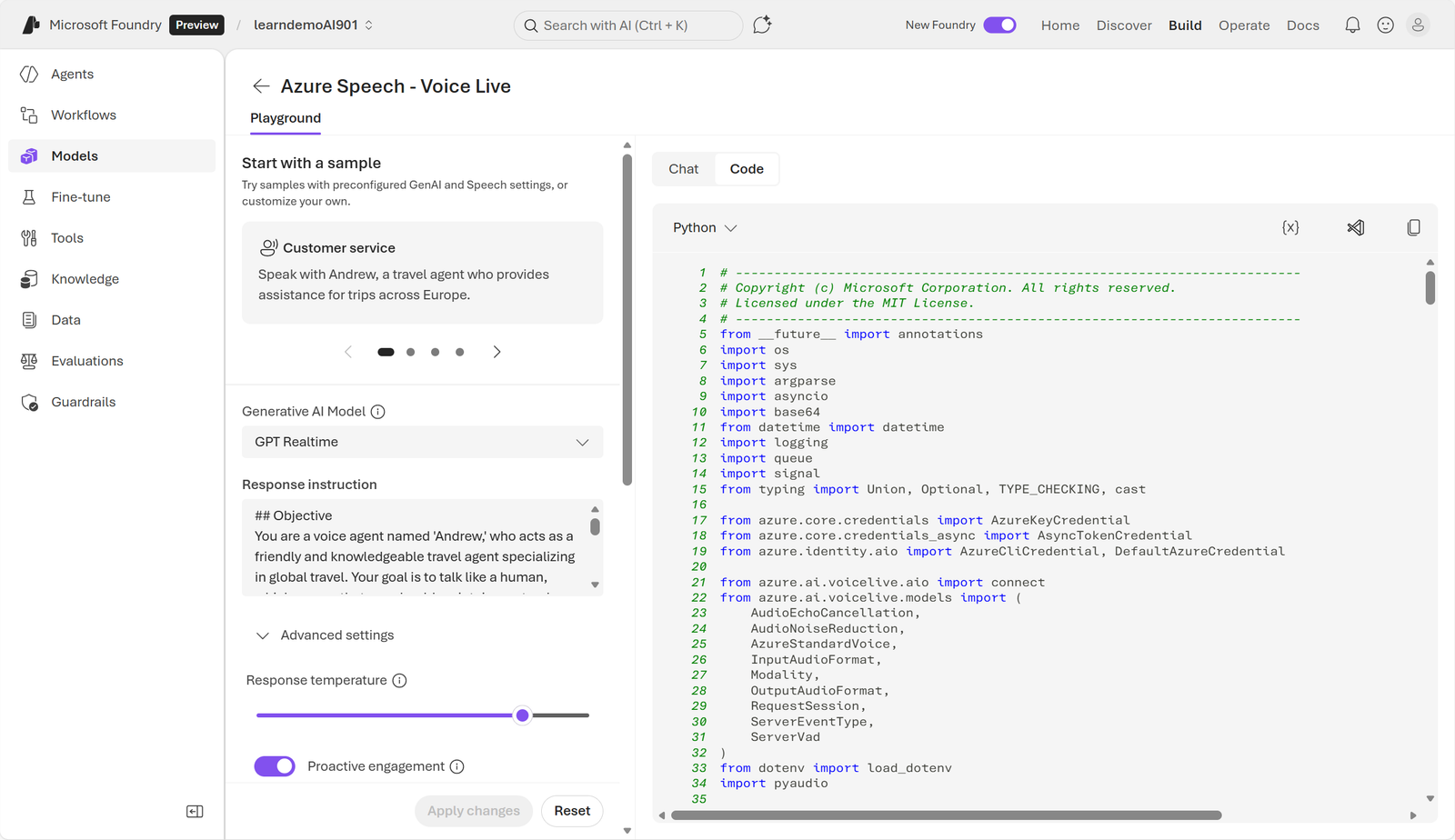
The Voice Live playground includes ready-made voice samples and supports creating a solution. Select the agent’s generative model and configure voice, instructions, and behavior. Proactive engagement lets the agent start a conversation. Voice mode can also be enabled on a agent, encapsulating speech configuration in the agent definition and reducing client code.
The experience supports speaking with the agent and hearing responses in real time.
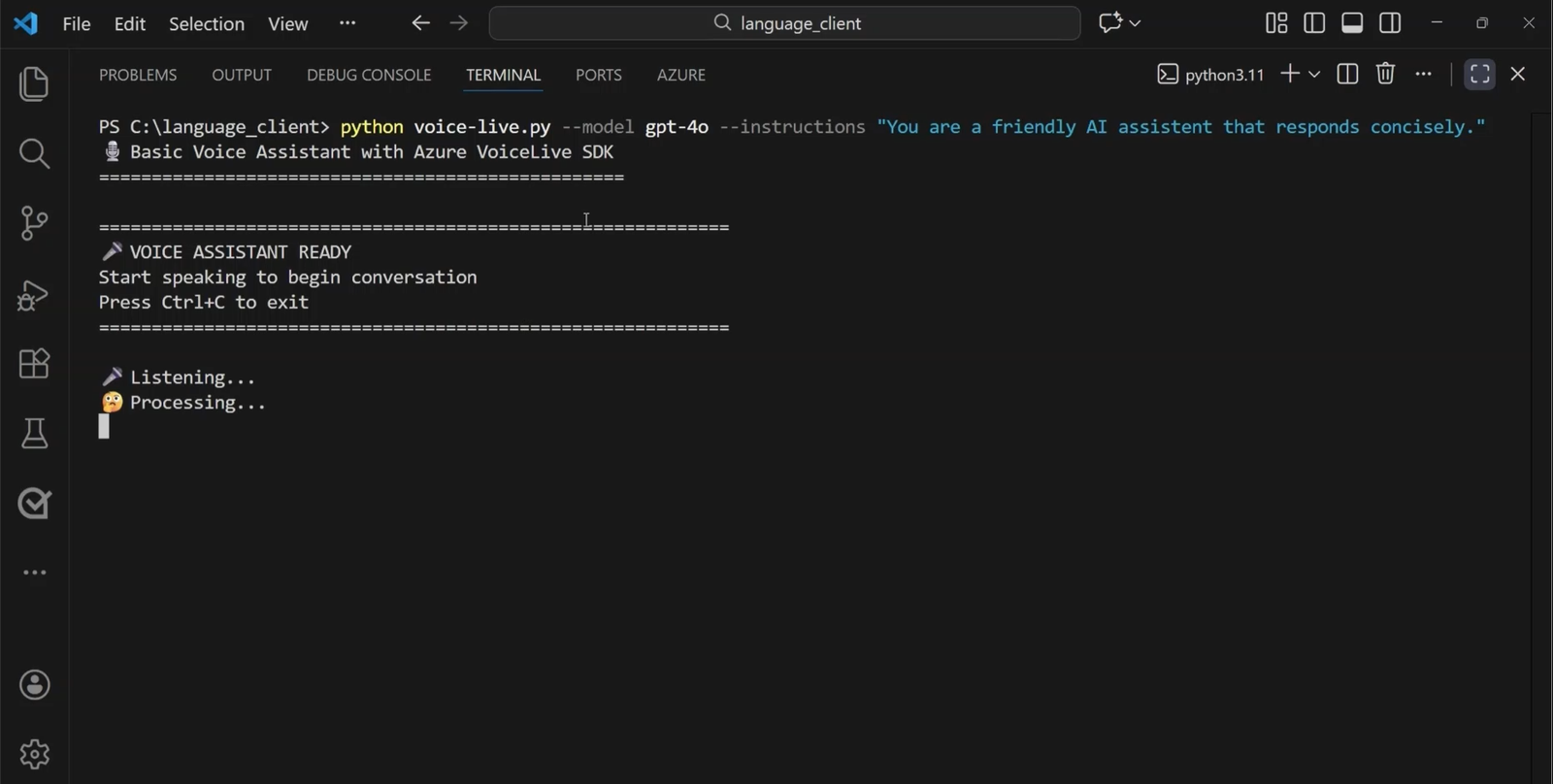
For Python, install azure-ai-voicelive, pyaudio, python-dotenv, and azure-identity. Portal sample code starts the session, connects microphones and speakers, processes incoming and outgoing audio streams, and handles interruptions. At runtime, the assistant streams microphone audio to Voice Live and plays the returned speech.
The client begins microphone capture and processes the spoken conversation.The portal provides a starting point for session, audio, instructions, and events.
12. Exercise and knowledge check
The approximately 25-minute exercise uses Azure in Foundry Tools and Voice Live to create an agent capable of real-time conversation. An Azure subscription is required; new accounts may include free credits for 30 days.
Why integrate the to Text SDK instead of relying only on the playground?
Which responsibilities does the Text to SDK handle for a developer?
What role does azure-ai-voicelive play in a voice-enabled agent?
Explained answers
The SDK embeds recognition in application code and workflows; the playground is for experimentation.
It handles authentication, network communication, formatting, audio generation, and configured playback or file output.
The Voice Live SDK opens the real-time connection, streams audio, and handles spoken responses and interruptions; it does not replace local devices or permanently store recordings by default.
13. Chapter summary and official references
to Text converts microphones, files, or streams into text for captions, transcripts, dictation, and agent input.
Recognition can run in real time or through asynchronous batch jobs.
Text to uses text, voice, phonetics, prosody, and neural models to produce natural audio.
The SDK connects applications to Azure and abstracts authentication, networking, audio, and responses.
Voice Live combines recognition, reasoning, and synthesis in a managed service for responsive voice agents.