Azure architecture: regions, zones, resources, and management hierarchy
Understand Azure services, accounts, datacenters, regions, availability zones, region strategies, resource groups, subscriptions, and management groups.
Suggested study time: 30 minutes • Beginner to intermediate • Original rewrite based on the supplied Microsoft Learn module, updated against current reliability and governance documentation
By João Ricardo Dutra••Complete original content
1. Introduction and learning objectives
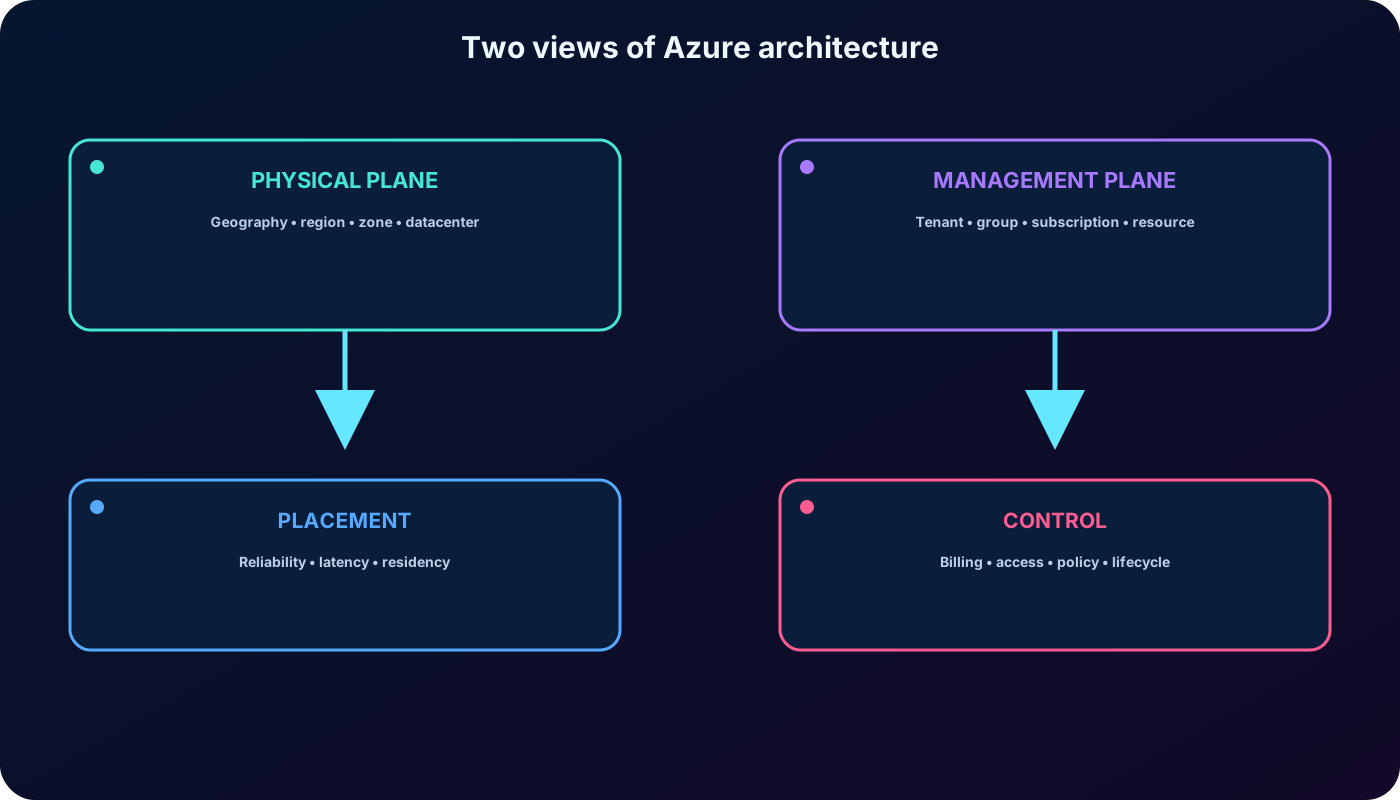
Azure architecture has two complementary views. The physical view explains how datacenters, availability zones, regions, and geographies provide placement and fault isolation. The management view explains how resources, resource groups, subscriptions, management groups, and a Microsoft Entra tenant provide ownership, billing, access, and governance.
Describe Azure datacenters, regions, availability zones, region pairs, nonpaired regions, and sovereign clouds.
Explain resources, resource groups, subscriptions, management groups, and their hierarchy.
Relate physical placement to reliability, latency, cost, and data residency.
Relate management scopes to lifecycle, billing, Azure RBAC, and inheritance.
The source module requires only basic familiarity with IT terms. For AZ-104, treat these scopes as the map on which later administration tasks are performed.
The physical plane answers where a workload runs; the management plane answers who owns, pays for, governs, and can access it.
2. What Microsoft Azure is and what it offers
Microsoft Azure is an expanding portfolio of cloud services delivered through a global platform. It supports building, deploying, operating, securing, and modernizing applications with familiar languages, tools, and frameworks instead of requiring one fixed technology stack.
The three value themes emphasized by the module.
Theme
Meaning for an administrator
Bring ideas to life
Use cloud and AI capabilities on a trusted platform to shorten the path from experiment to production.
Unify the estate
Operate infrastructure, data, analytics, and AI through connected management and governance experiences.
Innovate on trust
Build on Microsoft investments in security, compliance, responsible technology, and platform reliability.
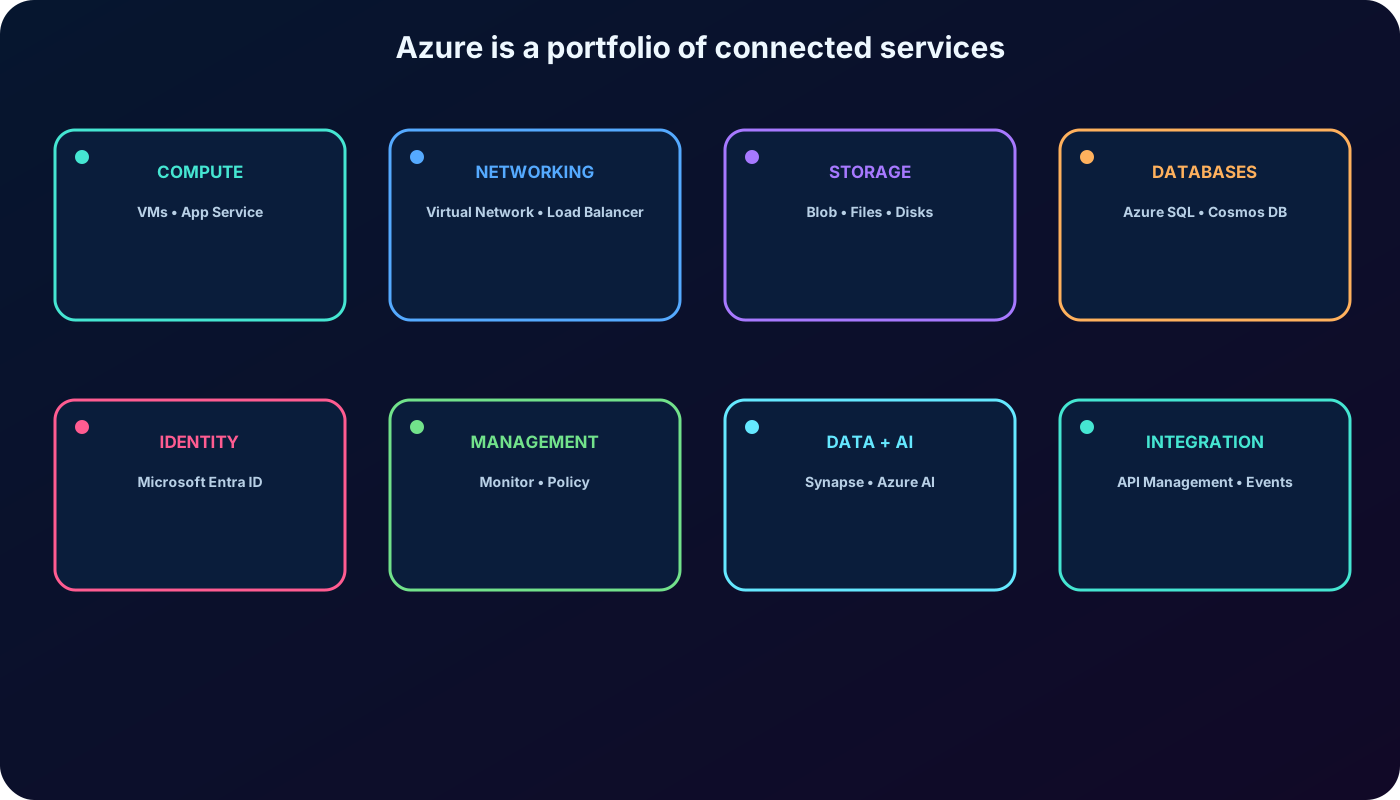
Azure spans compute, networking, storage, databases, identity and security, DevOps and management, IoT, analytics, integration, and AI. Examples in the material include , Azure ,, Azure ,,,,,,,,,,,, Azure AI services, , and .
Azure is a service portfolio, not only a place to host virtual machines.
3. From migration to workload modernization
Moving an existing application into Azure is a valid first step, but it reproduces much of the server-management responsibility. As knowledge grows, teams can modernize incrementally: replace manually managed database servers with managed databases, use autoscaling application platforms, or decouple work through event-driven services.
Modernization does not require rewriting everything at once. Select one workload and one operational constraint, choose a managed capability that reduces that constraint, measure the result, and repeat. Azure AI services can add language, vision, or speech; adds generative AI; supports model development; IoT services connect devices; and storage services expand to very large datasets.
4. Practical example: a seasonal internal application
Consider an internal application whose demand rises sharply during part of the year. The application can run on virtual machines or a managed application service, persist data in a managed database, and send health and performance data to centralized monitoring.
Scale up by assigning more capacity to an instance, or scale out by adding instances as demand rises.
Scale back after the peak so unused capacity is not paid for all year.
Use monitoring signals and tested thresholds instead of relying on manual observation.
Evaluate availability zones and multiple regions separately from autoscaling; capacity elasticity alone does not provide disaster recovery.
5. Azure accounts, subscriptions, and purchasing options
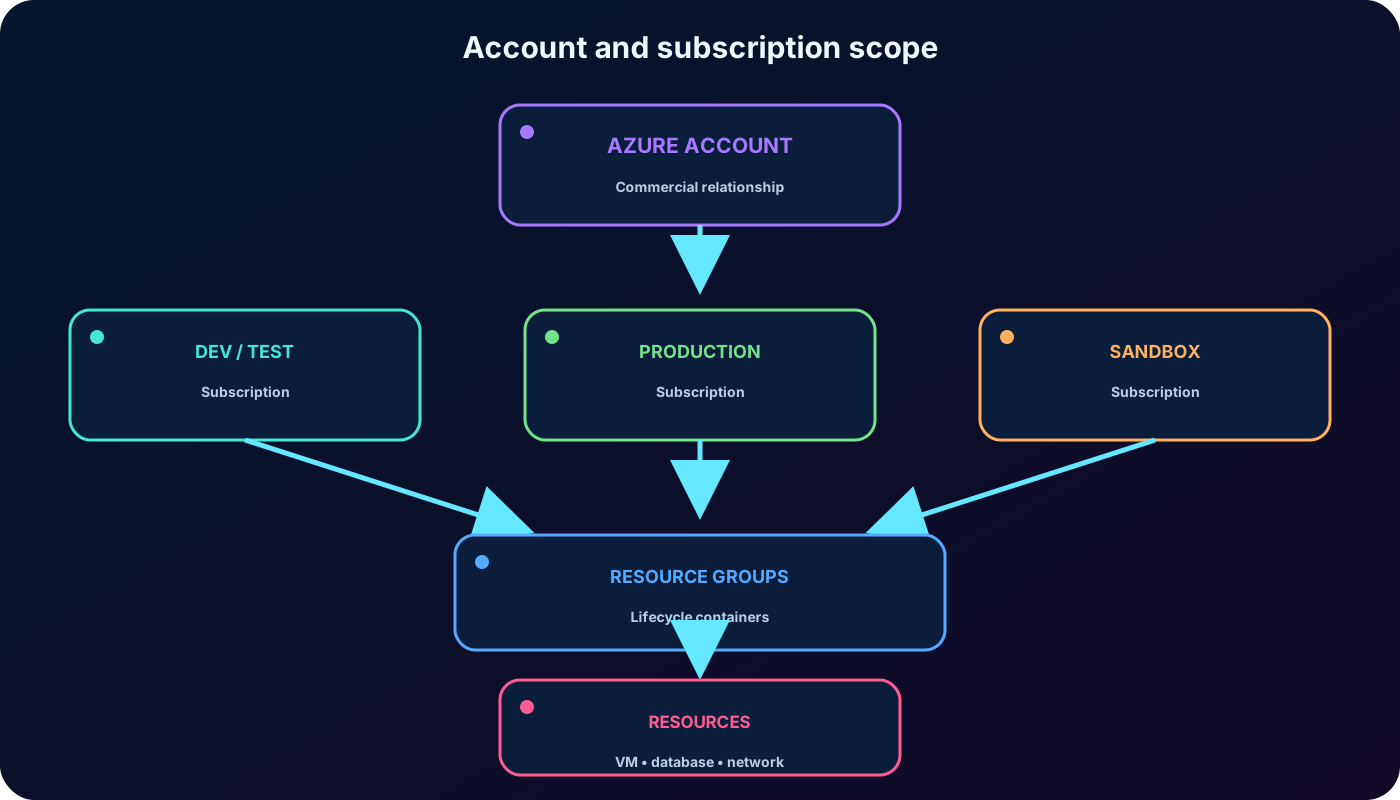
Using Azure requires a subscription. A new Azure account commonly starts with one subscription, and the account can later own or access additional subscriptions. Resources are created inside subscriptions and placed in resource groups.
Azure access can be purchased on the Azure website, through a Microsoft representative, or through a Microsoft partner. A Cloud Solution Provider can bundle Azure with management, support, and other cloud services. Contract and billing models vary, so administrators should identify the commercial agreement before designing cost reports or automation.
Why an organization creates more than one subscription.
Boundary
Example
Environment
Separate sandbox, development, test, and production so access and risk do not cross lifecycle stages.
Team or workload
Give a project a clear cost and access boundary, or isolate shared platforms from application teams.
Billing
Produce distinct invoices or reports for production and nonproduction workloads.
Scale and quotas
Distribute workloads when service limits, regional capacity, or operational ownership require separate units.
The subscription is both a commercial and management boundary; each resource still belongs to one resource group.
6. Azure free account and Azure for Students
Offers change, so always verify the purchase page before relying on exact amounts. At the time of this update, the Azure free account is limited to new Azure customers and includes a US$200 credit for 30 days, free monthly amounts for more than 20 popular services for 12 months, and more than 65 services with always-free monthly amounts. A phone number, payment card, and Microsoft or GitHub account can be required for verification; spending protection prevents charges until the account is upgraded to pay-as-you-go.
Azure for Students currently provides eligible full-time students with US$100 for 12 months, selected free services and developer resources, and no credit-card requirement. Eligibility can be renewed annually while the person remains a student. Offers, currencies, eligibility, and regional availability can differ.
Free does not mean unmetered. Monitor consumption, understand monthly allowances, and remove laboratories when finished. After credit or free quotas expire, resources might be disabled or billed only if the subscription is explicitly converted according to the offer terms.
7. Datacenters, geographies, and Azure regions
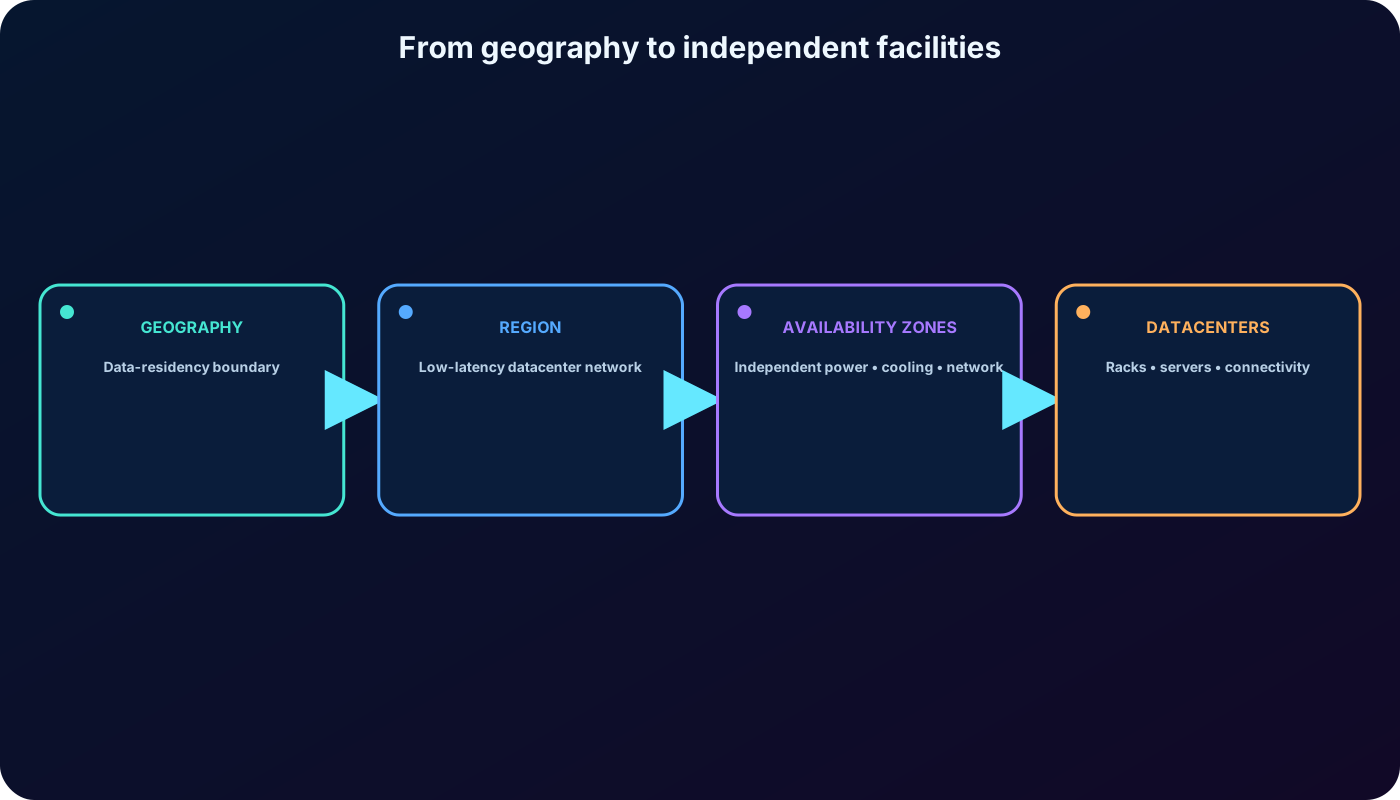
Azure datacenters contain servers in racks plus dedicated power, cooling, physical security, and networking. Customers normally choose a region rather than an individual datacenter. Microsoft groups facilities and network infrastructure into regions and availability zones to provide capacity and fault isolation at global scale.
A region contains one or more datacenters connected by high-capacity, fault-tolerant, low-latency networking, usually within a metropolitan area. A geography contains one or more regions and acts as a data-residency boundary. Region selection affects latency, product and SKU availability, price, capacity, resiliency options, and regulatory requirements.
Most resources require a region. Some services are nonregional and operate across multiple regions, although their data or dependent components can still have placement rules. , Azure Traffic Manager, and are examples used by the material. Consult Products available by region and the Microsoft datacenter map before committing an architecture.
Customers select regions and supported zone configurations while Microsoft operates the underlying facilities.
8. Availability zones and isolation boundaries
An availability zone is a logical grouping of one or more physically separate datacenters inside a region. Each zone has independent power, cooling, and networking. Zones are close enough for low-latency private connectivity but separated to reduce the chance that a local failure affects them together.
If one zone is unavailable, a workload designed for zone resilience can continue in other zones. The module describes zone-enabled regions as having at least three zones; current guidance should be checked because region and service support evolves. A region can support zones while a particular service, tier, or SKU does not.
Redundancy has a cost. Duplicate compute, replicated data, and cross-zone transfers can add charges. Reliability requirements should define the number of instances, recovery targets, health checks, and failover behavior before deployment.
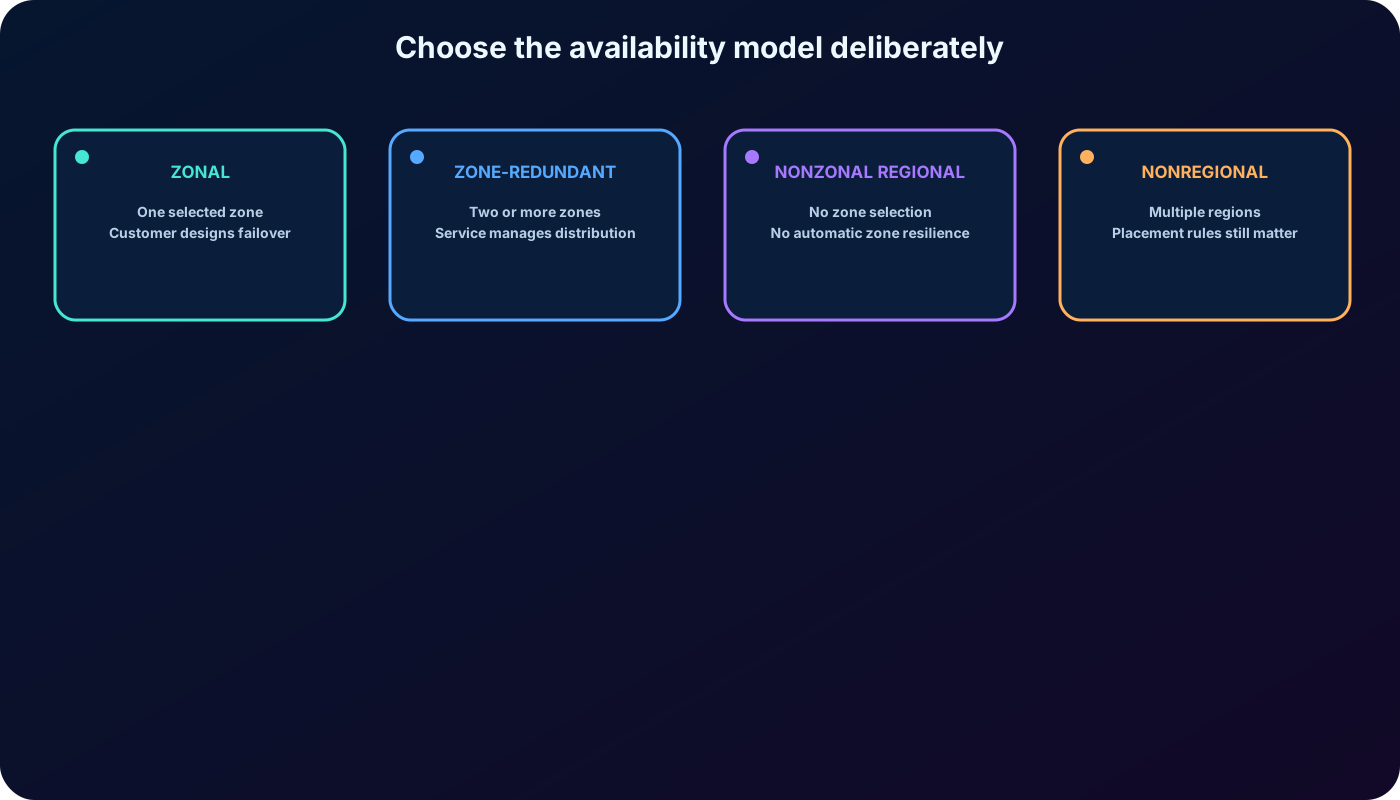
9. Zonal, zone-redundant, regional, and nonregional services
Do not confuse placement with automatic resilience.
Deployment type
Who places and protects it?
Examples and consequence
Zonal
You select one zone. You must deploy and fail over separate instances if zone resilience is required.
, managed disks, and IP addresses can be zonal. A single zonal instance can stop with its zone.
Zone-redundant
The service distributes or replicates across two or more zones; failover is normally Microsoft-managed.
Zone-redundant storage and supported configurations. Some services require explicit enablement or eligible tiers.
Nonzonal or regional
No zone can be selected. Azure can place the resource anywhere in the region.
It is not automatically resilient to a zone outage and should be avoided for critical production paths when a resilient option exists.
Nonregional service
Microsoft deploys the service across multiple regions, but data-residency and dependent-component rules still apply.
Identity, DNS, or traffic-routing control planes can be global or geography-aware.
The export groups the last category simply as nonregional. Current reliability guidance distinguishes a regional resource without zone configuration from a service that is genuinely not tied to one region.
A zonal resource is isolated but not automatically zone-resilient; a zone-redundant configuration spreads responsibility across zones.
10. Region pairs, nonpaired regions, and current reliability guidance
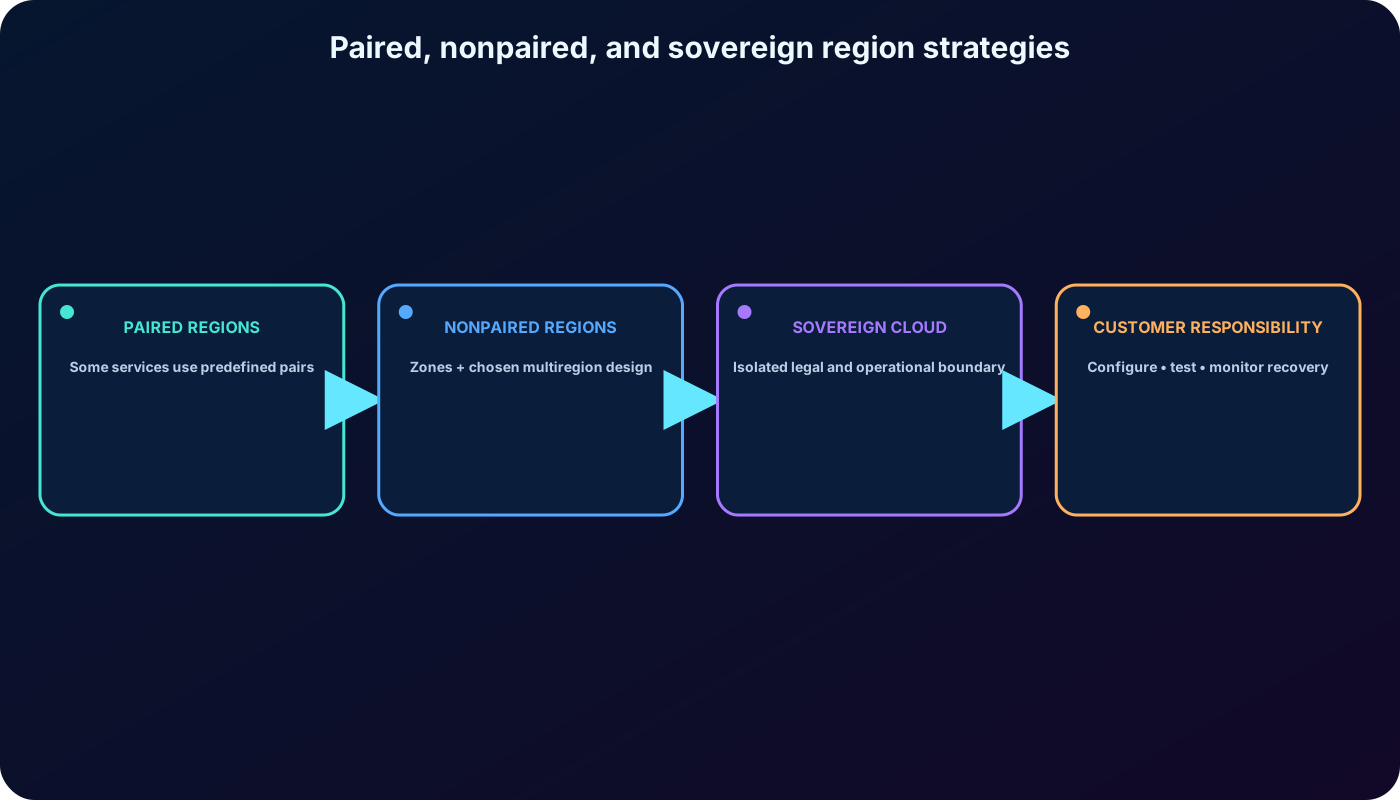
Microsoft associates some regions into predefined pairs. Some Azure services use those pairs for geo-replication, geo-redundancy, prioritized recovery sequencing, staggered platform updates, and data residency. Examples in the material are West US with East US and Southeast Asia with East Asia.
The supplied assessment describes pairs as regions at least 300 miles apart. That is an older learning shorthand, not a current design rule. Many newer Azure regions are nonpaired and use availability zones as their primary redundancy mechanism. Current guidance supports resilient designs with paired regions, nonpaired regions, or a combination chosen for latency, isolation, compliance, service capability, and recovery objectives.
A pair does not automatically replicate every resource, provide failover, or create disaster recovery. Configure and test those capabilities per service.
Planned platform updates are generally staggered across a pair, and one region can receive recovery priority in a severe geography-wide event.
Most pairs remain within the same geography, but exceptions exist. Brazil South is asymmetrically paired with South Central US outside its geography.
The export cites Italy North, Poland Central, and Israel Central as examples without traditional pairs; the current list contains additional nonpaired regions.
Greater geographic distance improves physical isolation but can increase latency and affect synchronous replication.
Treat region pairing as a service capability, not as an automatic disaster-recovery plan.
11. Sovereign clouds and data residency
Sovereign clouds are isolated Azure environments intended for specific legal, regulatory, or governmental requirements. Azure Government regions such as US Gov Virginia and US Gov Arizona are physically and logically isolated for eligible U.S. agencies and partners and use screened personnel and additional compliance controls.
Microsoft Azure operated by 21Vianet provides regions such as China East and China North through a distinct partnership and operational model; Microsoft does not directly operate those datacenters. Service availability, endpoints, identities, contracts, and compliance differ from global Azure.
Sovereignty does not replace reliability design. Keep primary data, replicas, backups, and encryption keys within approved boundaries, and document the recovery tradeoff if no compliant secondary region exists.
12. Azure resources and resource groups
A resource is an Azure building block that you create, provision, or deploy: a virtual machine, virtual network, database, storage account, or AI service. A resource group is a management container for related resources in a solution.
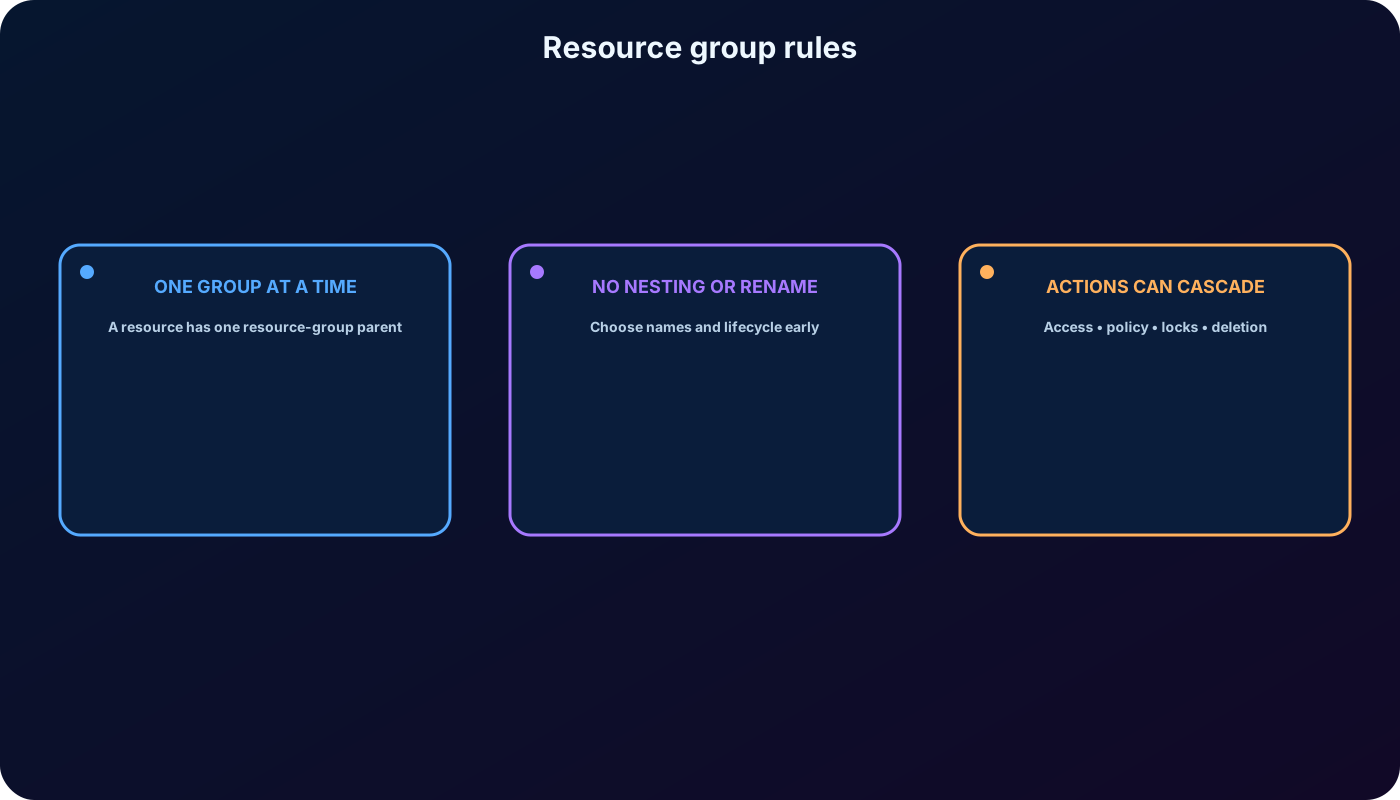
Every resource belongs to exactly one resource group at a time.
Resource groups cannot be nested and cannot be renamed after creation.
Supported resources can move between resource groups or subscriptions, but dependencies and service-specific restrictions must be checked.
A resource group has a location for its metadata; its resources can be in different regions, although common placement can simplify operations.
Access, policy, locks, and deployments assigned at group scope can affect existing and future resources according to that feature’s inheritance behavior.
Deleting a resource group starts deletion of everything inside it. Locks, dependencies, and asynchronous cleanup can affect the process.
Group resources by lifecycle and operational ownership. A temporary development environment can be removed as one unit; separate projects can use separate groups so teams see and administer only their scope. There is no single grouping pattern for every organization.
Design a resource group around resources that should be deployed, governed, and retired together.
13. Subscription boundaries and management groups
A subscription is a unit of management, billing, access control, quotas, and scale. It links to an Azure account represented by an identity in or a directory trusted by . Separate billing reports and invoices make a subscription a billing boundary; Azure RBAC, , spending controls, and service limits make it an access and management boundary.
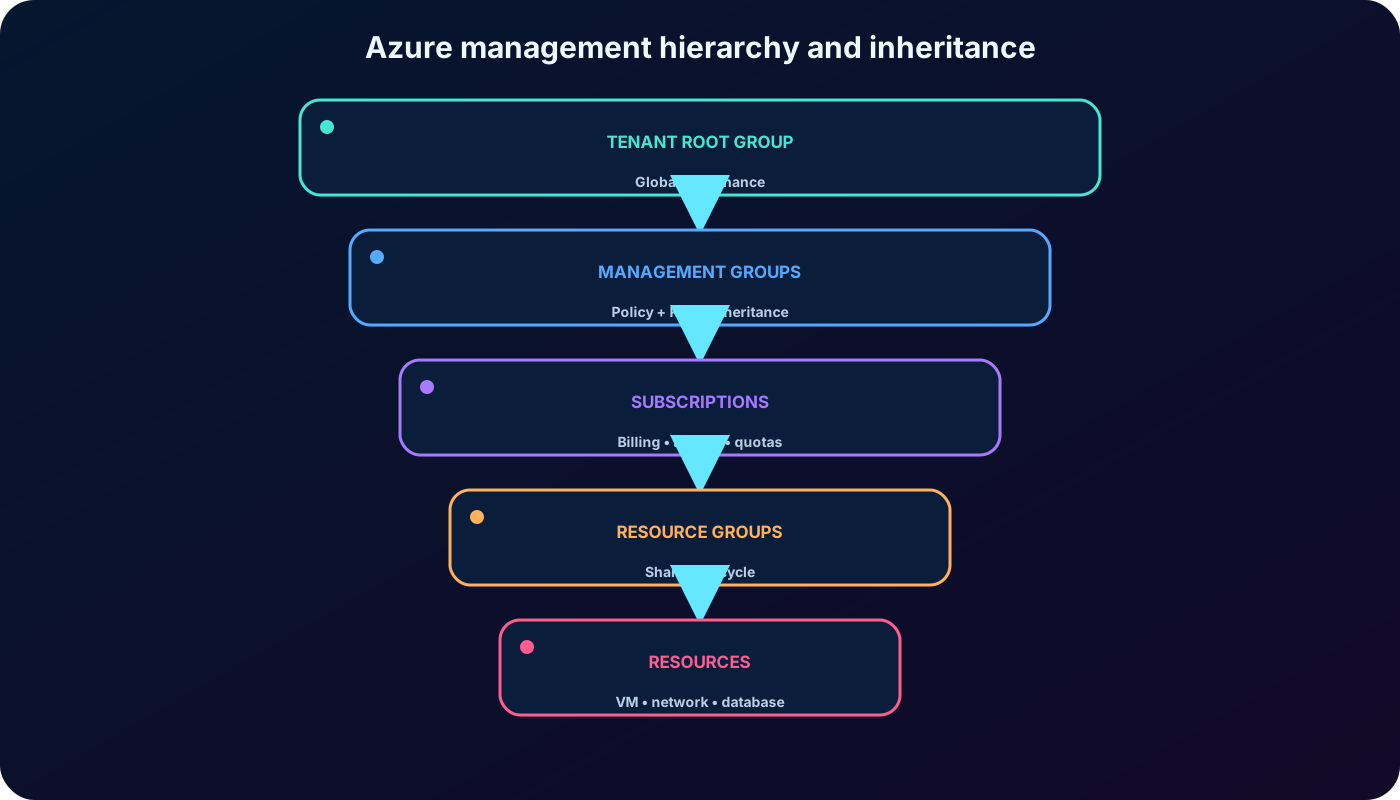
Management groups sit above subscriptions. and Azure RBAC assignments can inherit through child management groups, subscriptions, resource groups, and resources. A region policy assigned to a Production management group, for example, can prevent descendant subscriptions from creating virtual machines outside approved regions. One group-level role assignment can grant consistent access across many subscriptions.
Each Microsoft Entra directory has one top-level Tenant root group; new subscriptions initially fold into this hierarchy.
A directory supports up to 10,000 management groups.
The tree can have up to six management-group levels, excluding the root and subscription levels.
Each management group and subscription has only one parent, while a management group can have many children.
Assignments at the root can affect every resource in the directory, so reserve that scope for essential global requirements.
Governance and access flow down the hierarchy; billing and most quotas remain at subscription scope.
14. Module assessment explained
The three supplied questions, rewritten with their reasoning.
Question
Best answer
Why
How many resource groups can hold one resource at the same time?
One.
A resource can move when supported, but it has exactly one resource-group parent at any moment.
What happens when a group-scope action or inheritable setting is applied?
It applies to current and future resources within that scope.
The module tests scope inheritance. Exact behavior still depends on whether the feature is Azure RBAC, , locks, tags, or another control.
Which feature does the source associate with replication between regions at least 300 miles apart?
Region pairs.
That is the expected answer in the supplied assessment, but the distance is obsolete as a general architectural rule and replication must be configured per service.
15. Summary, study prompts, and official resources
Use geographies and regions for placement, availability zones for fault isolation inside a region, and multiple regions for region-wide recovery requirements.
Choose zonal or zone-redundant deployments deliberately and verify current region, service, tier, and SKU support.
Do not assume region pairs replicate or fail over every workload; design and test recovery explicitly.
Group resources by lifecycle, separate subscriptions by billing and access needs, and apply broad governance through management groups.
Protect the Tenant root group because its policies and roles can reach the entire directory hierarchy.
Prompts for active recall
Draw one concept map connecting geographies, regions, availability zones, datacenters, resources, resource groups, subscriptions, and management groups.
Design subscriptions and management groups for several departments with different compliance and billing boundaries.
Compare paired and nonpaired regions and recommend a resilient design for data that must remain inside one jurisdiction.