Azure DNS: public and private zones, records, delegation, and aliases
Understand DNS resolution, host public and private zones, delegate a registered domain, manage record sets and TTL, and connect a zone apex dynamically to Azure resources with alias records.
Suggested study time: 65 minutes • Intermediate • Original rewrite based on the supplied Microsoft Learn module and corrected against current Azure DNS documentation
By João Ricardo Dutra••Complete original content
1. Turn a registered domain into an Azure-hosted DNS design
Suppose an organization has purchased wideworldimporters.com from a domain registrar and is building the new website in Azure. The missing layer is authoritative DNS hosting: internet clients must translate the friendly domain name into the address of the Azure-hosted service.
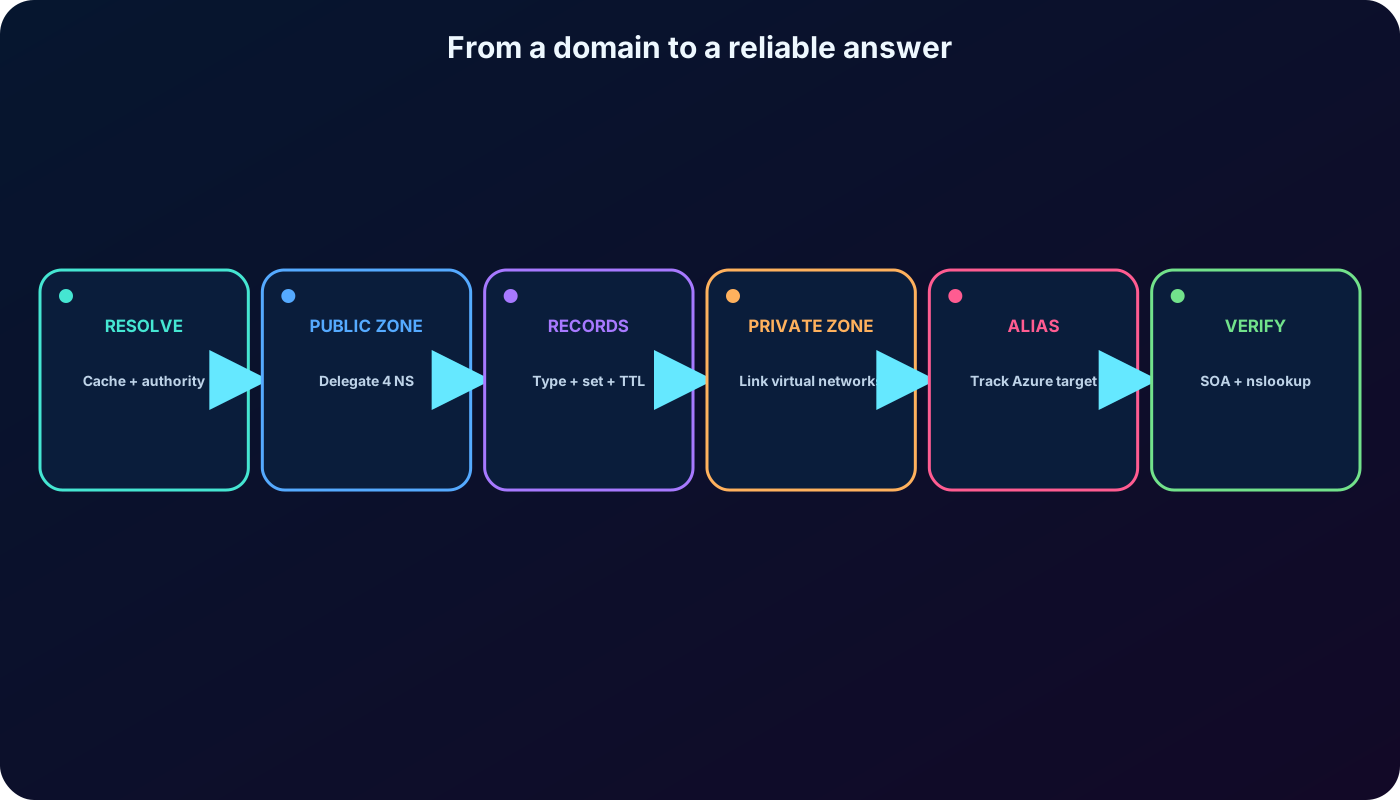
hosts the domain records on Microsoft infrastructure while using the same Azure identity, APIs, tools, support relationship, and billing model as the rest of the environment. This chapter covers the complete task, from DNS fundamentals to public and private zones, delegation, record sets, alias records, validation, and cleanup.
Explain recursive lookup, caching, authoritative data, IPv4, and IPv6.
Create and delegate a public DNS zone, then configure and test records.
Create a private DNS zone and link the virtual networks that may resolve it.
Use aliases to connect the zone apex dynamically to supported Azure resources.
Complete both supplied portal exercises without treating the example addresses as production values.
The administrator owns the entire chain: name, zone, record, delegation, target, validation, and lifecycle.
2. DNS translates memorable names into routable answers
The Domain Name System is part of the TCP/IP family. It maps names such as www.wideworldimporters.com to information that clients can use, most commonly an IP address. Devices route packets by address; people and applications usually work more reliably with names.
DNS is a global, hierarchical directory distributed across many name servers. A DNS server can operate as a resolver that finds answers for clients, as an authoritative server that stores the records for a zone, or as both in a broader architecture. “DNS server,” “DNS name server,” and “name server” are common names for these roles.
3. Cache and authority are the two ideas behind resolution
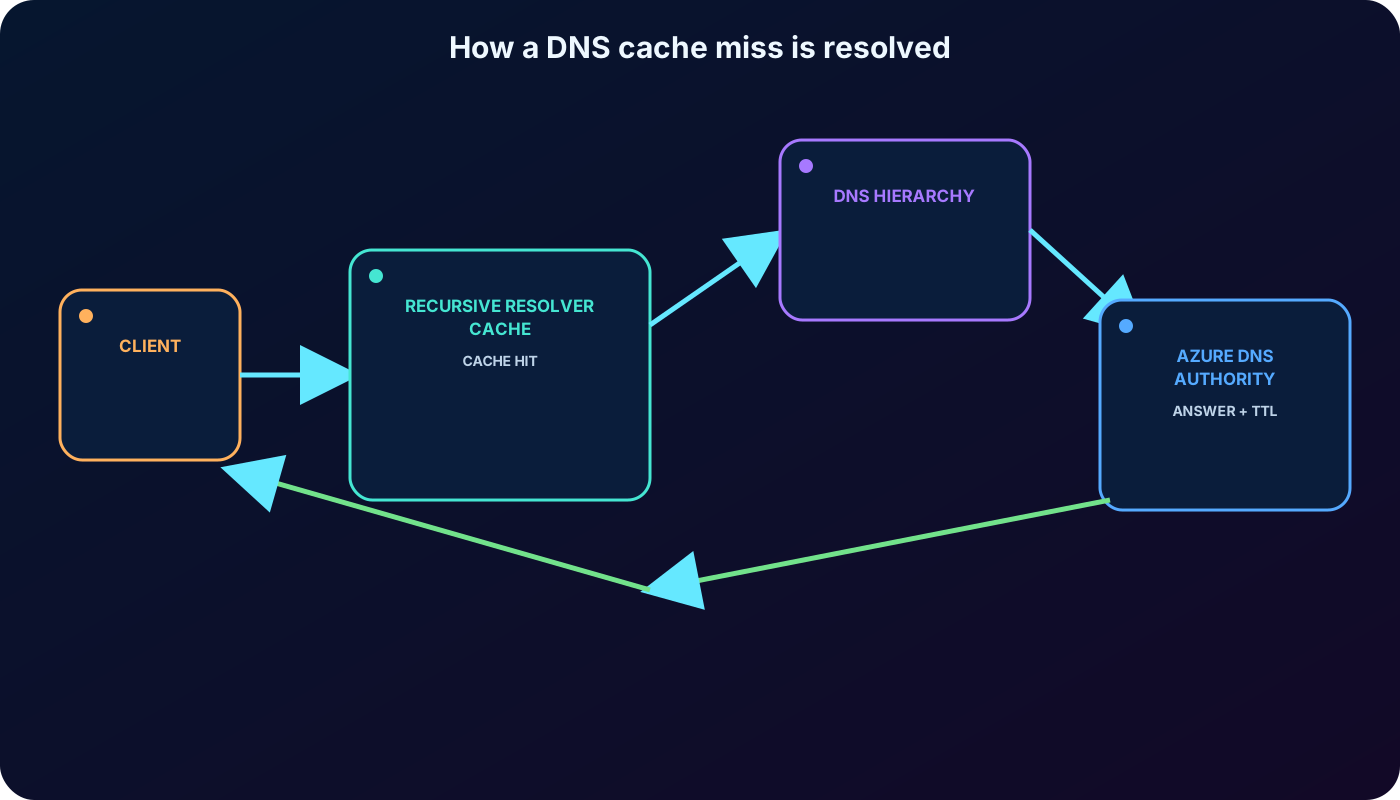
A resolver first checks its short-lived cache. A cached answer avoids another global lookup until its time to live expires. If no usable answer exists, the resolver follows the DNS hierarchy or asks other resolvers until it reaches a server authoritative for the requested zone. The result is returned to the client and normally cached; an unsuccessful search returns an error such as a name-not-found response.
On a corporate network, DHCP or local policy commonly supplies the DNS resolver address.
At a hotel or another external network, the internet service provider or access network commonly supplies it.
Caching accelerates repeated queries but also explains why a changed record may not appear everywhere immediately.
Authoritative servers hold the record database for the domains and subdomains delegated to them.
A cache answers quickly; authority supplies the source answer when the cache misses.
4. A and AAAA bridge DNS to IPv4 and IPv6
Address families used by host records.
Family
Shape
DNS record
Example
IPv4
Four decimal octets from 0 to 255
A
127.0.0.1
IPv6
Eight hexadecimal groups, with legal compression
AAAA
2001:db8:85a3::8a2e:370:7334
A network interface can have both address families, and DNS can publish both answers. The supplied material’s IPv6 string included a nonhexadecimal character; the example above is valid and avoids learning an invalid address.
5. Zones contain typed records and record sets
Common record types and their purpose.
Type
Purpose
A / AAAA
Map a name to one or more IPv4 / IPv6 addresses.
CNAME
Map one name to another canonical name. It cannot coexist with another type at the same name.
MX
Identify mail exchangers for the domain.
TXT
Publish arbitrary text, including domain validation, DKIM, and SPF policy.
NS
Identify authoritative name servers and delegate a zone or child zone.
SOA
Describe the zone’s authority and administrative timing data.
PTR
Support reverse mapping from an address to a name.
SRV
Publish a service location, protocol, port, priority, weight, and target.
CAA
State which certificate authorities may issue certificates for the domain.
Wildcard
Answer matching names when no closer explicit record exists.
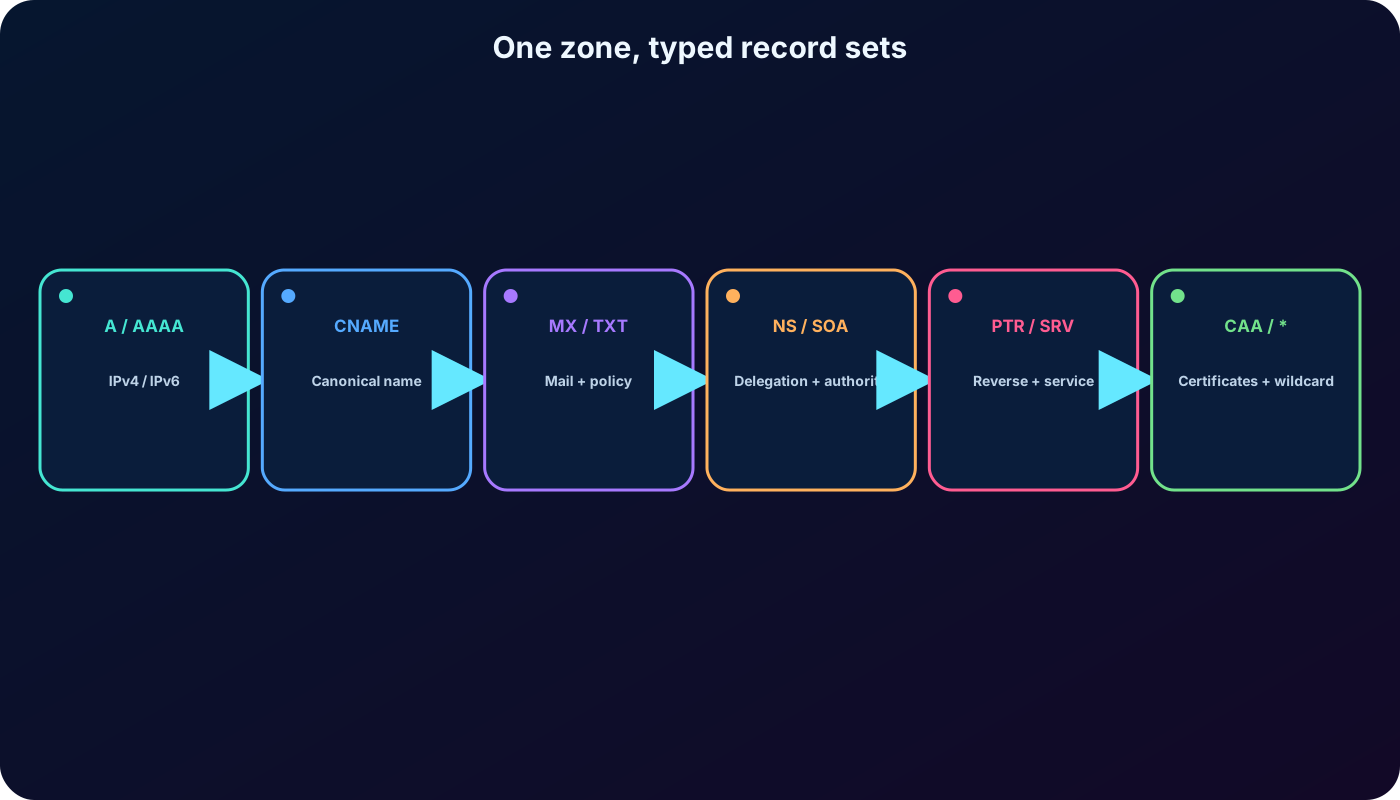
manages records as record sets: records with the same owner name and type share a set and one TTL. An A set may therefore hold two server addresses. DNS standards allow only one SOA record and only one CNAME record at a name. The obsolete SPF record type is not used; publish SPF data as TXT.
Name plus type identifies a record set; one set can hold several values where the DNS standard permits it.
6. TTL controls cache lifetime, not propagation as a promise
Time to live specifies how long a client or recursive resolver may cache a record set before asking again. applies the TTL to the set, so every record within it has the same value. A value of 3,600 seconds means one hour. Lower values can make planned changes visible sooner after older cache entries expire, but they increase query volume and do not force every resolver to refresh instantly.
7. What provides—and where registration stays
Azure Public DNS supplies globally distributed authoritative hosting. The zone is an resource and integrates with Azure role-based access control, Activity Log, resource locks, portal, Azure PowerShell, Azure CLI, REST APIs, and SDKs. It can host records for Azure services and external targets.
Security: assign least-privilege Azure roles, audit control-plane changes, and protect critical zones with locks.
Operational consistency: use existing Azure credentials, automation, billing, support, and deployment practices.
High availability: authoritative service is distributed across Azure name-server infrastructure.
Scope boundary: hosts and manages a domain; it does not normally sell the domain name. Purchase through domains or a registrar, then delegate it.
8. Current correction: Azure Public DNS supports DNSSEC
The exported training page says does not support Domain Name System Security Extensions. That statement is obsolete. Azure Public DNS zones can now be signed with DNSSEC. Signing adds cryptographic records and a chain of trust so validating resolvers can confirm origin authority, integrity, and authenticated denial of existence, reducing exposure to spoofed DNS answers.
DNSSEC does not encrypt DNS queries or replace access control. An administrator must sign the zone and publish the required delegation signer information with the parent or registrar according to the current procedure. Azure manages signing records such as DNSKEY and RRSIG; DS and TLSA are among the additional types relevant to signed zones.
9. Create a public zone, retrieve its servers, and delegate the domain
Create a DNS zone using the intended subscription, resource group, and exact public domain name. A DNS zone is a global resource even though the resource group has a location.
Read the automatically created NS record set and copy all four Azure name-server names, including the trailing dot when the registrar expects a fully qualified name.
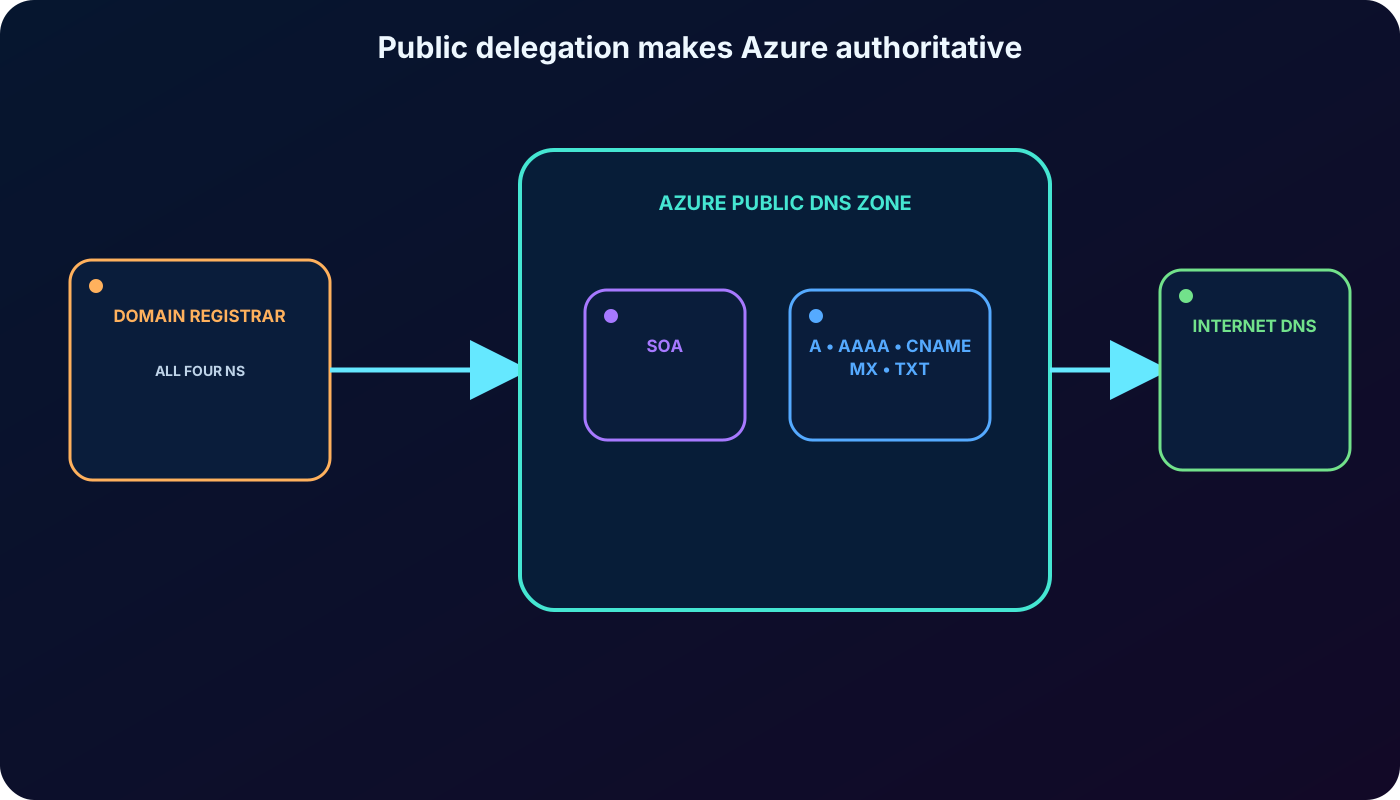
Sign in to the domain registrar and replace its authoritative NS values with the four servers assigned to this specific Azure zone. This is domain delegation.
Wait for cached delegation data to age out, then query the automatically created SOA record with a tool such as nslookup.
Only after delegation and validation, add or finalize the application records required by web, mail, and other services.
A same-named zone can exist in another resource group or subscription, but it receives a different name-server set. The registrar must point to the exact instance that should be authoritative.
Creating a zone does not redirect the internet by itself; delegation at the registrar makes Azure authoritative.
10. Verify delegation and configure application records
Use `nslookup -type=SOA wideworldimporters.com` after delegation. A valid response should identify one of the Azure-assigned primary name servers and the SOA data. Ten minutes is a common minimum wait in the tutorial, but real convergence depends on previous TTLs and resolver caches.
Fields needed for two common record sets.
Record
Name
TTL
Target
A
Relative host such as webserver1 or www
Cache lifetime for the set
IPv4 address of the service
CNAME
Relative alias such as www
Cache lifetime for the set
Canonical target name such as an app or function endpoint
Do not create a CNAME and A record with the same owner name. The zone apex already contains NS and SOA, so a conventional CNAME cannot exist there. Use an A/AAAA alias when a supported Azure-resource target must appear at the apex.
11. Private DNS zones resolve inside linked virtual networks
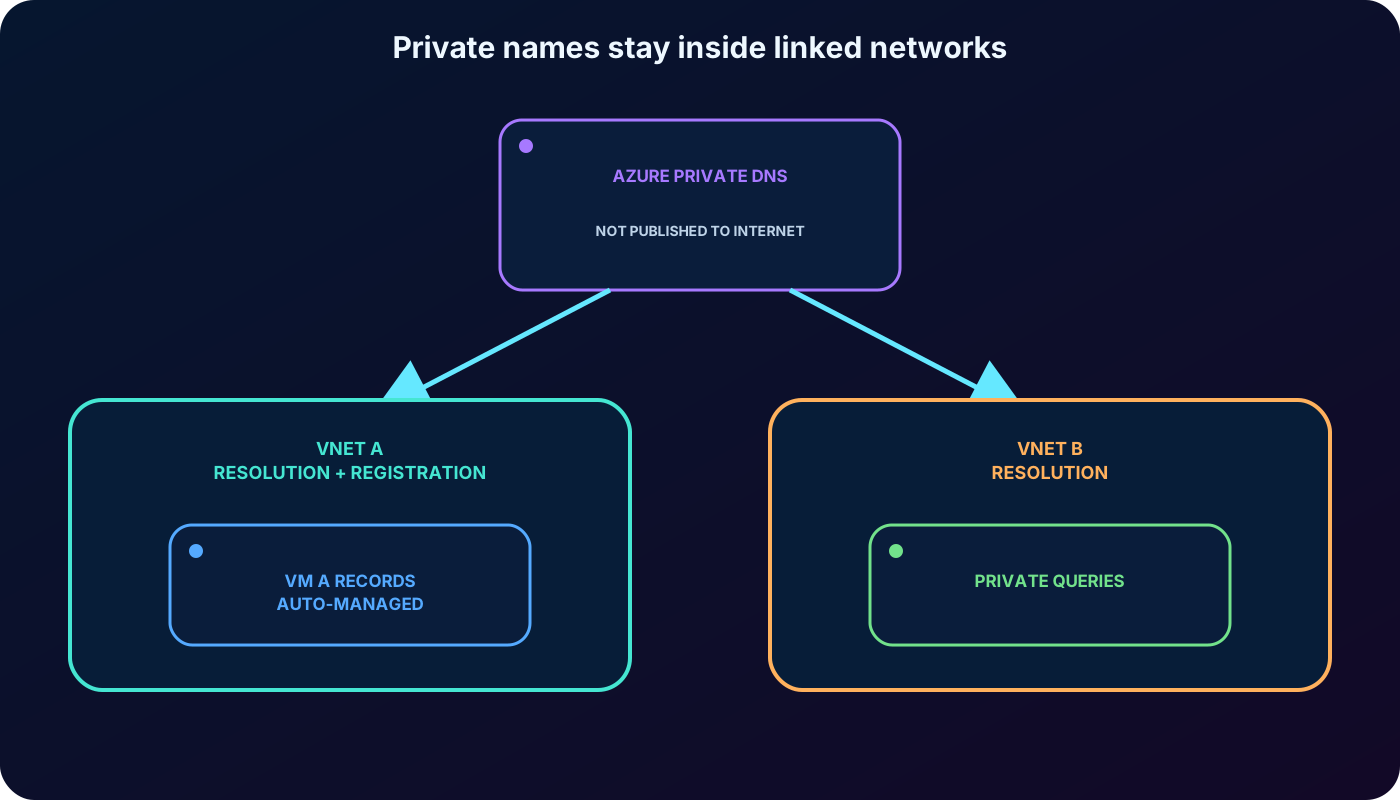
Azure Private DNS hosts names that are not published to the public internet. It does not require a registrar. Create the private zone—such as private.wideworldimporters.com—then create a virtual network link for every VNet that should resolve its records.
A resolution link lets workloads query the private zone without registering VM names automatically.
With autoregistration enabled, Azure maintains A records for supported virtual machines on their primary NIC as VMs are created, changed, stopped, or deleted.
A private zone can link to multiple VNets; a VNet can use multiple zones for resolution but can have autoregistration enabled with only one private zone.
Public and private zones can share the same name to implement split-horizon DNS, returning an answer based on the request origin.
For hybrid resolution between Azure and on-premises networks, Private Resolver provides inbound and outbound forwarding without VM-based DNS servers.
A virtual network link grants resolution; autoregistration is an additional lifecycle option.
12. Lab 1 prerequisites and safety
The first optional exercise requires an active Azure subscription and a resource group. Reading the procedure is enough to learn the task, but running it creates billable resources. A dedicated exercise resource group makes later cleanup safer, provided nothing shared is placed inside it.
Use your own authorized subscription; the old sandbox wording in the export may not match the current training environment.
Use a unique test zone such as wideworldimportsXXXX.com, replacing XXXX with letters or digits.
The example address 10.10.10.10 is documentation data, not a reachable public web server.
Never change the NS records of a production domain for an exercise.
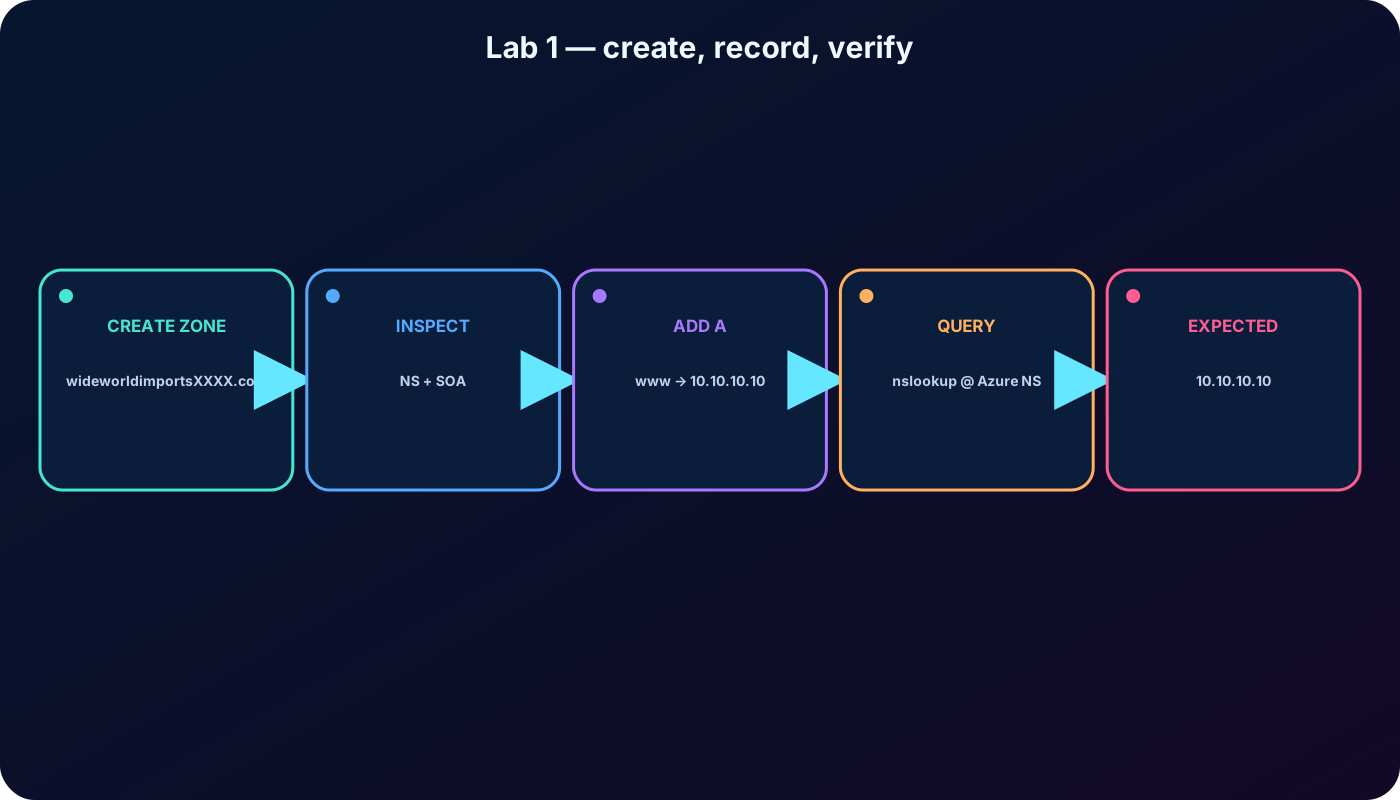
13. Lab 1: create the public zone and inspect its defaults
In the Azure portal, open DNS zones and choose Create.
On Basics, select the subscription and exercise resource group, then enter the unique zone name.
Review the configuration, create the resource, and open it after deployment succeeds.
Open Record sets. Azure created the apex NS and SOA sets automatically.
Record all four NS values. They are required for real registrar delegation and for direct authoritative-server testing.
14. Lab 1: add an A record and test the authoritative answer
Values from the supplied A-record exercise.
Setting
Value
Meaning
Name
www
Produces www.wideworldimportsXXXX.com.
Type
A
Maps to IPv4; use AAAA for IPv6.
Alias record set
No
Stores the address directly.
TTL / unit
1 hour
Recursive resolvers may cache the answer for one hour.
IP address
10.10.10.10
Safe example value for learning, not an internet-routable site.
An A set may contain several IPv4 addresses; add them to the same set instead of creating duplicate sets. To test without owning or delegating the sample domain, query one assigned authoritative server directly from : `nslookup www.wideworldimportsXXXX.com ns1-xx.azure-dns.com`. The expected answer is 10.10.10.10.
Directly querying an assigned name server validates the zone before public delegation.
15. The zone apex needs special treatment
The zone apex is the highest name inside the zone: wideworldimporters.com itself. It is also called the root apex, naked domain, or simply apex, and Azure commonly represents it with `@` or a blank relative name. The automatically created NS and SOA records already occupy it.
DNS standards prevent a conventional CNAME from coexisting with those apex records. Azure alias record sets solve supported Azure scenarios without requiring a CNAME at the apex.
16. Alias records point dynamically to Azure resources
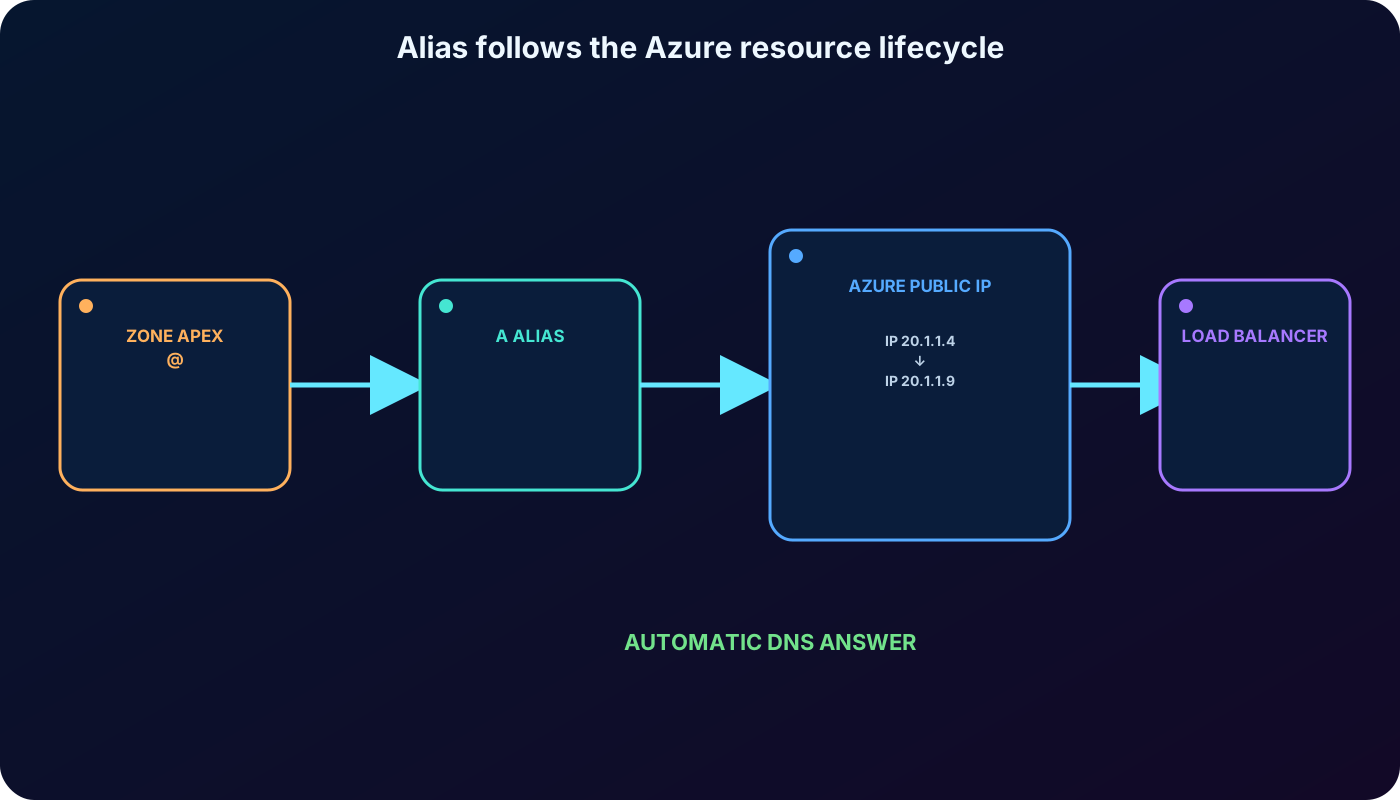
An alias is a qualification on an A, AAAA, or CNAME record set. Instead of storing a static address or name, the set references a supported Azure resource or another same-type record set in the zone. Azure resolves the current target during DNS resolution.
Supported target scenarios highlighted by the module and current documentation.
Target
Why use an alias
Standard SKU public IP resource
Track address lifecycle and avoid a stale hard-coded A/AAAA value.
Azure Traffic Manager profile
Place DNS-based routing at the apex with A/AAAA alias; observe current external-endpoint restrictions.
Azure Content Delivery Network endpoint
Expose a -backed site at the apex where a CNAME is unavailable.
endpoint
Use a branded custom domain for the front-end endpoint.
Another record set in the same zone
Reference a same-type set while choosing which records behave as aliases.
The alias couples DNS resolution to the Azure resource lifecycle.
17. Alias benefits and constraints
Prevent dangling references: deleting the target empties the alias instead of leaving a DNS record that points to a potentially reassigned address.
Follow address changes automatically during resolution.
Host load-balanced applications at the apex through a supported Traffic Manager profile.
Point the apex directly to supported and Front Door endpoints.
Use A, AAAA, or CNAME as the base record type; support and portal choices vary by target.
Register the Microsoft.Network resource provider in the zone and target subscriptions; current platform limits, including alias counts, must be checked before large designs.
18. Lab 2: deploy the alias target environment
The second optional exercise scales the website behind a load balancer. The supplied learning repository contains a Bash setup script. In , clone `https://github.com/MicrosoftDocs/mslearn-host-domain-azure-dns.git`, change into the directory, grant execute permission to setup.sh, and run it only after reviewing the script and confirming the subscription context.
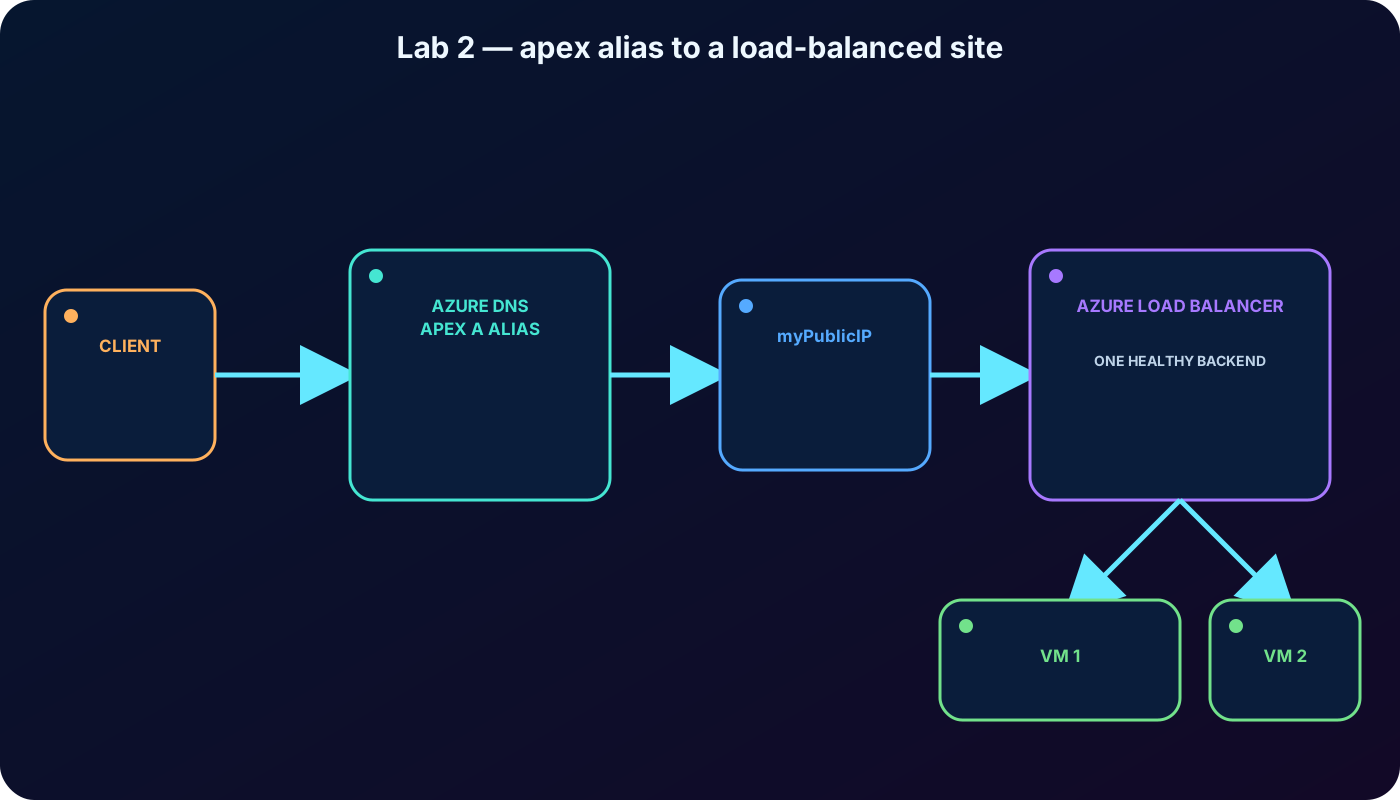
The script creates a network security group, two NICs, two VMs, a virtual network, a public IP, a load balancer and its rules, then joins the NICs to the load-balancer backend. Record the resulting public IP resource named myPublicIP. Deployment and portal indexing can take several minutes.
19. Lab 2: create the apex alias and validate the workload
Alias values from the supplied exercise.
Setting
Value
Name
Blank, which represents wideworldimportsXXXX.com at the apex
Type
A
Alias record set
Yes
Alias type
Azure resource
Azure resource
myPublicIP
TTL
1 hour in the illustrated portal form
Open the DNS zone, add the record set with these values, and select myPublicIP. If it is not yet listed, wait for deployment propagation and refresh. In a real delegated domain, resolve the apex name. The supplied exercise instead copies the public IP, opens it in a browser, and checks that the page reports which of the two VMs handled the load-balanced request.
The DNS record targets the Azure resource; the load balancer selects a healthy backend VM.
20. Knowledge check and administrative reasoning
Answers to the supplied knowledge check.
Question
Correct answer
Reason
What does let you do?
Manage and host a registered domain and its records.
Registration remains with a registrar or domains; supplies hosting and management.
Which security controls were highlighted?
Azure RBAC, Activity Log, and resource locks.
They control access, audit resource changes, and protect the zone from accidental changes or deletion.
Which record maps one name to one or more addresses?
A for IPv4 or AAAA for IPv6.
Several addresses of one family can share the matching record set.
21. AZ-104 traps and current corrections
hosts zones; it does not make a zone public until the registrar delegates the domain to the exact four Azure name servers.
SOA and apex NS sets appear automatically when the zone is created and disappear with the zone.
A record set maps IPv4; AAAA maps IPv6; CNAME maps a name to another name.
SPF policy belongs in TXT, not in the obsolete SPF record type.
A CNAME cannot coexist with another type at the same name and cannot occupy a conventional zone apex.
TTL governs caching. It does not promise that a change is visible everywhere at an exact instant.
A private zone requires VNet links, not registrar delegation; autoregistration is optional and distinct from resolution.
Aliases are A/AAAA/CNAME record sets that dynamically reference supported targets; they are not arbitrary redirect rules.
Contrary to the old export, Azure Public DNS currently supports DNSSEC signing.
The old example IPv6 address is invalid; hexadecimal groups may contain only 0–9 and a–f.
22. Compact review, active recall, and resources
Summarized version of every major topic.
Topic
Remember
Resolution
Check cache; on a miss, find the authoritative answer; cache it for the TTL.
Public zone
Create zone, copy all four NS values, delegate at registrar, verify SOA.