Azure RBAC: roles, scope, access assignments, and change auditing
Master security principals, role definitions, scope inheritance, effective permissions, IAM exercises, least-privilege assignments, and Azure RBAC change reports.
Suggested study time: 45 minutes • Intermediate • Original rewrite based on the supplied Microsoft Learn module and updated against current Azure RBAC documentation
By João Ricardo Dutra••Complete original content
1. Secure access without blocking productive work
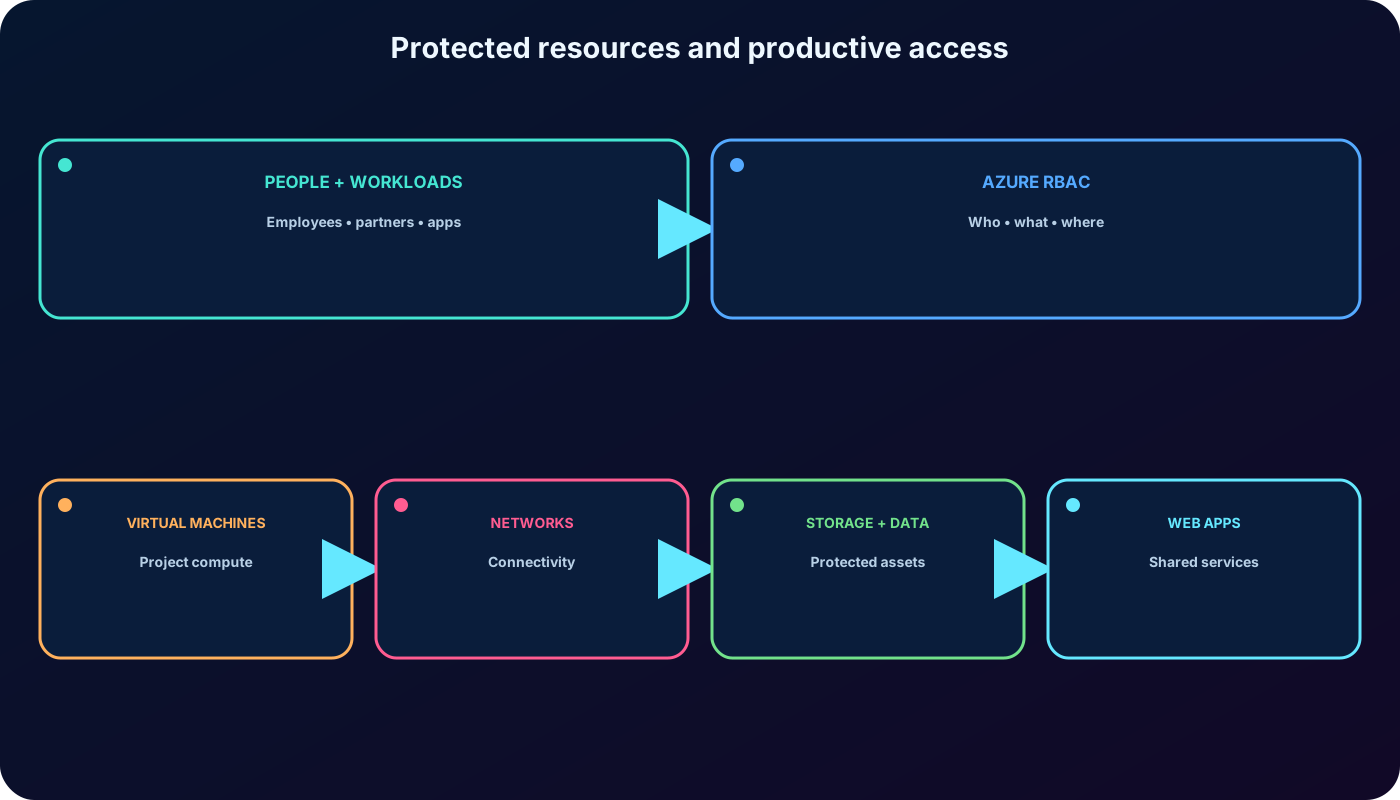
Protecting virtual machines, websites, networks, storage, and their data requires more than authentication. People, partners, and applications still need enough authority to complete approved work. Azure role-based access control (Azure RBAC) provides the authorization layer that answers three operational questions: who can reach an Azure resource, which operations they can perform, and where that permission applies.
Imagine an engineering consultancy that has moved projects to Azure so several offices and partner companies can collaborate. The IT team must keep shared assets protected while granting each participant only the access required by the project. This chapter turns that scenario into a repeatable access-management workflow.
Verify your own access and investigate the effective access of another principal.
Select a suitable role and grant it at the narrowest practical scope.
Remove access when it is no longer justified.
Use the Azure Activity Log to review role-assignment and custom-role changes.
The objective is not maximum access or zero access; it is sufficient, traceable access at the correct scope.
2. Authentication, identity, and Azure authorization
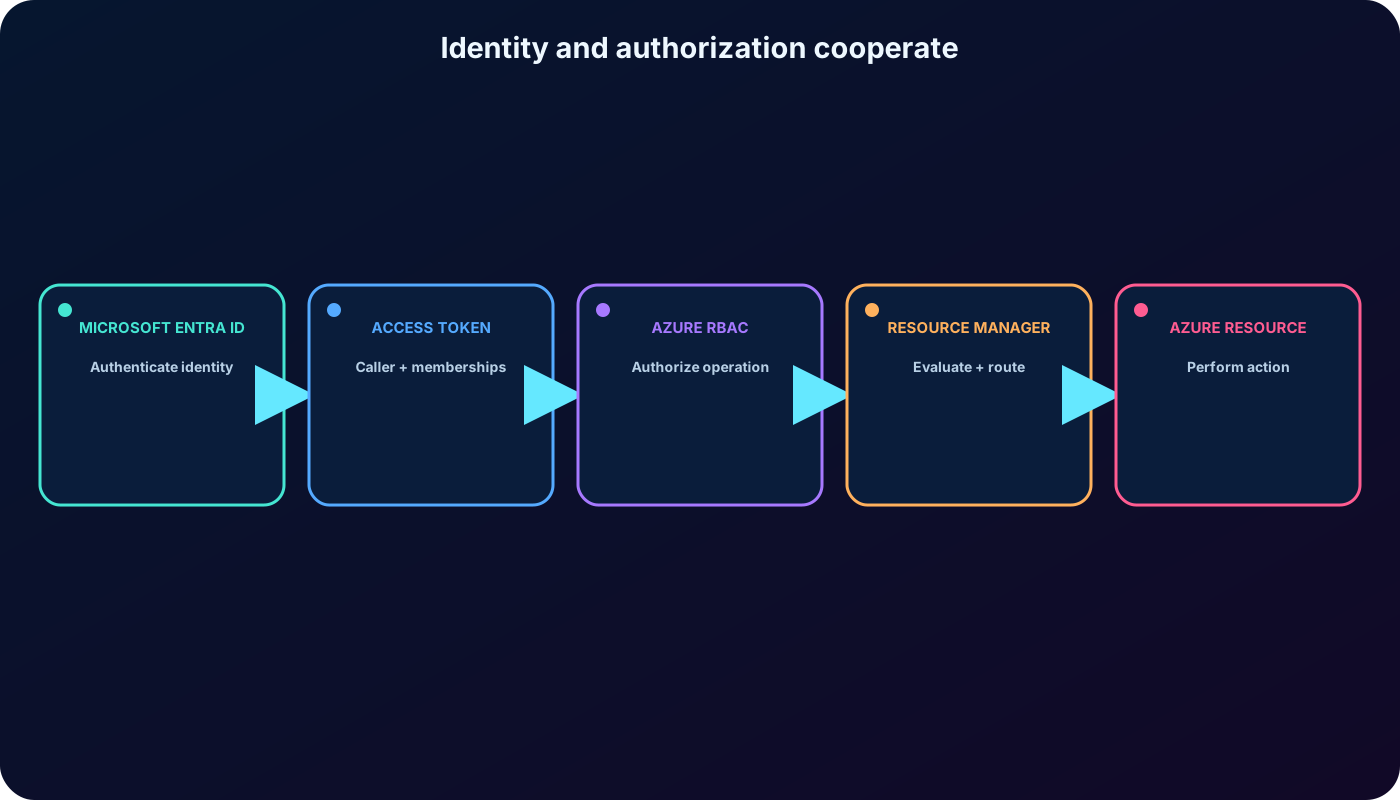
establishes identity and supports sign-in, single sign-on, users, groups, service principals, and managed identities. Azure RBAC uses those identities to authorize operations on Azure resources. Authentication proves who or what is calling; authorization decides whether that caller may perform the requested action at the target scope.
Each Azure subscription trusts one Microsoft Entra tenant. Principals from that directory can receive Azure role assignments for the subscription and its descendants. Hybrid organizations can synchronize or provision workforce identities from on-premises Active Directory by using Microsoft Entra Connect or other supported identity provisioning methods. Disabling the source account and revoking its sessions removes the person’s usable cloud identity, but administrators should also remove obsolete role assignments so they do not remain as Identity not found entries.
Identity and authorization responsibilities.
Layer
Primary question
Examples
Who is the caller?
User, group, service principal, managed identity, authentication, SSO
Azure RBAC
What may this principal do, and where?
Role definition, role assignment, scope, condition
How is the management request evaluated and routed?
Token validation, deny assignments, role evaluation, resource provider call
Identity and authorization cooperate, but they solve different parts of the access decision.
3. Distinguish Azure roles, Microsoft Entra roles, and classic administrators
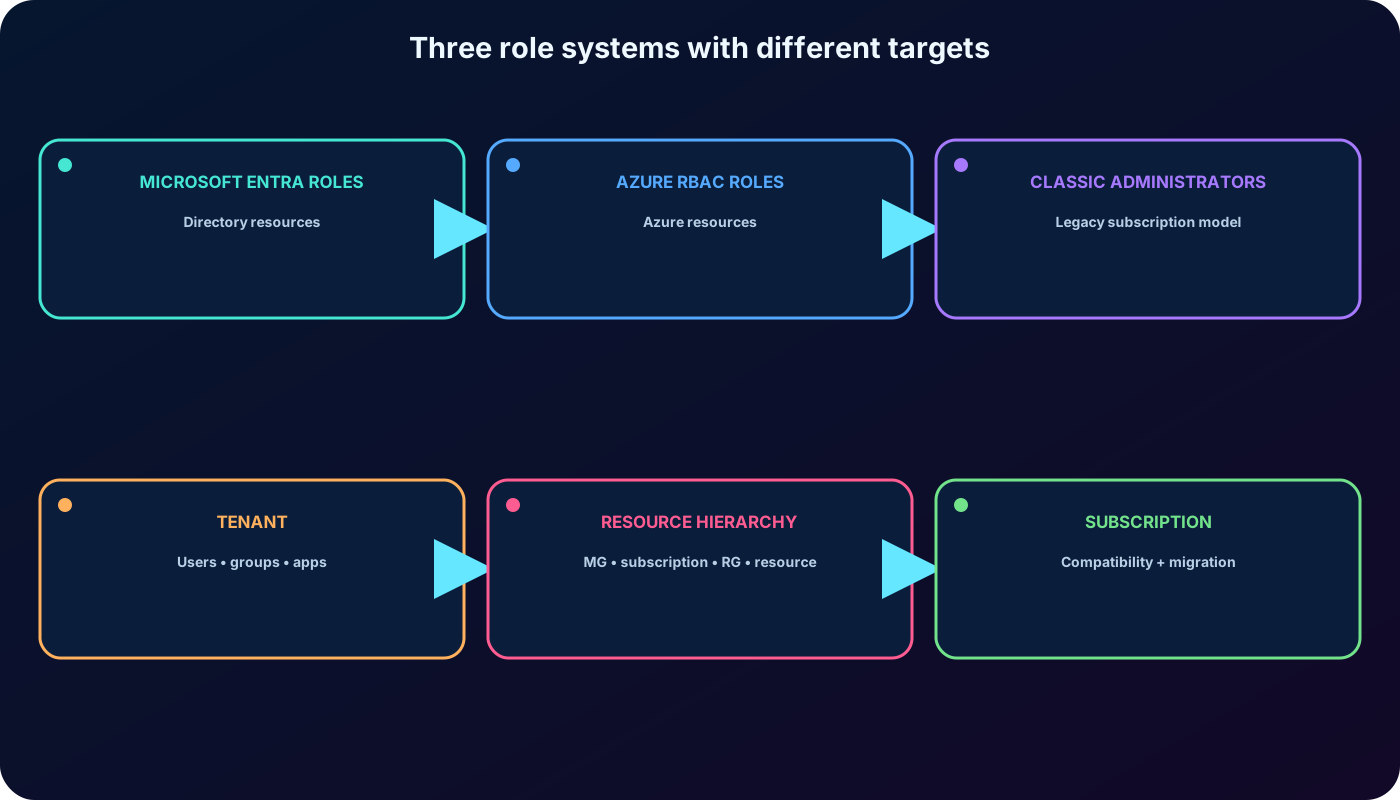
Azure roles govern Azure resources through . Microsoft Entra roles govern directory resources such as users, groups, enterprise applications, and tenant settings. Classic subscription administrator roles belong to an older authorization model and should not be confused with either modern role system.
High-level comparison of role systems.
Role system
Controls
Typical scope
Azure RBAC roles
Azure resource management and supported data operations
Management group, subscription, resource group, or resource
Microsoft Entra roles
Directory and identity administration
Tenant, administrative unit, or supported directory object
Classic subscription administrators
Legacy subscription administration
Subscription; retained mainly for compatibility and migration
A subscription is associated with one Microsoft Entra tenant, contains resource groups, and each resource belongs to one resource group. Roles assigned above a child scope can be inherited by that child. Directory authority does not automatically grant Azure resource authority, and an Azure resource role does not automatically grant directory administration.
Choose the role system that owns the target object; similar names do not make the permissions interchangeable.
4. What Azure RBAC enables
Azure RBAC provides fine-grained access management on top of . It lets a platform team separate duties without creating a unique permission list for every person.
Let one operator manage virtual machines while another manages virtual networks in the same subscription.
Give a database administrator group control of SQL databases without granting unrelated resource permissions.
Allow a project team to manage every resource inside one resource group but nothing outside it.
Grant an application or managed identity access to the resources it needs for automation.
Provide read-only access for auditors and operational access for support teams.
Delegate access administration with a privileged role and, where supported, a restrictive role-assignment condition.
5. The who, what, and where of a role assignment
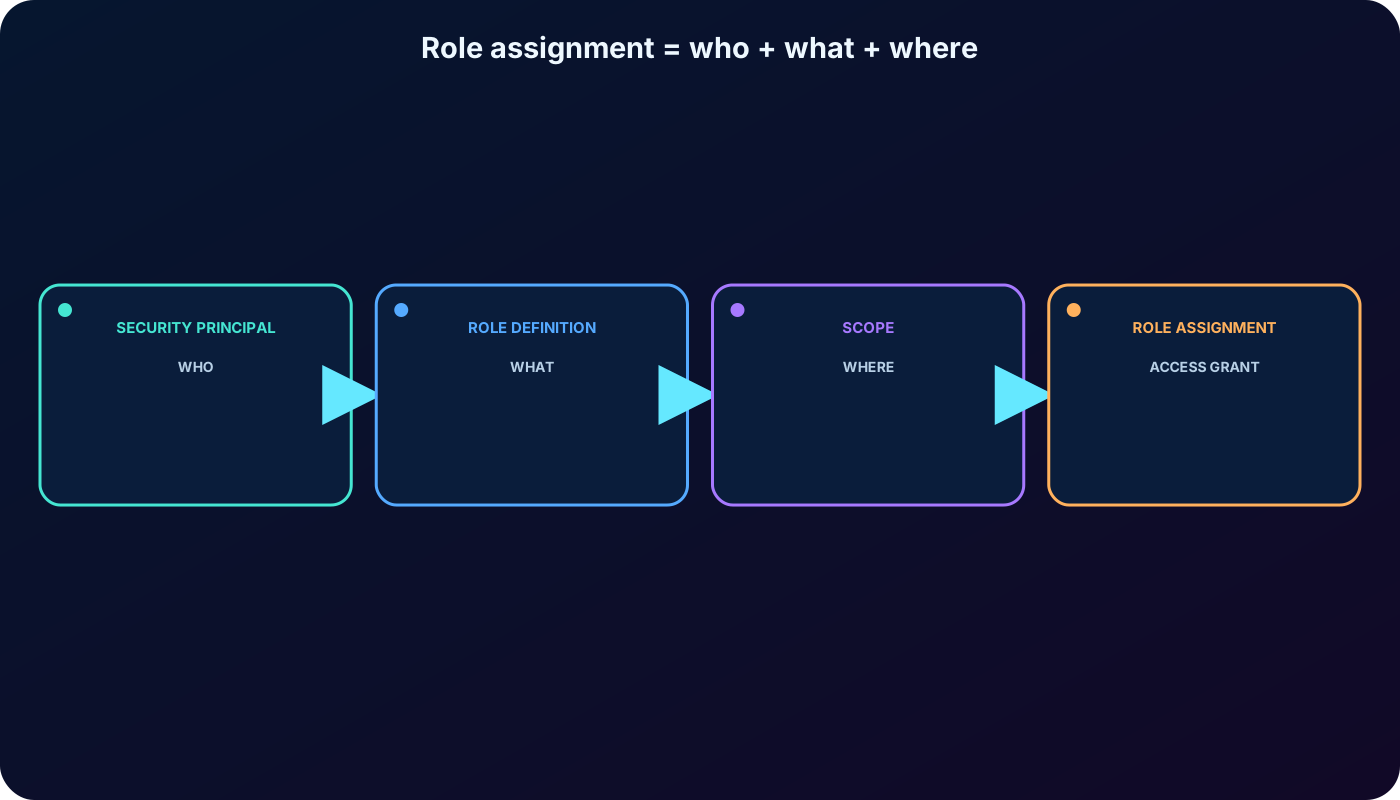
Access is granted by creating a role assignment. Every assignment joins a security principal, a role definition, and a scope. Think of these as who receives access, what permissions are granted, and where those permissions are valid. Removing the assignment revokes that grant.
The three required access decisions.
Element
Question
Example
Security principal
Who receives access?
The Marketing group
Role definition
What may it do?
Contributor
Scope
Where is the grant valid?
The sales resource group
A current role assignment can also include a description, an optional condition, and—when Microsoft Entra PIM capabilities and licensing apply—an eligible, active, permanent, or time-bound assignment type. These controls refine the grant; they do not replace the three core elements.
A role assignment is the binding that turns a reusable role definition into effective access for a principal.
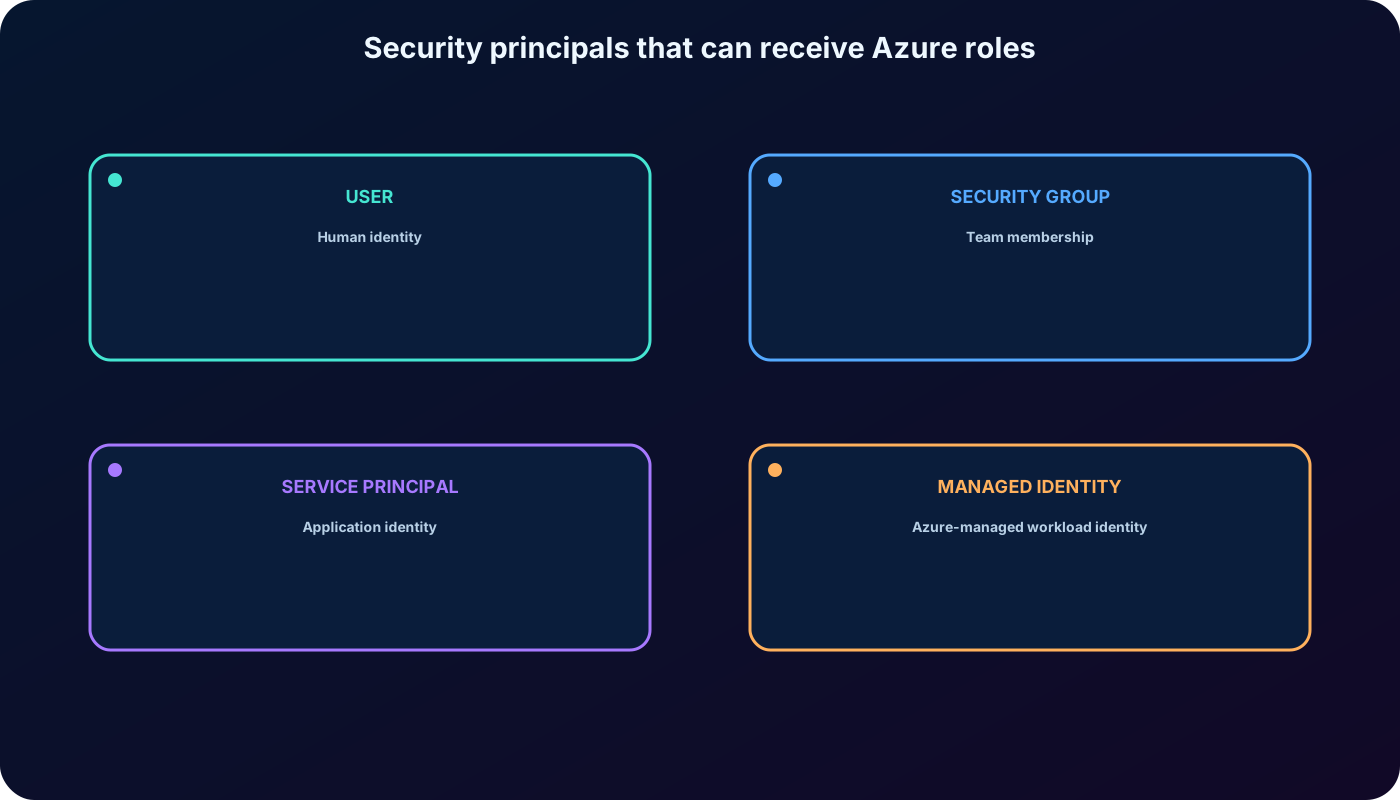
6. Security principals: users, groups, and workload identities
Principals that can receive Azure roles.
Principal
Best use
User
Direct access for an individual; prefer group assignment when many people share the same job function.
Security group
Role-based access for a team; membership changes adjust access without changing every assignment.
Service principal
An application or automation identity registered in .
Managed identity
An Azure-managed identity for a workload, avoiding application-managed credentials.
Group role assignments are transitive: a user can receive access through nested group membership when the membership model supports it. For infrastructure as code, use the principal object ID and specify the principal type correctly. Deleted principals do not automatically remove their role assignments, so access reviews should clean up orphaned assignments.
Assign access to the identity type that matches the human or workload use case.
7. Role definitions and permission fields
A role definition is a named collection of permissions. Built-in definitions are maintained by Microsoft; custom definitions let an organization package a specific permission set when no built-in role is suitable. A role definition can be reused in many assignments and scopes.
Permission fields in an Azure role definition.
Field
Meaning
Actions
Allowed control-plane operations.
NotActions
Operations removed from Actions; this is not an explicit deny.
DataActions
Allowed operations on resource data for services integrated with Azure RBAC.
NotDataActions
Data operations removed from DataActions.
AssignableScopes
Scopes where the role definition is available for assignment.
Effective role permissions begin with Actions minus NotActions and DataActions minus NotDataActions. Because Azure RBAC is additive, another assignment can still grant an operation removed by NotActions. Use deny assignments only in the Azure-managed scenarios that support them; NotActions is a role-shaping mechanism, not a deny rule.
8. Fundamental built-in roles and least privilege
Fundamental roles emphasized for AZ-104.
Role
Core capability
Can manage role assignments?
Owner
Full resource management and access delegation.
Yes
Contributor
Create and manage Azure resources.
No
Reader
View resources without changing them.
No
User Access Administrator
Manage user access to Azure resources.
Yes
Role Based Access Control Administrator
Manage Azure RBAC assignments with a narrower purpose than Owner.
Yes
The supplied export alternately mentions more than 70 and more than 200 built-in roles. The current Microsoft listing describes more than 120. The exact count changes as services add and retire roles, so the exam skill is selecting the narrowest suitable built-in role rather than memorizing a number.
For the exercise scenario, Virtual Machine Contributor is preferable to Contributor because it targets virtual machine management and does not permit role assignment. It also does not automatically grant management of the virtual network or storage account attached to the VM. Always inspect the current definition before assignment.
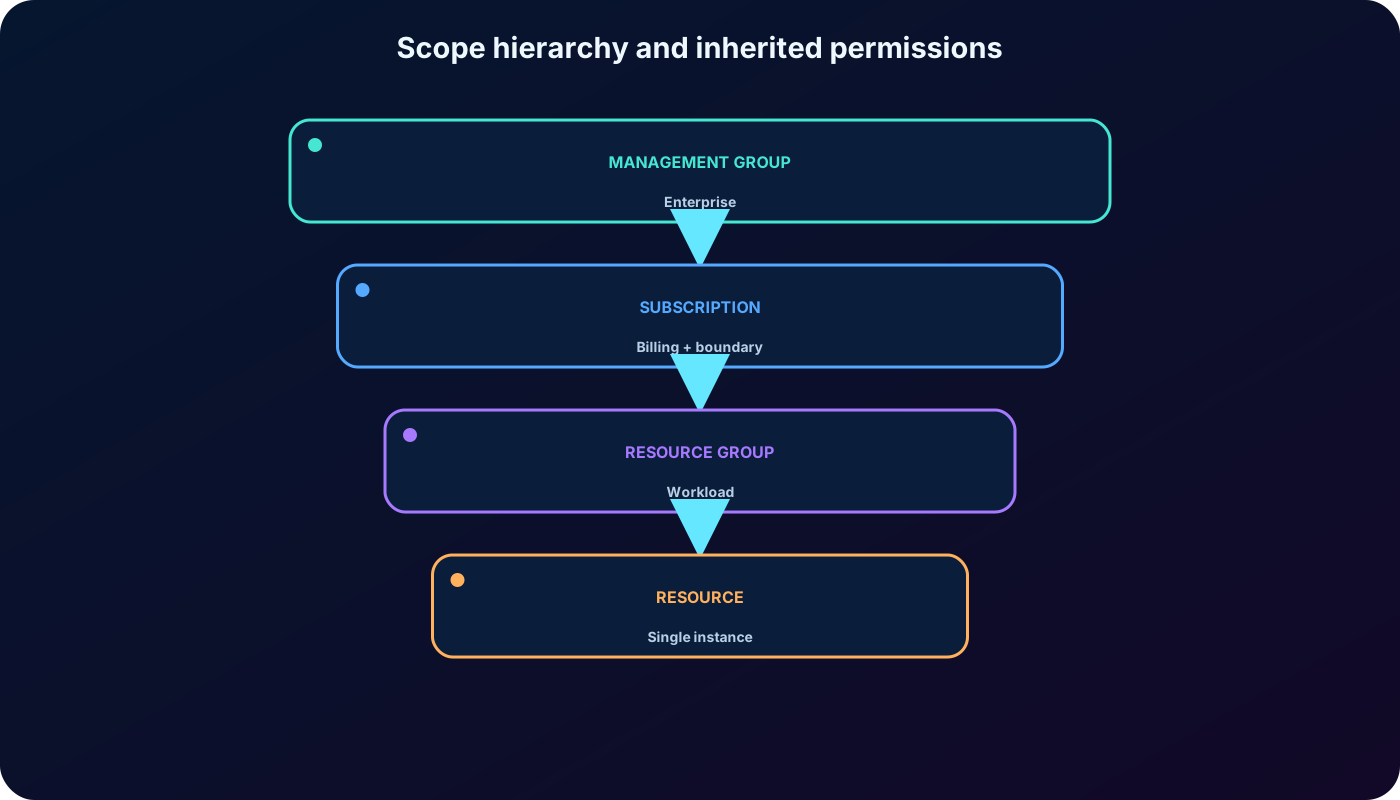
9. Scope hierarchy, inheritance, and blast radius
Azure RBAC supports four scope levels from broad to narrow: management group, subscription, resource group, and resource. A grant at a parent is inherited by eligible children. A role at subscription scope therefore reaches its resource groups and resources; a role at one resource affects only that resource.
Scope choice and effect.
Scope
Typical use
Inheritance impact
Management group
Enterprise-wide administration across subscriptions.
Broadest; descendants inherit.
Subscription
Administration of one subscription.
All resource groups and resources inherit.
Resource group
Project or workload boundary.
Resources in the group inherit.
Resource
One specific service instance.
Narrowest practical blast radius.
Least privilege applies to permissions and scope. If an administrator needs one VM, assign the appropriate role on that VM—not on the resource group. If a developer needs full management of one resource group, assign the suitable role at the resource-group scope—not at subscription scope.
Higher assignments reach descendants; choose the smallest scope that satisfies the requirement.
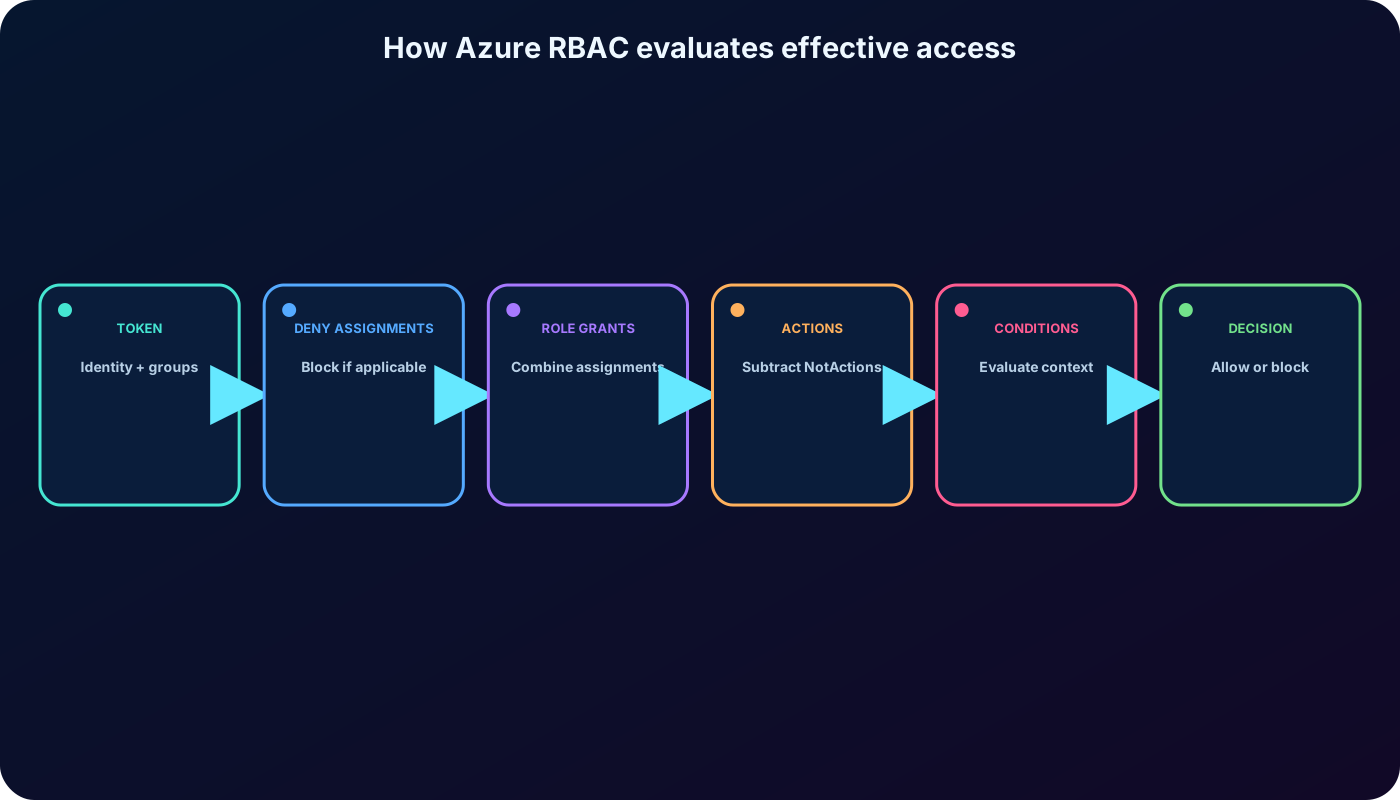
10. How effective access is evaluated
Azure RBAC is primarily an additive allow model. If one assignment grants read and another grants write over the same target, the principal receives both. Multiple group memberships and inherited assignments can contribute permissions. A narrower Reader assignment does not reduce Contributor access inherited from a parent.
The caller obtains a token that represents its identity and group memberships.
finds applicable role assignments and deny assignments for the target.
An applicable deny assignment blocks the action; otherwise evaluation continues.
Applicable roles are combined, including inherited and group-based grants.
Actions minus NotActions and DataActions minus NotDataActions produce the role permissions.
Any role-assignment condition is evaluated for the requested action and context.
The operation is allowed only when an applicable grant remains and all required conditions pass.
Troubleshooting requires the complete assignment set, not only the role displayed nearest to the resource.
11. Access control (IAM) in the
Access control (IAM) appears at management-group, subscription, resource-group, and resource scopes in the . It is the main workspace for checking access, reviewing role assignments, viewing role definitions, granting access, and removing access.
Check access: inspect your own or another principal’s effective assignments at and inherited to the selected scope.
Role assignments: list who has which role, the scope source, assignment type, condition, and other details.
Roles: list built-in and custom definitions and open their permissions and assignments.
Deny assignments: inspect system-protected restrictions when present.
Classic administrators: review legacy subscription administrators where the tab still applies.
Portal labels evolve. The exported exercise uses Profile > My permissions. Current documentation emphasizes opening the target resource, selecting Access control (IAM), opening Check access, and choosing View my access. Both approaches express the same study objective: list the roles and scopes that currently apply to you.
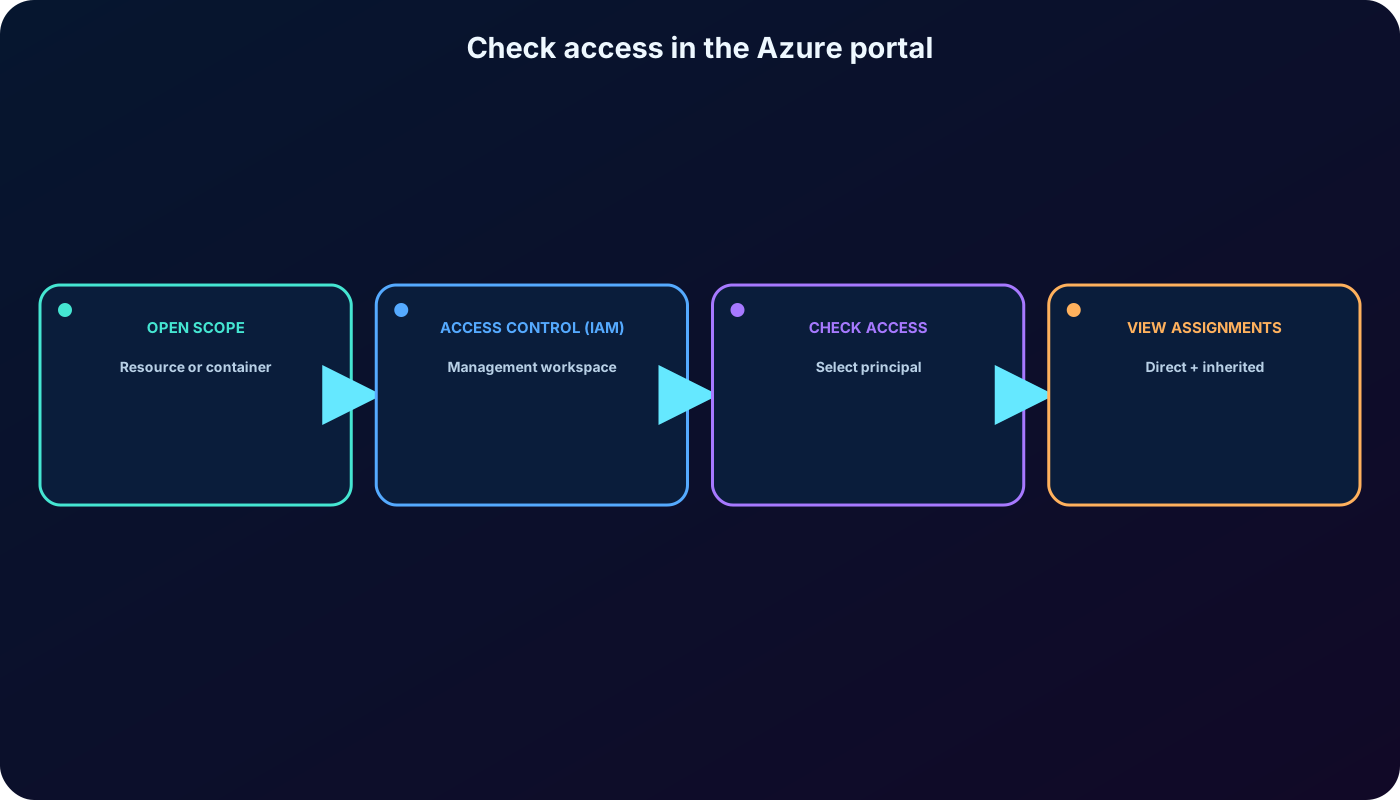
12. Exercise: verify your own access
You need an Azure subscription and permission to view the selected scope. A free Azure account or an Azure for Students subscription can be used when eligible; available offers and terms can change.
Sign in to the and open the management group, subscription, resource group, or resource you want to inspect.
Select Access control (IAM), then open Check access.
Select View my access. If Microsoft Entra PIM is integrated, inspect active, eligible, and time-bound assignments on the appropriate tab.
Record the role name, assignment scope, whether it is inherited, any condition, and whether activation is required.
If using the profile-level My permissions entry available in your portal experience, compare its subscription-oriented result with the selected resource’s IAM view.
The selected scope matters: child-scope assignments are not shown when you inspect only a parent.
13. Exercise: list access for a resource group
Search for Resource groups in the portal and open the target group, such as a training group named example-group.
Select Access control (IAM) and open Role assignments.
Compare assignments whose scope is This resource with entries inherited from the subscription or management group.
Use filters for role, principal type, scope, or assignment type to isolate the result you need.
Open Check access when investigating one user, group, service principal, or managed identity.
An assignment created on the resource group applies to resources inside it. An inherited assignment was created above the group and must be changed or removed at its original scope. Do not try to delete an inherited assignment from the child view.
14. Exercise: inspect roles and their assignments
From Access control (IAM), open the Roles tab to list built-in and custom role definitions available at the selected scope.
Filter by name, description, type, or category. Open View in the Details column for a role.
Review Permissions to understand Actions, NotActions, DataActions, and NotDataActions.
Open Assignments to see how many users, groups, and workload identities receive that role and at which scopes.
Role names alone are not enough for a security decision. Service roles can include surprising control-plane or data-plane operations, and built-in definitions can evolve. Review the current permission list and assignment scope before approval.
15. Exercise: grant Virtual Machine Contributor access
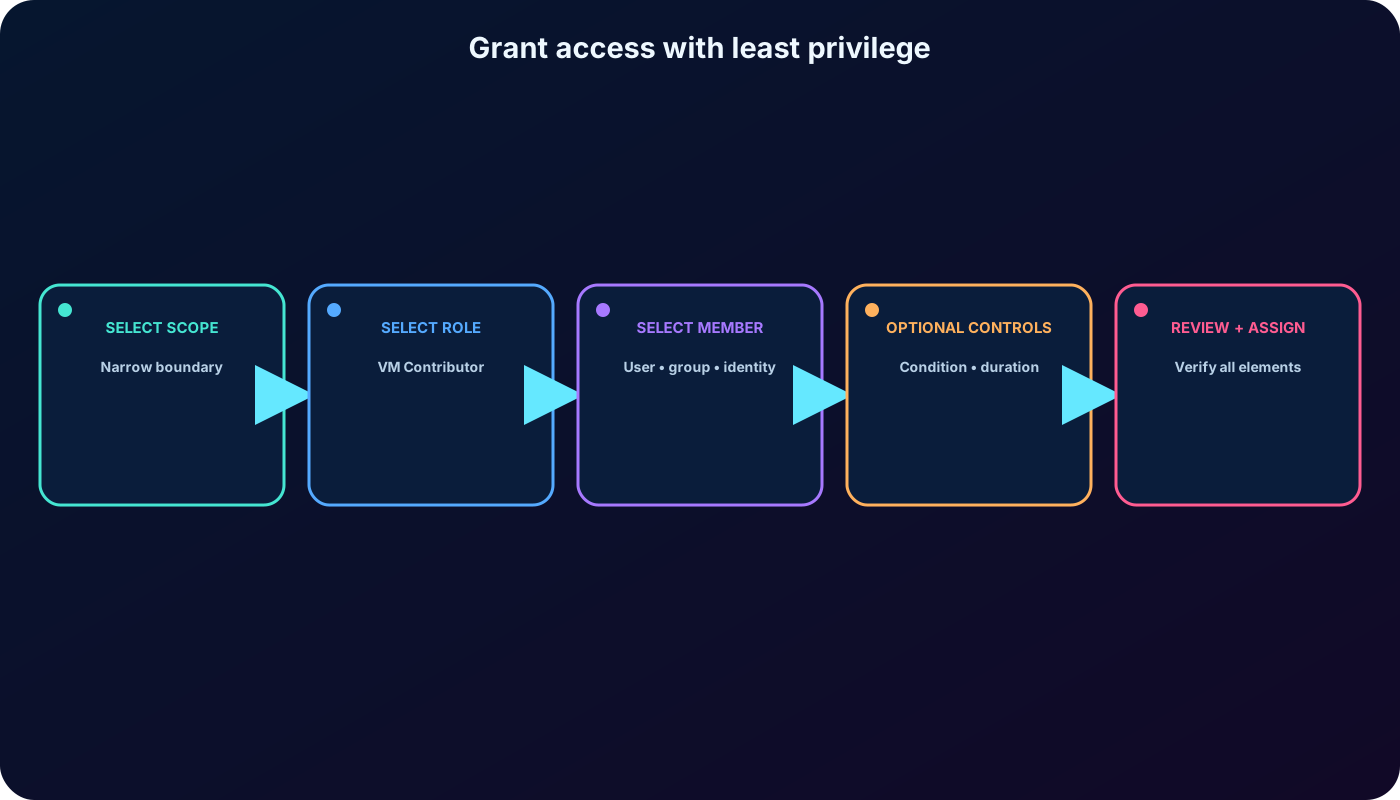
The scenario requires a colleague to create and manage virtual machines for one project. The least-privilege design is Virtual Machine Contributor on the project resource group, assuming every VM in that group is in scope. To create the assignment, the administrator needs Microsoft.Authorization/roleAssignments/write, available through roles such as Role Based Access Control Administrator or User Access Administrator.
Open the target resource group and select Access control (IAM) > Role assignments.
Select Add > Add role assignment. A disabled command indicates that the current caller lacks assignment permission.
On Role, search for Virtual Machine Contributor, inspect its details, select it, and continue.
On Members, choose User, group, or service principal; select members; search for the colleague; and add the selection.
Add a concise description explaining the project and approval. If a Conditions or Assignment type tab appears, configure only what the access design and licensing require.
On Review + assign, verify principal, role, scope, condition, type, and duration, then confirm the assignment.
Return to Role assignments or Check access and verify that the new grant appears at the intended scope.
Validate all three core elements before confirming: principal, role, and scope.
16. Remove access and clean up assignments
Access is revoked by removing the role assignment that grants it. In the selected scope’s Role assignments view, locate the principal and role, select the assignment, choose Remove or Delete, and confirm. If the entry is inherited, navigate to the parent scope where it was created.
Removing one assignment might not remove effective access because another direct, inherited, group-based, eligible, or time-bound assignment can still grant the operation. Recheck the principal’s effective access after cleanup. Token and cache propagation can also delay the observed result, so avoid treating an immediate portal refresh as the only validation.
17. Audit Azure RBAC changes with the Azure Activity Log
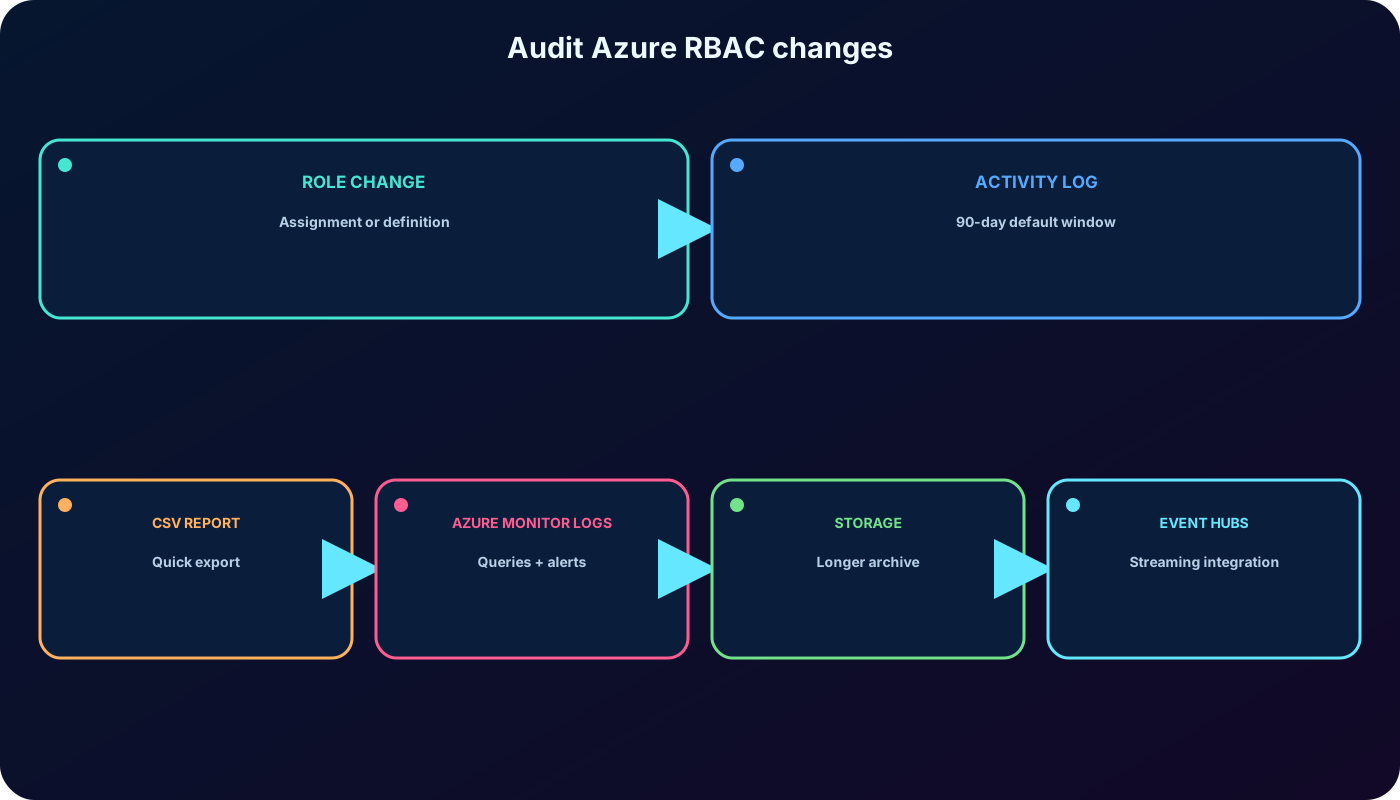
Changes to role assignments and custom role definitions in a subscription are management operations recorded in the Azure Activity Log. The log is useful for audits and troubleshooting because it shows the operation, caller, target scope, timestamp, status, and related details.
Azure RBAC operations emphasized by the module.
Portal operation
Authorization action
Create role assignment
Microsoft.Authorization/roleAssignments/write
Delete role assignment
Microsoft.Authorization/roleAssignments/delete
Create or update custom role definition
Microsoft.Authorization/roleDefinitions/write
Delete custom role definition
Microsoft.Authorization/roleDefinitions/delete
The Azure Activity Log retains subscription events for 90 days by default. For longer retention, centralized analysis, or correlation with other signals, export it through diagnostic settings to a Log Analytics workspace, Azure , or Azure as appropriate.
18. Exercise: produce an Azure RBAC change report
In the portal, open Monitor or All services and select Activity log.
Choose the subscription and set Timespan to the required interval, such as Last month. A last-week report should use the corresponding seven-day interval.
Filter Event category to Administrative when needed, then add an Operation filter and search for role.
Select Create role assignment, Delete role assignment, Create or update custom role definition, and Delete custom role definition.
Open an event to inspect its summary and JSON details, including caller, action, scope, timestamp, and status.
Use Download as CSV for a simple point-in-time report. For durable reporting, send the log to Logs and query the AzureActivity table.
AzureActivity
| where TimeGenerated > ago(30d)
| where Authorization has "Microsoft.Authorization/roleAssignments"
   or Authorization has "Microsoft.Authorization/roleDefinitions"
| project TimeGenerated, Caller, OperationNameValue, ActivityStatusValue, ResourceId
| order by TimeGenerated desc
Use the portal for quick evidence and a workspace when retention, queries, alerts, or cross-resource correlation are required.
19. Troubleshoot access methodically
Common symptoms and checks.
Symptom
Check first
Likely resolution
User cannot see a resource group
Access control (IAM) > Check access on that group.
Add or activate the required role at the correct scope.
Add role assignment is disabled
Caller lacks roleAssignments/write.
Use an authorized access administrator; do not broaden unrelated permissions.
Role exists but operation fails
Role permissions, data actions, condition, deny assignment, and target scope.
Choose the correct role or repair the condition/scope.
Removed access still appears
Other direct, inherited, group, PIM, or cached access.
Remove the actual remaining grant and allow propagation.
Assignment shows Identity not found
Principal was deleted from .
Verify ownership and remove the orphaned assignment.
Audit report is incomplete
Time range, subscription, category, operation, and 90-day retention window.
Correct filters or use exported data.
20. Knowledge check: core Azure RBAC concepts
Answers to the conceptual knowledge check.
Question
Correct reasoning
What is a role definition?
A named collection of permissions that can be assigned to a principal through a role assignment.
Which role manages resources but cannot grant access?
Contributor. Owner can delegate; Reader cannot manage; User Access Administrator manages access.
To investigate one person at one resource, begin with that resource’s Access control (IAM) > Check access.
To list current assignments, use Role assignments; to report changes over time, use the Azure Activity Log.
The narrowest sufficient role and scope is normally the least-privilege answer.
22. Summary, active recall, and official resources
Azure RBAC protects Azure resources by combining a principal, a role definition, and a scope in a role assignment. Effective access can include direct, inherited, group-based, conditional, and time-bound grants. Administrators verify access in Access control (IAM), grant and remove assignments deliberately, and use the Azure Activity Log to trace changes.
Active-recall checklist
Can you explain authentication versus authorization without using the same definition twice?
Can you identify the who, what, and where in an unfamiliar access request?
Can you predict inherited access across all four scope levels?
Can you distinguish Actions, NotActions, DataActions, and NotDataActions?
Can you choose between Check access, Role assignments, Roles, and Activity log?
Can you explain why removing one assignment might not remove effective access?