Azure Virtual Network: subnets, CIDR, public and private IP addressing
Plan isolated Azure networks, divide address spaces into subnets, reserve capacity for services, choose public or private addressing, associate IP resources, and build a peered hub-and-spoke lab.
Suggested study time: 60 minutes • Intermediate • Original rewrite based on the supplied Microsoft Learn module and updated against current Azure networking documentation
By João Ricardo Dutra••Complete original content
1. Design the network before migrating the workload
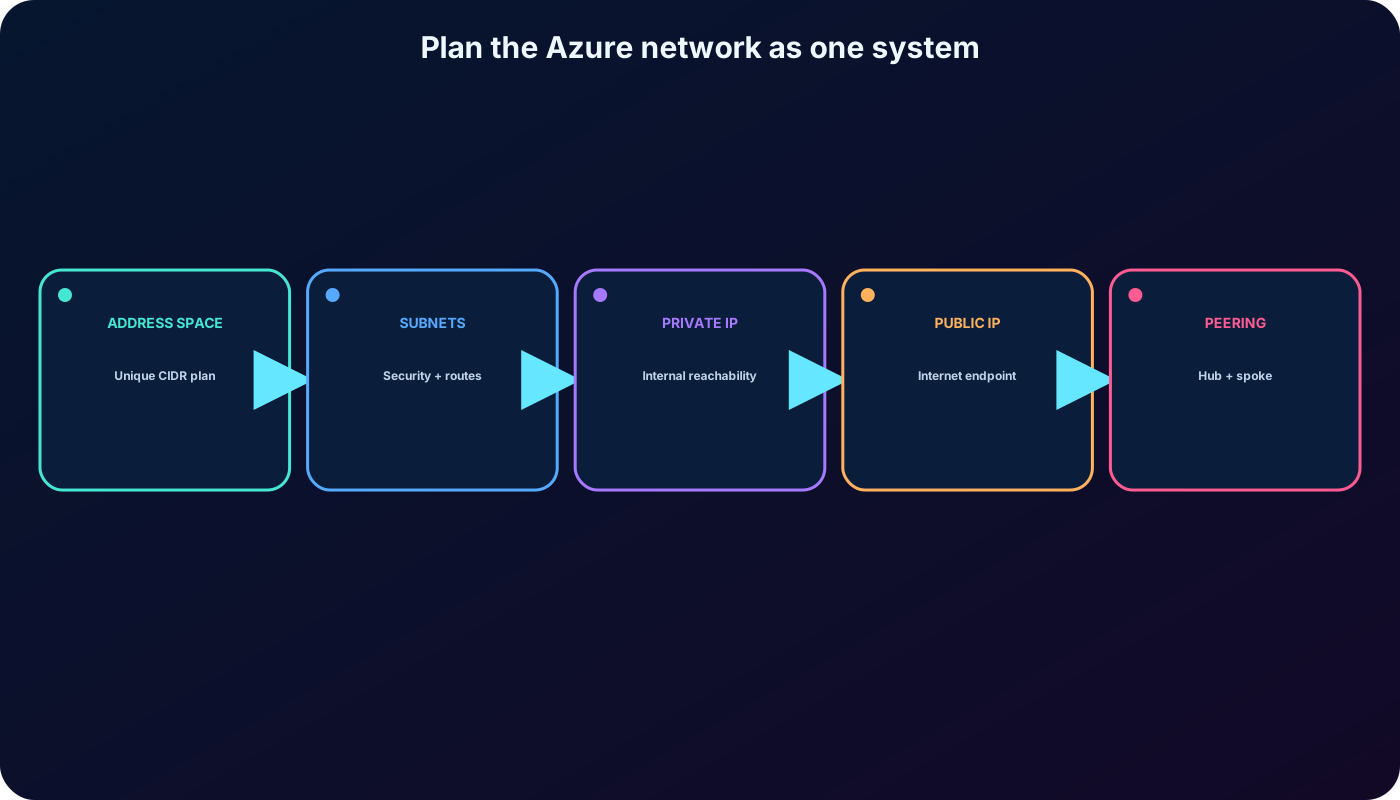
A healthcare organization is moving applications to Azure. Its administrators need private communication between cloud resources, protected connectivity to the existing datacenter, and an addressing plan that can grow without sacrificing availability. Azure supplies the isolated network boundary; subnets, routes, security controls, and IP resources shape traffic inside and outside that boundary.
This chapter covers the complete decision path from an address space to a working hub-and-spoke laboratory. You will plan virtual networks and subnets, select public or private addresses, associate IP resources, and distinguish source-era behavior from the current Azure platform.
Describe Azure features, components, and connection scenarios.
Plan nonoverlapping CIDR spaces and service-ready subnets.
Choose private or public, dynamic or static IP addressing.
Create two virtual networks, configure subnets, and validate peering.
Recognize current outbound-access and public-IP SKU requirements.
An address plan becomes useful only when routing, security, connectivity, and future growth are designed together.
2. Azure is the private network boundary
Azure , commonly shortened to VNet, is a logically isolated network in Azure. Each VNet has one or more CIDR address prefixes, its own subnets and DNS settings, and Azure-managed routing between its subnets. Resources such as virtual-machine network interfaces receive addresses from a selected subnet.
Isolation: a VNet is separated from other virtual networks unless you deliberately connect them.
Communication: resources can reach each other, the internet, selected Azure services, or an on-premises network according to the configured path and policy.
Scale and availability: virtual networks span availability zones within their Azure region and do not require you to operate physical switches or routers.
Extensibility: peering, ,, route tables, network virtual appliances, and DNS services let the topology evolve.
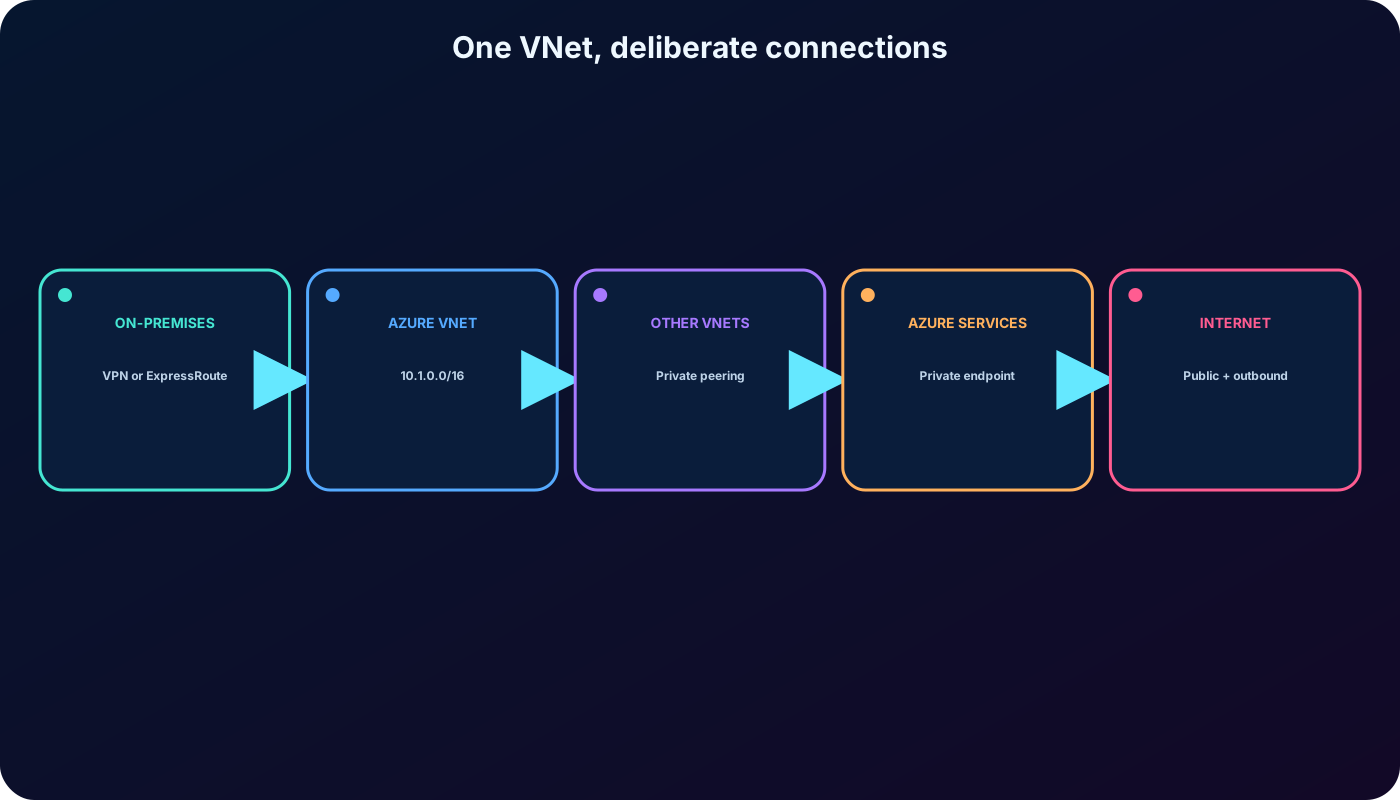
The VNet is the isolation boundary; explicit connectivity determines what crosses it.
3. Three common connectivity scenarios
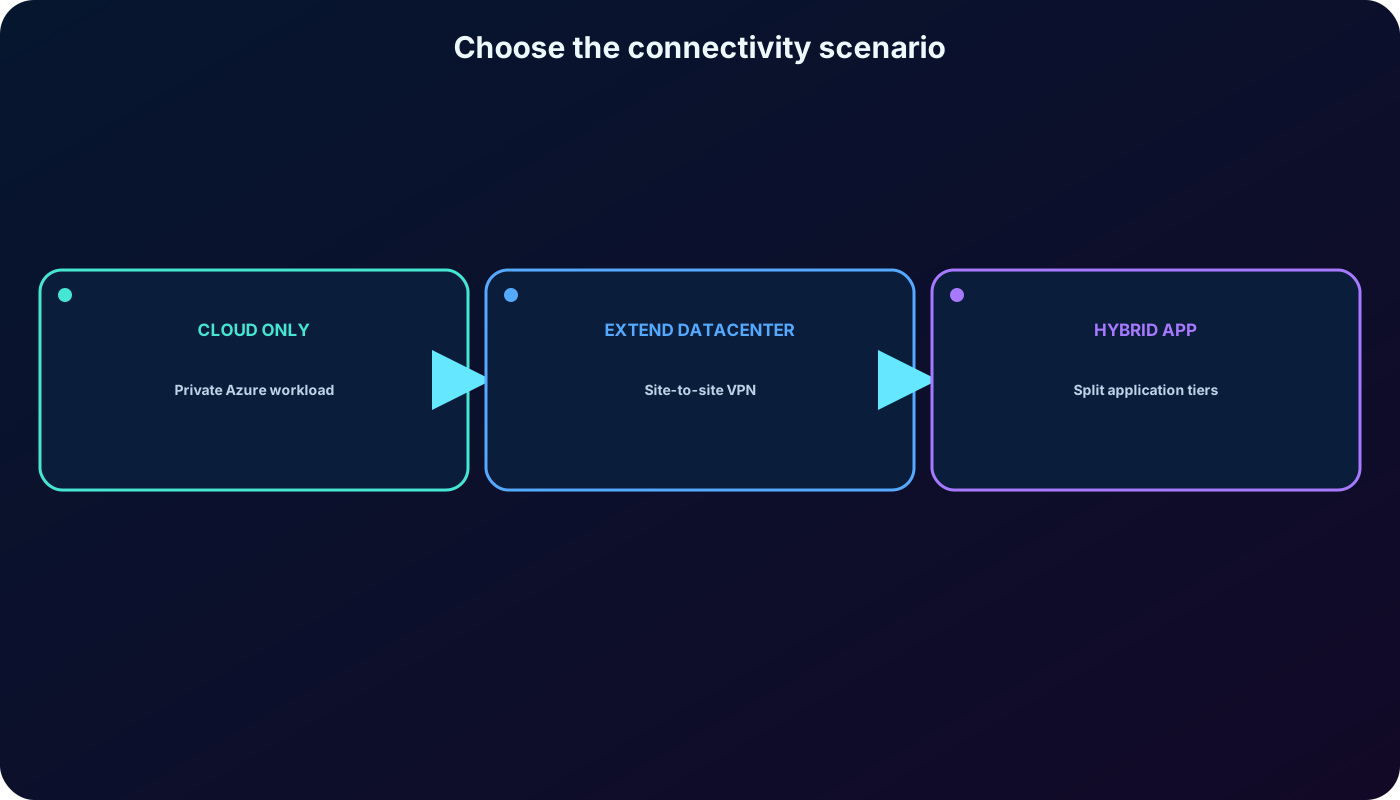
Match the business requirement to the network pattern.
Scenario
Design
Typical use
Cloud-only private network
Place Azure resources in one or more subnets and expose only the endpoints that need inbound access.
A new workload that has no dependency on the datacenter.
Extend the datacenter
Connect on-premises and Azure through a site-to-site IPsec VPN or .
Migration waves and hybrid operations that require private reachability.
Hybrid application
Keep a component such as a mainframe, Unix host, or database on-premises while Azure hosts other tiers.
Modernization that cannot move every dependency at once.
A point-to-site VPN serves individual clients, while site-to-site VPN and connect networks. Virtual network peering connects VNets over the Microsoft backbone. In every case, address spaces that must communicate must not overlap.
Start with the required communication path, then select VPN, ExpressRoute, or peering.
4. Plan address spaces with CIDR and future growth in mind
A VNet address space is written in Classless Inter-Domain Routing notation, such as 10.1.0.0/16. The prefix length tells how many leading bits describe the network; a shorter prefix contains more addresses. Choose private RFC 1918 ranges for internal resources and maintain one organization-wide inventory for Azure and on-premises networks.
Use a unique, nonoverlapping range for every network that may be connected now or later.
Leave contiguous capacity for new subnets, service integrations, acquisitions, and regional expansion.
Do not assign an on-premises-owned prefix to Azure merely because the networks are not connected yet.
Consider routing summaries and operational readability instead of scattering small prefixes without a plan.
Overlapping ranges are the classic blocker for VNet peering, VPN, and ExpressRoute. Renumbering a production network is far more disruptive than reserving suitable space during design.
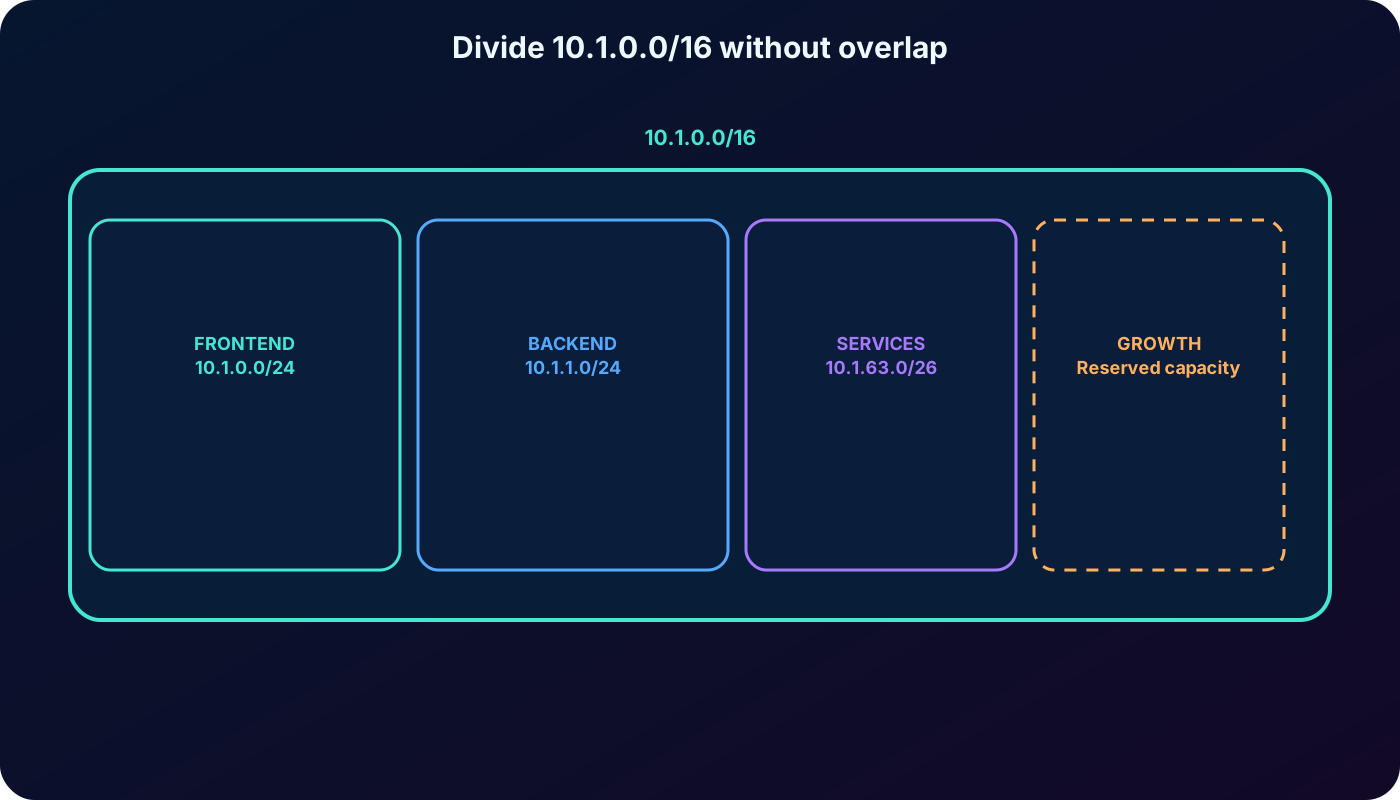
The VNet prefix contains every subnet prefix, and no two subnets overlap.
5. Subnets create manageable security and routing boundaries
A subnet is a continuous portion of the VNet address space expressed in CIDR notation. A VNet needs at least one subnet, and every subnet range must be inside the VNet range and unique within that VNet. Separate tiers when they need different security rules, routes, service delegation, or lifecycle ownership.
Azure routes traffic between subnets in a VNet by default.
A route table with user-defined routes can send traffic through an or another network virtual appliance.
Place resources in different subnets when their communication must traverse that inspection point.
A subnet can have zero or one network security group; its allow and deny rules filter inbound and outbound flows.
Some platform services require a dedicated or delegated subnet and impose naming or minimum-size rules.
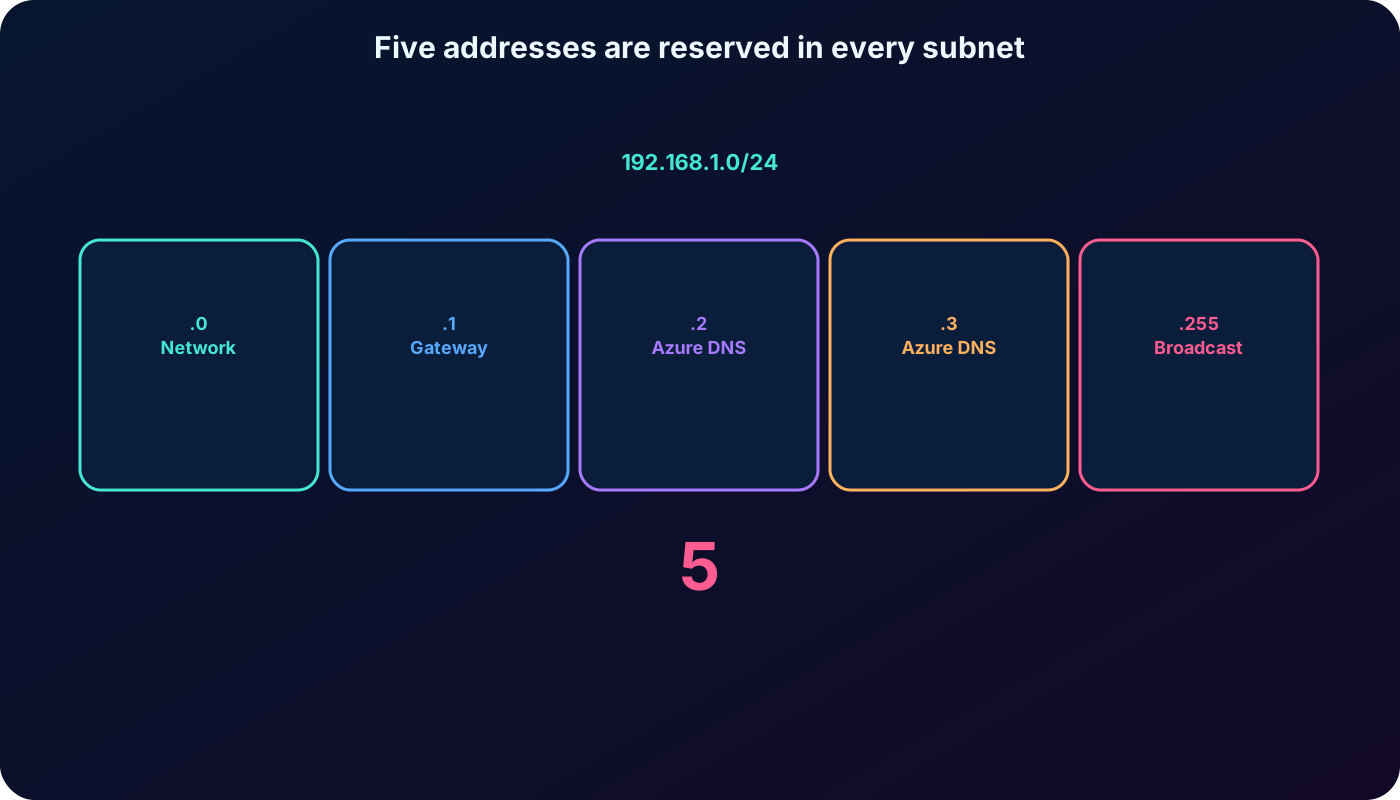
6. Azure reserves five addresses in every subnet
Azure does not assign the first four and last address of any subnet to ordinary resources. In 192.168.1.0/24, the unavailable addresses are 192.168.1.0 through 192.168.1.3 and 192.168.1.255.
Reserved addresses in the 192.168.1.0/24 example.
Address
Purpose
192.168.1.0
Network address.
192.168.1.1
Default gateway reserved by Azure.
192.168.1.2 and 192.168.1.3
Reserved for mapping.
192.168.1.255
Network broadcast address.
A /29 contains eight total addresses but only three usable addresses after the five reservations. Capacity calculations must also include platform instances, upgrades, scaling, and temporary deployment slots—not only today’s virtual machines.
Always subtract five before estimating the usable capacity of an Azure subnet.
7. Reserve subnets for platform services before they are needed
Representative current service-subnet guidance; verify the service documentation before deployment.
Service
Required name or guidance
Planning note
GatewaySubnet; /27 or larger is recommended.
Do not deploy ordinary workloads in the gateway subnet.
AzureFirewallSubnet; /26.
Reserve enough capacity for scaling.
Azure Bastion
AzureBastionSubnet; /26 or larger.
The exact name is required.
Azure Route Server
RouteServerSubnet; /26.
Dedicated subnet for route exchange.
v2
Dedicated subnet; /24 recommended.
Capacity must accommodate autoscaling and upgrades.
Private Resolver endpoint
Dedicated delegated subnet; /28 minimum.
Do not mix endpoint types or unrelated resources.
Requirements can change, and subscription limits are not architectural targets. Check current service limits and subnet requirements rather than copying a portal screenshot or using the smallest technically accepted range.
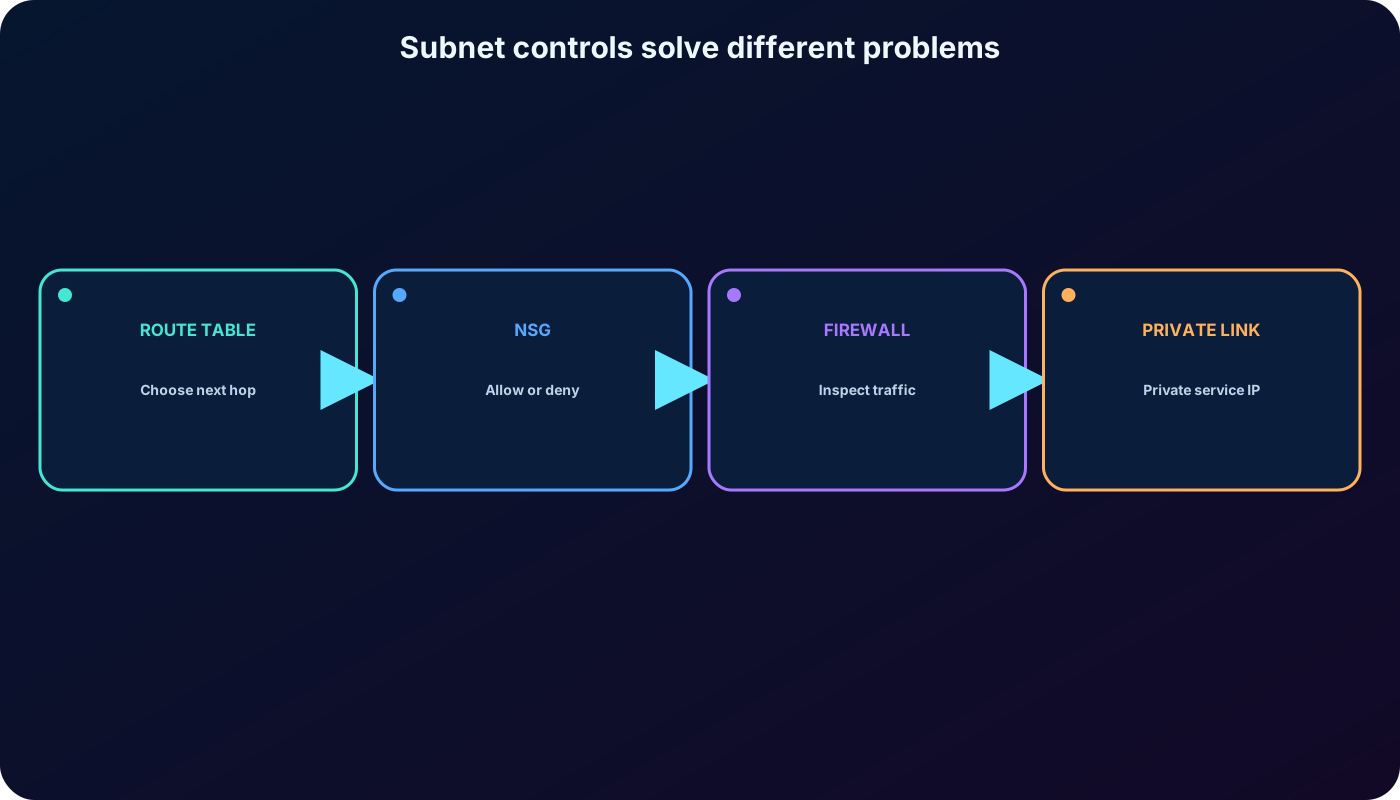
8. Routing, security, and private service access solve different problems
Do not treat these controls as interchangeable.
Control
Primary job
Decision question
System and user-defined routes
Choose the next hop.
Which path should the packet take?
Network security group
Allow or deny traffic by rule.
Is this flow permitted?
or network virtual appliance
Perform centralized inspection and policy enforcement.
Must this flow cross an inspection service?
Expose a supported PaaS, partner, or customer service through a private endpoint.
Can the service be reached privately without a public data path?
places a private endpoint in a subnet and keeps service access on the Microsoft network. DNS must resolve the service name to the private endpoint address; connectivity alone does not correct an unresolved or public hostname.
Routing chooses the path, security rules permit the flow, and Private Link changes the service endpoint.
9. Create a virtual network from a complete design
In the Azure portal, create a Virtual network and select its subscription, resource group, name, and region. On IP addresses, enter the planned address space and define at least one subnet. Review security integrations and create the resource only after confirming that the prefixes do not conflict with connected networks.
Subscription and resource group establish billing, lifecycle, and access scope.
Region establishes where the VNet metadata and regional resources operate.
Name should follow the organization’s naming standard.
Address space and subnets implement the approved IP plan.
DNS, DDoS protection, encryption, service endpoints, delegations, and security integrations are deliberate design choices—not defaults to accept blindly.
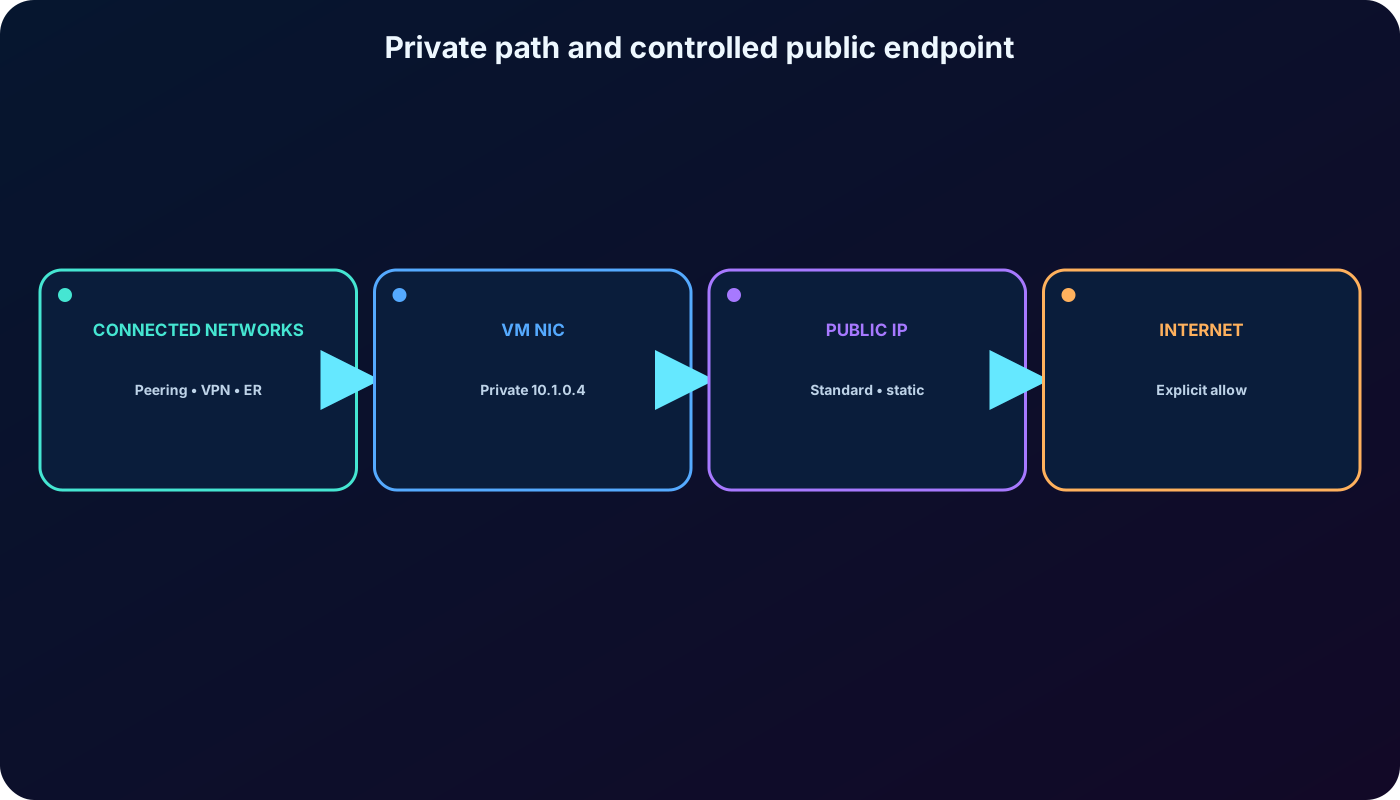
10. Private and public IP addresses serve different reachability needs
Choose the address type from the communication requirement.
Address
Reachability
Common associations
Private IP
Within a VNet and connected networks through peering, , or .
VM network interfaces, internal frontends, private frontends, private endpoints.
Public IP
Internet-facing endpoint or public Azure service path.
VM network interfaces, public , VPN/ExpressRoute gateways, ,,, Bastion, Route Server, .
A public IP does not automatically make an application safe or reachable. Standard public IP addresses are closed to inbound traffic by default; an NSG or the associated service policy must explicitly allow the intended flow.
Private addresses identify resources inside the network; public addresses provide a controlled internet endpoint.
11. Choose static addressing only when identity must remain stable
Dynamic private allocation is the default: Azure selects an available address from the subnet when the resource is created or started. The address is not guaranteed to be the next numeric value and can change after deallocation. Static allocation reserves the chosen unassigned, nonreserved subnet address for the resource.
Use static private addresses for DNS servers, domain controllers, appliances, or dependencies that require a stable address.
Use static addresses when host records, IP-based TLS certificates, firewall allowlists, or security models depend on a fixed value.
Prefer dynamic allocation for ordinary application instances whose identity is supplied by DNS, a load balancer, or service discovery.
Configure the static private address through Azure, not only inside the guest operating system, to keep the platform and guest consistent.
In a 10.0.0.0/16 subnet, a selectable static address could be 10.0.0.10 through 10.0.255.254, excluding every address already allocated and the Azure-reserved positions.
12. Public IP resources: current SKU, version, tier, and zones
Create a Public IP address resource by choosing its subscription, resource group, name, region, IP version, SKU, tier, routing preference, and availability-zone behavior. The associated resource must support a compatible SKU and tier.
Current public-IP decisions.
Property
Current behavior
SKU
Basic public IP addresses were retired on September 30, 2025. Use Standard public IP resources.
Allocation
Standard public IP addresses are static and receive an address when created.
Security
Standard is secure by default; inbound traffic requires an explicit allow path.
IP version
IPv4 or IPv6 according to the associated service and client requirement. Public IPv4 has a nominal charge; public IPv6 does not.
Tier
Regional for a regional resource or Global for supported cross-region services; match the associated tier.
Availability zones
Choose zonal, zone-redundant, or nonzonal behavior where the region and resource support it.
Deleting or disassociating the consumer does not always imply the same lifecycle for the standalone public-IP resource. Confirm dependencies and explicitly remove unused billable addresses.
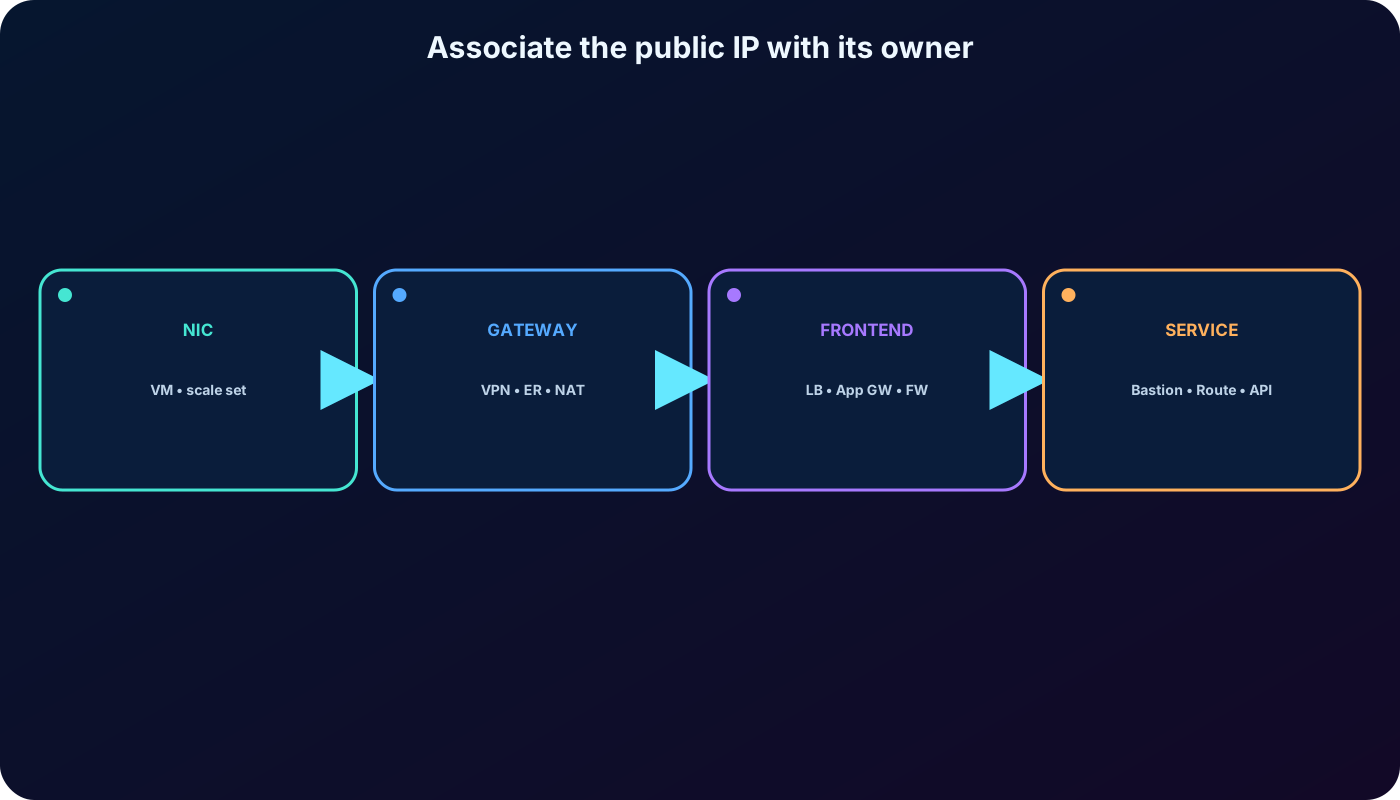
13. Associate public IPs at the correct configuration layer
Where the public IP is attached.
Azure resource
Association point
Virtual machine or
Network-interface IP configuration.
, gateway, or
Gateway IP configuration.
Public ,,, Azure Route Server, or
Frontend or service IP configuration.
Azure Bastion
Bastion public-IP configuration.
The IP resource and consumer must agree on region, SKU, tier, IP version, and zone capabilities. A mismatch is a design error, not a routing problem.
Associate the public address with the service configuration that owns the internet-facing frontend.
14. Private subnets now require an explicit outbound strategy
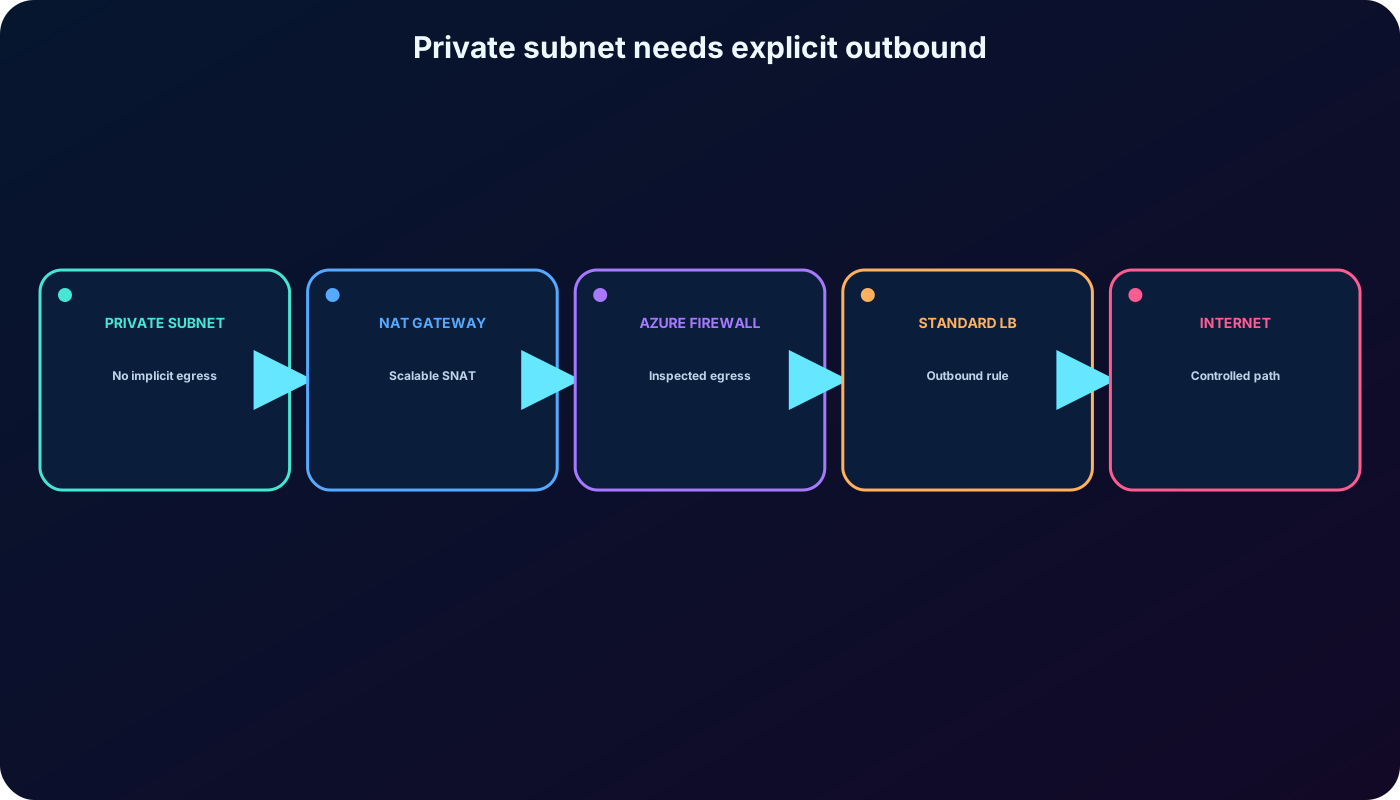
The source module predates a platform change. For virtual networks created through APIs after March 31, 2026, new subnets default to private and do not receive implicit default outbound access. The Azure portal had already moved toward this safer default. Existing default outbound access is also not a production availability contract.
Use for scalable, predictable outbound SNAT when no inspection service is required.
Use an or network virtual appliance with a route table when egress must be centrally inspected.
Use a Standard outbound rule when it matches the application architecture.
A Standard public IP directly on a network interface is possible for a deliberately internet-addressable instance, but it is rarely the preferred scale pattern.
Private subnet means “no default outbound access”; it does not mean “no possible outbound access.” Select and test an explicit egress path, including DNS, routes, NSG rules, SNAT capacity, monitoring, and failure behavior.
Current designs make outbound connectivity explicit instead of depending on an implicit platform address.
15. Laboratory architecture: app-vnet and hub-vnet
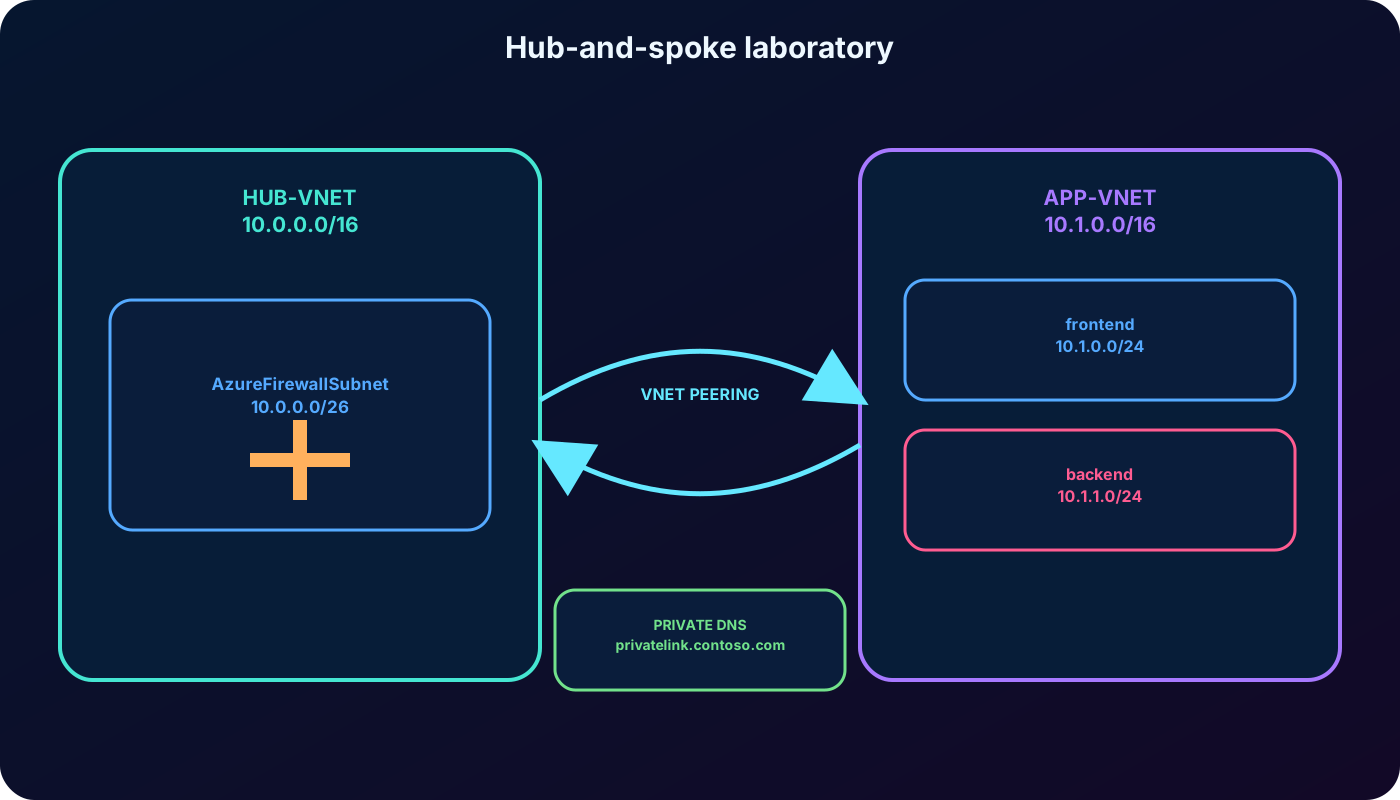
The supplied exercise migrates a web application into a hub-and-spoke topology. The spoke, app-vnet, contains frontend and backend workloads. The hub, hub-vnet, reserves a subnet for centralized firewall services. Both networks are in the same region and use nonoverlapping ranges so VNet peering can connect them privately.
The reference architecture also depicts frontend and backend virtual machines, an application security group, a network security group, with private and public addressing, and a Private DNS zone such as privatelink.contoso.com linked to the VNet. Treat these as the target architecture context; the core hands-on task is to create the networks, subnets, and optional peering.
The spoke hosts the application tiers; the hub centralizes shared connectivity and security services.
16. Exercise: create app-vnet and its workload subnets
Allow about 30 minutes and use an Azure subscription where you are authorized to create network resources. Portal labels can evolve, but the address plan remains the source of truth.
Open Virtual networks in the Azure portal and create app-vnet in the chosen resource group and region.
Set the IPv4 address space to 10.1.0.0/16.
Create frontend with 10.1.0.0/24 and backend with 10.1.1.0/24.
Optionally reserve AzureFirewallSubnet as 10.1.63.0/26 if following the complete reference drawing.
Review, create, and inspect Address space and Subnets after deployment.
Confirm that no subnet overlaps and that each usable-address count includes the five Azure reservations.
17. Exercise: create the hub network and peer the VNets
Create hub-vnet in the same region with address space 10.0.0.0/16.
Add AzureFirewallSubnet with prefix 10.0.0.0/26; use the exact reserved name.
From either VNet, add a peering to the other network and create the reciprocal link.
Allow virtual-network access in both directions. Enable forwarded traffic, gateway transit, or remote gateways only when the architecture actually requires them.
Verify both peering links show Connected and that effective routes contain the remote VNet prefixes.
If deploying test VMs, validate private reachability with NSG rules and the operating-system firewall considered.
Peering is not transitive. A spoke peered to a hub does not automatically reach another spoke. Central routing through or another appliance requires user-defined routes and the correct forwarded-traffic settings.
18. Assessment: reason from the requirement
Answers to the nine source-module decisions.
Question focus
Correct decision
Reason
Address space for a new VNet
Use a unique range that does not overlap on-premises or connected VNets.
Overlaps prevent unambiguous routing.
Public-facing Azure service
Use a public IP or a managed public frontend.
Internet clients need a public endpoint.
Datacenter server with stable DNS
Use a static private IP.
The host record must continue pointing to the same address.
Subnet layout
Use nonoverlapping ranges contained by the VNet.
Each address can belong to only one subnet.
Static VM private address
Choose an available address from that VM NIC’s subnet.
An address from another subnet is invalid.
DNS server address
Static.
Clients and forwarders depend on a stable destination.
First VNet planning task
Define the IP address space.
Subnets and connectivity depend on it.
Connect on-premises networks over the internet
Site-to-site VPN.
It creates an encrypted network-to-network tunnel.
Improve segmentation and management
Use subnets.
They create routing, security, and service boundaries.
19. Troubleshoot by layer
Common symptoms and the first evidence to inspect.
Symptom
Check
Likely correction
Peering cannot be created
Both VNet and connected-network prefixes.
Renumber overlapping spaces.
Private host is unreachable
DNS result, effective routes, NSG flow, appliance policy, guest firewall.
Fix the first failing layer.
Subnet runs out of addresses
Usable capacity, platform reservations, scale and upgrade headroom.
Create or resize a suitably planned subnet where supported.
Public service is not reachable
Public-IP association, SKU/zone compatibility, NSG and service listener.
Align properties and add only the required inbound rule.
Private subnet has no internet egress
NAT/firewall/load-balancer path, route, DNS and SNAT capacity.
Configure an explicit outbound method.
Private endpoint resolves publicly
Private DNS zone, records, VNet link and resolver path.
Correct the DNS integration.
20. AZ-104 traps and platform-era corrections
A VNet address space contains its subnets; a subnet does not extend beyond that space.
All connected network ranges must be unique and nonoverlapping.
Azure reserves five addresses in every subnet, regardless of subnet size.
Azure routes between VNet subnets by default; isolation requires an NSG, route design, or inspection control.
Dynamic private allocation does not promise the next sequential address.
Basic public IP was retired on September 30, 2025; current Standard public IP is static and secure by default.
After March 31, 2026, API-created VNet subnets default to private and need explicit outbound access.
Peering is private and nontransitive; and solve different connection problems.
A static address should be chosen because a dependency requires stability, not as a universal best practice.
21. Compact review of every topic
Use this table as the summarized version of the chapter.
Topic
Remember
A regional, logically isolated private network with CIDR space, subnets, DNS, routes, and deliberate connections.
Connectivity
Cloud-only, hybrid VPN/ExpressRoute, and peered VNet designs all require nonoverlapping prefixes.
Subnets
Contained, nonoverlapping CIDR ranges that create routing, security, delegation, and service boundaries.
Capacity
Subtract five reserved addresses and leave room for scaling, upgrades, and dedicated platform subnets.
Private IP
Used inside connected private networks; dynamic is default, static is for stable dependencies.
Public IP
Use current Standard resources for deliberate public endpoints; inbound is denied until explicitly allowed.
Outbound
Private subnets need , firewall/NVA, outbound rules, or another explicit path.
Hub-and-spoke
Put application tiers in spokes and shared connectivity/security in the hub; add routes and policies explicitly.
22. Summary, active recall, and official resources
Azure supplies an isolated address and routing domain for Azure resources. A sound design starts with unique CIDR ranges, divides them into capacity-aware subnets, reserves service networks, separates route choice from traffic permission, and assigns public or private addresses according to reachability. Current production designs use Standard public IP resources and explicit outbound access rather than retired Basic SKUs or implicit egress.
Active-recall prompts
Explain CIDR and subnetting to a nontechnical stakeholder with the 10.1.0.0/16 lab example.
Sketch the minimum steps to create a VNet, its subnets, and a peering.
Identify which resources in a sample topology truly require a static private or public address.
Calculate usable addresses for /24, /27, /28, and /29 subnets after Azure reservations.
Explain why a private subnet can still have outbound access and name three explicit egress options.
Reproduce the app-vnet and hub-vnet address plan without consulting the table.