Cost drivers, Azure pricing calculator, Microsoft Cost Management, budgets, alerts, tags, Reservations, savings plans, and Spot pricing
Suggested time: 54 minutes • Beginner level • Aligned to the Azure management and governance domain of AZ-900
By João Ricardo Dutra••Complete original content
1. Cost management and optimization objectives
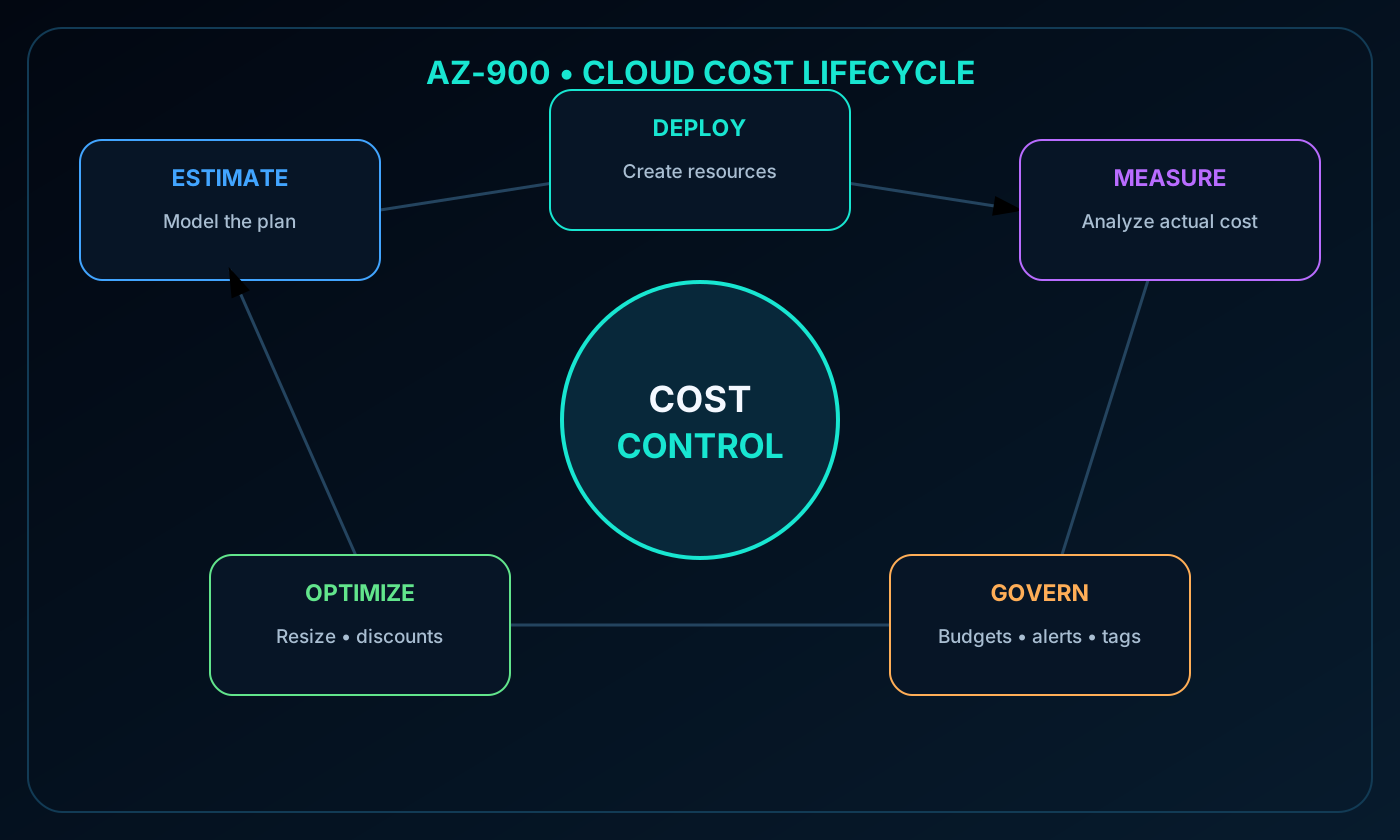
This chapter explains why Azure spending changes, how to estimate costs before deployment, how to observe and control actual charges, and how to select pricing options for different workload patterns. Cost management is a cycle: estimate, deploy, measure, govern, optimize, and repeat.
Identify the resource, usage, maintenance, location, subscription, and marketplace factors that influence Azure costs.
Use the Azure pricing calculator to model a planned solution.
Explain Microsoft Cost Management, Cost analysis, alerts, and budgets.
Use tags to organize resources, allocate costs, enforce governance, and drive automation.
Choose among pay-as-you-go pricing, Azure Reservations, Azure savings plan for compute, and Spot pricing.
Cloud cost lifecycle connecting estimation, deployment, monitoring, governance, and optimization.
2. The consumption model and six cost factors
Azure generally replaces an up-front infrastructure purchase with metered consumption. Compute, storage, and networking can be provisioned when required and released when they are no longer useful. Spending therefore follows the amount and configuration of the resources that remain in use.
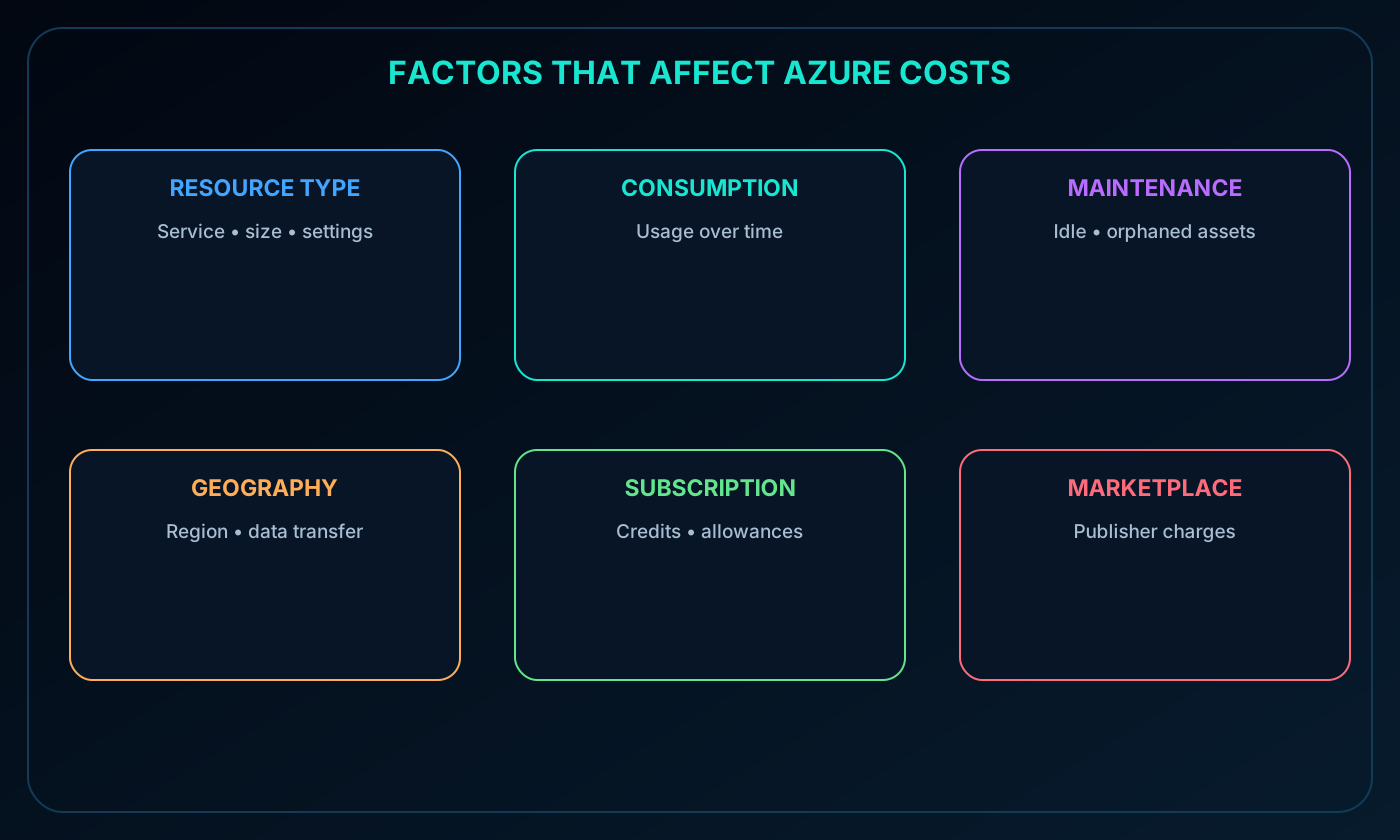
Six broad factors shape the bill: resource type, consumption, maintenance, geography, subscription type, and purchases from Azure Marketplace. They interact, so a low-cost resource can still become expensive when it runs continuously, transfers large volumes of data, or includes third-party licensing.
Six factors that affect Azure costs: resource type, consumption, maintenance, geography, subscription, and Azure Marketplace.
3. Resource type, configuration, and region
The service selected, its settings, and its Azure region all affect price. Azure meters the units consumed by each resource and bills according to the applicable rate. Two resources with the same product name may cost differently because their capacity, performance, redundancy, licensing, or region is different.
Cost comparisons should therefore use complete configurations rather than product labels alone. The required business outcome, performance target, resilience level, and location constraints define the meaningful baseline.
4. and virtual machine cost examples
Examples of configuration choices that change cost.
Resource
Important cost choices
account
Data service such as blob storage, access frequency or tier, redundancy and copy count, capacity, transactions, and region
Virtual machine
Operating system and software licenses, processor family and core count, memory, attached disks, network interfaces, runtime, and region
A storage account created in two regions can produce different estimates even when the stored data is identical. A virtual machine estimate must include supporting storage and networking as well as the VM size itself.
5. Consumption and pay-as-you-go pricing
Pay-as-you-go pricing charges for resources used during the billing period. More compute hours or data processing increases the charge; reducing or stopping usage lowers it. This model offers the most operational flexibility because it does not require a long-term commitment.
Flexibility does not remove the need for control. Resources that are oversized, idle, or left running after a project ends continue to consume billable units.
6. Commitment discounts and interruptible capacity
Cost options introduced in the module.
Option
Commitment and workload fit
Azure Reservations
Commit to matching capacity for one or three years; suited to stable and predictable usage
Azure savings plan for compute
Commit to an hourly spend for one or three years across eligible compute services; suited to steady but changing compute usage
Use spare Azure capacity at a reduced rate; suited only to jobs that can be interrupted or restarted
Spot workloads can be evicted when Azure needs the capacity back. Reservations and savings plans reduce eligible charges through a billing benefit; they do not by themselves redesign, resize, start, or stop the workload.
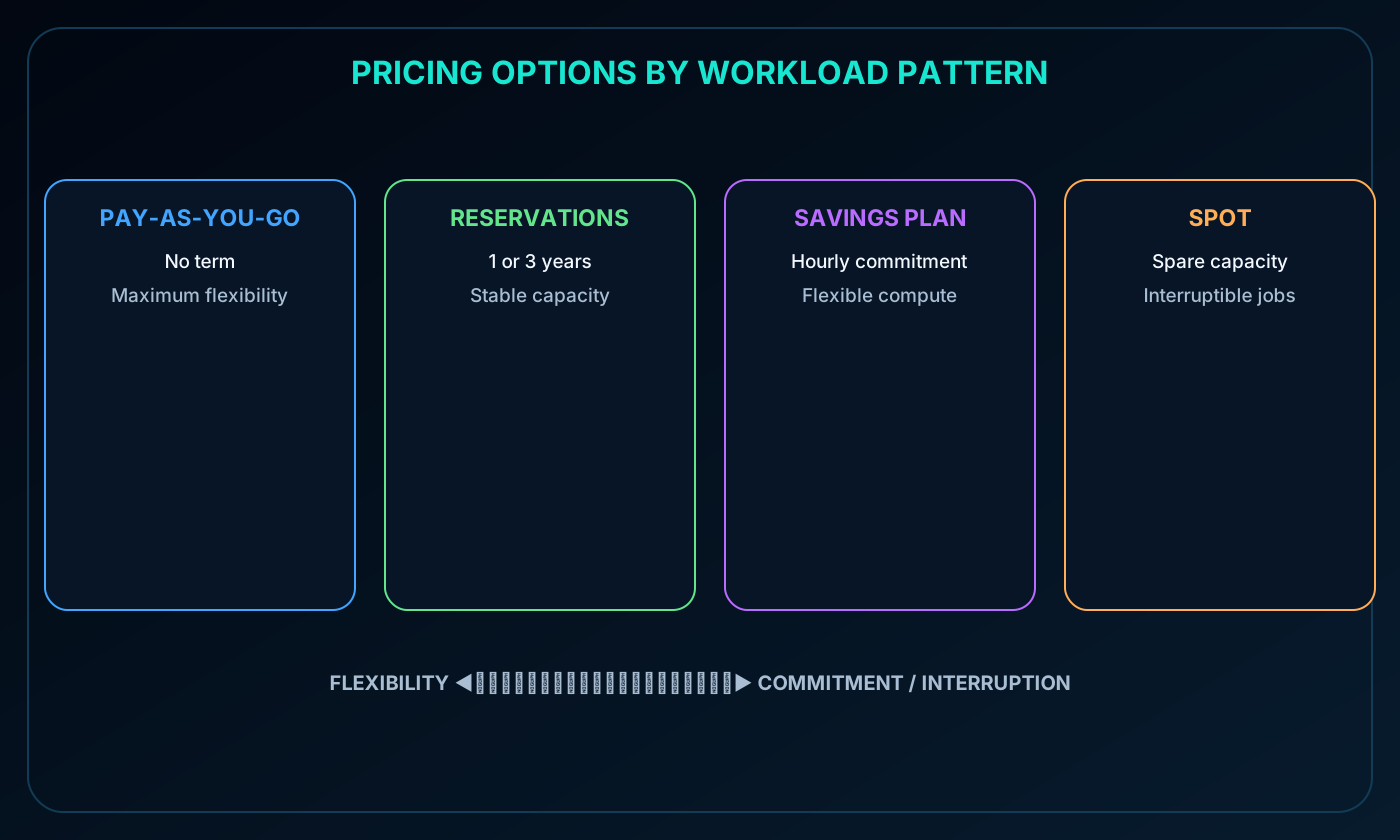
Comparison of pay-as-you-go, Azure Reservations, Azure savings plan for compute, and Spot pricing.
7. Maintenance and orphaned resources
Cloud environments can change quickly, which makes routine maintenance a direct cost-control activity. Creating a virtual machine commonly creates disks, network interfaces, public IP addresses, or other dependencies. Removing the VM does not always remove every related resource, either by design or by mistake.
Teams should inventory resource groups, find assets that no longer support a workload, confirm ownership, and remove or resize them through an approved process. Organization helps, but resource groups do not automatically guarantee that every dependent resource disappears together.
8. Geography, billing zones, and network traffic
Azure regions operate in different economic environments. Electricity, labor, taxes, fees, and local service availability can make equivalent deployments cost different amounts. The best region must satisfy latency, resilience, compliance, and data residency requirements as well as price.
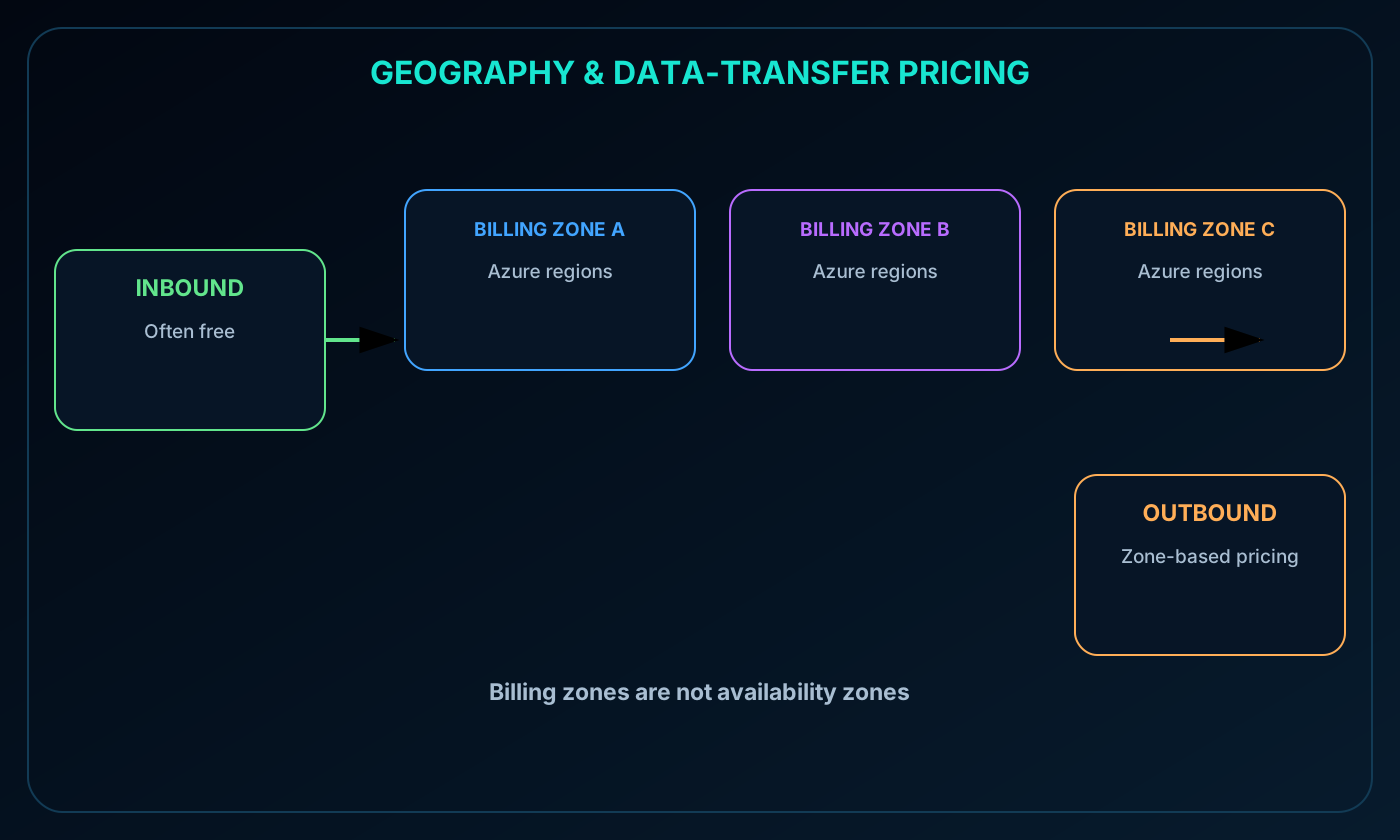
Network transfer also depends on geography. A billing zone is a geographic grouping of Azure regions used for data-transfer pricing and is not the same as an availability zone. Some inbound transfers are free, while outbound traffic is commonly priced according to the source, destination, and billing zone. Current ingress, egress, and inter-region rates should be checked before deployment.
Azure regions grouped into billing zones with inbound and outbound data-transfer paths.
9. Subscription type and included allowances
The subscription offer can include credits, free quantities, negotiated rates, or other allowances that change the effective cost. The source module uses the Azure free trial as an example, with introductory credit, selected services free for a limited period, and products with an always-free allowance subject to availability.
Offers and eligibility change. Treat those quantities as examples and verify the current Azure account terms, region availability, limits, and expiration rules before using them in a budget.
10. Azure Marketplace and third-party charges
Azure Marketplace provides solutions from Microsoft partners and other third-party publishers. Examples include a preconfigured web server, a virtual machine image with specialized software, and a managed backup service.
The invoice can include both the underlying Azure infrastructure and the publisher's software, support, or professional service charge. Publishers define their own billing structures. Marketplace offers pass certification requirements that vary by product type and the Azure services involved, but certification does not make every offer financially equivalent.
11. What the Azure pricing calculator does
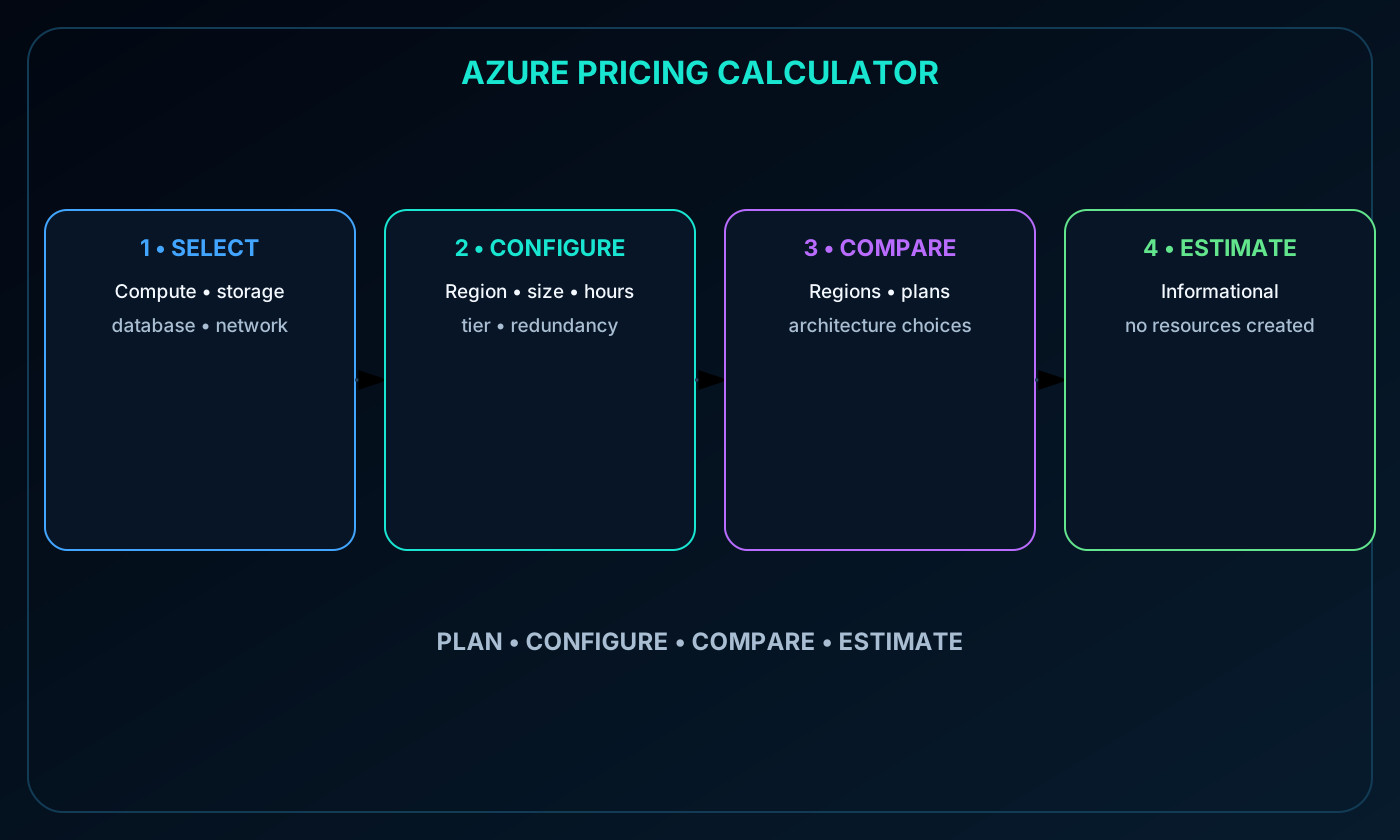
The Azure pricing calculator is an online planning tool for estimating the cost of individual resources, a complete solution, or an example scenario. Adding a product only changes the estimate: it does not provision anything and does not create a charge.
The result is informational rather than a quote. Actual charges depend on measured use, selected agreement, taxes, discounts, currency, and later price or architecture changes. The supplied module notes that the former Total Cost of Ownership calculator was retired; use the current Microsoft cost-management catalog to confirm available planning tools.
Azure pricing calculator flow from product selection and configuration to an estimated monthly cost.
12. Building and maintaining an estimate
Add compute, storage, database, and networking products required by the architecture.
Configure region, tier or size, operating system, expected hours or units, storage type, access tier, redundancy, and transfer assumptions.
Compare alternative regions, service tiers, resiliency choices, and eligible pricing plans.
Save the estimate as a budget baseline and revisit it whenever the architecture or usage assumption changes.
For a new web application, a team might model an plan, a managed database, storage, and data transfer. Comparing monthly totals before deployment helps reviewers see which design decisions drive the forecast.
13. Microsoft Cost Management
Microsoft Cost Management is a collection of FinOps tools for analyzing, monitoring, and managing Azure and Microsoft Cloud costs. It helps organizations discover unexpected resources before the invoice arrives, understand where spend accumulates, set thresholds, and automate responses.
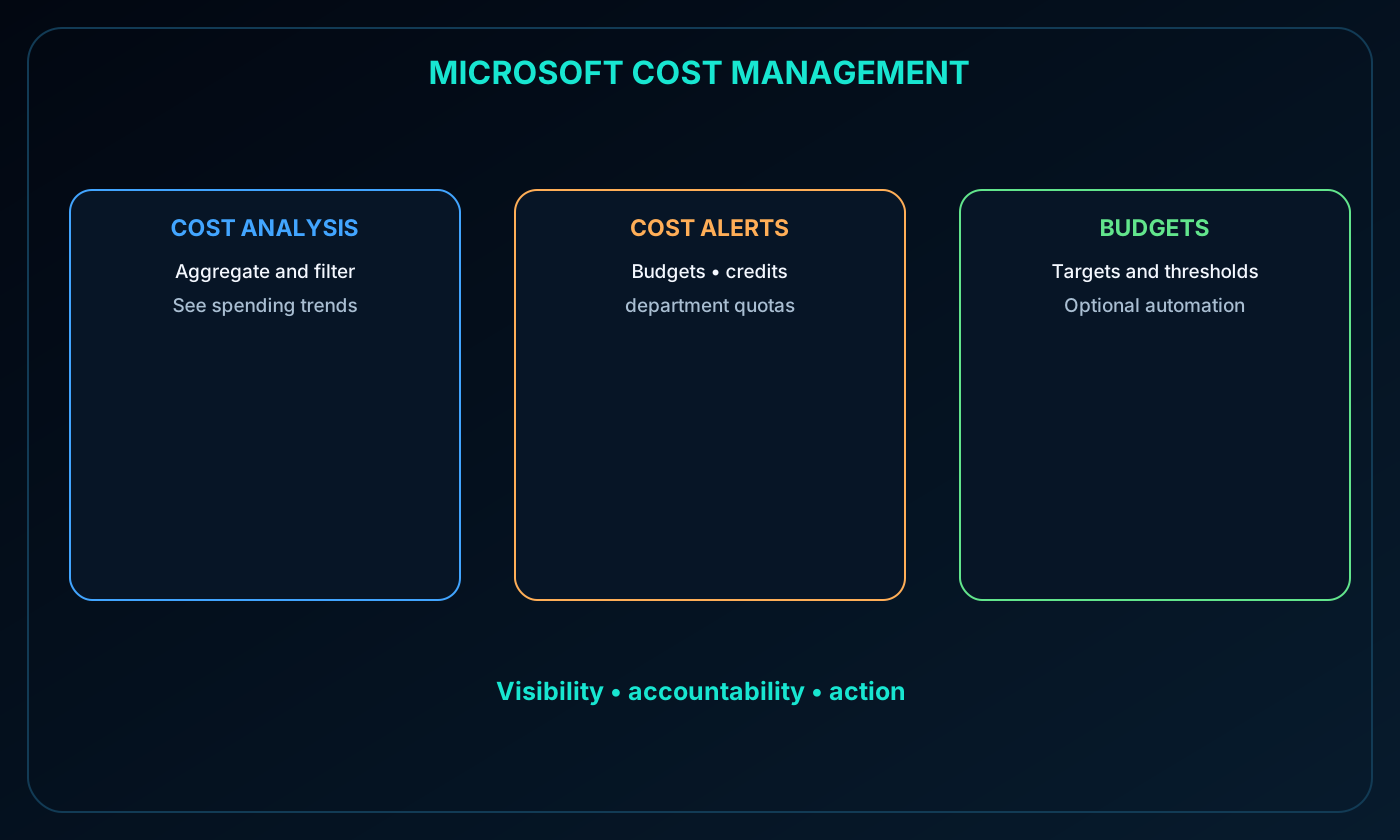
The core capabilities covered here are Cost analysis, cost alerts, and budgets. Together they turn billing data into visibility, accountability, and action.
Microsoft Cost Management capabilities for Cost analysis, cost alerts, and budgets.
14. Cost analysis and spending trends
Cost analysis presents Azure charges in visual and aggregated views. Teams can group and filter spending by billing period, region, subscription, resource group, service, resource, and other supported dimensions.
Accumulated costs over time help estimate monthly, quarterly, or annual trends against a budget. Common investigations include a sudden increase after deployment, idle resources in a nonproduction subscription, and whether tags and budgets are producing the intended reporting behavior.
15. Cost alerts in one place
The Cost Management alert area consolidates notifications that require attention. The source module distinguishes budget alerts, Azure Prepayment credit alerts, and department spending quota alerts.
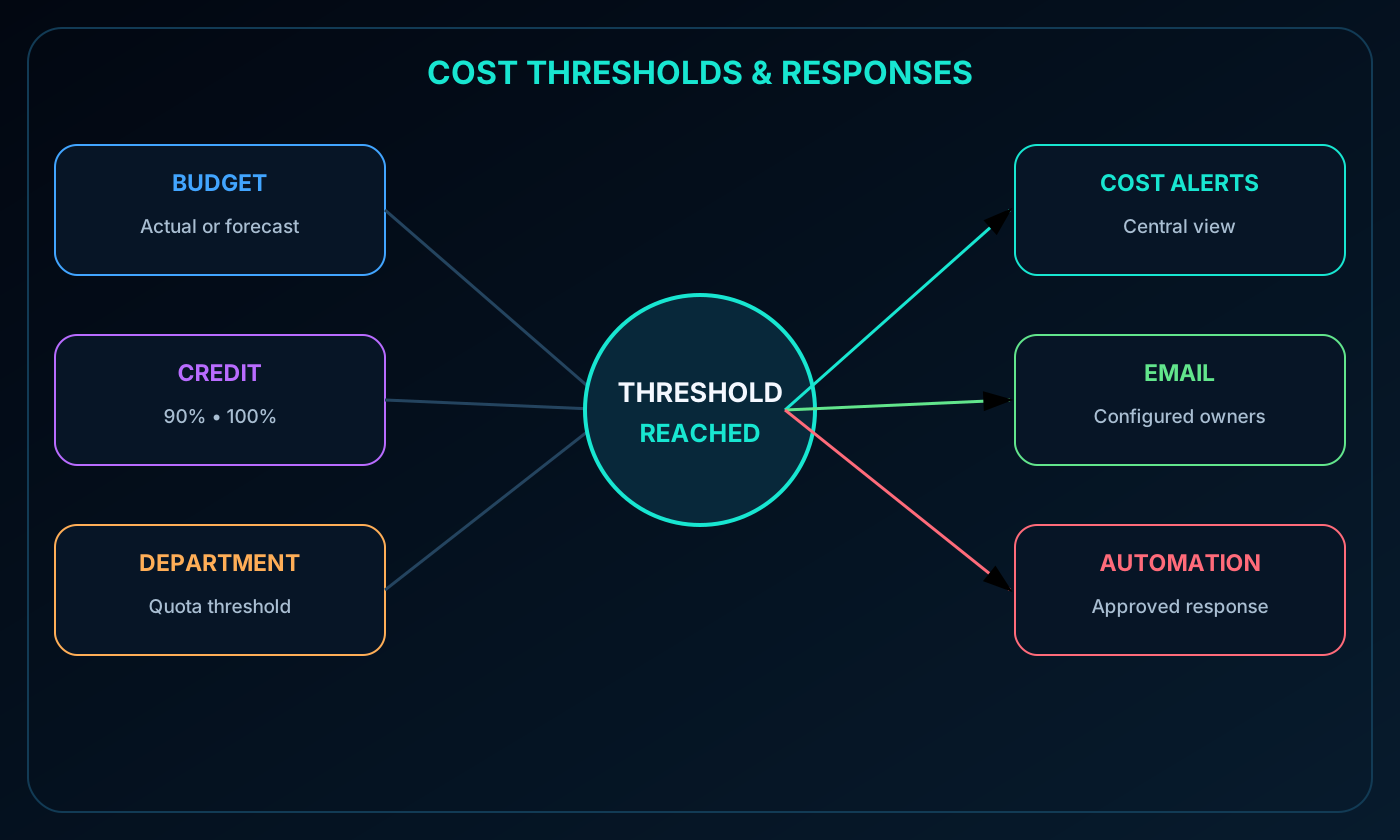
Budget alerts compare actual or forecast spending with thresholds defined by the organization.
Credit alerts track the consumption of Azure Prepayment for eligible Enterprise Agreement accounts.
Department spending quota alerts notify Enterprise Agreement department owners when a fixed quota threshold is reached.
16. Budget alerts
A budget alert is generated when spending reaches or exceeds a configured threshold. Cost-based budgets can be created in the Azure portal, while the Azure Consumption API can also support usage-based budgets. Triggered alerts appear in Cost alerts and can send email to the recipients configured on the budget.
A development team might notify owners at 80 percent of its monthly target so they can investigate, remove waste, or right-size resources before exceeding the planned amount.
17. Credit and department quota alerts
For eligible Enterprise Agreement organizations, credit alerts report when Azure Prepayment is consumed. The source describes automatic notifications at 90 percent and 100 percent of the credit balance, reflected in Cost alerts and emailed to account owners.
Department spending quota alerts are also specific to Enterprise Agreement customers. When department spend reaches a configured threshold, such as 50 or 75 percent of its quota, the event appears in Cost alerts and an email is sent to department owners.
Budget, credit, and department quota thresholds flowing to cost alerts, email, and automation.
18. Budgets and automation
A budget defines a spending target for a scope such as a subscription, resource group, service, or another supported criterion. A budget does not automatically stop consumption; it supplies thresholds and notifications so teams can respond.
When connected to automation, a threshold can trigger an approved action that suspends or modifies resources. Shutting down nonproduction capacity is a common example, but production safeguards, ownership, and exception handling should be designed before enabling automatic changes.
19. Why tags matter
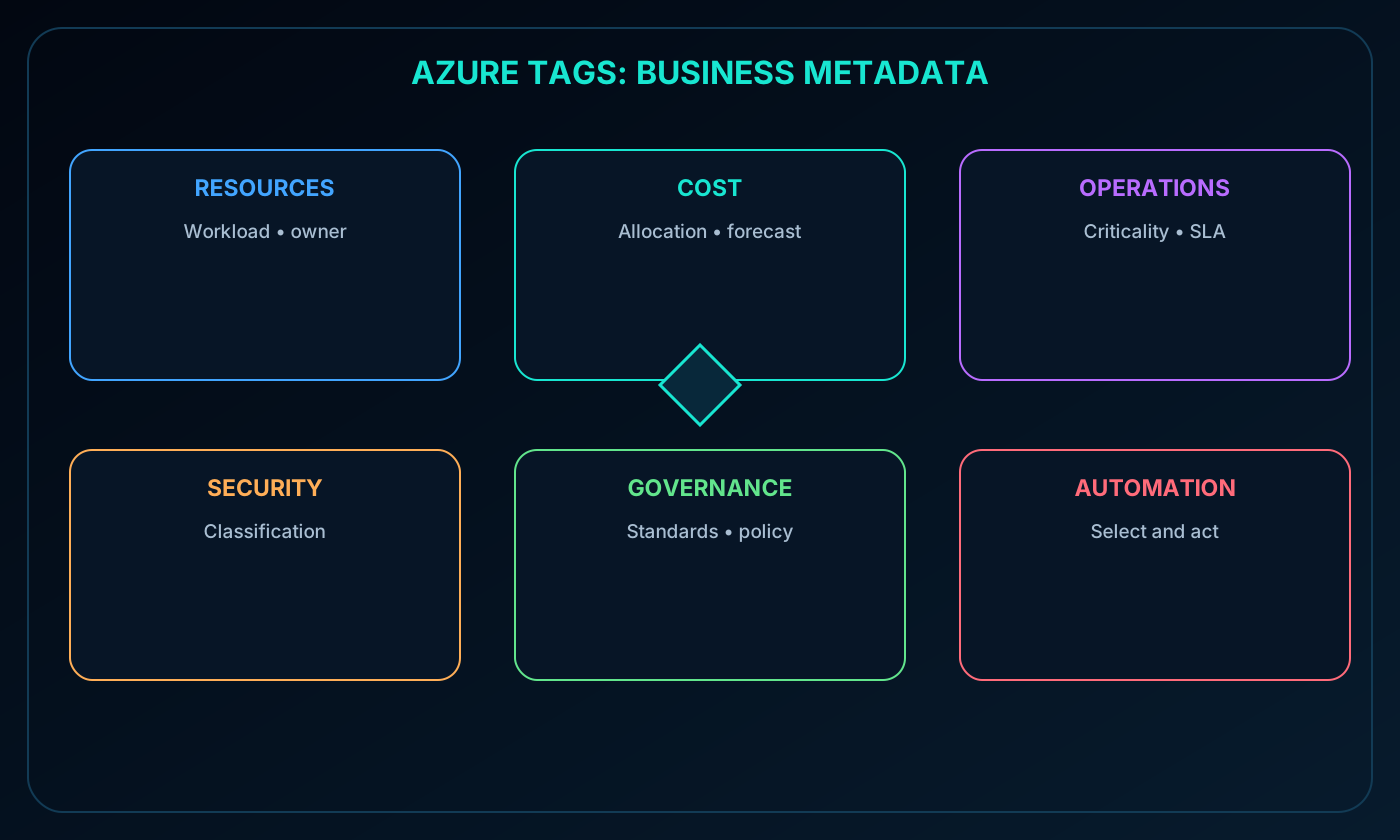
A tag is a name-value pair that adds business metadata to an Azure resource. Subscriptions and resource groups provide structural organization; tags provide a second, flexible classification that can span workloads and support multiple operational views.
Common uses for tags.
Use
What tags enable
Resource management
Find and act on resources by workload, environment, team, or owner
Cost management and optimization
Group charges, allocate internal cost centers, track budgets, and support forecasts
Operations management
Classify operational criticality and support service-level objectives or agreements
Security
Label resources or associated data by classifications such as public or confidential
Governance and compliance
Identify applicable standards, require ownership metadata, and support policy enforcement
Workload optimization and automation
Select all resources for an application and drive actions through tools such as
Tags can be added, changed, or removed through the Azure portal, Azure PowerShell, Azure CLI, templates, or the REST API. can require tags during provisioning or reapply tags that were removed.
Resources do not automatically inherit tags from subscriptions or resource groups in the basic tagging model described by the module. A tag set at one scope may therefore be absent at another. This flexibility supports different schemas by level, but it also makes policy, automation, and periodic quality checks important.
21. A practical tag schema
Example tag names and values.
Tag name
Example meaning or value
AppName
Application or workload name
CostCenter
Internal cost center code
Owner
Responsible technical or service owner
Environment
Prod, Dev, or Test
Impact
Mission-critical, High-impact, or Low-impact
A lightweight starting standard can use Environment, Owner, CostCenter, and Workload. Not every tag must apply to every resource: for example, an Impact tag can be reserved for mission-critical assets, provided the absence of that tag has a documented meaning.
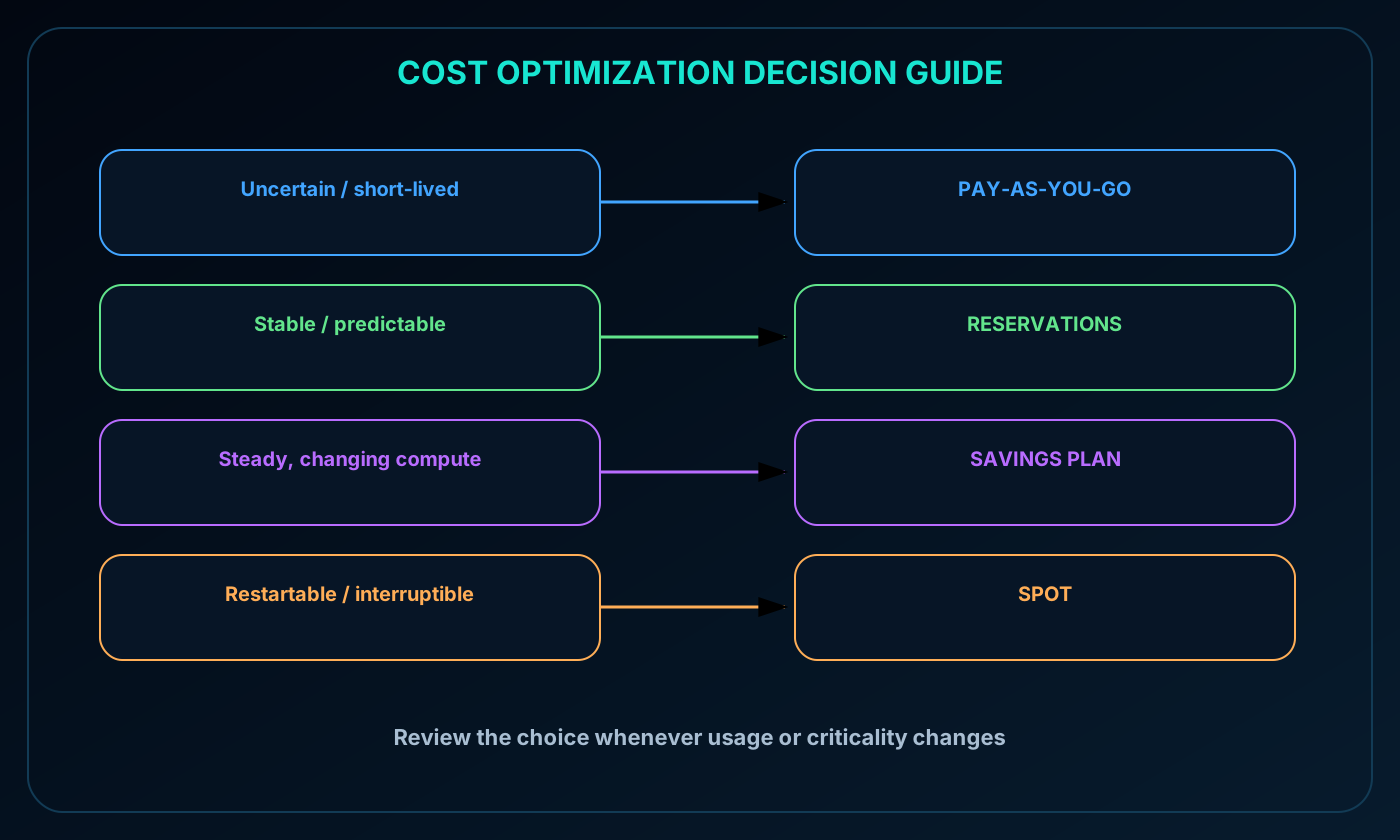
22. Choosing the right optimization option
Pricing decision guide.
Workload pattern
Typical choice
Reason
Uncertain, short-lived, or highly variable
Pay-as-you-go
Maximum flexibility without a term commitment
Stable, predictable, and long-running
Azure Reservations
Discount applies to matching committed capacity
Steady compute spend that moves across eligible services
A production SQL workload that runs continuously may align with a reservation. A web and API estate that shifts among compute services may fit a savings plan, while restartable batch jobs are common Spot candidates. Review the decision as usage changes: a workload can become more predictable, more critical, or less tolerant of interruption.
Decision path for pay-as-you-go, Azure Reservations, Azure savings plan for compute, and Spot pricing.
23. Module assessment with explained answers
Paraphrased knowledge check.
Question
Answer
Why
Which Azure feature organizes and tracks resource usage through metadata?
Tags
Tags attach name-value metadata that supports filtering, ownership, reporting, and automation.
Which tool estimates deployment costs before Azure resources are created?
Azure pricing calculator
It models planned configuration and consumption without provisioning services.
Which choice best fits a workload that tolerates interruptions and prioritizes the lowest compute cost?
They use spare capacity at a discount and can be evicted when Azure reclaims it.
24. Chapter summary and continued practice
Azure costs depend on what is deployed, how much it is used, how well the environment is maintained, where resources and traffic are located, the subscription offer, and marketplace charges. The pricing calculator supports planning; Microsoft Cost Management, Cost analysis, alerts, budgets, and tags support ongoing FinOps; Reservations, savings plans, and Spot pricing align discounts with workload behavior.
The source recommends the learning path Control Azure spending and manage bills with Microsoft . It also references pay-as-you-go and an Azure free trial of up to 30 days; confirm the current offer and organizational agreement before relying on promotional terms.
Explore with Copilot Chat
Estimate a sample workload, list its most important cost drivers, and identify the assumptions that most affect the Azure pricing calculator result.
Design a monthly FinOps routine using Microsoft Cost Management, tags, budgets, and alerts to reduce waste.
Compare three workload patterns and justify pay-as-you-go, Azure Reservations, an Azure savings plan for compute, or Spot pricing for each.