Azure Governance, Compliance, and Resource Protection
Microsoft Purview, Azure Policy, resource locks, Service Trust Portal, compliance evidence, and AI governance guardrails
Suggested time: 48 minutes • Beginner level • Aligned to the Azure management and governance domain of AZ-900
By João Ricardo Dutra••Complete original content
1. Azure governance and compliance objectives
This chapter connects data governance, resource configuration guardrails, protection against accidental administrative changes, and Microsoft compliance evidence. Together, ,, resource locks, and the Microsoft Service Trust Portal help an organization keep its cloud estate visible, controlled, and auditable.
Explain how discovers, classifies, protects, and governs data.
Describe definitions, assignments, initiatives, evaluation, remediation, and exemptions.
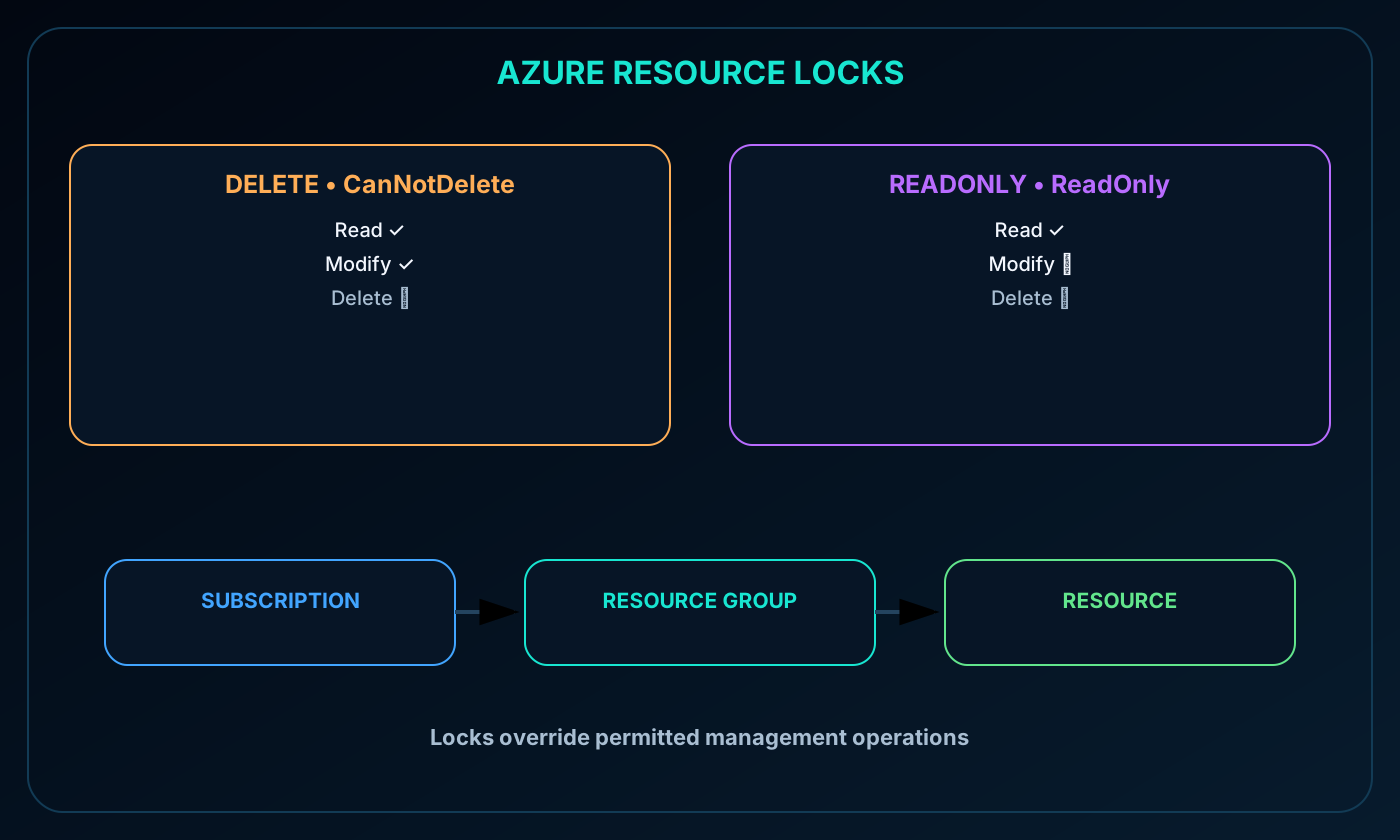
Compare Delete and ReadOnly resource locks and understand their inheritance.
Locate security, privacy, compliance, and audit material in the Microsoft Service Trust Portal.
Apply the same controls to changes proposed by Copilot or agent-assisted automation.
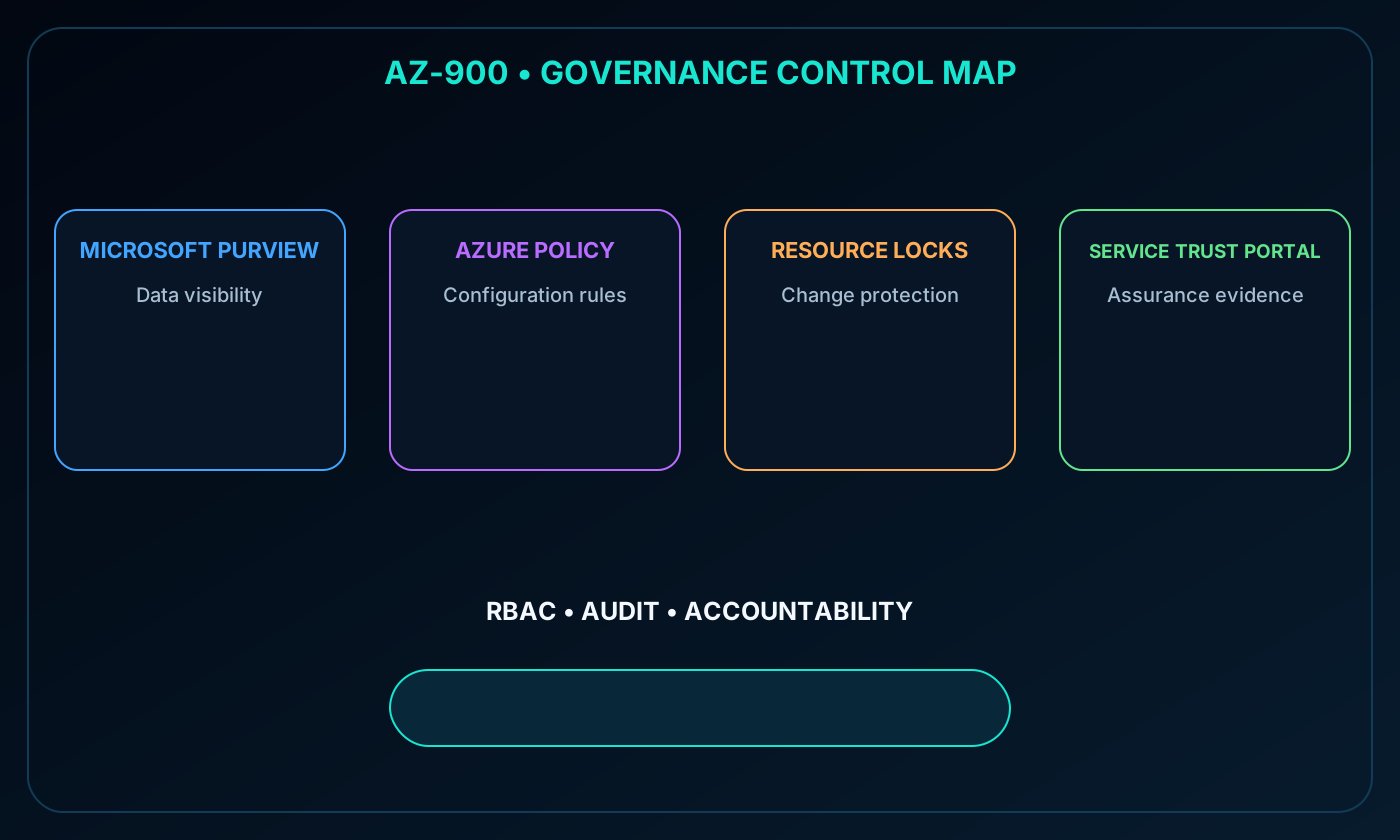
Azure governance map connecting ,, resource locks, the Service Trust Portal, and audit evidence.
2. Governance works through complementary controls
No single service covers every governance need. focuses on the data estate; evaluates resource state against organizational rules; resource locks block specific destructive management operations; and the Service Trust Portal supplies Microsoft control and assurance documentation.
Azure RBAC remains part of the model because it determines who may perform management actions. Governance is strongest when authorization, policy, locks, data controls, and audit evidence reinforce one another.
3. and the unified data view
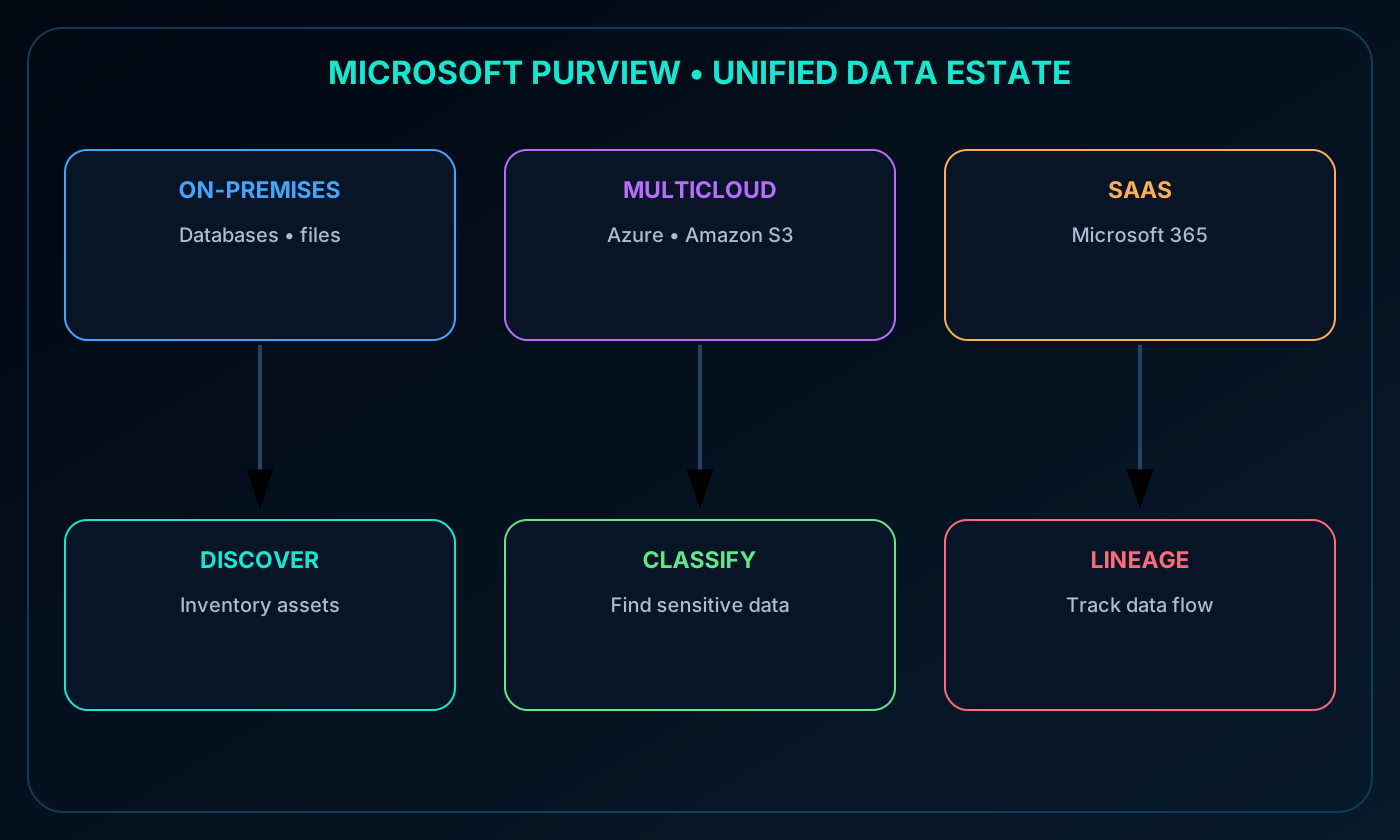
is a family of data governance, security, risk, and compliance solutions. It brings information about on-premises, multicloud, and software-as-a-service data into a more unified view so teams can understand an estate that would otherwise be fragmented across systems.
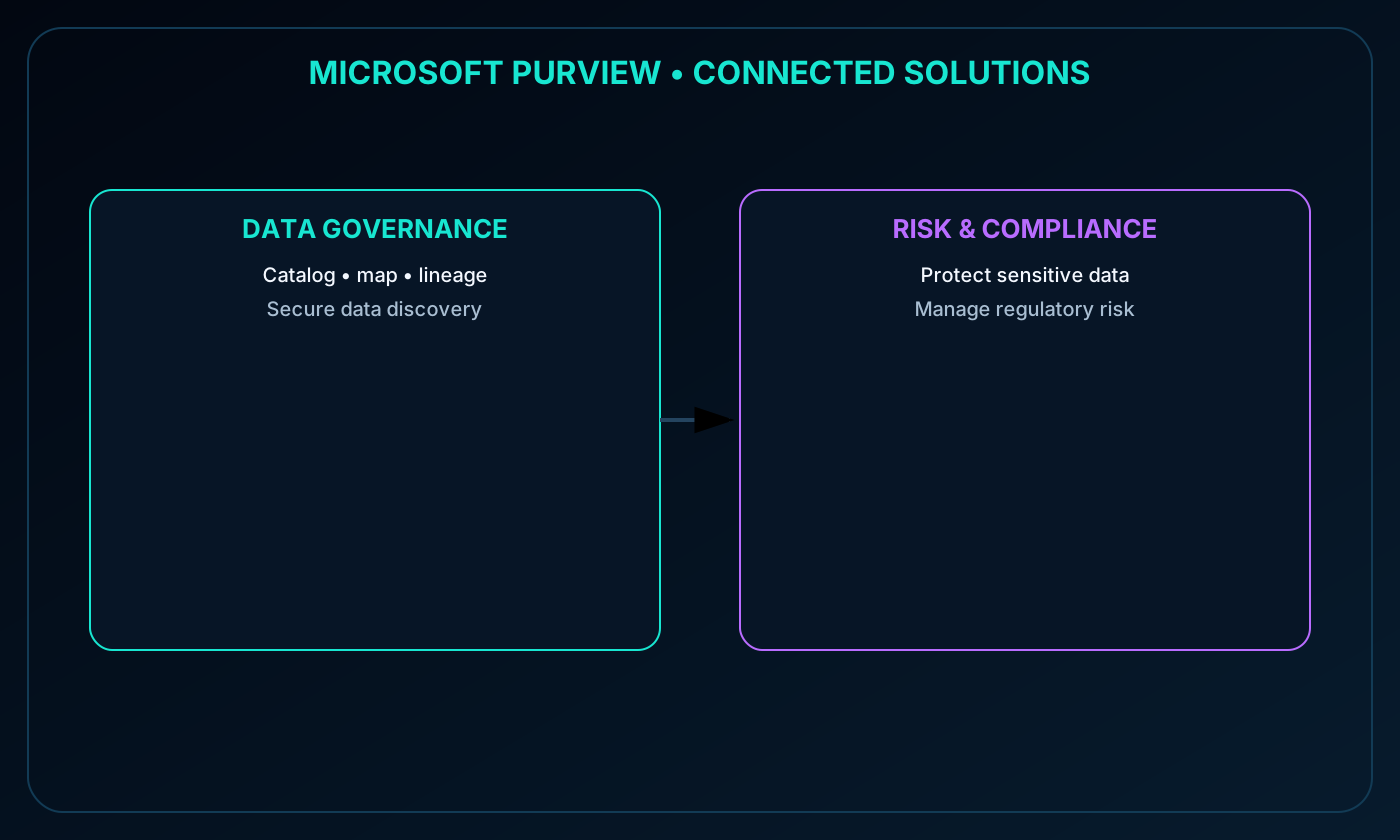
The source module emphasizes automated discovery, sensitive-data classification, and end-to-end lineage. The current Microsoft portfolio presents governance, data security, and data compliance as connected solution areas for managing data through its lifecycle.
unifying on-premises, multicloud, and SaaS data through discovery, classification, and lineage.
4. Discovery, classification, and lineage
Foundational data-estate capabilities.
Capability
Governance value
Automated data discovery
Find data assets and update the estate inventory without depending only on manual records
Sensitive-data classification
Identify content that requires stronger protection, handling, retention, or compliance controls
End-to-end lineage
Show where data came from, how it moved or changed, and which downstream systems consume it
These capabilities make data easier to find and safer to use. They also give investigators, data owners, and auditors shared context for decisions.
5. Risk, security, and compliance solutions
Microsoft 365 is central to many risk and compliance capabilities. Services such as Microsoft Teams, OneDrive, and Exchange provide signals and locations where Purview can monitor and manage organizational information.
Protect sensitive information across clouds, applications, and devices.
Identify data risks and manage regulatory obligations.
Provide a practical starting point for a regulatory-compliance program.
6. Unified data governance across the estate
Purview governance can cover data stored in Azure, SQL and Hive databases, local environments, SaaS services, and other clouds such as Amazon S3. The goal is not merely to catalog names, but to build a trusted map that connects technical metadata with business meaning and responsibility.
This broad view helps reduce duplicated inventories and inconsistent classifications across platforms.
solution areas for data governance and risk, security, and compliance.
7. What a governed data estate enables
Maintain a current map of data assets with classification and end-to-end lineage.
Locate sensitive information across the estate.
Give data consumers a secure environment in which to find valuable and trusted data.
Generate insights into how data is stored and used.
Manage access to data securely and at scale.
These outcomes support both control and productive use: governance should make trusted data easier to find while limiting access according to policy.
8. The purpose of
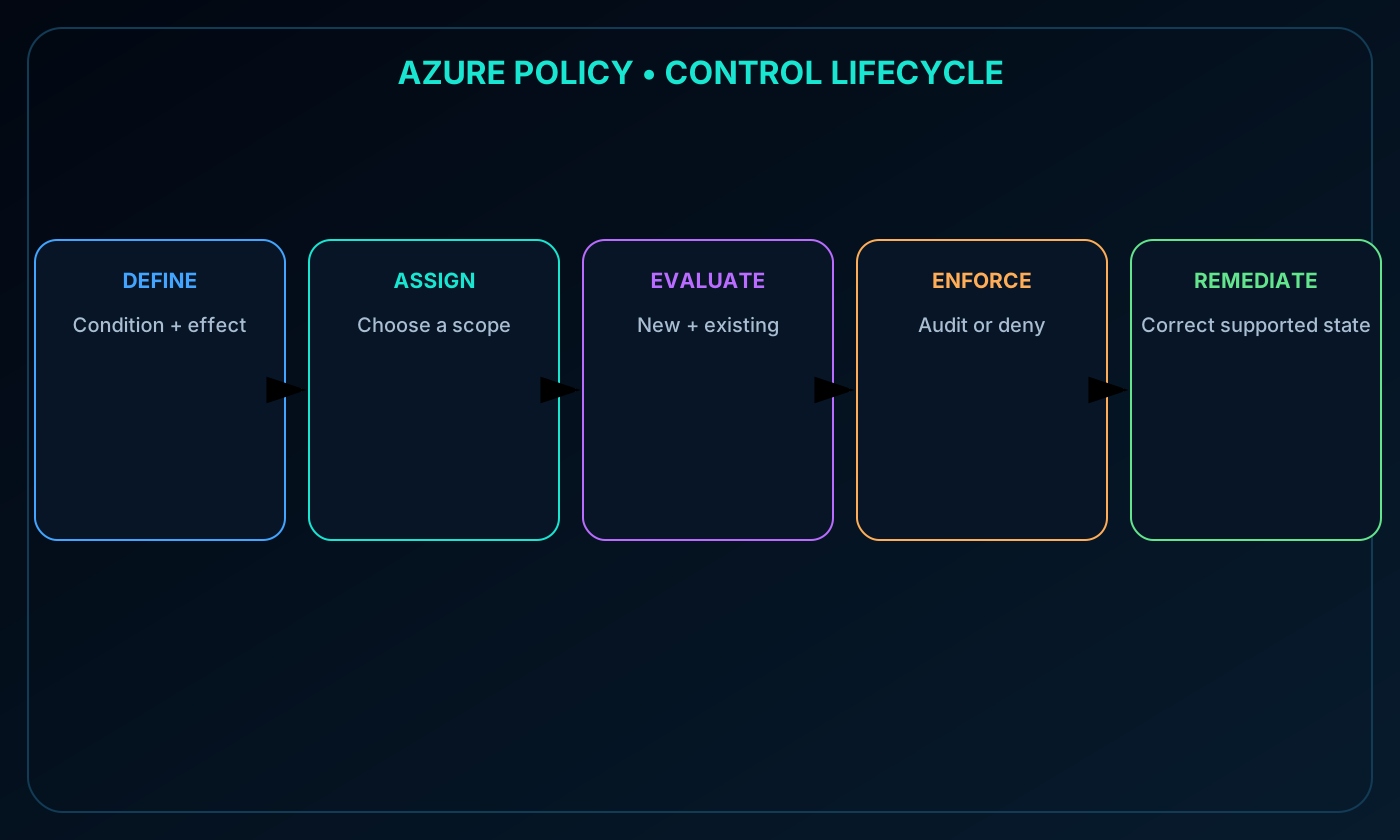
creates, assigns, and manages rules that control or audit Azure resource configuration. It continually compares resource state with organizational standards and reports noncompliance. Depending on the policy effect, it can also deny a configuration before a noncompliant resource is created or changed.
focuses on the resulting resource state, regardless of who proposed the change. Azure RBAC focuses on whether an identity is authorized to perform an action. Both controls are therefore necessary.
lifecycle from definition and assignment to evaluation, compliance results, and remediation.
9. Definitions, assignments, scopes, and inheritance
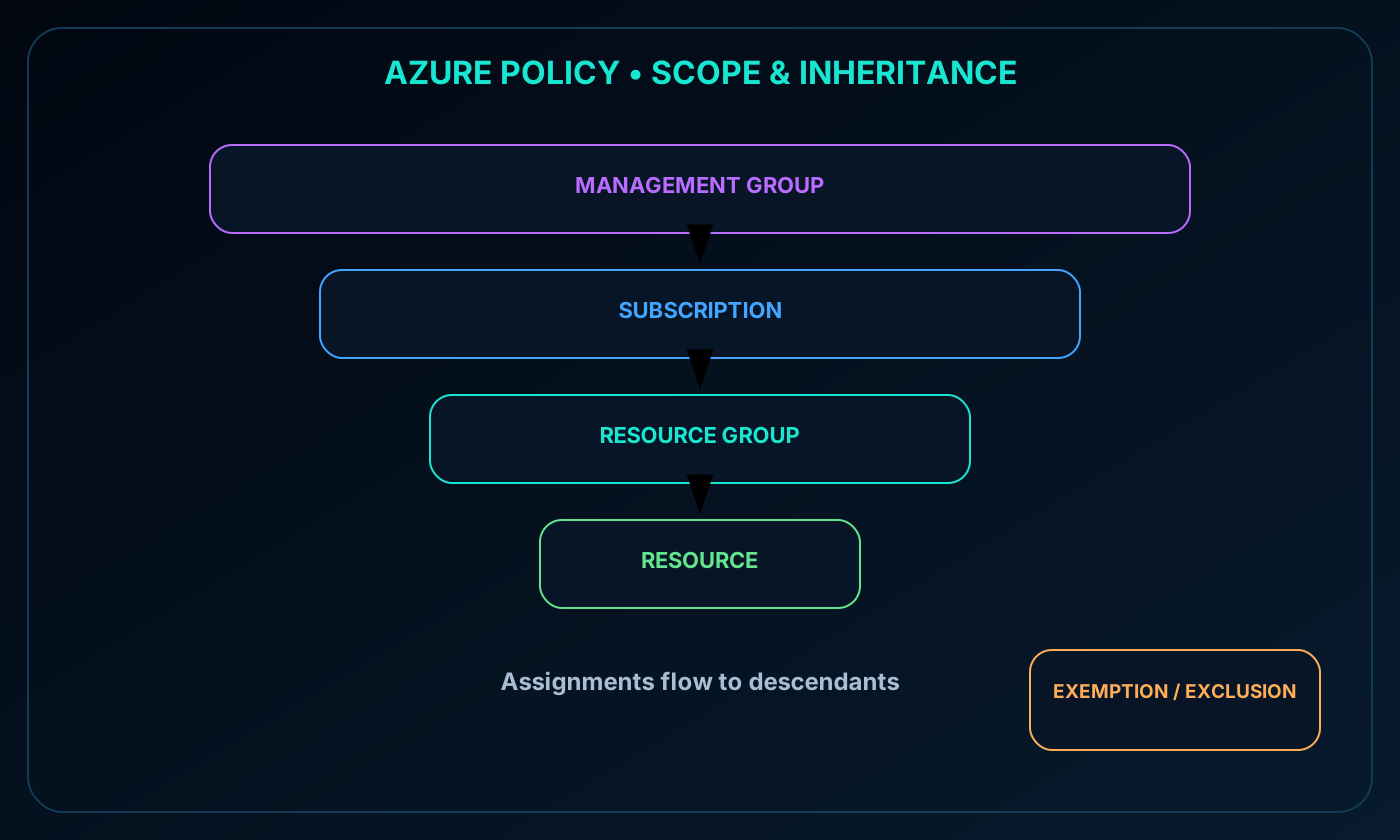
A policy definition describes the condition to evaluate and the effect to apply. An assignment connects a definition or initiative to a scope. Supported scopes include a management group, subscription, resource group, and individual resource.
Assignments flow to descendant scopes. A policy assigned to a resource group applies to resources in that group, including newly created resources. More broadly scoped assignments can govern multiple subscriptions. Deliberate exclusions and exemptions can handle approved exceptions without deleting the standard.
assignment inherited from management group to subscription, resource group, and resources.
10. Evaluating new and existing resources
is invoked when relevant resources are created or updated, when an assignment is created or changed, and during recurring compliance evaluation. It also assesses resources that existed before the policy was introduced.
For example, a policy that permits only approved virtual-machine sizes evaluates a new VM, a resize operation, and the existing VM population. This turns policy from a deployment-time gate into an ongoing compliance control.
11. Built-in definitions, remediation, and
Azure includes built-in policy and initiative definitions for areas such as storage, networking, compute, monitoring, and security. Organizations can start with built-ins and add custom definitions when their requirements are specific.
Some effects can remediate noncompliant resources. A policy can require an AppName tag and add it when missing, for example. Owners retain control through exemptions for approved cases. can also integrate with so pre-deployment and post-deployment pipeline controls participate in the same governance model.
12. Policy guardrails for AI-assisted changes
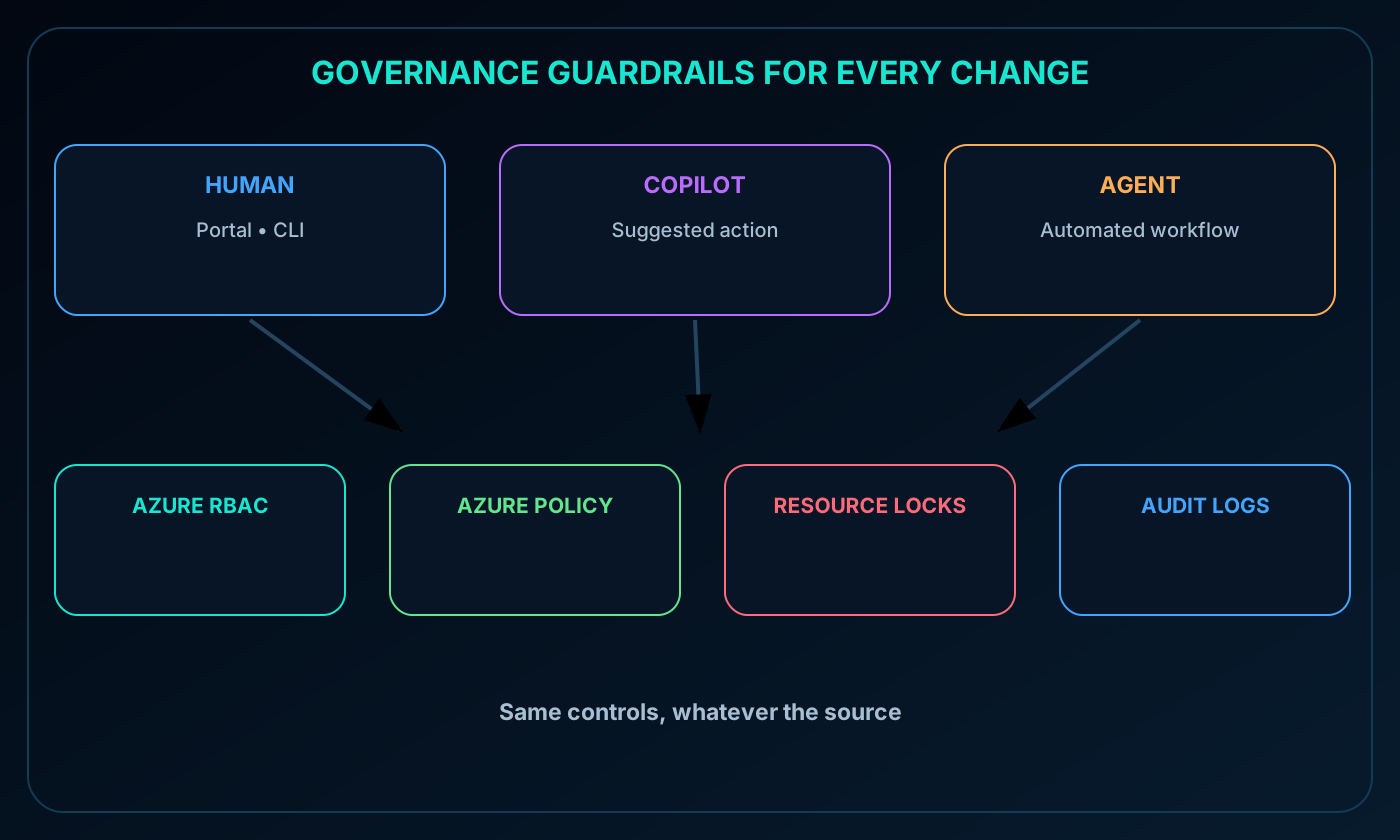
A recommendation from Copilot or an agent-like automation does not bypass governance. can still restrict locations, require tags, allow only approved SKUs, and enforce security-baseline controls regardless of how the proposed change was generated.
A safe workflow separates proposal, approval, deployment, exception handling, remediation, and audit. Human reviewers remain accountable for the allowed scope and for high-impact exceptions.
AI-assisted Azure change flowing through human approval, Azure RBAC, , resource locks, and audit.
13. initiatives
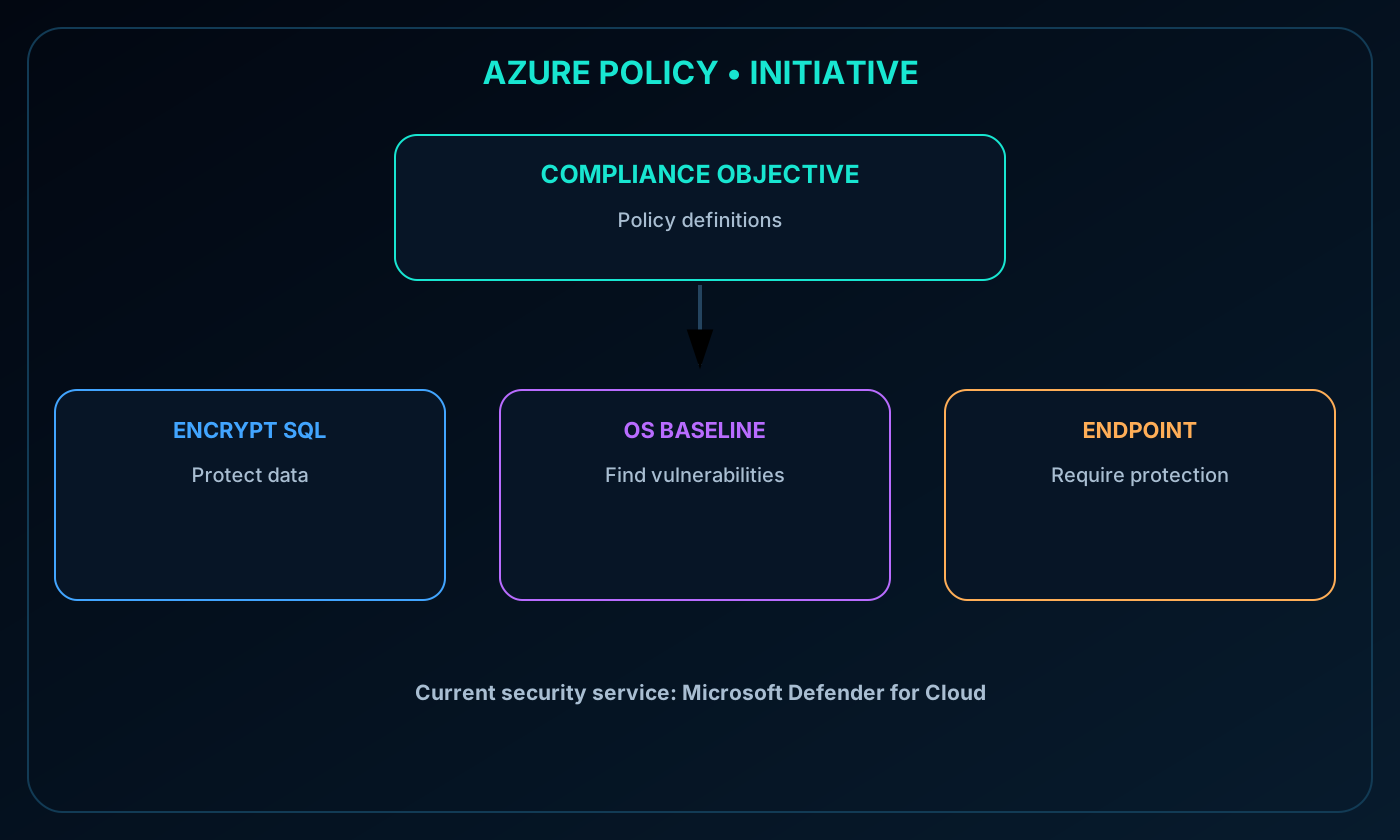
An initiative groups related policy definitions under one broader goal. The initiative can be assigned and tracked as one item, which is more practical than operating many independent assignments for a common compliance objective.
The source uses an older Enable Monitoring security initiative as an example. The current Microsoft service name is . The example initiative contained more than 100 definitions, including checks for unencrypted SQL databases and servers, operating-system vulnerability baselines, and missing endpoint-protection agents.
initiative grouping many definitions into a single compliance goal.
14. Why resource locks are needed
Resource locks reduce the chance that an authorized user accidentally deletes or changes a critical resource. RBAC may correctly grant an administrator broad permissions, yet those legitimate permissions can still be used by mistake. A lock adds an independent management-plane restriction.
Locks can be applied to a subscription, resource group, or individual resource and are inherited by descendants. They protect management operations, not every data-plane operation inside the service.
15. Delete and ReadOnly lock types
Resource lock behavior.
Portal name
Command name
Read
Modify
Delete
Delete
CanNotDelete
Allowed
Allowed
Blocked
ReadOnly
ReadOnly
Allowed
Blocked
Blocked
A ReadOnly lock resembles limiting authorized users to Reader-like management permissions. The exact operational impact must be tested because some services perform management-plane writes as part of normal administration.
Delete and ReadOnly resource locks with scope inheritance and allowed or blocked operations.
16. Lock scope, inheritance, and precedence
A lock on a resource group also applies to its resources. A subscription lock can reach every descendant group and resource. This inheritance makes broad protection simple, but it can also block changes farther down the hierarchy than an operator expects.
Locks apply regardless of RBAC permissions. Even an Owner must remove the applicable lock before performing an operation that it blocks. Removing the lock still requires the appropriate authorization.
17. Managing and changing locked resources
Locks can be viewed, created, or removed from the Locks area of a resource in the Azure portal. They can also be managed with Azure PowerShell, Azure CLI, or an template.
Changing a protected resource is intentionally a two-step process: first remove the lock using an authorized identity, then perform the permitted operation. If continued protection is required, reapply the lock after the approved change and preserve evidence of the change.
18. Microsoft Service Trust Portal
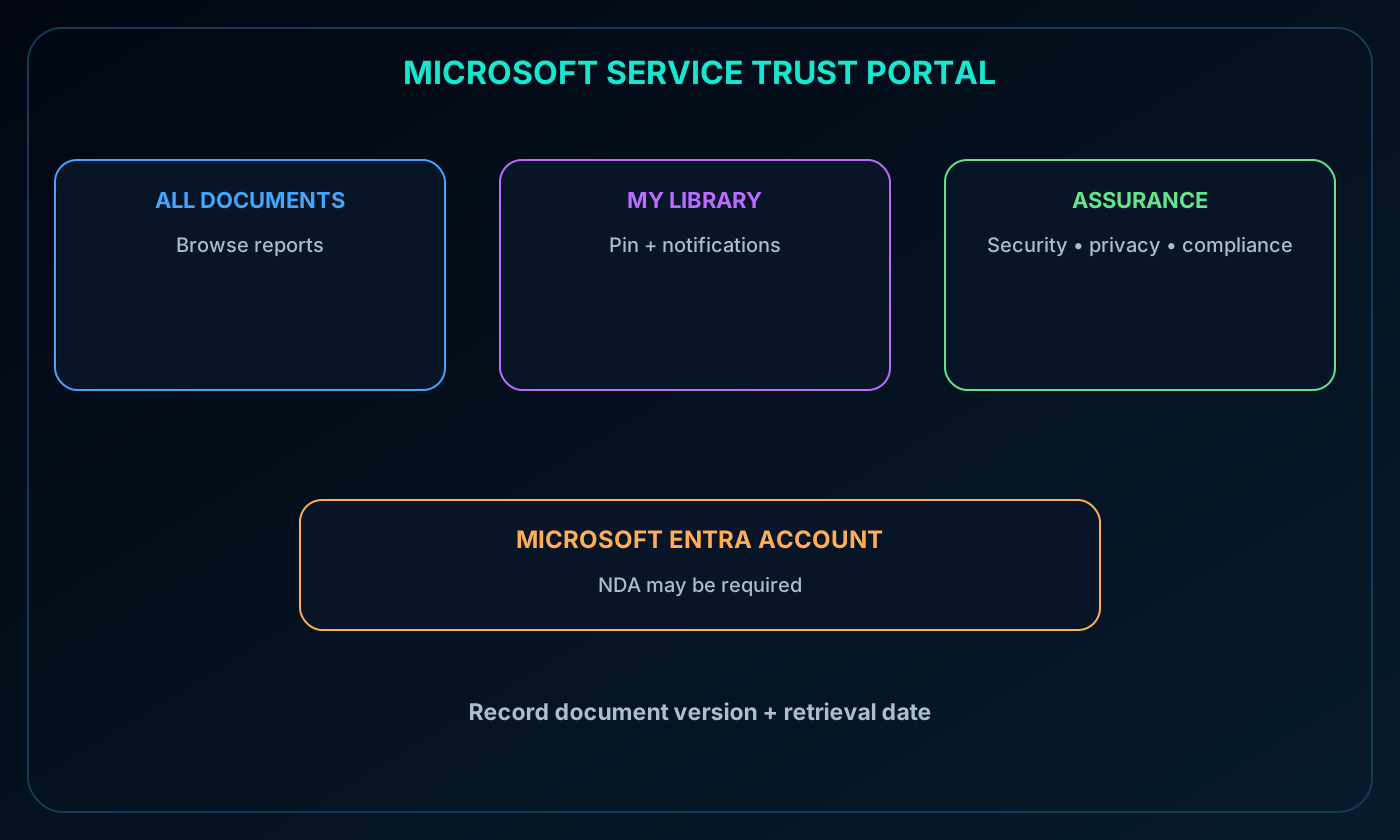
The Microsoft Service Trust Portal provides security, privacy, compliance, and assurance information about Microsoft cloud services. Its reports explain how Microsoft implements controls and processes that protect services and customer data.
The portal is available at servicetrust.microsoft.com. Some material requires authentication with a Microsoft Entra work or school account and acceptance of the Microsoft nondisclosure agreement for compliance materials.
Microsoft Service Trust Portal providing compliance documents, saved library items, notifications, and audit evidence.
19. Portal navigation, library, and document availability
Main areas described in the source module.
Area
Purpose
Service Trust Portal
Return quickly to the portal home page
My Library
Pin documents for quick access and receive notifications when saved items are updated
All Documents
Browse the document collection and pin selected material into My Library
The source states that reports and documents remain downloadable for at least 12 months after publication or until a newer version becomes available. Audit procedures should record the document version and retrieval date rather than assuming a link will always expose the same evidence.
20. Module assessment with explained answers
Paraphrased knowledge check.
Question
Answer
Why
Which service can prevent creation of noncompliant resources without manually inspecting each one?
It evaluates resource configuration against assigned definitions and can deny a noncompliant state.
What is the most direct protection against accidental deletion of a critical Azure resource?
A resource lock
A Delete or inherited lock blocks the management-plane delete operation even for broadly authorized users.
21. Chapter summary and continued practice
establishes visibility and governance across data. evaluates and remediates configuration compliance. Resource locks add protection against accidental destructive actions. The Service Trust Portal supplies Microsoft assurance artifacts. Azure RBAC and auditing connect these controls to accountable identities and evidence.
The source recommends the Microsoft Learn module Intro to and references pay-as-you-go and an Azure free trial of up to 30 days. Verify current offers and product documentation before relying on promotional or time-sensitive details.
Explore with Copilot Chat
Create a governance blueprint showing how ,, resource locks, and the Microsoft Service Trust Portal work together.
Design an agent-assisted workflow in which an agent drafts controls and humans approve exceptions and remediation.
Build a recurring audit-evidence checklist that combines Service Trust Portal artifacts with compliance data.