Azure Management Tools, Azure Arc, ARM Templates, and Bicep
Azure portal, Cloud Shell, Azure PowerShell, Azure CLI, Copilot, hybrid management, Resource Manager, infrastructure as code, and Bicep
Suggested time: 46 minutes • Beginner level • Aligned to the Azure management and governance domain of AZ-900
By João Ricardo Dutra••Complete original content
1. Objectives: manage and deploy Azure resources
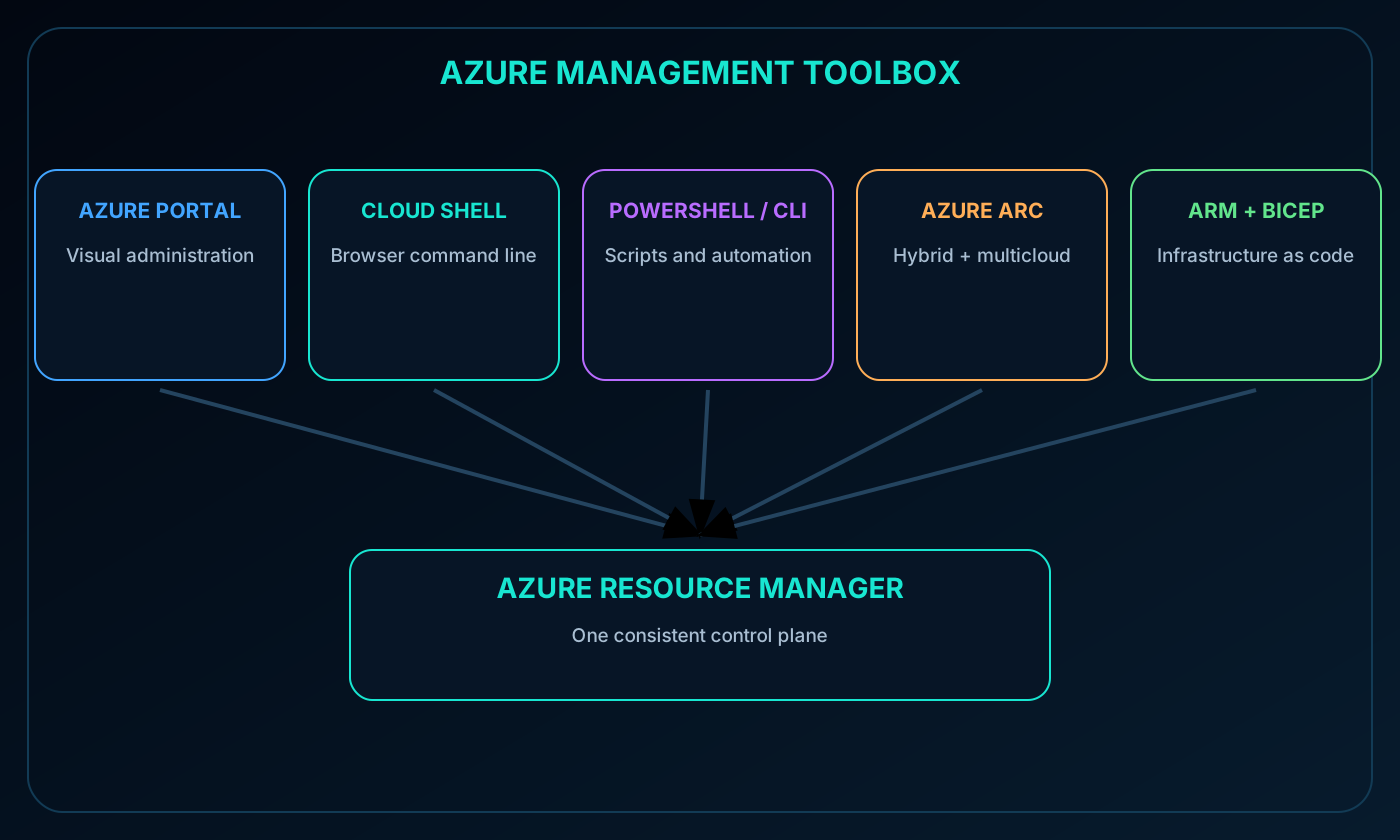
This chapter compares the graphical, shell, scripting, hybrid-management, and infrastructure-as-code options used to operate Azure. It follows a request from an administrator or automation tool through and then examines how extends that management model beyond Azure.
Describe the Azure portal and its operational characteristics.
Explain , Azure PowerShell, and Azure CLI.
Describe how Copilot in Azure can assist without replacing administrator approval.
Explain the purpose and supported resource categories of .
Azure resources can be managed through several interfaces. The Azure portal favors visual exploration and interactive work. Azure PowerShell and Azure CLI support commands, scripts, and automation. supplies either command environment in the browser, while APIs and SDKs let applications submit the same management operations programmatically.
Common choices for Azure administration.
Tool
Best fit
Interaction style
Azure portal
Discovery, dashboards, one-off configuration, and visual monitoring
Web graphical interface
Authenticated command work without local installation
Browser shell
Azure PowerShell
PowerShell-oriented administration and reusable automation
Cmdlets and scripts
Azure CLI
Bash-oriented, cross-platform administration and automation
az commands and scripts
APIs and SDKs
Applications and custom platforms that manage Azure
Programmatic requests
3. AI-assisted operations with Copilot in Azure
Copilot in Azure provides contextual guidance in natural language. It can help administrators discover services, interpret configuration choices, draft commands or scripts, and coordinate multistep work that resembles an agent-assisted workflow.
Copilot remains an operational assistant rather than an independent authority. Administrators must verify its recommendations, confirm that the executing identity has the right permissions, inspect the proposed deployment, and approve production changes.
4. The Azure portal
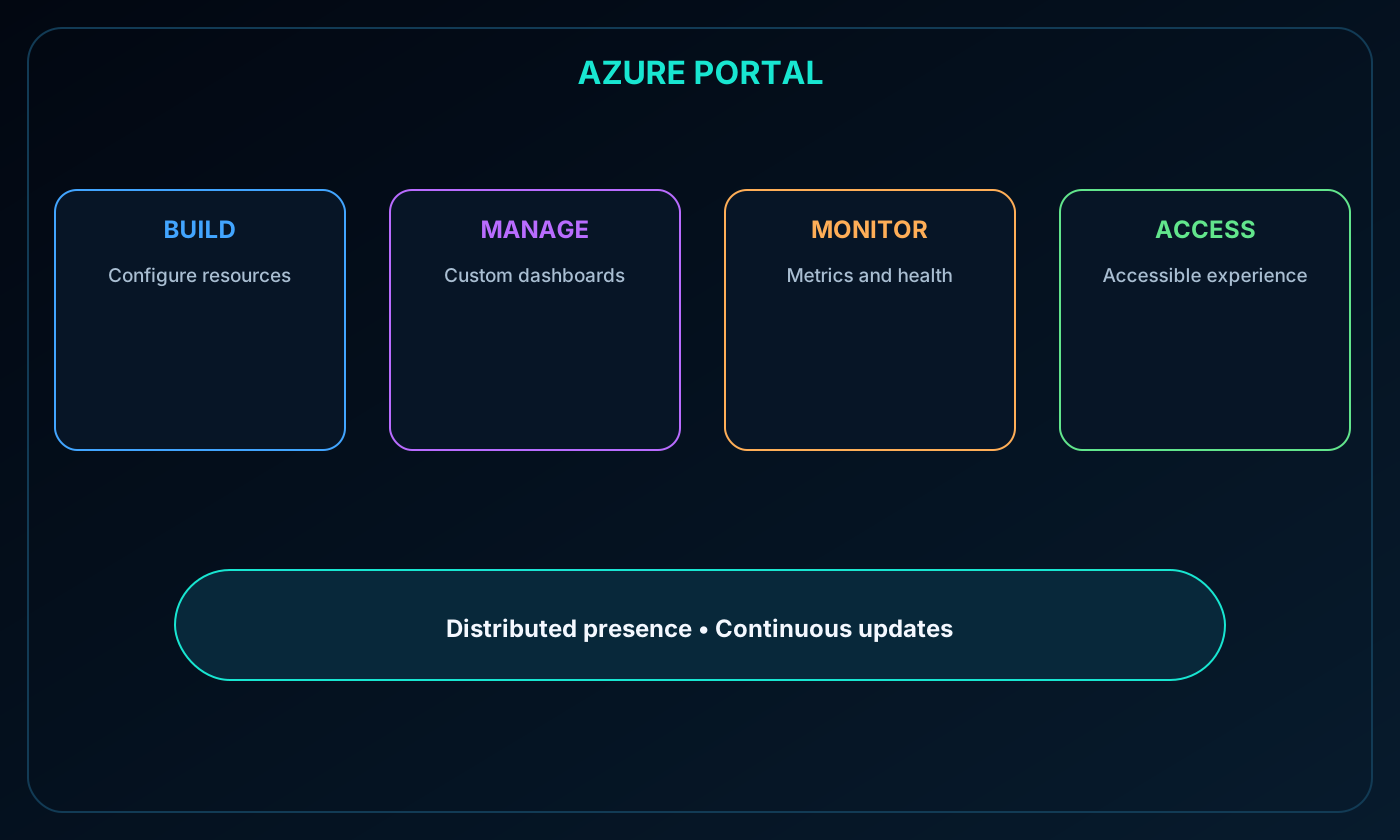
The Azure portal is a unified web console for managing an Azure subscription through a graphical interface. It provides an alternative to command-line tools and can be used to build, configure, manage, and monitor anything from a small web application to a complex cloud deployment.
Custom dashboards organize the resources and metrics that matter to a team. Accessibility settings adapt the experience to user needs.
The portal is designed for continuous availability and has a presence in every Azure datacenter. This distributed design reduces dependence on an individual datacenter and places the experience closer to users to limit avoidable network delay.
Microsoft updates the portal continuously without scheduling maintenance downtime for the user interface. This does not mean that every managed service is immune to failure; it describes the resilience of the management experience itself.
6.
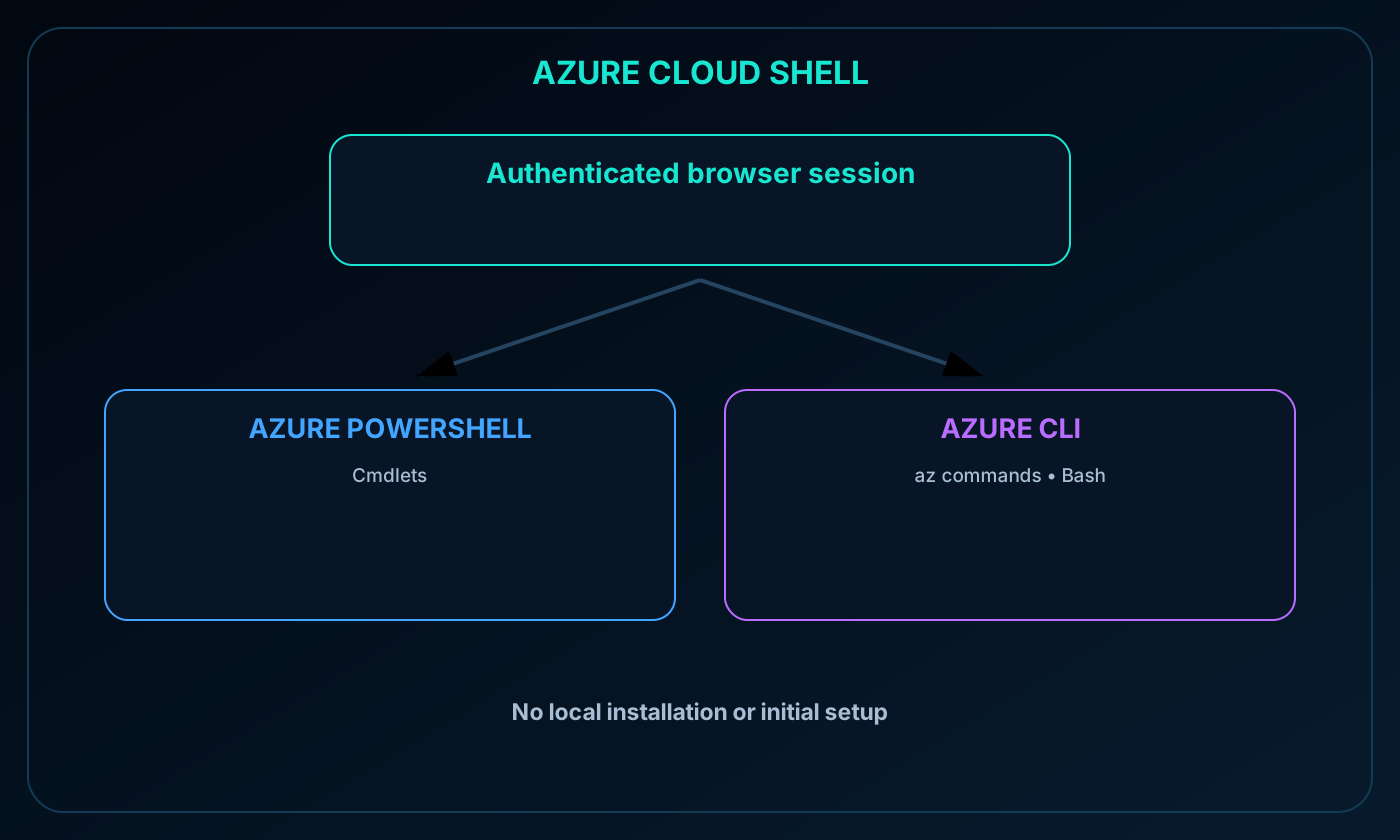
is a browser-based, authenticated shell for creating, configuring, and managing Azure resources. It requires no local installation or initial command-line configuration and already understands the signed-in Azure identity and its permissions.
Users can choose Azure PowerShell or Azure CLI. The CLI experience runs in a Bash environment. Cloud Shell is available from the Azure portal through its shell control and can also be opened directly.
offering authenticated Azure PowerShell and Bash-based Azure CLI sessions in the browser.
7. Azure PowerShell
Azure PowerShell is a collection of PowerShell modules whose cmdlets call the Azure REST API to perform management tasks. A cmdlet can handle a single change or participate in a longer sequence that creates, removes, or maintains connected resources.
PowerShell scripts make imperative procedures repeatable and automatable, including infrastructure deployments with dozens or hundreds of resources. Azure PowerShell runs in Cloud Shell and can also be installed on Windows, Linux, and macOS.
8. Azure CLI
Azure CLI provides cross-platform commands for managing Azure. It offers the same broad pattern as Azure PowerShell: run a command for a discrete task or assemble commands into scripts that orchestrate complex operations.
Its primary distinction is command syntax. Azure CLI commonly fits Bash-oriented workflows and uses az commands. It is available in Cloud Shell and can be installed on Windows, Linux, and macOS.
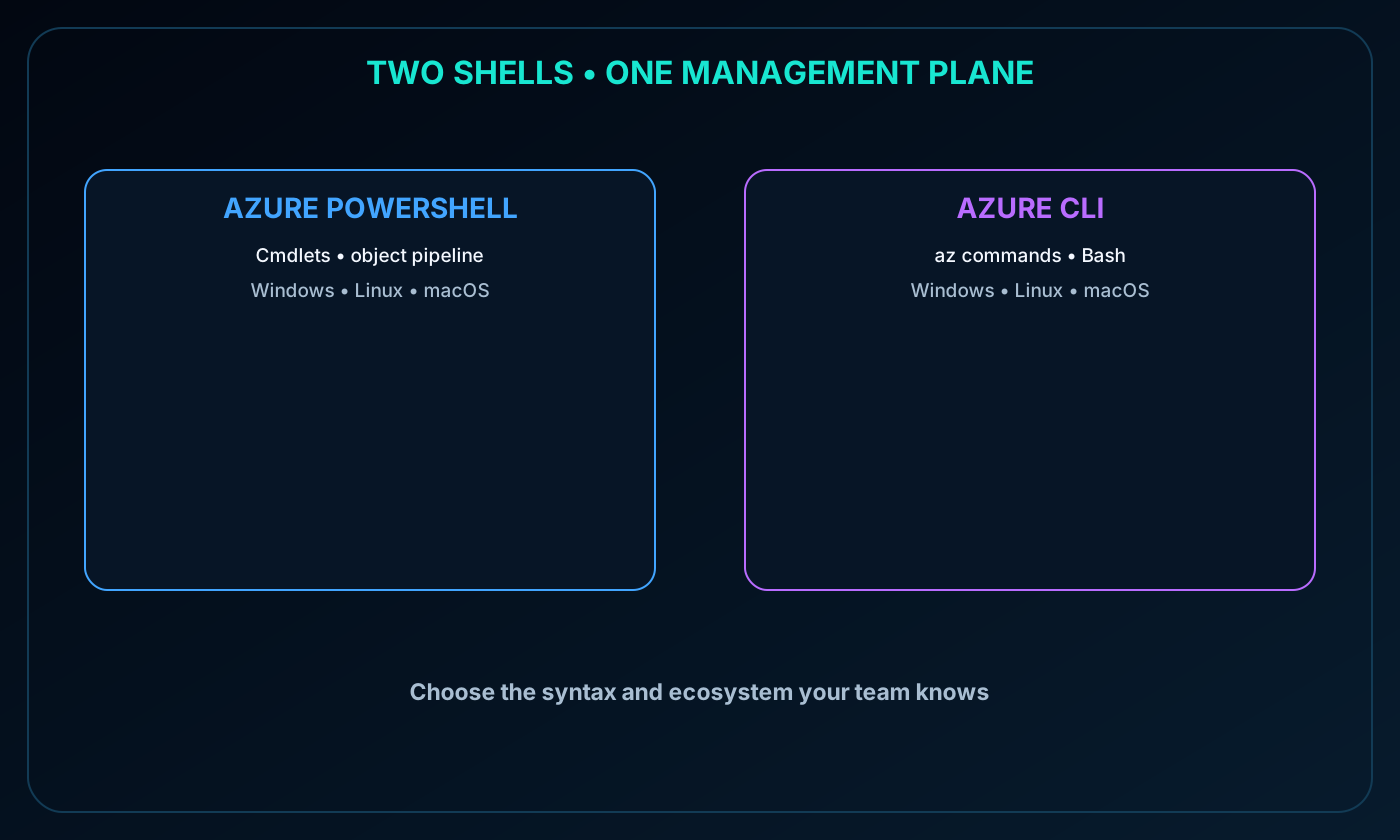
9. Azure PowerShell or Azure CLI?
The two command environments have comparable management reach.
Decision factor
Azure PowerShell
Azure CLI
Language model
PowerShell cmdlets and object pipeline
az commands, commonly used with Bash
Typical preference
Teams already using PowerShell
Teams already using Bash or portable shell scripts
Execution locations
Cloud Shell or local Windows, Linux, and macOS
Cloud Shell or local Windows, Linux, and macOS
One-off commands and reusable scripts
One-off commands and reusable scripts
At the fundamentals level, familiarity and the surrounding automation ecosystem are usually more important than a capability difference.
Comparison of Azure PowerShell cmdlets and Azure CLI az commands across Cloud Shell and local platforms.
10. Why exists
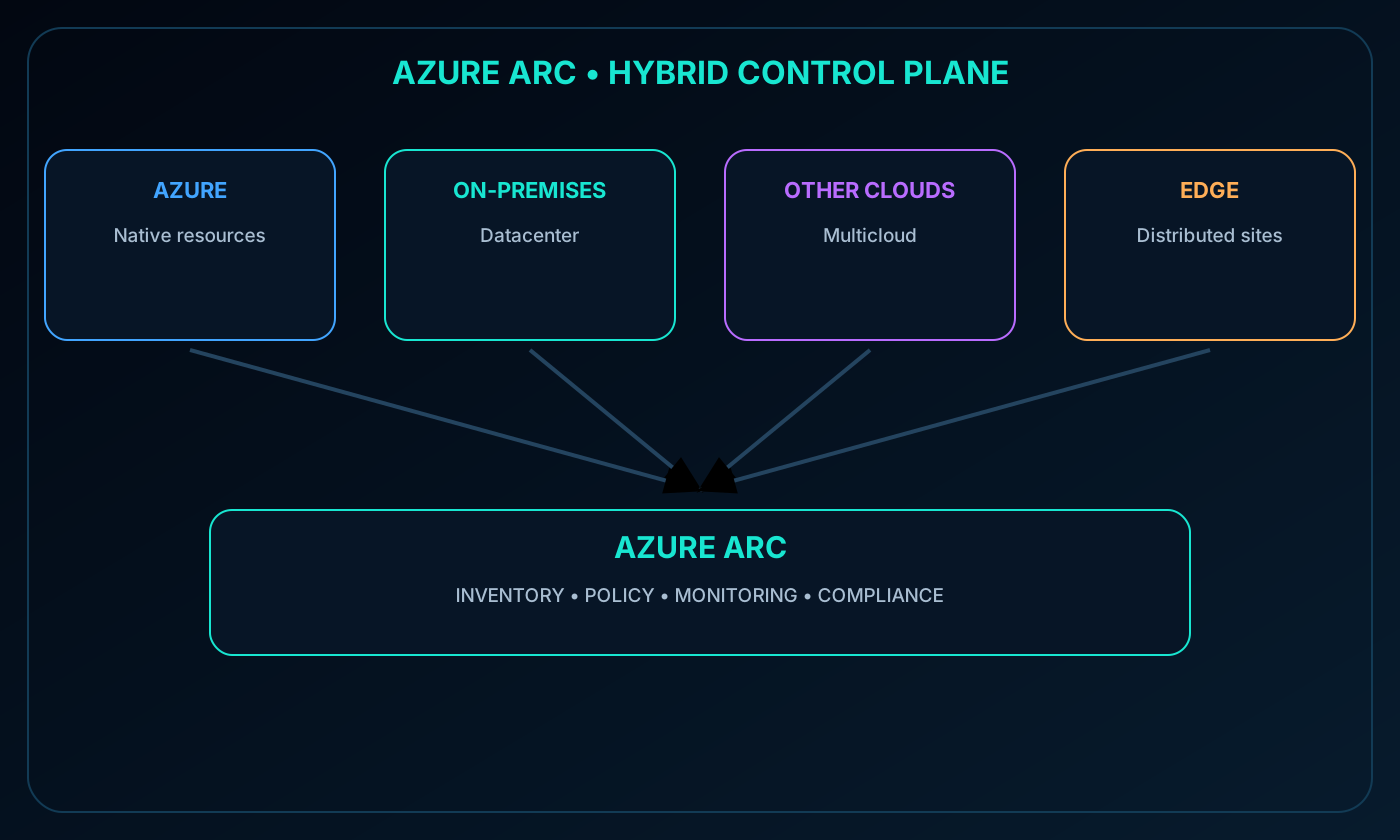
Hybrid and multicloud estates quickly become difficult to govern when every datacenter and cloud uses a separate management tool. works with to extend Azure inventory, monitoring, policy, and compliance capabilities to resources hosted outside Azure.
The result is a consistent management platform spanning Azure, on-premises locations, other public clouds, and edge environments.
projecting on-premises, multicloud, and edge resources into .
11. A centralized and unified management plane
Project existing non-Azure resources into so they can appear in a common inventory.
Manage hybrid and multicloud servers, virtual machines, Kubernetes clusters, and databases with familiar Azure capabilities.
Use Azure management services regardless of the physical or cloud location of the resource.
Preserve traditional ITOps processes while introducing DevOps practices for cloud-native patterns.
Create custom locations as an abstraction over -enabled Kubernetes clusters and their extensions.
12. Resource types managed outside Azure
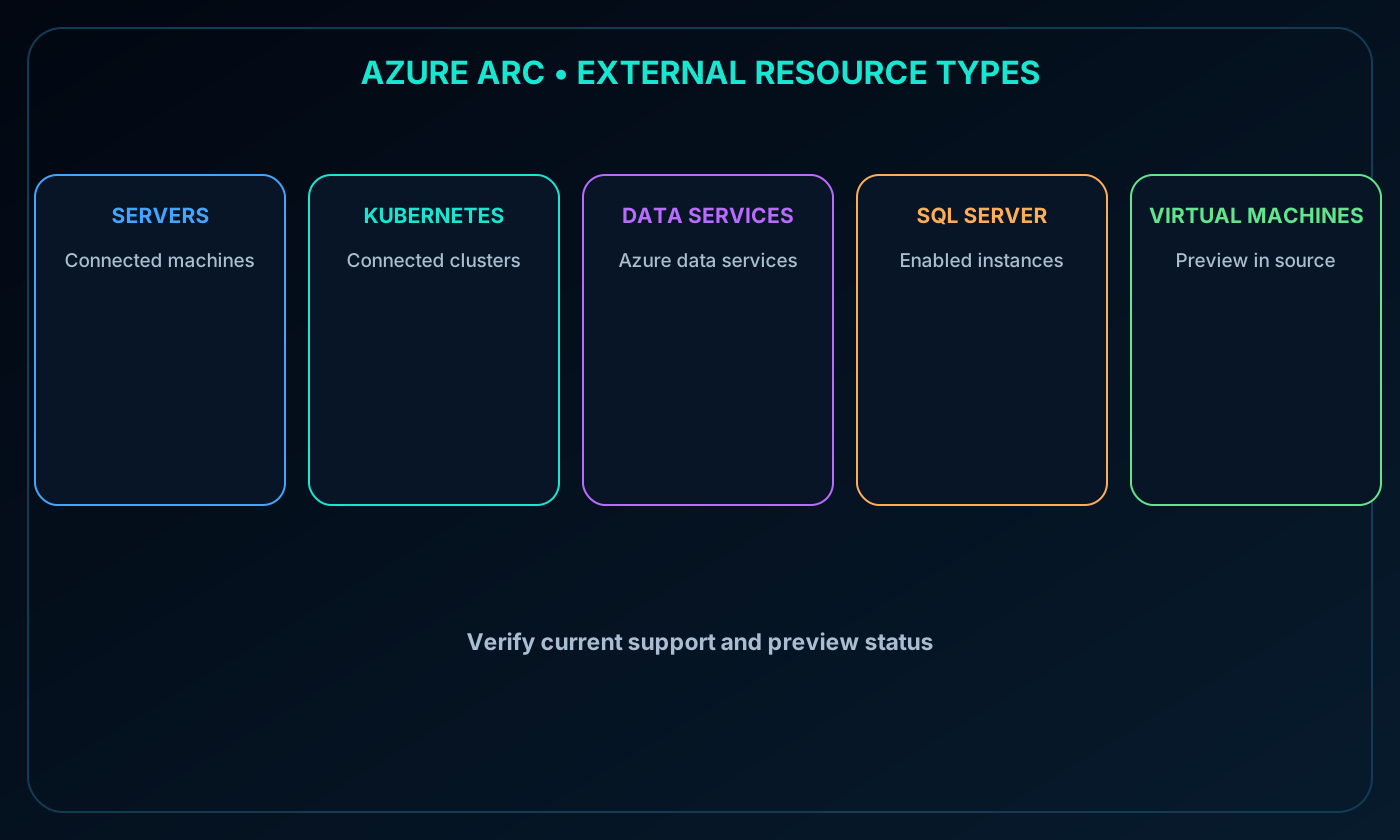
The source module identifies servers, Kubernetes clusters, Azure data services, SQL Server, and virtual machines in preview as resource categories that can manage outside Azure. Product support and preview status can change, so current documentation should be checked when planning a deployment.
resource categories outside Azure: servers, Kubernetes, Azure data services, SQL Server, and virtual machines.
13. Practical scenario
Consider an organization running workloads in Azure, a private datacenter, and another public cloud. lets the operations team apply common governance, policy, monitoring, and inventory tracking from Azure rather than maintaining disconnected control systems for each environment.
does not move every workload into Azure. It projects management metadata and capabilities so the external resource can participate in the Azure control plane while remaining in its original location.
14. as the management layer
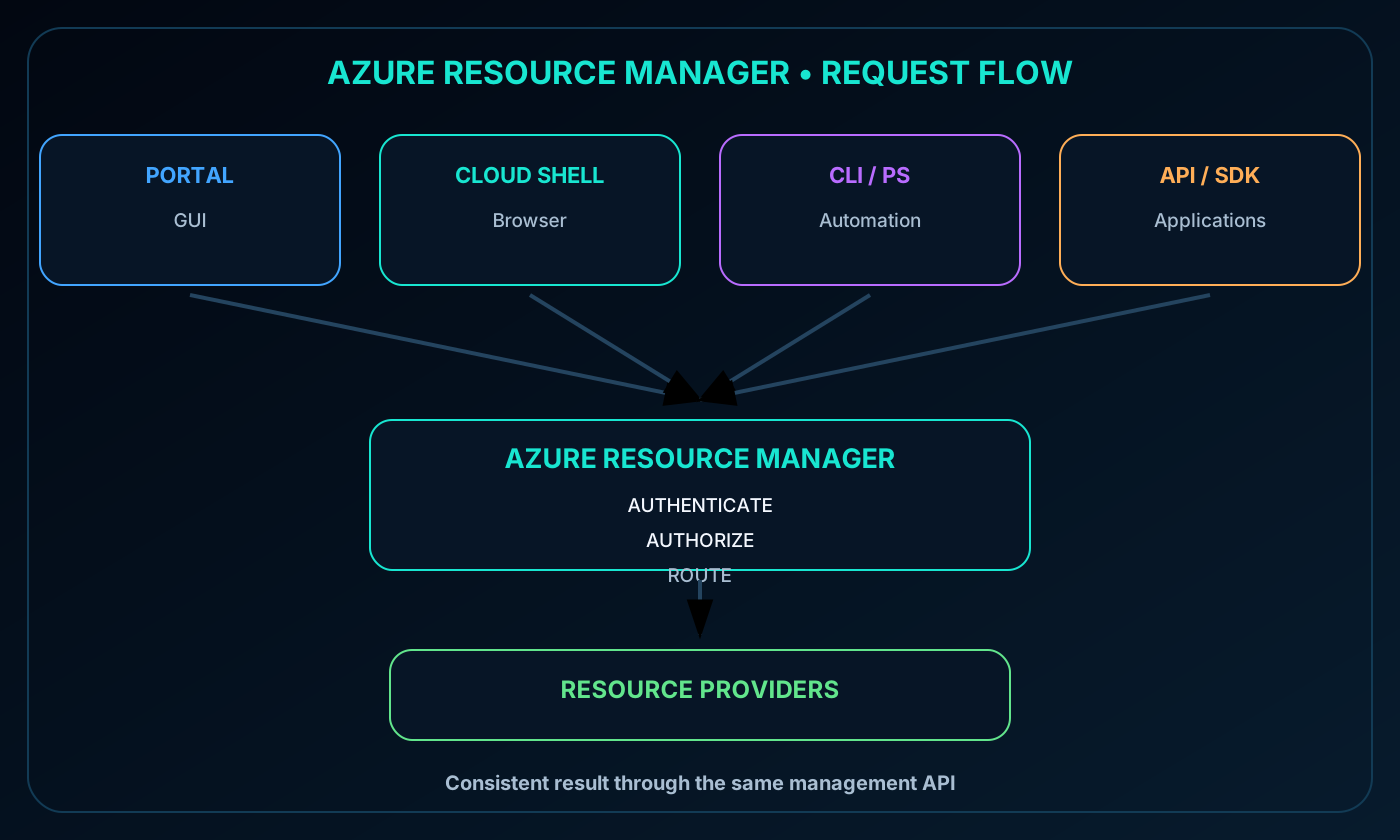
is the deployment and management service for Azure. It supplies the control layer used to create, update, organize, and delete Azure resources. Whether a request begins in the portal, a command-line tool, an API, or an SDK, Resource Manager participates in the operation.
Azure tools, APIs, and SDKs sending requests through to Azure resource providers.
15. Authentication, authorization, and consistent requests
Resource Manager receives a management request, authenticates the caller, checks authorization, and forwards an accepted request to the appropriate Azure service or resource provider. The target service performs the requested operation.
The tools produce consistent management behavior because they converge on the same Resource Manager APIs. Syntax and user experience differ, but the underlying control plane is shared.
16. benefits
Manage infrastructure with declarative templates instead of relying only on step-by-step scripts.
Deploy, monitor, and manage the resources for a solution as one logical group.
Redeploy environments throughout the development lifecycle in a consistent state.
Declare dependencies so resources are created in the correct order.
Use native Azure RBAC integration to apply access control across management operations.
Apply tags that organize subscriptions and support cost reporting.
17. Infrastructure as code
Infrastructure as code, or IaC, manages infrastructure through versionable code and templates rather than manual configuration. An organization may begin with Azure CLI or Azure PowerShell scripts and progress toward repeatable environment definitions in or Bicep.
IaC improves consistency, reviewability, automation, and recovery. The desired configuration can be reviewed like application code, reused across stages, and connected to deployment pipelines and approval controls.
18. and declarative JSON
An template, commonly called an ARM template, is a JSON document that declares the Azure resources and properties required for a desired end state. Authors specify what must exist rather than writing every deployment step.
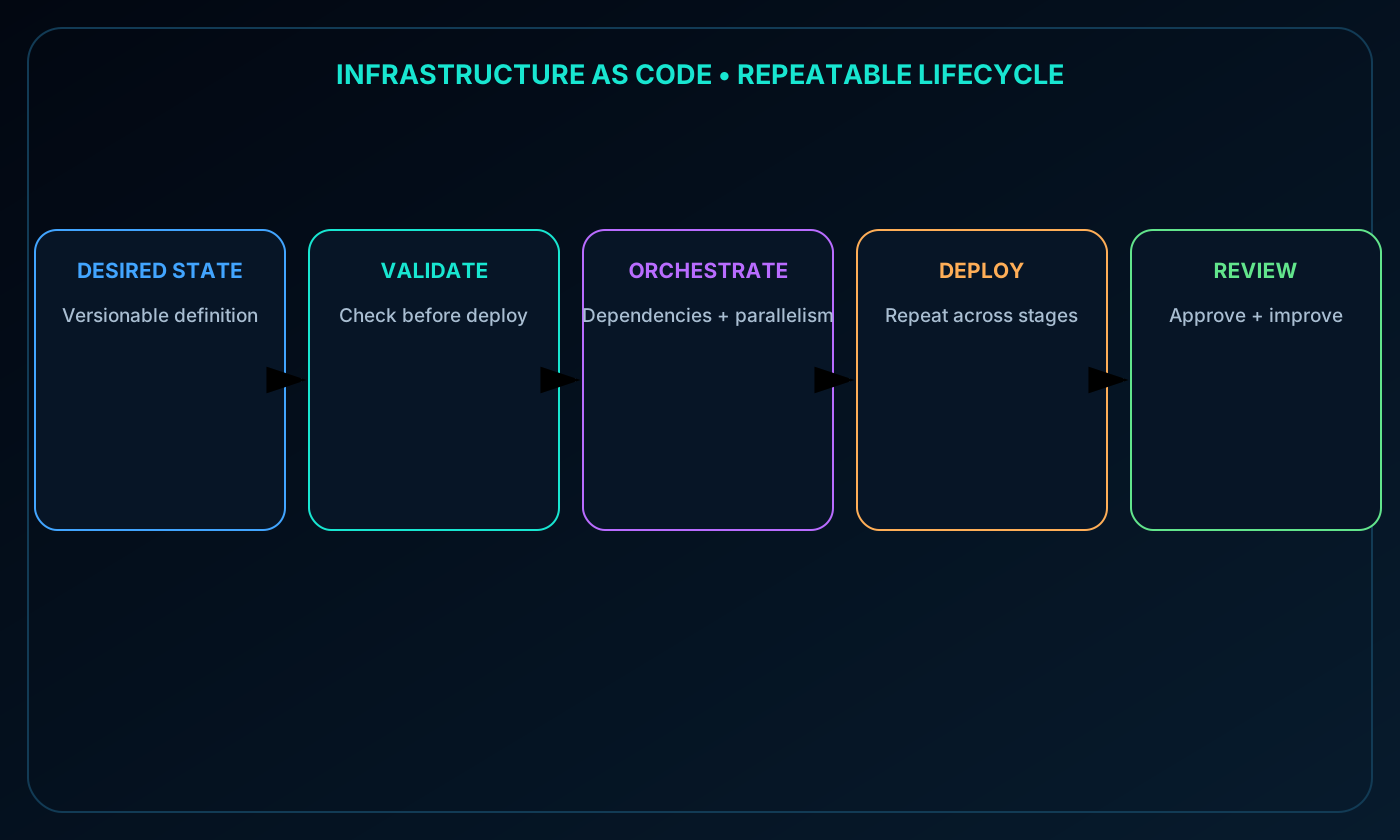
Azure validates the template before deployment. Resource Manager resolves dependencies, creates resources in the required order, and performs independent work in parallel when possible. A template can also invoke PowerShell or Bash deployment scripts for setup that must run before or after resource creation.
Infrastructure-as-code lifecycle from desired state and validation to dependency orchestration and repeatable deployment.
19. Benefits of
Why teams use .
Benefit
Meaning
Declarative syntax
Describe the required end state instead of a command sequence
Repeatable results
Reuse one definition across environments for consistent outcomes
Orchestration
Let Resource Manager order dependencies and deploy independent resources in parallel
Modularity
Split complex definitions into reusable or nested templates
Extensibility
Call deployment scripts when additional setup is necessary
20. Bicep
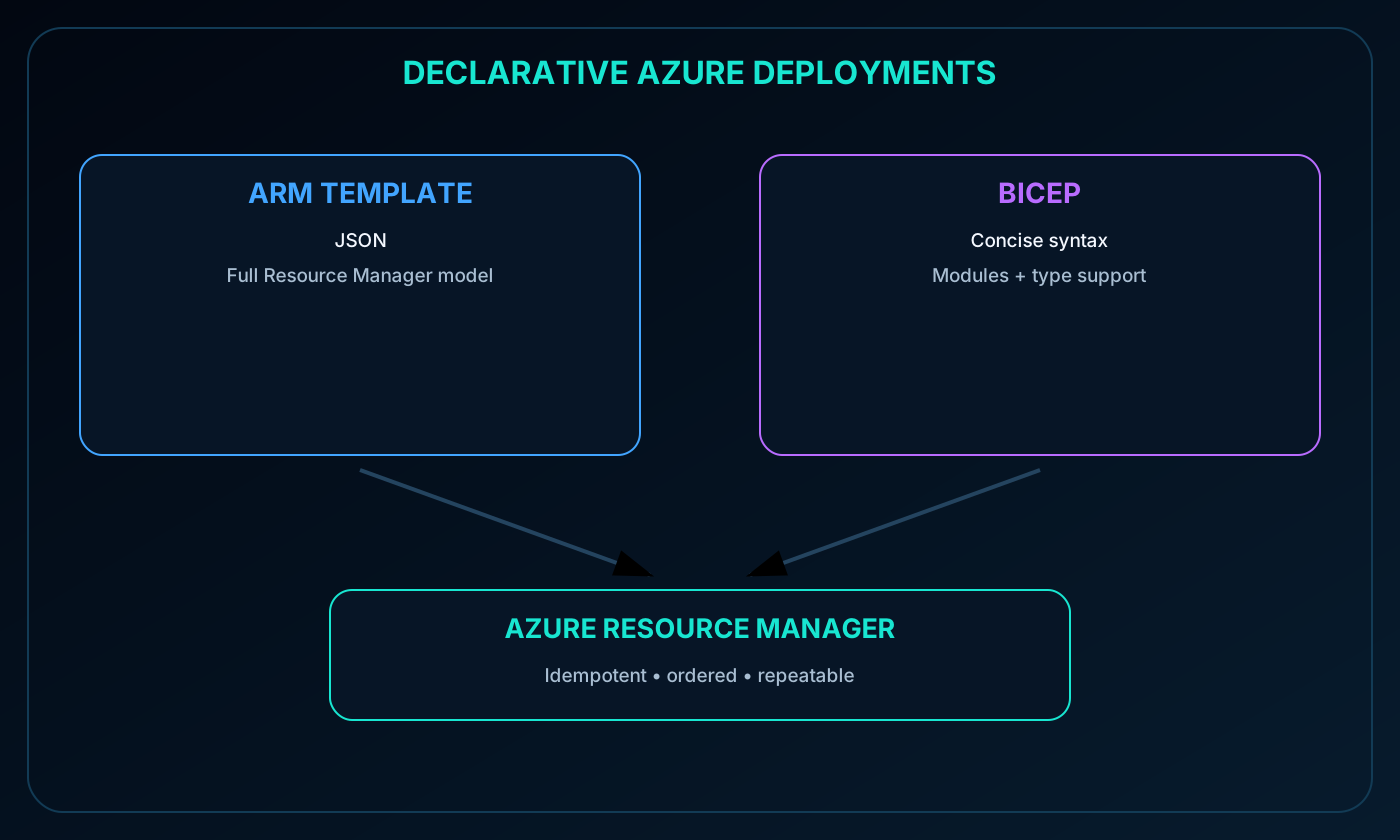
Bicep is a declarative language for deploying Azure resources through . It provides the capabilities of JSON with syntax that is generally shorter and easier to read. During deployment, Bicep is converted into the Resource Manager representation.
Support current Azure resource types and API versions.
Use a concise syntax with type-aware authoring.
Produce repeatable, idempotent lifecycle deployments.
Rely on Resource Manager for dependency orchestration and parallel execution.
Organize reusable deployment logic into Bicep modules.
ARM template JSON and concise Bicep source converging on deployment.
21. Module assessment with explained answers
Paraphrased knowledge check.
Question
Answer
Why
Which service brings Azure management to Azure, on-premises, and multicloud resources?
It projects external resources into the Azure management plane and extends familiar governance capabilities.
Which two options implement declarative infrastructure-as-code deployments for Azure?
Bicep and
Both describe a desired Azure resource state and deploy it through .
22. Chapter summary and continued practice
The Azure portal provides visual administration; Cloud Shell supplies authenticated browser command environments; Azure PowerShell and Azure CLI enable scripts and automation; extends the management plane beyond Azure; and provides the shared control layer for tools, templates, and Bicep deployments.
The source recommends the Microsoft Learn path Implement resource management security in Azure and mentions pay-as-you-go and an Azure free trial of up to 30 days. Confirm current offers before depending on time-sensitive promotional details.
Explore with Copilot Chat
Compare the Azure portal, Cloud Shell, Azure CLI, and Azure PowerShell for common administrator tasks and identify the best fit for each task.
Design an agent-assisted ARM template or Bicep deployment with human checkpoints for validation, staged rollout, and rollback.
Explain how extends management to on-premises and multicloud resources through one practical operations scenario.