Azure Storage: Accounts, Redundancy, Services, and Migration
Storage account types and endpoints, redundancy models, blob tiers, managed data services, migration paths, and file movement tools
Suggested study time: 58 minutes • Beginner level • Aligned with the Azure architecture and services domain of AZ-900
By João Ricardo Dutra••Complete original content
1. Azure and chapter objectives
Azure supplies durable, secure, scalable data services for applications, analytics, virtual machines, file sharing, and messaging. This chapter connects the storage account namespace to its services, redundancy choices, access tiers, migration services, and file-transfer tools.
Learning objectives
Compare the principal Azure services and storage account types.
Explain blob access tiers and the tradeoff between storage and retrieval cost.
Compare LRS, ZRS, GRS, GZRS, RA-GRS, and RA-GZRS.
Recognize and migration scenarios.
Choose among AzCopy, , and Azure File Sync for moving or synchronizing files.
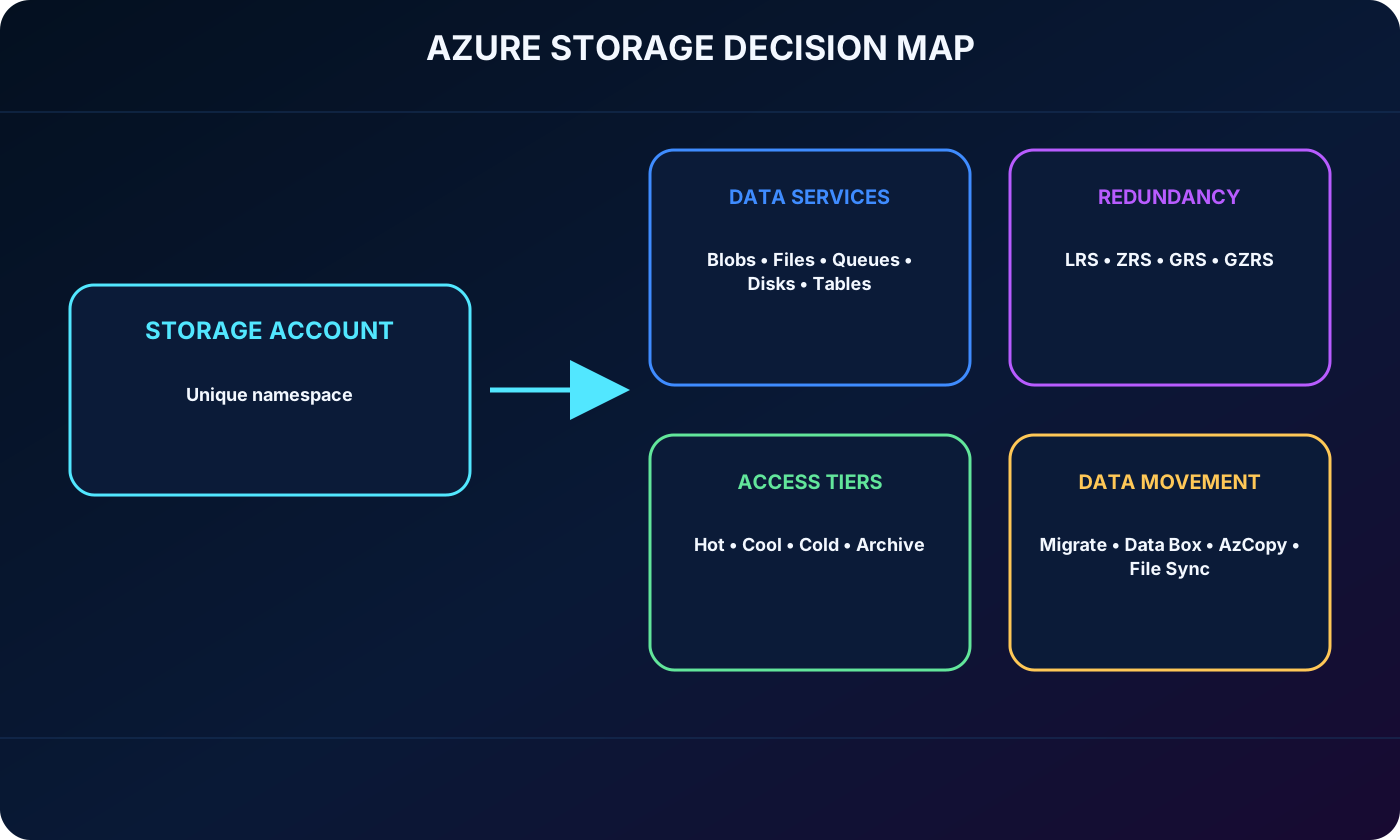
Azure map connecting accounts, data services, redundancy, access tiers, migration, and file movement.
2. What an Azure storage account provides
A storage account is the management boundary and unique namespace for Azure data. Its resources can be reached worldwide through HTTP or HTTPS endpoints, subject to identity, authorization, firewall, and network controls. Azure designs the underlying platform for high availability, durability, security, and massive scale.
The account type selected at creation determines the supported services, performance characteristics, redundancy choices, and suitable workloads. Separate accounts are useful when data sets need different performance, lifecycle, security, or replication policies.
3. Standard and premium storage account types
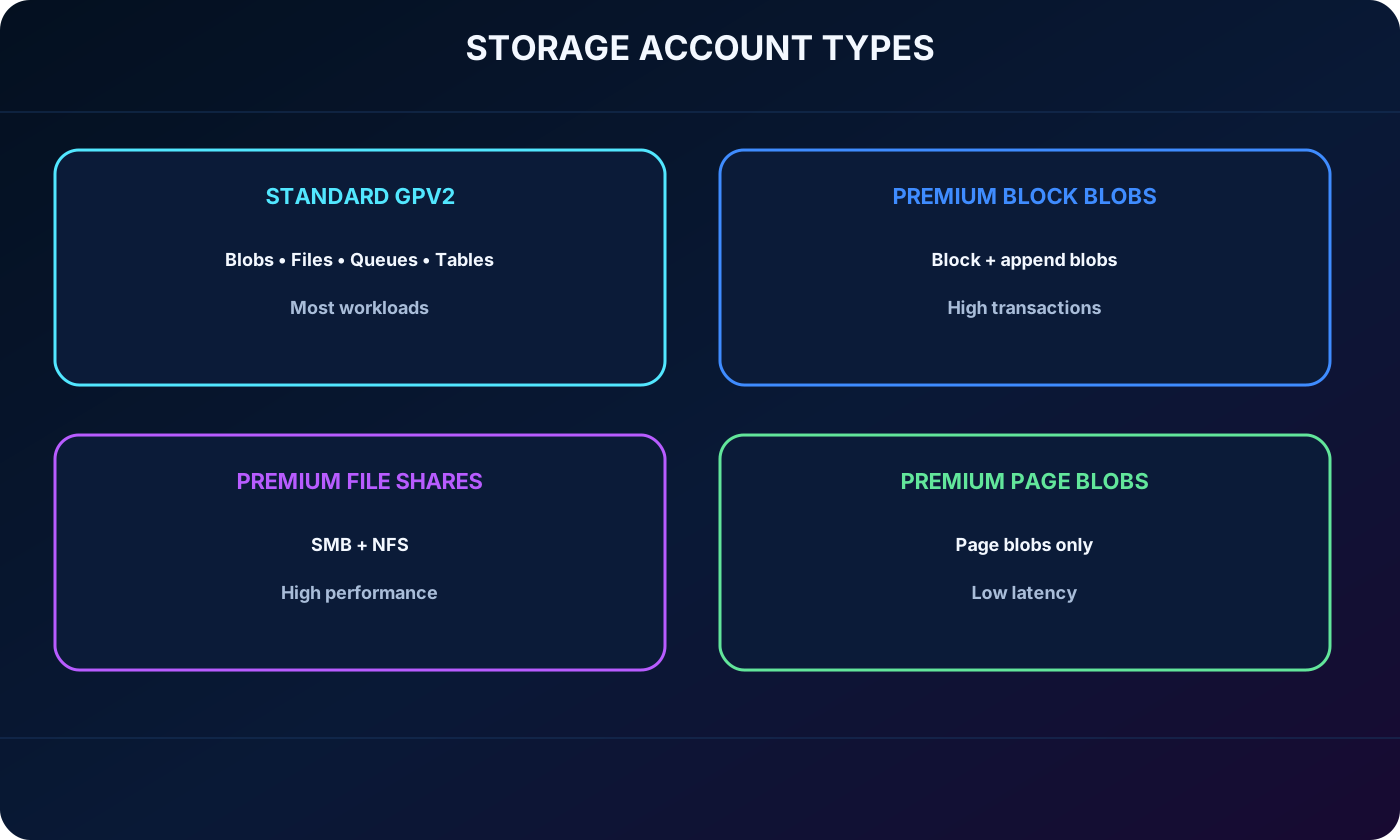
Recommended storage account types.
Type
Supported services
Redundancy
Best fit
Standard general-purpose v2
Blob , Data Lake ,,,
LRS, ZRS, GRS, RA-GRS, GZRS, RA-GZRS
Default choice for most blob, file, queue, and table workloads
Premium block blobs
Block and append blobs, including Data Lake
LRS, ZRS
High transaction rates, small objects, and consistently low latency
Premium file shares
only
LRS, ZRS
Large-scale or high-performance SMB and NFS file shares
Premium page blobs
Page blobs only
LRS
Low-latency premium page-blob workloads
Comparison of standard general-purpose v2 and premium Azure storage account types.
4. Namespaces, naming rules, and service endpoints
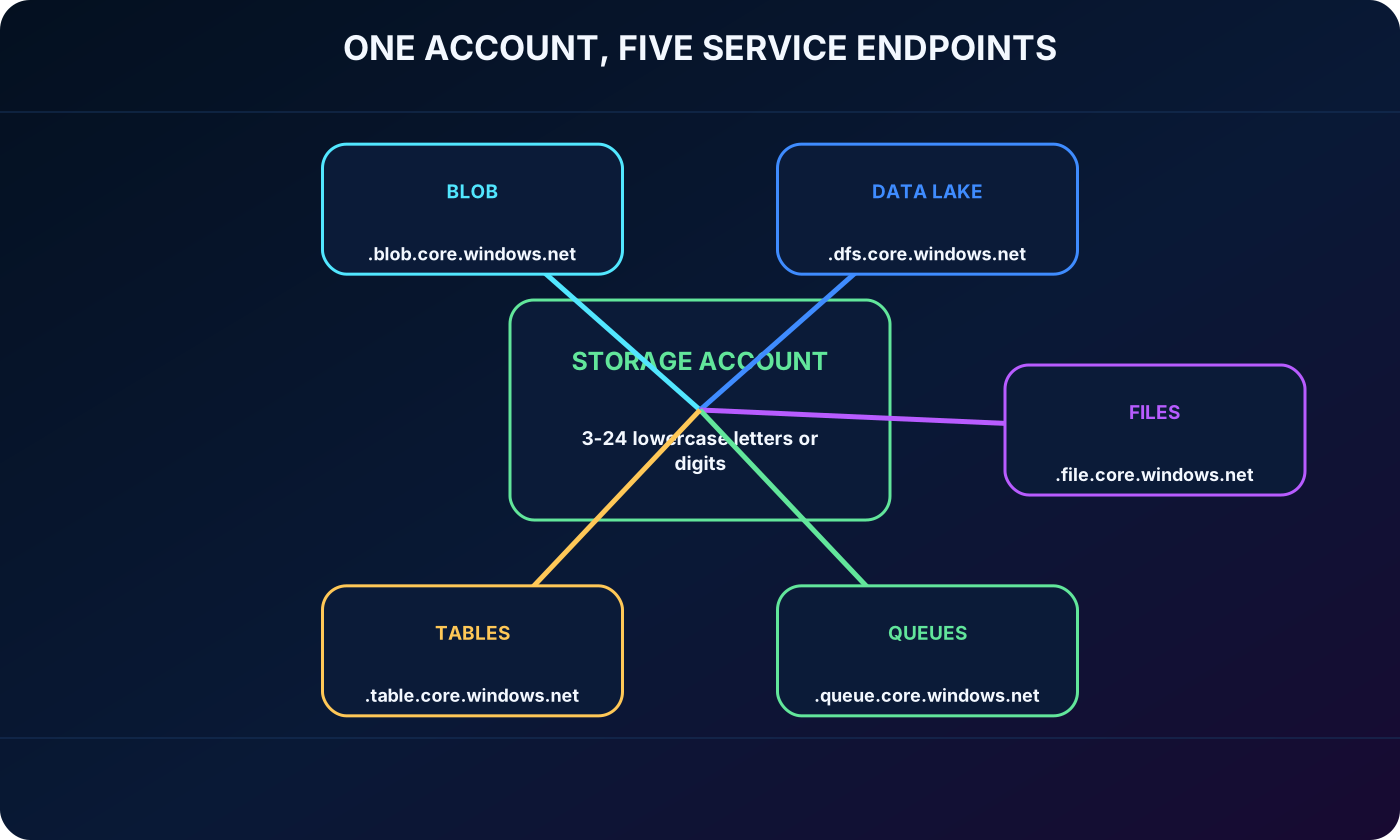
The account name and a service-specific Azure suffix form a globally unique endpoint. Names contain 3 to 24 lowercase letters or digits and must be unique across Azure. One account therefore exposes a consistent namespace for its enabled data services.
Common endpoint patterns.
Service
Endpoint
Blob
https://<account>.blob.core.windows.net
Data Lake Gen2
https://<account>.dfs.core.windows.net
https://<account>.file.core.windows.net
https://<account>.queue.core.windows.net
https://<account>.table.core.windows.net
One storage account namespace producing endpoints for blobs, data lake, files, queues, and tables.
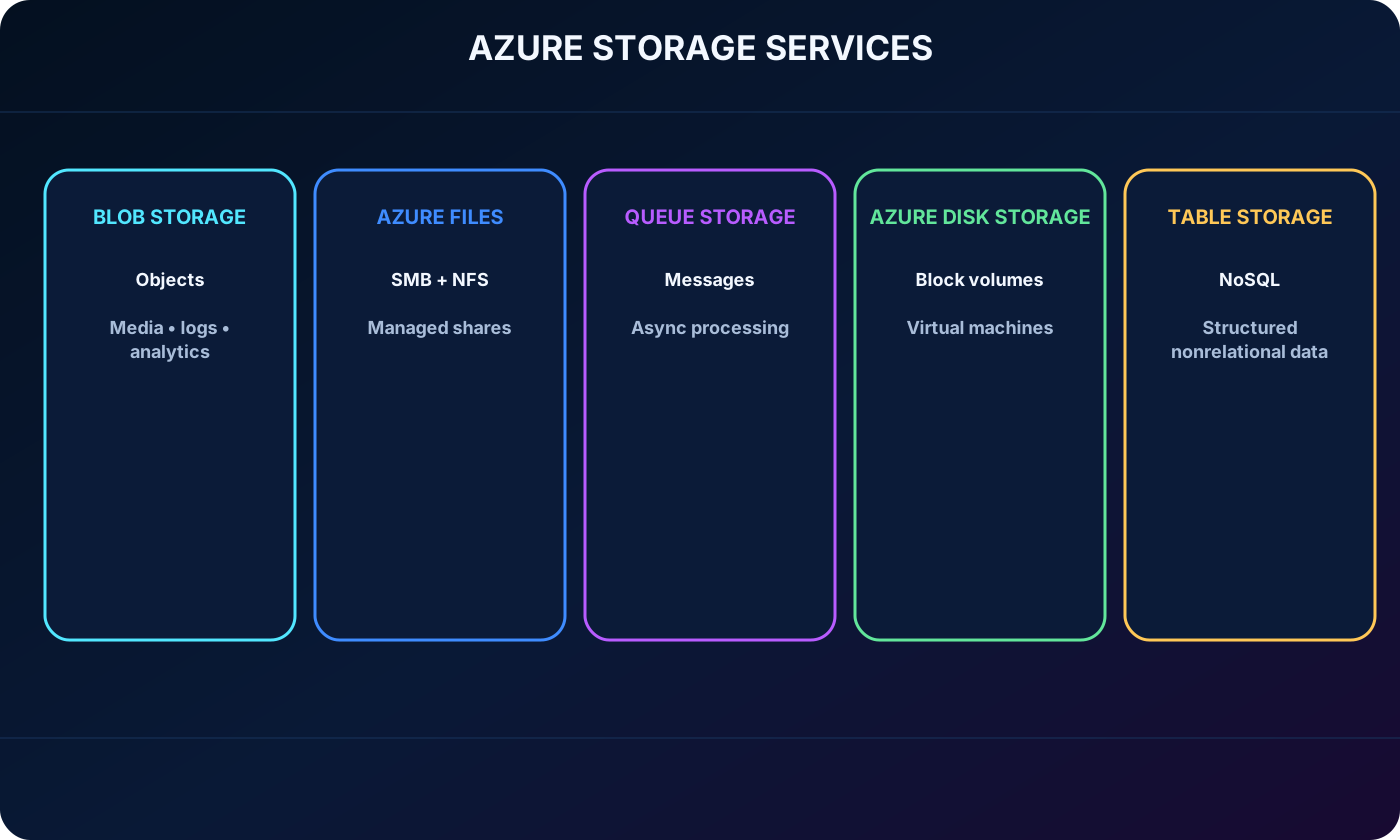
5. Azure benefits and core services
Azure encrypts data written to the service, supports fine-grained access control, scales to modern application demands, and removes physical hardware maintenance from the customer. Data can be managed through REST APIs, SDKs, Azure CLI, Azure PowerShell, the Azure portal, and .
Core data services.
Service
Data model
Typical use
Blob
Massively scalable object storage
Text, binary objects, media, logs, backups, and analytics
Managed SMB or NFS shares
Shared folders for cloud and on-premises clients
Authenticated message queue
Asynchronous communication between application components
Managed block-level volumes
Operating-system and data disks for Azure virtual machines
Structured nonrelational NoSQL store
Large key/attribute data sets without relational joins
Five Azure services mapped to object, file, message, block, and NoSQL data.
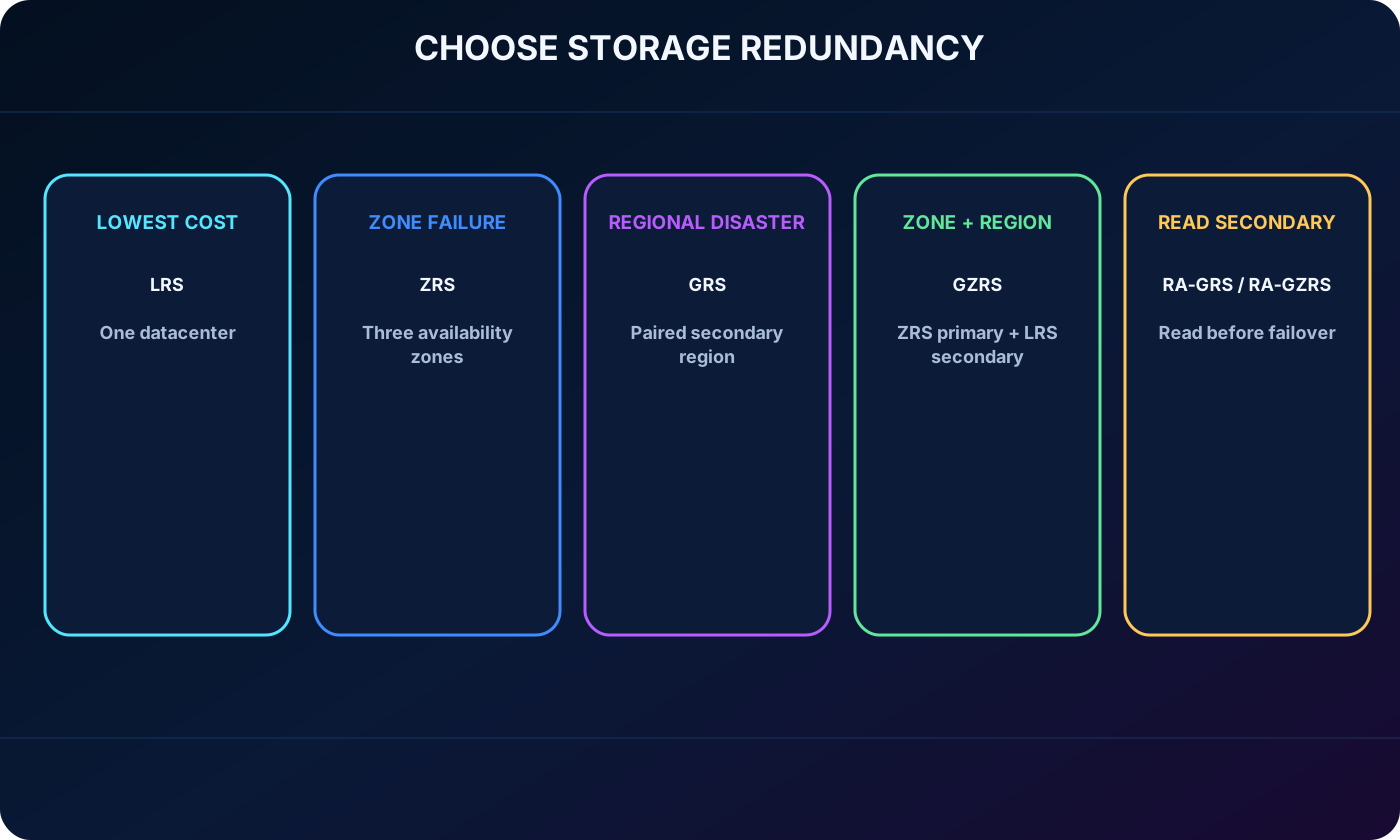
6. How to choose a redundancy option
Azure keeps multiple copies to withstand hardware faults, outages, and disasters. A design balances price against availability and durability by asking how replicas are placed in the primary region, whether a distant secondary region is required, and whether the application must read that secondary copy before failover.
Decision path comparing local, zone, geographic, and read-access storage redundancy.
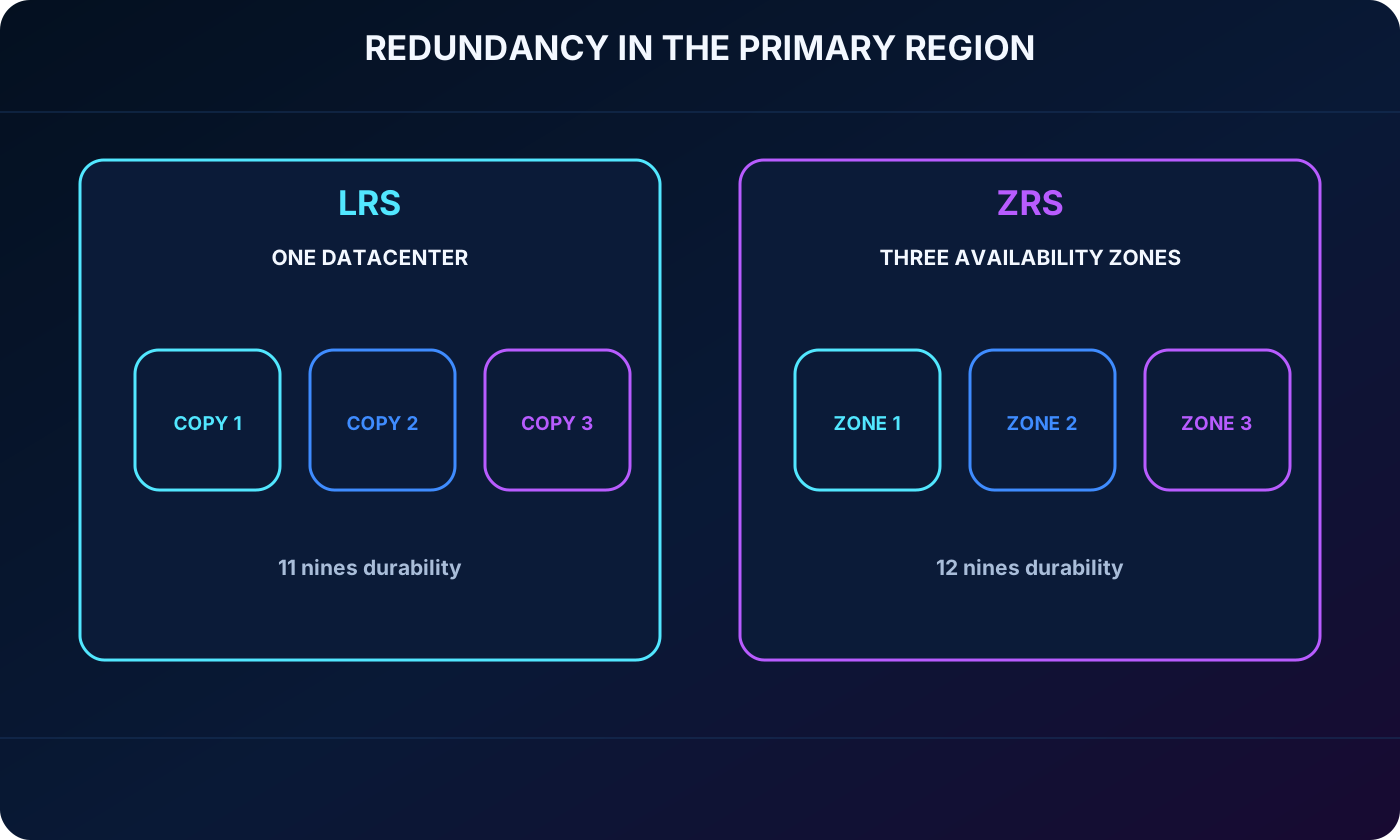
7. Locally redundant storage (LRS)
LRS synchronously maintains three copies in one datacenter within the primary region. It is the least expensive option and protects against drive, server, and rack failures, with at least 11 nines of annual object durability. Because every copy stays in the same facility, a datacenter-wide incident can make all replicas unavailable or unrecoverable.
8. Zone-redundant storage (ZRS)
ZRS synchronously distributes copies across three availability zones in an enabled primary region. Data remains available for reads and writes when one zone is unavailable, while Azure performs recovery networking such as DNS repointing. It delivers at least 12 nines of annual durability and is recommended when high in-region availability or in-country replication is important.
LRS replicas in one datacenter compared with ZRS replicas across three availability zones.
9. Replication to a paired secondary region
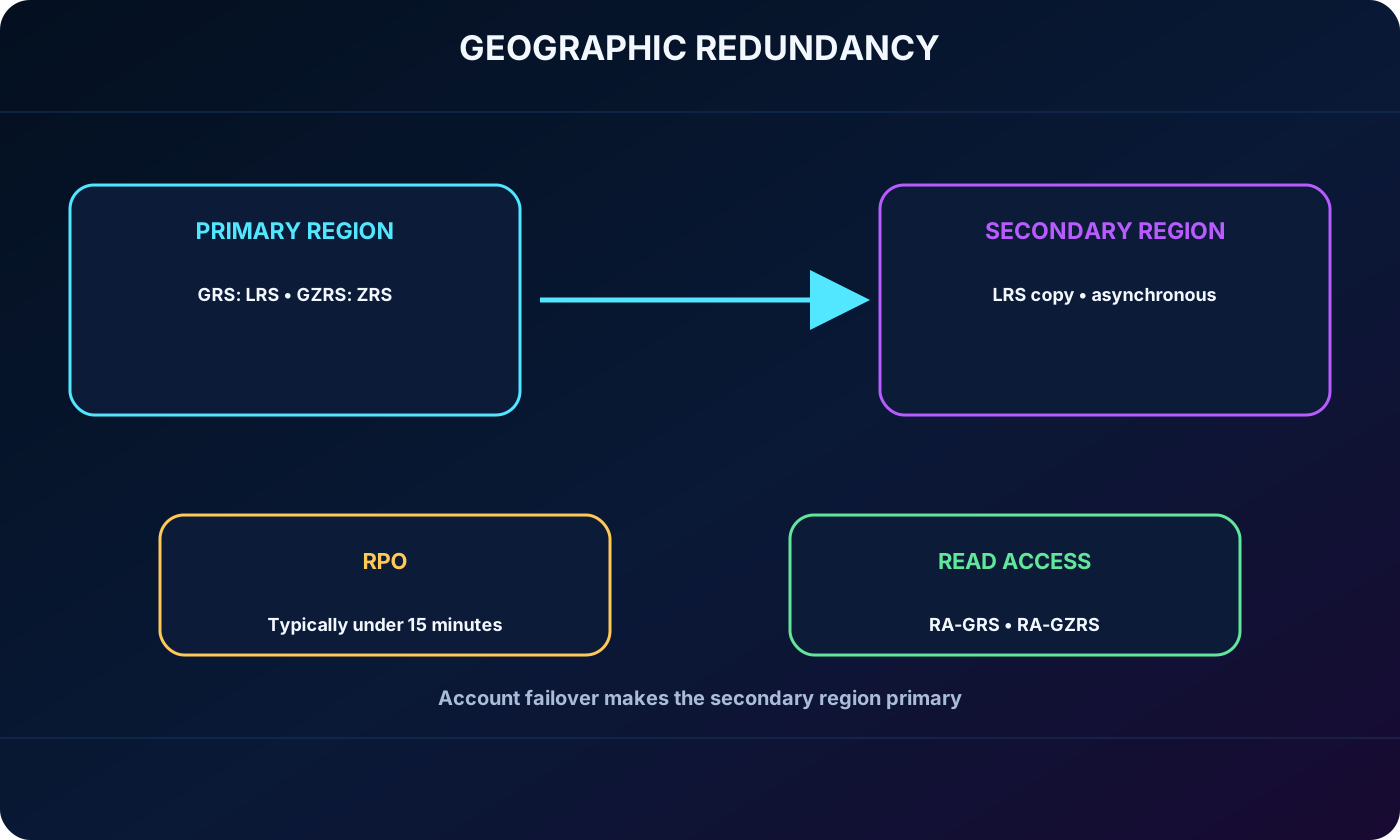
For regional disaster protection, Azure can asynchronously copy data to a geographically distant paired region selected for the account. The primary region is chosen by the customer; Azure determines the paired secondary. By default, the secondary copy cannot be read until an account failover makes that region primary.
10. GRS and GZRS
GRS uses LRS in the primary region and then asynchronously copies the data to another LRS set in the secondary. GZRS first applies ZRS across three primary-region zones and then copies to LRS in the secondary. Both are designed for at least 16 nines of annual durability; GZRS adds zone resilience before geographic disaster recovery.
GRS, GZRS, RA-GRS, and RA-GZRS replication between primary and paired secondary regions.
11. RPO and read access to secondary replicas
Geographic replication is asynchronous, so the newest writes might not reach the secondary before a primary-region failure. The recovery point objective (RPO) measures the time between the latest primary write and the latest replicated secondary write. Azure typically operates with an RPO below 15 minutes, but the source notes no replication-time SLA.
RA-GRS and RA-GZRS expose the secondary region for reads before failover. This improves read continuity, but consumers must accept that the secondary view can lag behind the primary by the RPO.
12. Blob scenarios and access methods
Blob holds large volumes of unstructured text or binary objects while Azure manages the storage infrastructure. Common uses include browser-delivered images and documents, distributed downloads, streamed audio and video, log and analytics data, backups, restores, disaster recovery, and archives.
Clients can use HTTP or HTTPS URLs, the Azure REST API, Azure PowerShell, Azure CLI, or client libraries for .NET, Java, Node.js, Python, PHP, Ruby, and other supported languages. Data Lake Gen2 capabilities extend blob storage for big-data analytics.
13. Hot, cool, cold, and archive access tiers
Blob access tiers and expected patterns.
Tier
Access pattern
Minimum planning horizon
Cost profile
Hot
Frequently read or modified
No minimum stated in the module
Higher storage, lower access cost
Cool
Infrequent access
At least 30 days
Lower storage, higher access cost and lower availability SLA
Cold
Rare access
At least 90 days
Still lower storage with higher access cost
Archive
Very rare access with flexible latency
At least 180 days
Lowest storage cost, highest access cost and rehydration latency
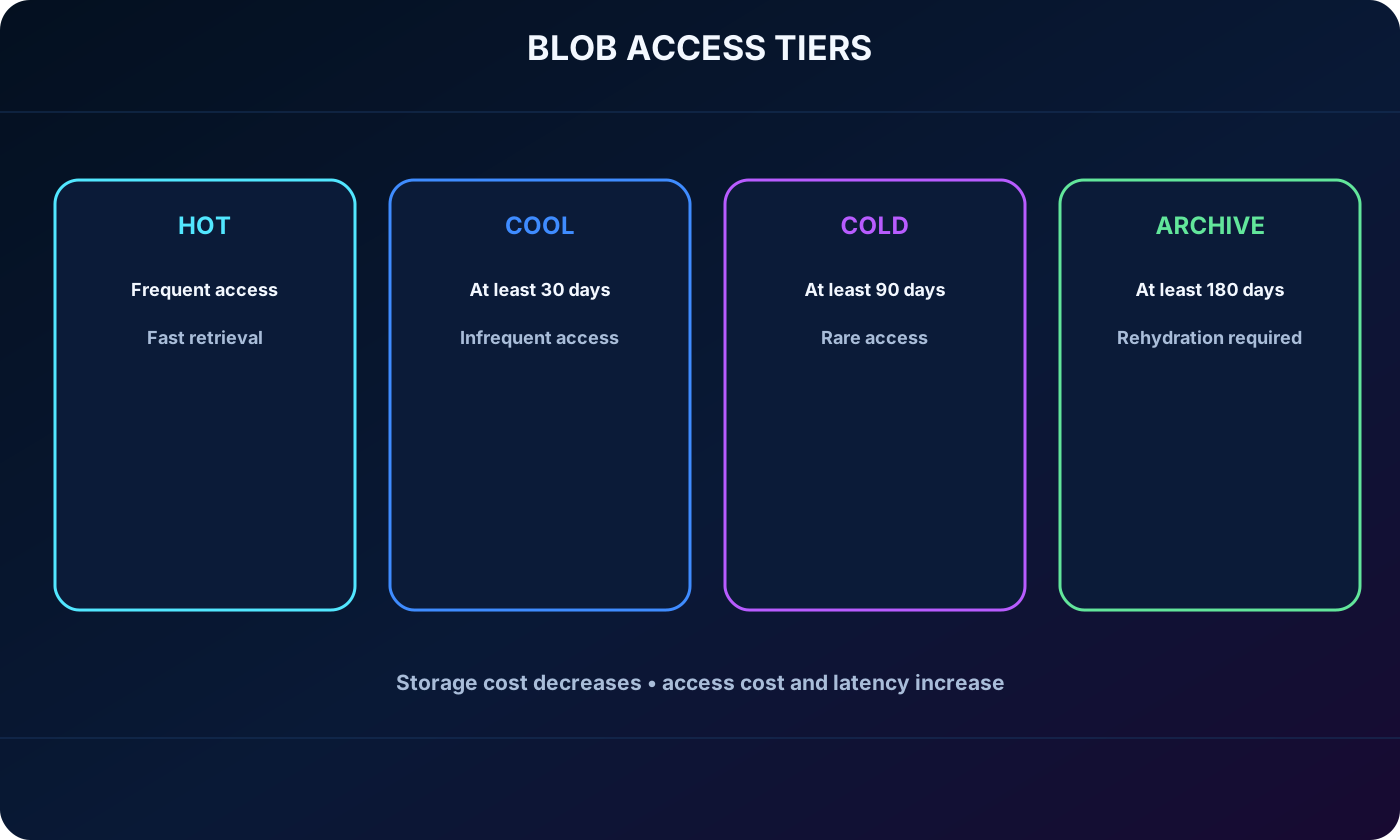
Hot, cool, and cold can be account defaults; archive cannot. All four can be assigned per blob during or after upload. Tier selection should follow measured access frequency, retention, retrieval latency, and availability requirements.
Blob access tiers progressing from hot frequent access to archive long-term retention.
14. and shared file protocols
delivers fully managed cloud file shares through SMB or NFS. SMB shares can be mounted from Windows, Linux, and macOS; NFS shares support Linux and macOS clients. Cloud and on-premises systems can mount the same share concurrently, and Windows Servers can cache SMB shares with Azure File Sync.
Compatibility with existing applications through standard SMB, NFS, and file I/O interfaces.
No file-server hardware or operating-system patching to maintain.
Management through Azure CLI, Azure PowerShell, the Azure portal, , SDKs, and REST APIs.
A resilient, highly available managed service.
15. for asynchronous work
holds millions of messages for reliable asynchronous processing. Authenticated HTTP or HTTPS calls add and retrieve messages of up to 64 KB. A common pattern places work in a queue and lets trigger background processing without tightly coupling the producer and consumer.
16. and
supplies managed block-level volumes for Azure virtual machines, simplifying resiliency and operations compared with customer-managed storage hardware. is a NoSQL service for large amounts of structured, nonrelational data reached through authenticated calls from cloud or hybrid applications.
17. as a migration hub
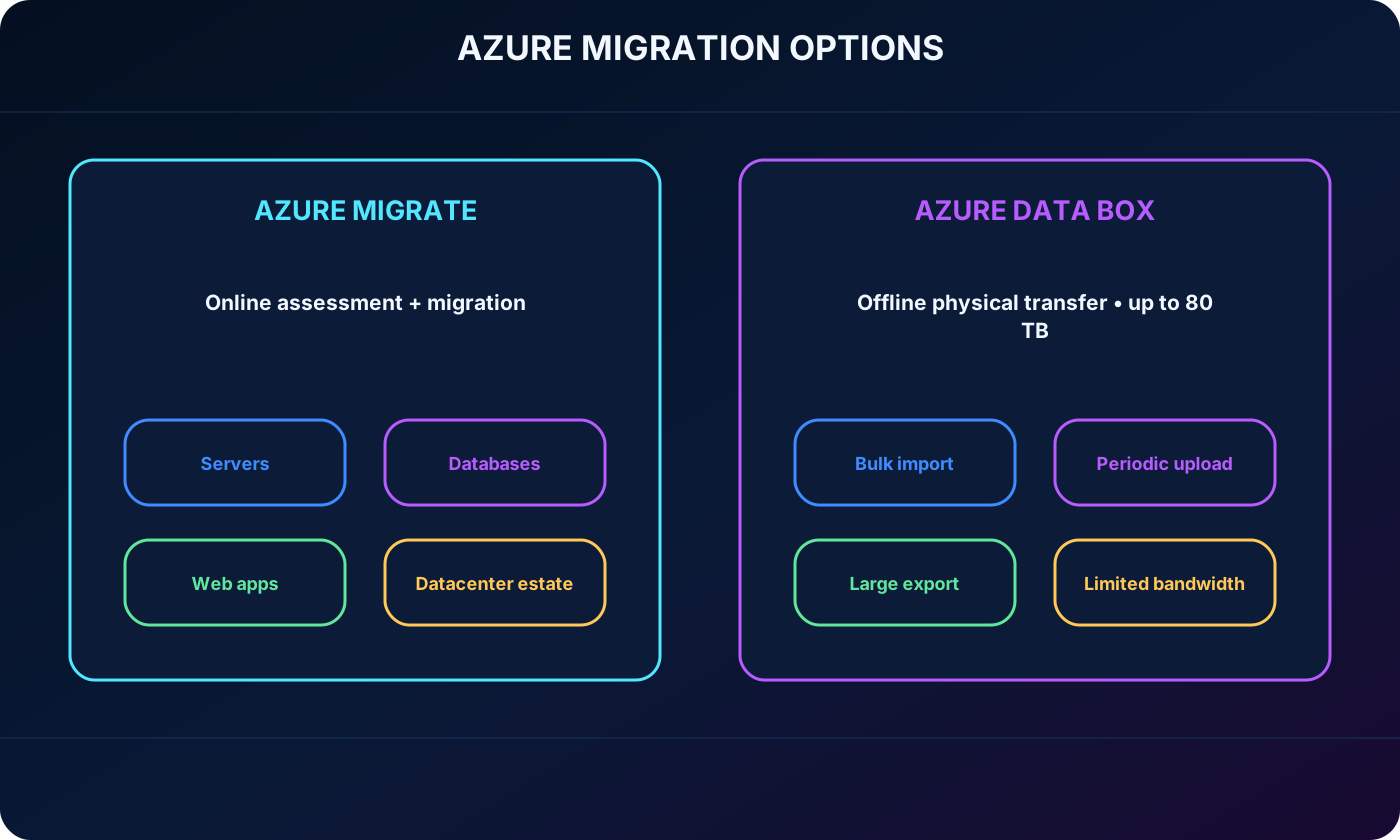
is a unified hub for discovering, assessing, planning, executing, and tracking moves from on-premises environments to Azure. It covers infrastructure, applications, servers, databases, and web apps through Microsoft tools, integrated Azure services, and independent software vendor offerings.
: Discovery and assessment inventories the estate and evaluates readiness, sizing, dependencies, and cost.
: Server Migration coordinates server replication and cutover.
Integrated experiences support database migration and web app migration.
The portal provides one place to assess and migrate the on-premises datacenter.
18. for offline bulk transfer
transfers very large data sets by shipping a rugged Microsoft storage appliance with up to 80 TB of usable capacity. The device travels through a regional carrier, is configured through a local web interface, joins the customer network, and returns to Microsoft after import or export copying.
For imports, Microsoft uploads the returned device data into Azure. The Data Box service tracks the process end to end in the Azure portal. It fits one-time bulk migrations, periodic transfers when bandwidth is too limited, and large exports for recovery or regulatory needs. Import disks are sanitized after upload and export disks after return to the datacenter, following NIST 800-88r1.
Online migration through compared with offline bulk transfer through .
19. Choosing an Azure migration path
Migration service selection.
Need
Best fit
Reason
Assess and move servers, apps, databases, or an estate online
Centralized discovery, assessment, migration, and tracking
Move tens of terabytes with constrained bandwidth
Physical, secure, predictable bulk transfer
Repeat a very large offline import or export
Order and track devices through the Azure portal
Combine specialist tools with Microsoft migration workflows
Integration with Azure services and ISV offerings
20. AzCopy command-line transfers
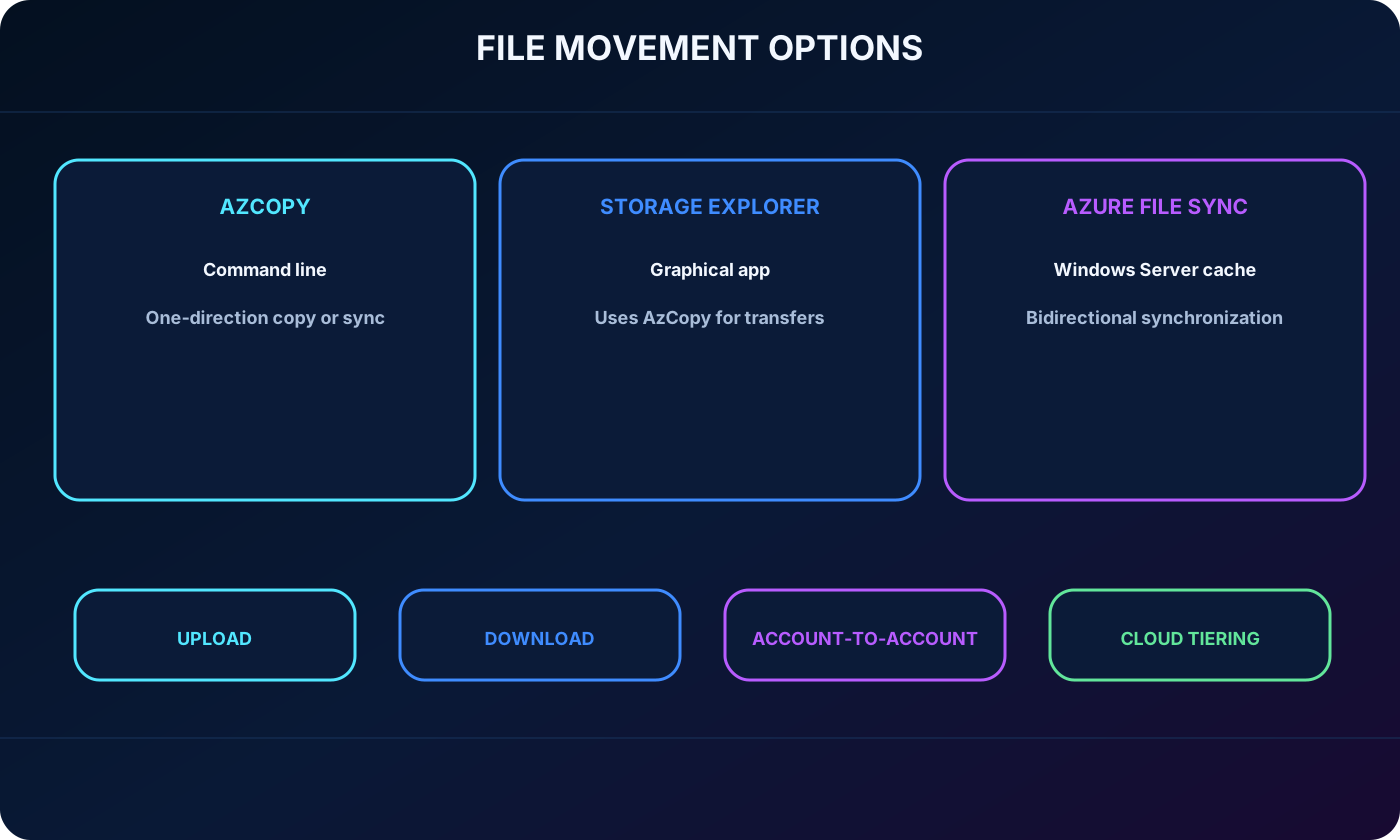
AzCopy is a command-line utility for uploading, downloading, copying between storage accounts, and synchronizing blobs or files. It can also participate in transfers with supported external cloud providers. Synchronization is directional: the operator designates a source and destination, and AzCopy copies that way rather than performing bidirectional timestamp-based reconciliation.
21. graphical management
is a standalone graphical application for Windows, macOS, and Linux. It manages Azure accounts, blobs, and files, including upload, download, and account-to-account moves. uses AzCopy behind the interface for its transfer operations.
22. Azure File Sync and cloud tiering
Azure File Sync centralizes shares in while preserving Windows file-server compatibility and nearby performance. After its agent is installed, the server and cloud share synchronize bidirectionally, and multiple caches can be placed around the world.
Local users can continue through Windows Server protocols such as SMB, NFS, and FTPS.
A failed local server can be replaced and synchronized from the cloud share.
Cloud tiering caches frequently used files locally while less-used content remains in Azure until requested.
Unlike AzCopy synchronization, changes can flow between registered servers and the Azure file share in both directions.
Comparison of AzCopy, , and Azure File Sync file movement patterns.
23. Module assessment with explained answers
Reworded knowledge check.
Question
Answer
Why
Which tool automatically keeps an on-premises Windows Server and Azure files updated?
Azure File Sync
It provides bidirectional synchronization and local caching.
Which listed redundancy option reaches 16 nines of durability and adds zone resilience?
GZRS
It combines ZRS in the primary region with LRS in the secondary.
Which service handles text and binary objects and supports big-data analytics?
Blob
Data Lake Gen2 capabilities build on the object store.
24. Chapter summary and Copilot practice
A storage account defines the namespace, account type, endpoints, and redundancy for Azure data. Blob ,,,, and address different models. and move estates or bulk data, while AzCopy, , and Azure File Sync handle file-level workflows.
The source recommends the Microsoft Learn course Store data in Azure and the Microsoft Certified: Azure Data Fundamentals learning material. It also mentions pay-as-you-go and a free trial of up to 30 days; verify current offers before making a decision.
Explore with Copilot Chat
Map four workload patterns to Azure services and justify performance, durability, and access choices.
Compare LRS, ZRS, GRS, and GZRS for a critical workload using RPO, availability, and budget.
Build a migration checklist assigning ,, AzCopy, , or Azure File Sync to each step.
Create practice scenarios that combine account type, endpoint, tier, redundancy, and transfer-tool decisions.
25. Glossary and official references
Essential terms.
Term
Definition
account
Management boundary and unique namespace for Azure data.
Access tier
Cost and latency profile for blob data based on expected access frequency.
LRS
Three synchronous replicas in one primary-region datacenter.
ZRS
Synchronous replicas across availability zones in the primary region.
GRS
LRS in the primary and asynchronous LRS replication to a secondary region.
GZRS
ZRS in the primary plus asynchronous LRS replication to a secondary region.
RPO
Point in time to which replicated data can be recovered.
Cloud tiering
Local caching of active files while less-used file content stays in Azure.