Suggested study time: 90 minutes • Beginner level • Aligned with the DP-900 study guide and official Microsoft Learn documentation
By João Ricardo Dutra••Complete material
1. for nonrelational workloads
Relational databases impose a defined schema and organize related data in tables. Many applications instead need to keep documents, media, logs, analytical files, shared folders, or semi-structured records whose fields can vary.
Azure supplies object, file, and key/value services, while Microsoft OneLake supplies a tenant-wide logical data lake for . The right option depends on access protocol, organization, latency, scale, governance, and analysis requirements.
Topic summary
Azure and OneLake cover several nonrelational patterns; select a service from the way applications must organize, access, protect, and analyze data.
2. accounts, containers, and access
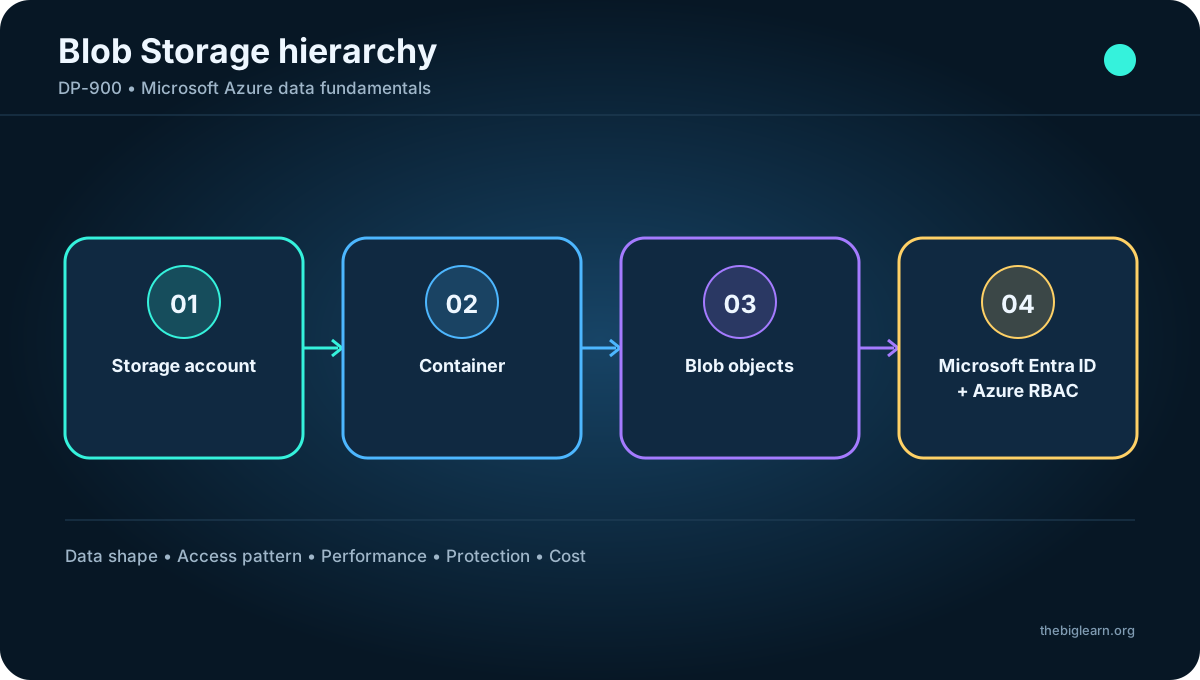
keeps massive volumes of unstructured binary data as blobs. Applications use the Blob API to read and write these cloud-optimized objects. A storage account is the administrative boundary; inside it, containers group related blobs.
Permissions can be assigned at container scope. authentication with Azure role-based access control (Azure RBAC) is the recommended approach because it grants precise actions to identities without distributing account secrets.
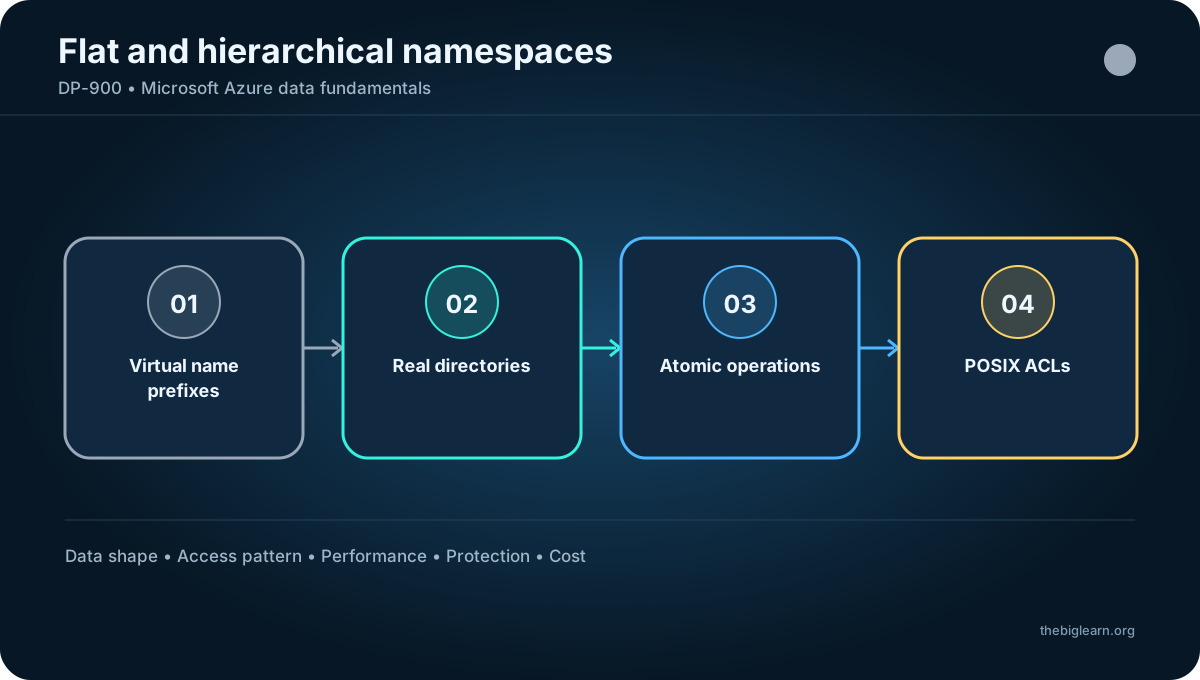
A slash in a blob name can present a virtual folder hierarchy. In the default flat namespace, those folders are naming conventions rather than real directories, so folder-level access and bulk directory operations are unavailable.
Figure 1 - accounts, containers, and access
Topic summary
A storage account contains containers and blobs; containers group and secure objects, while default virtual folders are only name prefixes.
3. Block, page, and append blobs
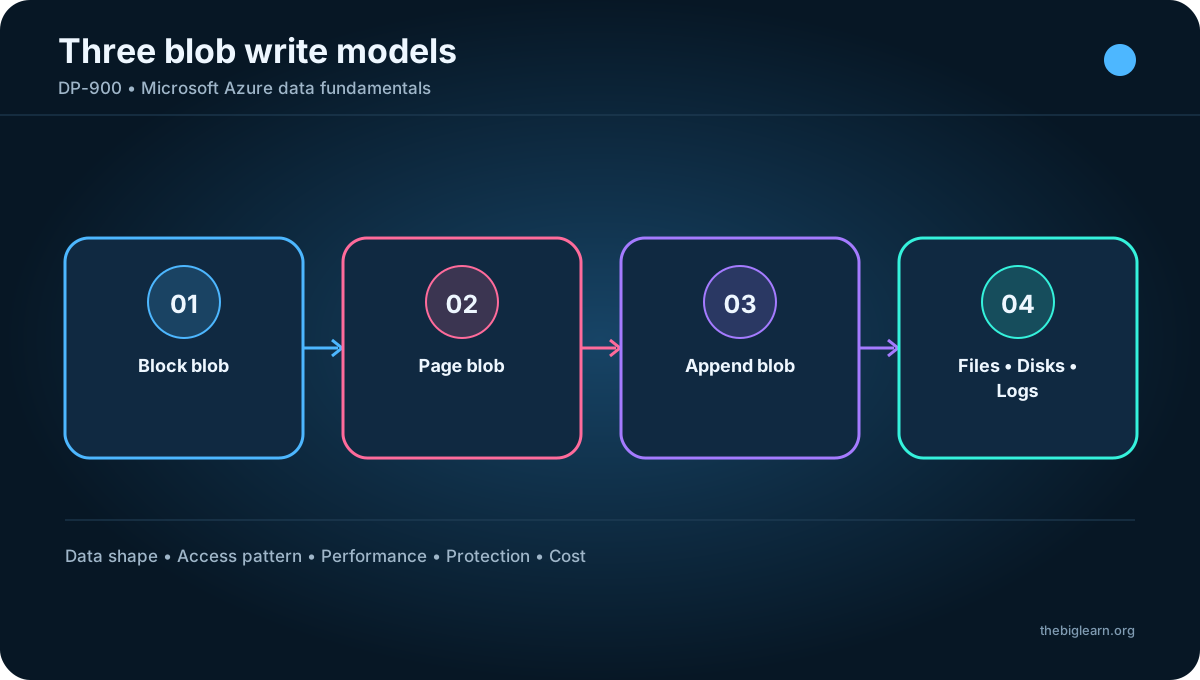
A block blob is assembled from independently transferred blocks. A block can be as large as 4,000 MiB, and up to 50,000 blocks produce a maximum of about 190.7 TiB. It fits large discrete objects that are replaced or changed infrequently.
A page blob is divided into fixed 512-byte pages and supports random reads and writes to individual pages. Its maximum is 8 TiB, and Azure uses this design for virtual machine disks.
An append blob accepts new blocks only at the end. Existing blocks cannot be changed or removed. Blocks can be up to 4 MiB and the blob slightly more than 195 GiB, which makes it suitable for continuously growing logs.
Blob type
Write pattern
Typical use
Block
Blocks replaced or committed
Files and media
Page
Random 512-byte pages
Virtual disks
Append
Add only at the end
Logs
Figure 2 - Block, page, and append blobs
Topic summary
Use block blobs for general objects, page blobs for random-access disks, and append blobs for append-only streams such as logs.
4. Access tiers and lifecycle management
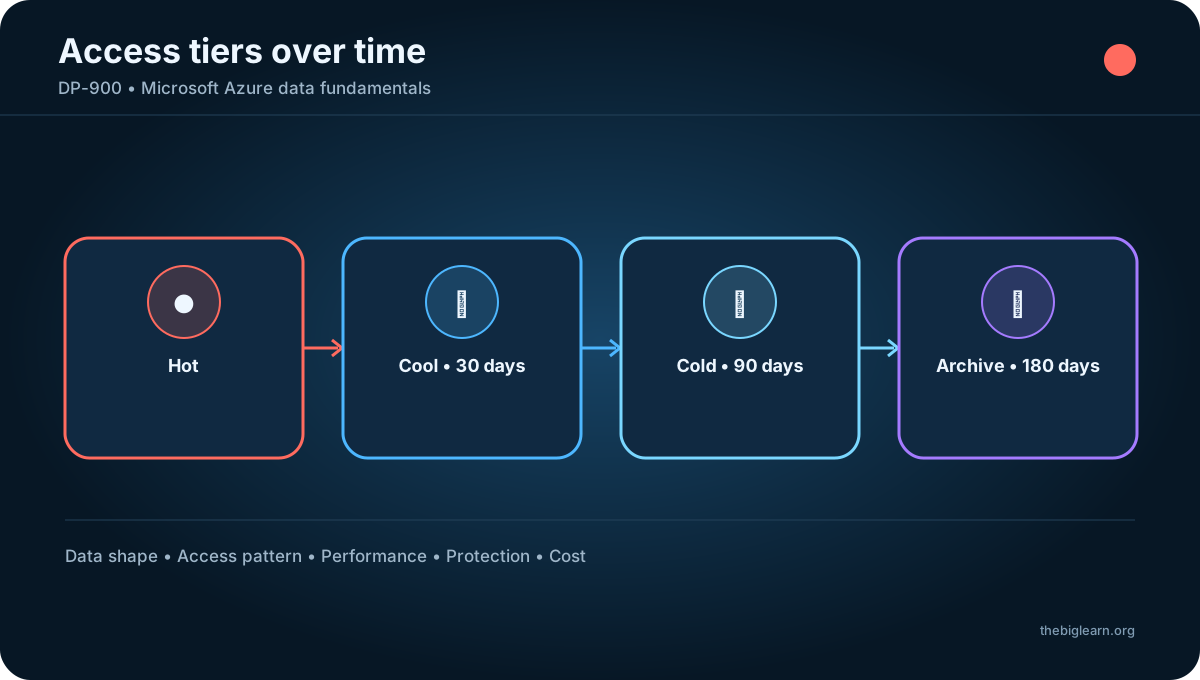
The Hot tier is the default for frequently accessed data and favors low access cost. Cool reduces storage price while increasing access cost and expects a minimum 30-day stay. Cold targets rarely accessed data that still needs millisecond retrieval and expects at least 90 days.
Archive provides the lowest storage cost for historical data, with a 180-day minimum expectation. Archived blobs are offline: rehydration to Hot, Cool, or Cold can take as long as 15 hours before the content can be read. Early deletion can incur charges in the tiers with minimum retention periods.
Lifecycle management policies evaluate age since modification to move blobs through tiers automatically and can remove expired data. A common policy starts data in Hot, advances it as use falls, and eventually archives or deletes it.
Tier
Typical access
Minimum expectation
Hot
Frequent
None
Cool
Infrequent
30 days
Cold
Rare, fast retrieval
90 days
Archive
Very rare, offline
180 days
Figure 3 - Access tiers and lifecycle management
Topic summary
Balance storage price, access price, latency, and minimum retention; lifecycle rules can automate tier transitions and deletion.
5. Redundancy and regional resilience
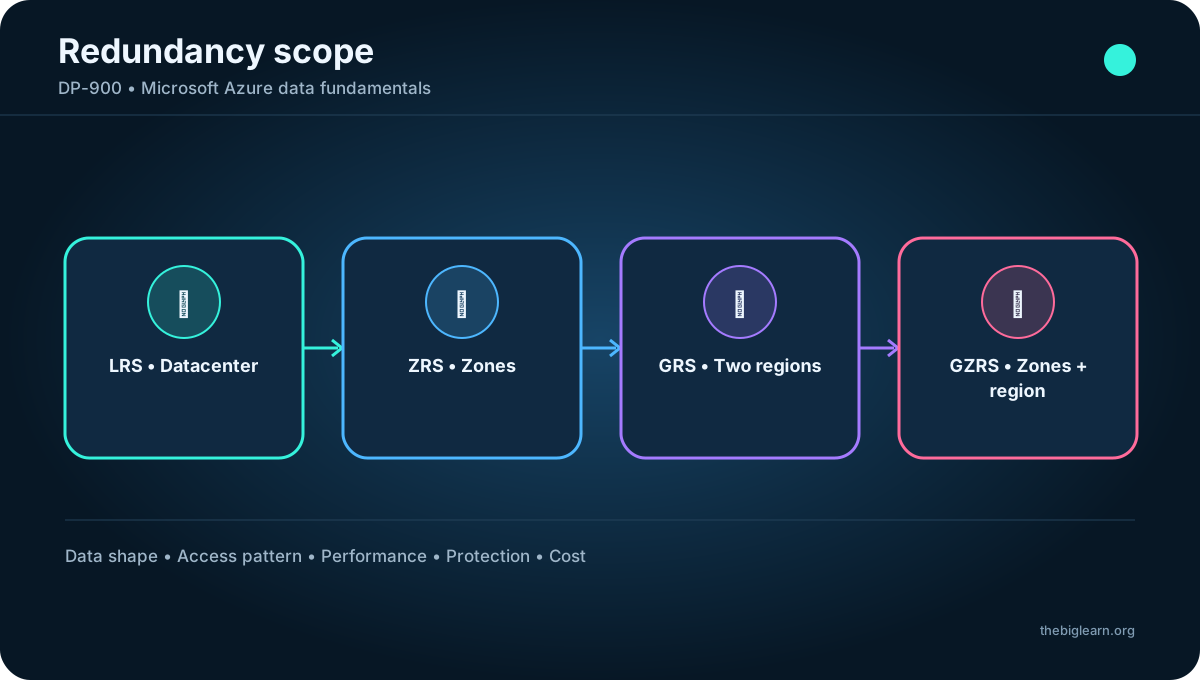
Locally redundant storage (LRS) maintains three copies in one datacenter. Zone-redundant storage (ZRS) spreads copies across three availability zones in the primary region so one zone can fail without making data unavailable.
Geo-redundant storage (GRS) copies LRS-protected data asynchronously to a distant secondary region. Geo-zone-redundant storage (GZRS) combines primary-region zone distribution with secondary-region replication.
Read-access variants, RA-GRS and RA-GZRS, let applications read the secondary copy before failover. The choice should reflect the required availability, disaster scope, read behavior, replication delay, and budget.
LRS
ZRS
GRS / RA-GRS
GZRS / RA-GZRS
Three local copies
Three primary zones
Local plus secondary region
Primary zones plus secondary region
Figure 4 - Redundancy and regional resilience
Topic summary
LRS protects within a datacenter, ZRS across zones, and GRS/GZRS add a secondary region; RA variants expose that secondary copy for reads.
6. Gen2
Gen2 is a cloud-scale data lake built into Azure . It preserves Blob economics and capabilities, including access tiers and lifecycle management, while adding a hierarchical file system compatible with major analytical engines.
Platforms such as can mount the distributed file system and process very large datasets. also provisions OneLake on this storage foundation.
Topic summary
Data Lake Gen2 adds analytics-friendly hierarchy to the scalable, cost-managed foundation of Blob .
7. Hierarchical namespace and permissions
With hierarchical namespace enabled, directories are first-class resources rather than slash-delimited name prefixes. Directory rename, move, delete, and access operations can act atomically on the hierarchy, improving analytical workloads that manipulate many files.
POSIX-compatible access control lists (ACLs) grant read, write, and execute permissions to individual files and directories. ACLs complement the broader resource permissions provided by Azure RBAC.
Enable Hierarchical namespace while creating the storage account, or upgrade an eligible existing account. The upgrade is one-way: after conversion, the account cannot return to a flat namespace.
Figure 5 - Hierarchical namespace and permissions
Topic summary
The hierarchical namespace enables real directory operations and fine-grained ACLs, but converting an account from flat hierarchy cannot be reversed.
8. Microsoft OneLake in Fabric
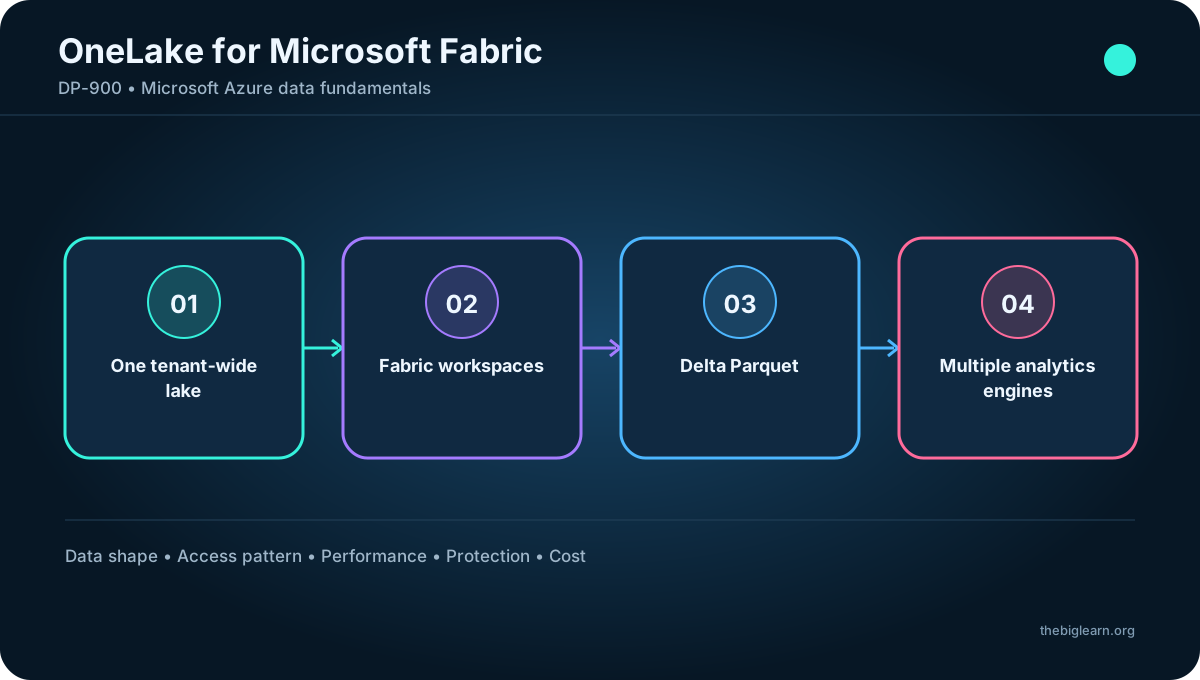
Every tenant receives OneLake automatically. It is one unified logical data lake for the organization and a central repository for structured and unstructured analytical data. Multiple Fabric engines can use the same data without copying or moving it.
Workspaces delegate ownership to teams and organize Fabric data items while preserving governance boundaries. Because OneLake is built on Gen2, it supports existing ADLS Gen2 APIs and SDKs and stores analytical tables in the open Delta Parquet format.
The OneLake file explorer makes the lake navigable from Windows. This combination gives the organization one shared lake with distributed management, open compatibility, and familiar access.
Figure 6 - Microsoft OneLake in Fabric
Topic summary
OneLake provides one organizational lake, while Fabric workspaces distribute ownership and open formats let multiple engines reuse the same data.
9. and cloud file shares
Traditional file shares work well on one local network but become difficult to scale across sites. hosts managed network file shares in Azure, reducing file-server hardware and maintenance while adding cloud availability and capacity.
File shares live in a storage account and can be mounted by users and applications. An account can distribute its capacity among many shares; quotas can limit each share. In the referenced limits, one file can reach 4 TiB and a file or directory supports up to 2,000 concurrent handles.
The source material describes up to 256 TiB for SSD-backed accounts and greater capacity for HDD-backed accounts. Service limits can evolve, so deployment planning should confirm the current regional and account limits.
Figure 7 - and cloud file shares
Topic summary
replaces or extends managed network shares with scalable cloud storage, quotas, and familiar mounting behavior.
10. Protocols, media, upload, and synchronization
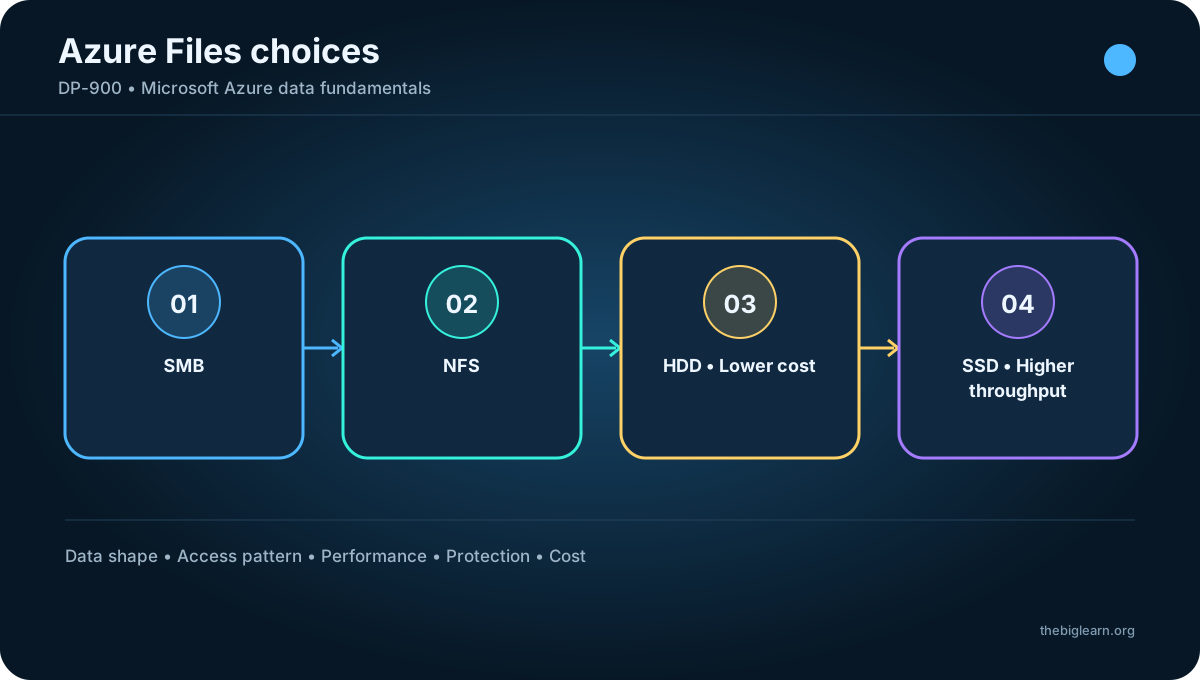
supports Server Message Block (SMB) across Windows, Linux, and macOS. Network File System (NFS) supports Linux with kernel 4.3 or later; it is not supported for Windows or macOS Azure file-share clients. An NFS share requires an SSD-tier account and a virtual network that controls access.
HDD-backed shares cost less, while SSD-backed shares deliver higher throughput at a higher rate. Files can be uploaded through the Azure portal or the AzCopy utility.
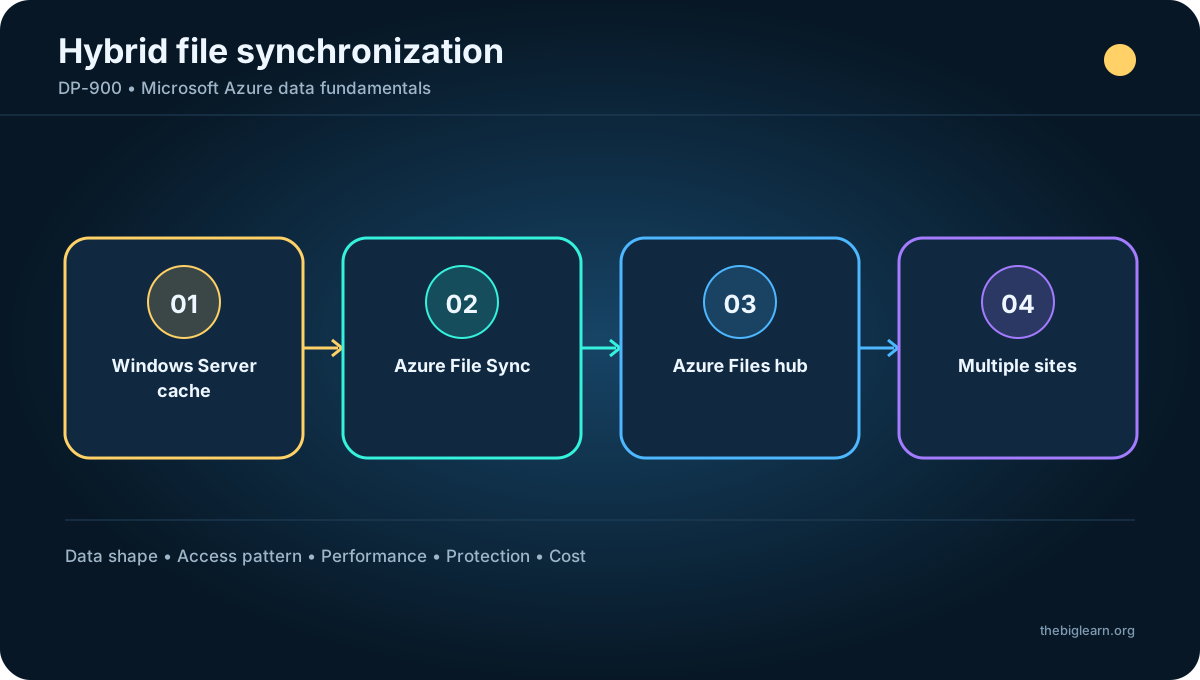
Azure File Sync centralizes data in while keeping local Windows Server caches synchronized. It combines cloud scale with local performance and can support multiple sites without turning every server into an independent data island.
Choice
Requirement
SMB
Windows, Linux, or macOS
NFS
Linux 4.3+, SSD account, virtual network
HDD
Lower cost
SSD
Higher throughput
Figure 8 - Protocols, media, upload, and synchronization
Topic summary
Select SMB or NFS from client needs, HDD or SSD from cost and performance, and Azure File Sync when local caches must remain synchronized with .
11. Azure and entity shape
Azure is a NoSQL key/value service. Each row represents an entity, and its properties can differ from other rows, making the table semi-structured rather than relational.
Every entity has a composite unique key made from PartitionKey and RowKey, plus a Timestamp that records modification time. There are no foreign keys, relationships, stored procedures, or views. Data is generally denormalized so one entity contains all fields needed for a logical record.
for Table uses the same key/value model and adds higher performance and global availability. It is the recommended choice for new workloads in the referenced guidance.
PartitionKey
RowKey
Timestamp
Groups the partition
Unique within partition
Last modification
Figure 9 - Azure and entity shape
Topic summary
holds schema-flexible, denormalized entities identified by PartitionKey and RowKey; it is not a relational table.
12. Partitions, point queries, and range queries
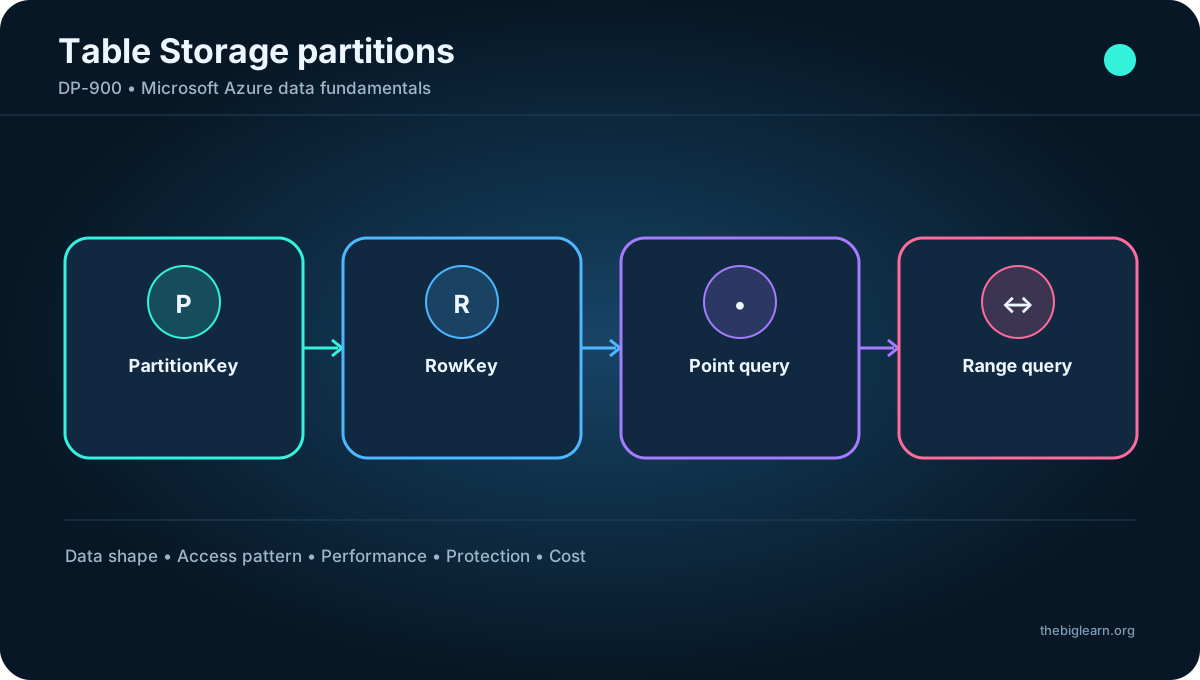
PartitionKey groups related entities that Azure stores together. Partitions can grow or shrink independently, and a table can contain any number of them. Choosing a key that matches access patterns is central to scalability.
Including PartitionKey in a query narrows the amount of data read and improves I/O efficiency. Within one partition, entities are kept in RowKey order. A full PartitionKey plus RowKey enables a fast point query; a RowKey interval enables a contiguous range query inside that partition.
Poor key design can concentrate traffic in one partition or force broad scans. Model keys from expected query and distribution patterns, not only from the conceptual identity of the record.
Topic summary
PartitionKey determines distribution and narrows searches; RowKey uniquely orders entities within the partition for point and range queries.
13. Hands-on exploration of Azure
The practical exercise requires an Azure subscription in which the learner has administrative access. A useful workflow is to create a resource group and storage account, inspect redundancy and account settings, then create and test Blob, File, or Table resources.
During exploration, verify authentication and authorization, upload or create representative data, observe service endpoints, and clean up the resource group to avoid unnecessary cost. Record which access method and namespace each service exposes.
Topic summary
Provisioning practice connects service concepts to account settings, security, endpoints, data operations, cost awareness, and cleanup.
14. Assessment reasoning
Protocol requirements distinguish from Blob : exposes SMB and NFS, while blobs use the Blob API. Blob lifecycle management automates tier movement.
An append operation can fail when an append blob has reached its maximum size, and append blobs are the right type for logs that continually grow without rewriting existing blocks.
Data Lake Gen2 questions repeatedly depend on enabling hierarchical namespace. For rarely accessed images where long retrieval time is acceptable, Archive offers the lowest storage cost; operational requirements must still account for rehydration and minimum retention.
Topic summary
Match questions to the discriminating feature: protocols, lifecycle automation, blob write model, hierarchical namespace, or access-tier economics.
15. Chapter recap and exam checklist
You should be able to describe Blob capabilities, compare block/page/append blobs, select Hot/Cool/Cold/Archive, explain lifecycle and redundancy, and distinguish flat from hierarchical namespaces.
Also verify that you can explain OneLake, protocols and synchronization, keys and partitions, and the basic process for provisioning and using an Azure account. These are service-selection concepts, so focus on recognizing requirements rather than memorizing portal screens.
Topic summary
For DP-900, connect each storage service to its data shape, access method, hierarchy, performance pattern, protection model, and operational trade-offs.